
1. Pengenalan
Terima kasih kerana membeliasing the UNITED LED24TP60 24-inch HD Ready LED TV. This television is designed to provide high-quality visual and audio entertainment. This manual will guide you through the setup, operation, and maintenance of your new TV, ensuring you get the best possible experience. Please read these instructions carefully before operating the device and retain them for future reference.
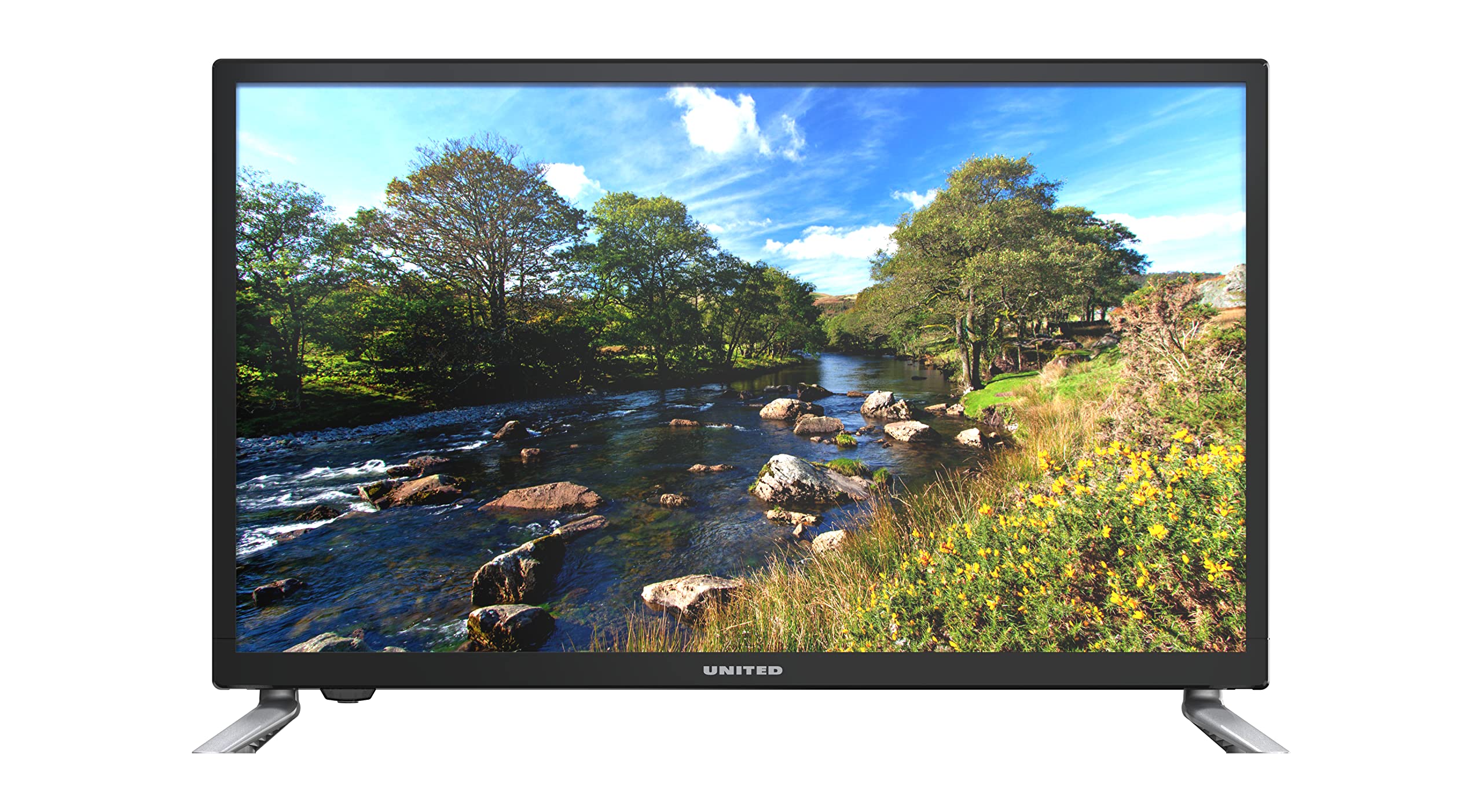
Rajah 1.1: Depan view of the UNITED LED24TP60 24-inch HD Ready LED TV. This image shows the television with its stand attached, displaying a vibrant nature scene.
2. Maklumat Keselamatan Penting
Untuk memastikan operasi yang selamat dan mengelakkan kerosakan, sila patuhi langkah berjaga-jaga keselamatan berikut:
- Sumber Kuasa: Sambungkan TV hanya kepada salur keluar kuasa AC daripada vol yang ditentukantage.
- Pengudaraan: Pastikan pengudaraan yang mencukupi di sekeliling TV. Jangan sekat bukaan pengudaraan.
- Air dan Kelembapan: Jangan dedahkan TV kepada hujan atau lembapan. Jangan letakkan objek yang diisi dengan cecair, seperti pasu, di TV.
- haba: Jauhkan TV daripada sumber haba seperti radiator, daftar haba, dapur atau peralatan lain (termasuk amppenghidup) yang menghasilkan haba.
- Pembersihan: Cabut plag TV dari salur keluar dinding sebelum membersihkan. Gunakan kain lembut dan kering. Jangan gunakan pembersih cecair atau pembersih aerosol.
- Servis: Jangan cuba servis produk ini sendiri. Rujuk semua perkhidmatan kepada pegawai perkhidmatan yang berkelayakan.
- Bateri: Dispose of used batteries responsibly. Do not mix old and new batteries or different types of batteries.
3. Kandungan Pakej
Please check that all items are present in the packaging:
- UNITED LED24TP60 24-inch HD Ready LED TV
- Alat Kawalan Jauh
- 2 x AAA 1.5V Batteries (for remote control)
- Kabel Kuasa
- Komponen Kaki TV (jika berkenaan)
- Manual Pengguna (dokumen ini)
4. Persediaan
4.1 Membongkar dan Meletakkan
- Keluarkan TV dari pembungkusannya dengan berhati-hati.
- Place the TV on a stable, flat surface or mount it on a wall using a compatible VESA mount (not included). Ensure the TV is placed in a well-ventilated area.
4.2 Memasang Stand
If you are not wall-mounting the TV, attach the included stand components:
- Letakkan TV menghadap ke bawah di atas kain atau kusyen lembut untuk mengelakkan kerosakan skrin.
- Selaraskan komponen pendirian dengan lubang pelekap di bahagian bawah TV.
- Selamatkan dirian menggunakan skru yang disediakan. Jangan terlalu ketat.
4.3 Menyambung Peranti Luaran
The UNITED LED24TP60 TV offers various connectivity options:
- HDMI: Connect high-definition devices such as Blu-ray players, game consoles, or set-top boxes using an HDMI cable.
- RF (Antenna/Cable): Sambungkan antena atau isyarat TV kabel untuk saluran penyiaran.
- USB: Masukkan pemacu USB untuk memainkan media files (foto, muzik, video).
4.4 Hidupkan Kuasa dan Persediaan Awal
- Sambungkan kabel kuasa ke TV dan kemudian ke saluran keluar dinding.
- Insert the AAA batteries into the remote control, observing polarity.
- Tekan butang kuasa pada alat kawalan jauh atau pada TV.
- Follow the on-screen instructions to select your language, country, and perform an automatic channel scan for available broadcast channels.

Rajah 4.1: Dimensions of the UNITED LED24TP60 TV. The image illustrates the TV's depth (12 cm), width (62.5 cm), and height (41.4 cm) with the stand.
5. Mengendalikan TV
5.1 Fungsi Kawalan Jauh
The remote control allows you to access all TV functions. Common buttons include:
- Kuasa: Menghidupkan atau mematikan TV.
- Input/Sumber: Selects the input source (HDMI, RF, USB).
- Jilid +/-: Melaraskan tahap kelantangan.
- Saluran +/-: Menukar saluran TV.
- Menu: Membuka menu utama untuk pelarasan tetapan.
- Butang Navigasi (Atas/Bawah/Kiri/Kanan): Navigasi melalui menu.
- OK/Masukkan: Mengesahkan pilihan.
- Keluar/Kembali: Kembali ke skrin sebelumnya atau keluar dari menu.
5.2 Pemilihan Input
To switch between connected devices (e.g., a game console on HDMI and broadcast TV):
- Tekan ke Input or Sumber butang pada alat kawalan jauh.
- Use the navigation buttons to highlight the desired input (e.g., HDMI1, DTV, ATV, USB).
- Tekan OK untuk mengesahkan pilihan anda.
5.3 Navigasi Menu dan Tetapan
Tekan ke Menu butang untuk mengakses pelbagai tetapan:
- Tetapan Gambar: Adjust brightness, contrast, color, sharpness, and picture mode (e.g., Standard, Dynamic, Movie).
- Tetapan Bunyi: Adjust bass, treble, balance, and sound mode (e.g., Standard, Music, Movie).
- Tetapan Saluran: Perform channel scans, edit channels, or set parental controls.
- Tetapan Masa: Set the current time, sleep timer, or auto-off function.
- Tetapan Sistem: Access language settings, software updates, and factory reset options.
5.4 Main Semula Media melalui USB
Insert a USB storage device into the USB port. The TV supports playback of various media formats, including those encoded with HEVC Main 10. Navigate to the USB input source to browse and play your files.
5.5 Supported Internet Services
This television supports Mediaset Infinity. Access to this service may require an internet connection and a subscription, depending on regional availability and service provider terms.
6. Penyelenggaraan
6.1 Membersihkan TV
- Sentiasa cabut plag TV dari salur keluar kuasa sebelum membersihkan.
- Gunakan kain lembut, kering dan bebas serabut untuk mengelap skrin dan kabinet dengan perlahan.
- Untuk tanda degil pada skrin, ringan dampen the cloth with water or a specialized screen cleaner (ensure it is safe for LED screens) and wipe gently. Do not spray liquid directly onto the screen.
- Elakkan menggunakan pembersih, lilin atau pelarut yang kasar kerana ia boleh merosakkan kemasan TV.
6.2 Penyimpanan
If you need to store the TV for an extended period, ensure it is unplugged, clean, and stored in a cool, dry place, preferably in its original packaging to protect it from dust and physical damage.
7. Penyelesaian masalah
Sebelum menghubungi sokongan pelanggan, sila rujuk isu dan penyelesaian biasa berikut:
| Masalah | Penyelesaian yang Mungkin |
|---|---|
| Tiada kuasa | Check if the power cable is securely connected to the TV and the wall outlet. Ensure the wall outlet is functioning. Try pressing the power button on the TV itself. |
| Tiada gambar, tetapi bunyi hadir | Ensure the correct input source is selected. Check cable connections (HDMI, RF). Adjust brightness and contrast settings. |
| Tiada bunyi, tetapi ada gambar | Check the volume level and ensure the TV is not muted. Verify audio cable connections. Check sound settings in the menu. |
| Alat kawalan jauh tidak berfungsi | Gantikan bateri dalam alat kawalan jauh. Pastikan tiada halangan antara alat kawalan jauh dan penderia IR TV. |
| Kualiti gambar yang buruk | Check antenna or cable connections. Adjust picture settings (sharpness, noise reduction). If using an external device, check its output resolution. |
8. Spesifikasi
Key technical specifications for the UNITED LED24TP60 TV:
| Ciri | Spesifikasi |
|---|---|
| Nombor Model | LED24TP60 |
| Jenama | BERSATU |
| Saiz Skrin | 24 inci (60 cm) |
| Resolusi | Sedia HD (1366 x 768 piksel) |
| Jenis Paparan | LED |
| Kadar Segar Semula | 60 Hz |
| Nisbah Aspek | 16:9 |
| Ketersambungan | HDMI, RF, USB (1 port) |
| Ciri Khas | HEVC Main 10 support, Flat screen |
| Perkhidmatan Internet yang Disokong | Mediaset Infinity |
| Dimensi (dengan pendirian) | 12P x 62.5L x 41.4H sentimeter |
| Penggunaan Kuasa (SDR) | 21.0 W |

Rajah 8.1: Energy label for the UNITED LED24TP60 TV, indicating an energy efficiency class F and a power consumption of 21 kWh/1000h.
Untuk maklumat produk yang lebih terperinci, rujuk pangkalan data EPREL: https://eprel.ec.europa.eu/qr/346372

Rajah 8.2: Product information sheet for the UNITED LED24TP60 TV, detailing various technical specifications and compliance information.
9. Waranti dan Sokongan
The product information indicates a minimum technical assistance guarantee for the product until September 20, 2025. Specific details regarding warranty coverage, duration, and terms are typically provided with your purchase documentation or can be obtained directly from the manufacturer or your retailer.
For technical support, service, or warranty claims, please contact your retailer or the UNITED customer service department. Keep your proof of purchase for any warranty-related inquiries.
Information regarding the availability of spare parts and software updates is not provided in the product data.