
1. Maklumat Keselamatan
Sila baca semua arahan dengan teliti sebelum pemasangan dan penggunaan. Simpan manual ini untuk rujukan masa hadapan.
- Produk ini mempunyai kapasiti berat maksimum sebanyak 136 kilogram (299.8 paun). Jangan melebihi had ini.
- Improper use or assembly may lead to instability or injury. Always follow the assembly instructions provided.
- Pastikan semua skru dan bolt diketatkan dengan kukuh sebelum digunakan. Periksa secara berkala dan ketatkan semula jika perlu.
- Jauhkan kanak-kanak daripada kerusi semasa pemasangan. Bahagian-bahagian kecil boleh menyebabkan bahaya tercekik.
- Gunakan kerusi di atas permukaan yang rata dan stabil.
2. Produk Lebihview
The Primy Ergonomic Office Chair is designed for comfort and functionality in various settings, including home offices, conference rooms, and studies. It features adjustable lumbar support, height adjustment, a breathable mesh back, and flip-up armrests for space-saving convenience.

Imej 2.1: Bahagian hadapan view of the Primy Ergonomic Office Chair in white.

Image 2.2: The Primy office chair positioned in a modern office environment.
3. Senarai Komponen
Sebelum memulakan pemasangan, pastikan semua komponen ada dan tidak rosak. Jika mana-mana bahagian hilang atau rosak, sila hubungi khidmat pelanggan.

Imej 3.1: Meletup view of chair components and hardware for assembly.
Pakej termasuk:
- Backrest
- Kusyen Tempat Duduk dengan Tempat Letak Tangan
- Silinder Angkat Gas
- Pangkalan (5 bintang)
- Roda (5 keping)
- Plat Mekanisme
- Perkakasan (skru, pencuci, sepana Allen)
4. Arahan Perhimpunan
Assembly is designed to be straightforward and typically requires no additional tools beyond what is provided. Follow these steps:
- Pasang Kastor ke Pangkalan: Insert each of the five casters into the holes at the end of each leg of the 5-star base. Push firmly until they click into place.
- Masukkan Pengangkat Gas: Letakkan silinder pengangkat gas ke dalam lubang tengah tapak 5 bintang yang telah dipasang.
- Pasang Plat Mekanisme pada Tempat Duduk: Align the mechanism plate with the pre-drilled holes on the underside of the seat cushion. Secure it with the provided screws. Ensure the lever is on the right side when facing the front of the seat.
- Pasang Sandaran Belakang ke Tempat Duduk: Align the backrest with the mounting points on the seat cushion. Secure it using the provided screws.
- Sambungkan Tempat Duduk ke Lif Gas: Letakkan tempat duduk dan penyandar yang telah dipasang dengan berhati-hati pada silinder pengangkat gas, pastikan lubang tengah plat mekanisme sejajar dengan bahagian atas pengangkat gas. Tekan ke bawah dengan kuat untuk memastikan ia kukuh.
Image 4.1: Visual guide for chair assembly, showing six main steps.
5. Arahan Operasi
5.1. Pelarasan Ketinggian
To adjust the chair's height, locate the lever on the right side beneath the seat. While seated, pull the lever up to lower the chair. To raise the chair, stand up slightly to relieve weight from the seat, then pull the lever up. Release the lever at the desired height.

Image 5.1: Visual guide for adjusting the chair's height using the lever.
5.2. Pelarasan Sokongan Lumbar
The chair features an adjustable lumbar support designed to conform to your spine. The lumbar support can be adjusted vertically by approximately 2 inches (5 cm) to provide optimal lower back comfort. Gently push or pull the lumbar support mechanism on the backrest to find your preferred position.
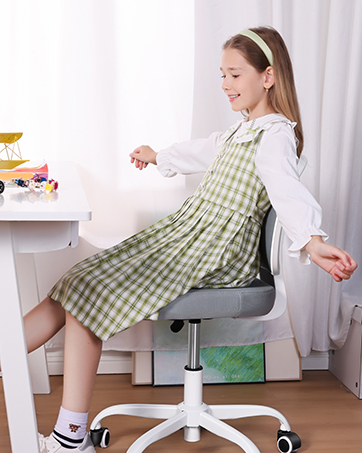
Image 5.2: Illustration of the 2-inch (5 cm) adjustable lumbar support.
5.3. Tilt Function
The chair's backrest can tilt back up to 120 degrees, allowing for a comfortable recline. To engage the tilt, pull the same lever used for height adjustment outwards. Push the lever inwards to lock the backrest in an upright position.
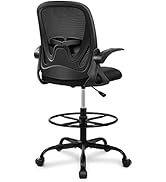
Image 5.3: Visual representation of the chair's 120-degree tilt capability.
5.4. Armrest Adjustment (Flip-up)
The armrests can be flipped up by 90 degrees, allowing the chair to be pushed closer to a desk or stored compactly. Simply lift the armrests upwards until they lock into the vertical position. To lower them, gently pull them down.

Image 5.4: Illustration of the 90-degree flip-up armrests for space-saving.
5.5. Fungsi Pusing
The chair offers 360-degree swivel mobility, facilitating easy movement and interaction within your workspace.

Imej 5.5: Selesaiview of chair adjustments, including 360-degree rotation.
6. Penyelenggaraan
6.1. Pembersihan
To clean the chair, simply wipe it with a clean, damp cloth. Avoid using harsh chemicals or abrasive cleaners, as these may damage the mesh fabric or plastic components.
6.2. Penjagaan Am
- Periksa semua skru dan bolt secara berkala untuk memastikan ia kekal ketat. Ketatkan semula jika perlu untuk mengekalkan kestabilan.
- Avoid exposing the chair to direct sunlight for extended periods, as this may cause fading or material degradation.
- Ensure casters are free of debris to maintain smooth rolling.
7. Penyelesaian masalah
- Issue: Chair height slowly drops.
Penyelesaian: This can sometimes occur with gas lift mechanisms over time. Re-adjust the height as needed. If the issue persists or the chair does not hold height at all, the gas lift may need replacement. Contact customer support for assistance. - Issue: Chair is wobbly or unstable.
Penyelesaian: Check all assembly screws and bolts, especially those connecting the seat to the mechanism plate and the backrest. Ensure they are securely tightened. Verify that the gas lift is properly seated in the base. - Issue: Casters do not roll smoothly.
Penyelesaian: Inspect casters for any trapped hair, dust, or debris. Clean them thoroughly. Ensure the chair is used on an appropriate surface (e.g., hard floor as recommended).
8. Spesifikasi
| Ciri | Perincian |
|---|---|
| Jenama | Primy |
| Nombor Model | PR934-Parent |
| warna | putih |
| Dimensi Produk (D x W x H) | 25.2"D x 25.2"W x 39.8"H |
| Gaya Belakang | Tempat letak belakang ergonomik |
| Ciri Khas | Adjustable height, Adjustable lumbar support, Flip-up armrests |
| Cadangan Berat Maksimum | 136 Kilogram (299.8 lbs) |
| Jenis Bahan | Mesh (back), Foam (seat) |
| Pergerakan Pangkalan Perabot | Pusing |
| Mencondongkan | Ya (sehingga 120 darjah) |
| Komponen yang Disertakan | Pemutus |
| Arahan Penjagaan Produk | Lap bersih |
9. Waranti dan Sokongan
The Primy Ergonomic Office Chair comes with a waranti setahun from the date of purchase, covering manufacturing defects. This warranty does not cover damage caused by misuse, accidents, or unauthorized modifications.
For any questions, concerns, or warranty claims, please contact Primy customer support:

Image 9.1: Contact details for Primy customer service.
- e-mel: cs@primyhome.com
- telefon: +1 (775) 320-9681
You can also reach us through your Amazon account by navigating to 'Your Orders' and selecting 'Contact Seller' for your purchase.