
1. Pengenalan
Thank you for choosing the Kaidi TWS Smart Touch Wireless Earbuds KD-771. These earbuds feature Bluetooth V5.1 for stable connectivity, Smart Touch controls for easy operation, and an IPX4 splash-resistant design, making them suitable for various activities. This manual provides detailed instructions to help you get the most out of your new earbuds.
Kandungan Pakej:
- 1 Pair of Kaidi KD-771 Wireless Earbuds
- 1 Kes Pengecasan
- 1 USB Charging Cable (Type-C, typically)
- Manual Pengguna 1
2. Persediaan
2.1 Mengecas Fon Telinga dan Bekas Pengecasan
Before first use, fully charge the earbuds and the charging case. The charging case acts as a portable power bank for your earbuds.
- Mengecas fon telinga: Place the earbuds into their respective slots in the charging case. Ensure the charging contacts align. The indicator lights on the earbuds will show their charging status.
- Mengecas Kes: Connect the USB charging cable to the charging port on the case and the other end to a USB power adapter (not included) or a computer USB port. The charging case indicator will illuminate to show charging status. A full charge for the case and earbuds typically takes approximately 4 hours.
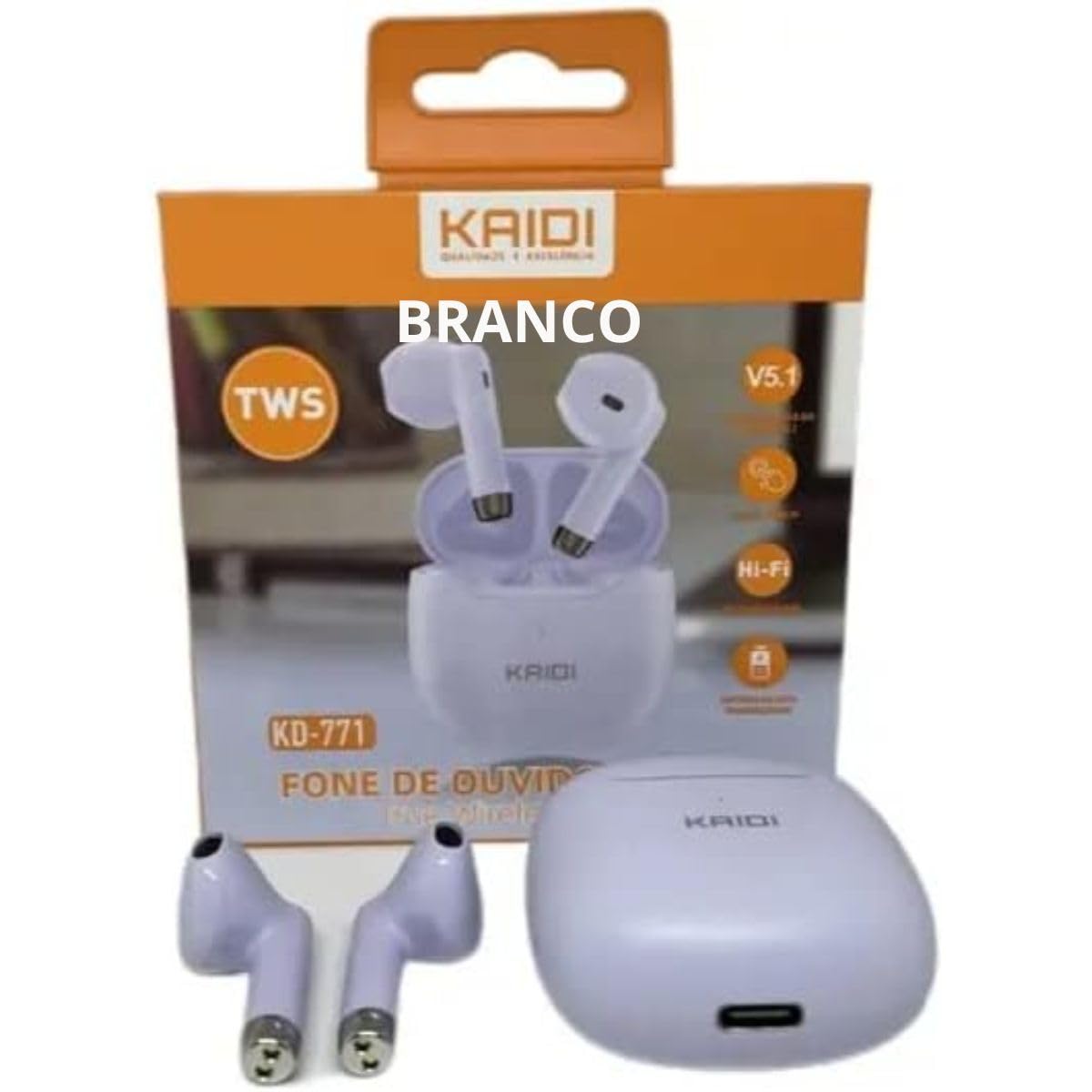
Image: Kaidi KD-771 Earbuds in their charging case. The earbuds are white and sit securely in the case, which is also white. This image illustrates the product's appearance and how the earbuds are stored.
2.2 Berpasangan dengan Peranti Anda
Follow these steps to pair your Kaidi KD-771 earbuds with your smartphone or other Bluetooth-enabled device:
- Hidupkan kuasa: Open the charging case. The earbuds will automatically power on and enter pairing mode. You will hear an audible prompt, and the indicator lights on the earbuds will flash (typically blue and red alternately).
- Aktifkan Bluetooth: Pada peranti anda, pergi ke tetapan Bluetooth dan pastikan Bluetooth dihidupkan.
- Select Earbuds: In the list of available Bluetooth devices, look for "KD-771" or a similar name and select it to connect.
- Pengesahan: Once connected, you will hear a confirmation sound from the earbuds, and the indicator lights will stop flashing or flash slowly.
Nota: Fon telinga akan menyambung semula secara automatik ke peranti gandingan terakhir apabila dikeluarkan daripada sarung, jika Bluetooth didayakan pada peranti.
3. Arahan Operasi
The Kaidi KD-771 earbuds feature Smart Touch controls for convenient operation.
3.1 Hidupkan/Mati Kuasa
- Hidupkan kuasa: Open the charging case, or long-press the touch area on both earbuds for approximately 3 seconds.
- Matikan: Place the earbuds back into the charging case and close the lid, or long-press the touch area on both earbuds for approximately 5 seconds.
3.2 Main balik Muzik
- Main/Jeda: Tap the touch area on either the left or right earbud once.
- Lagu Seterusnya: Ketik dua kali pada kawasan sentuh pada fon telinga kanan.
- Trek Sebelumnya: Ketik dua kali pada kawasan sentuh pada fon telinga kiri.
3.3 Pengurusan Panggilan
- Jawab/Tamatkan Panggilan: Tap the touch area on either earbud once during an incoming call or during an active call.
- Tolak Panggilan: Long-press the touch area on either earbud for approximately 2 seconds during an incoming call.
3.4 Pembantu Suara
- Aktifkan Pembantu Suara: Ketik tiga kali pada kawasan sentuh pada mana-mana fon telinga.
3.5 Kawalan Kelantangan
- Tingkatkan Kelantangan: Long-press the touch area on the right earbud.
- Kurangkan Kelantangan: Long-press the touch area on the left earbud.
4. Penyelenggaraan
4.1 Pembersihan
- Gunakan kain lembut, kering dan tidak berbulu untuk membersihkan fon telinga dan bekas pengecas.
- Jangan gunakan pembersih, pelarut atau semburan aerosol yang kasar.
- Bersihkan sentuhan pengecasan pada kedua-dua fon telinga dan bekas dengan lembut menggunakan kapas kering untuk memastikan pengecasan yang betul.
4.2 Penyimpanan
- Apabila tidak digunakan, simpan fon telinga dalam bekas pengecasnya untuk melindunginya dan memastikan ia dicas.
- Simpan peranti di tempat yang sejuk dan kering, jauh dari suhu yang melampau dan cahaya matahari langsung.
4.3 Rintangan Air (IPX4)
The Kaidi KD-771 earbuds are rated IPX4, meaning they are splash-resistant. This protects them from splashing water from any direction. They are suitable for light rain or sweaty workouts.
- Jangan tenggelamkan fon telinga dalam air.
- Avoid exposing them to high-pressure water jets.
- Pastikan fon telinga kering sebelum meletakkannya semula ke dalam bekas pengecas untuk mengelakkan kerosakan pada sesentuh pengecasan.
5. Penyelesaian masalah
5.1 Fon Telinga Tidak Berpasangan
- Pastikan kedua-dua fon telinga dicas.
- Matikan Bluetooth pada peranti anda dan hidupkannya semula.
- Delete "KD-771" from your device's Bluetooth list and try pairing again.
- If only one earbud connects, try resetting the earbuds (refer to the full reset instructions if available in a separate guide, or try placing them back in the case and taking them out again).
5.2 Tiada Bunyi atau Kelantangan Rendah
- Semak tahap kelantangan pada kedua-dua peranti anda dan fon telinga.
- Pastikan fon telinga disambungkan dengan betul ke peranti anda.
- Bersihkan sebarang serpihan daripada jaring pembesar suara fon telinga.
5.3 Isu Pengecasan
- Pastikan kabel pengecasan disambungkan dengan selamat pada kedua-dua bekas dan sumber kuasa.
- Verify that the power source is working.
- Bersihkan sesentuh pengecasan pada fon telinga dan dalam sarung.
6. Spesifikasi
| Ciri | Spesifikasi |
|---|---|
| Nombor Model | KD-771 |
| Versi Bluetooth | V5.1 |
| Hayat Bateri (Earbud) | Approx. 4 hours (talk time/music playback) |
| Masa Mengecas | Approx. 4 hours (for full charge of case and earbuds) |
| Tahan Air | IPX4 (tahan percikan) |
| Impedans | 32 ohm |
| Julat Kekerapan | 2.400 - 2.485 GHz |
| Jenis Pemacu Audio | Pemandu Armature Seimbang |
| Kaedah Kawalan | Sentuh |
| Komponen Termasuk | Earbuds, Charging Case |
| Pensijilan ANATEL | 18583-21-14467 |
7. Waranti dan Sokongan
7.1 Maklumat Waranti
This Kaidi KD-771 product is covered by a Waranti 3 bulan from the date of purchase against manufacturing defects. Please retain your proof of purchase for warranty claims.
Waranti tidak melindungi kerosakan yang disebabkan oleh:
- Penggunaan atau pengendalian yang tidak betul.
- Pembaikan atau pengubahsuaian yang tidak dibenarkan.
- Accidental damage, drops, or extreme temperatures.
- Water damage beyond the IPX4 rating (e.g., submersion).
7.2 Sokongan
For further assistance, troubleshooting, or warranty inquiries, please contact the retailer or the manufacturer (KAIDI) directly. Refer to your purchase documentation for specific contact details.