
pengenalan
This manual provides detailed instructions for the assembly, operation, and maintenance of your HOLACA Floor Stand for Baby Monitors. Please read this manual thoroughly before use to ensure proper installation and safe operation.
Produk Selesaiview
The HOLACA Floor Stand is designed to securely hold various baby monitors, offering flexible positioning without the need for wall mounting. Its sturdy construction and versatile design make it suitable for different room layouts and camera types.
Ciri-ciri Utama:
- Keserasian Universal: Designed for most baby cameras with a 1/4" threaded hole, including Infant Optics DXR-8/8 Pro, Arlo, Motorola, Nannio, Eufy, HelloBaby HB65/HB66/HB248/HB6550, ANMEATE SM935E, VTech, Vava/Hipp, Nooie, and Owlet. Includes 11 adapters for broad compatibility.
- Pembinaan yang Kukuh dan Selamat: Made from stainless steel for durability and stability, preventing accidental falls.
- Pemasangan Mudah: Tool-free assembly and disassembly, requiring approximately two minutes. No wall damage.
- Kedudukan Serbaguna: Allows for random adjustment of the stand angle to adapt to multiple environments. Upgraded version for easier twisting and enhanced stability.
- Penggunaan Dalaman/Luar: Stainless steel material is waterproof and rustproof, suitable for both indoor and outdoor environments.

Image: A visual representation of the HOLACA Floor Stand's compatibility with different baby monitor models, highlighting the 1/4" threaded connection.
Kandungan Pakej
Sila sahkan bahawa semua komponen hadir sebelum memulakan pemasangan:
- Plat asas
- Multiple Rod Sections (for adjustable height)
- Flexible Gooseneck Rod
- Camera Mounting Plate with 1/4" Screw
- Assorted Camera Adapters (11 types)
- Cable Management Clips (Velcro straps)

Image: A collection of different camera adapters (DF 1110, DF 1119, DF 1050, DF 1078, DF 1113, DF 1155, DF 1111) provided for universal compatibility.
Arahan Persediaan dan Pemasangan
Follow these steps to assemble your HOLACA Floor Stand and attach your baby monitor:
Assemble the Stand Rods:
Langkah 1: Twist the first iron pipe clockwise into the base plate until secure.
Langkah 2: Install the second iron pipe by twisting it onto the first pipe.
Langkah 3: Install the flexible gooseneck rod onto the top of the assembled pipes.

Image: Illustration showing the three steps of assembling the stand's base and rods by twisting them together.
Attach Your Baby Monitor:
The stand comes with various adapters to fit different baby monitor models. Identify the correct adapter for your specific monitor.

Image: A multi-panel image demonstrating how to attach different baby monitors (Eufy, Infant Optics, VAVA, Nooie) to the stand using specific adapters. Each panel shows peeling off 3M tape, aiming the monitor into the bracket, docking, and screwing to fix it.
Langkah 1: Select the appropriate adapter for your baby monitor from the included set. Refer to the compatibility section or the image above for guidance.
Langkah 2: If your adapter has 3M tape, peel off the protective film from the inside of the bottom bracket.
Langkah 3: Aim your baby monitor into the selected adapter bracket and slide it into place.
Langkah 4: Secure the monitor by twisting the screw to fix it onto the rod. Ensure it is firmly attached.
Pengurusan Kabel: Use the provided cable management clips to secure the monitor's power cable along the stand, preventing tangles and ensuring safety.
Arahan Operasi
Once assembled, the HOLACA Floor Stand allows for flexible positioning of your baby monitor.
- Kedudukan: Place the stand on a flat, stable surface near the area you wish to monitor. Ensure the base is fully on the floor and not partially hanging off a ledge.
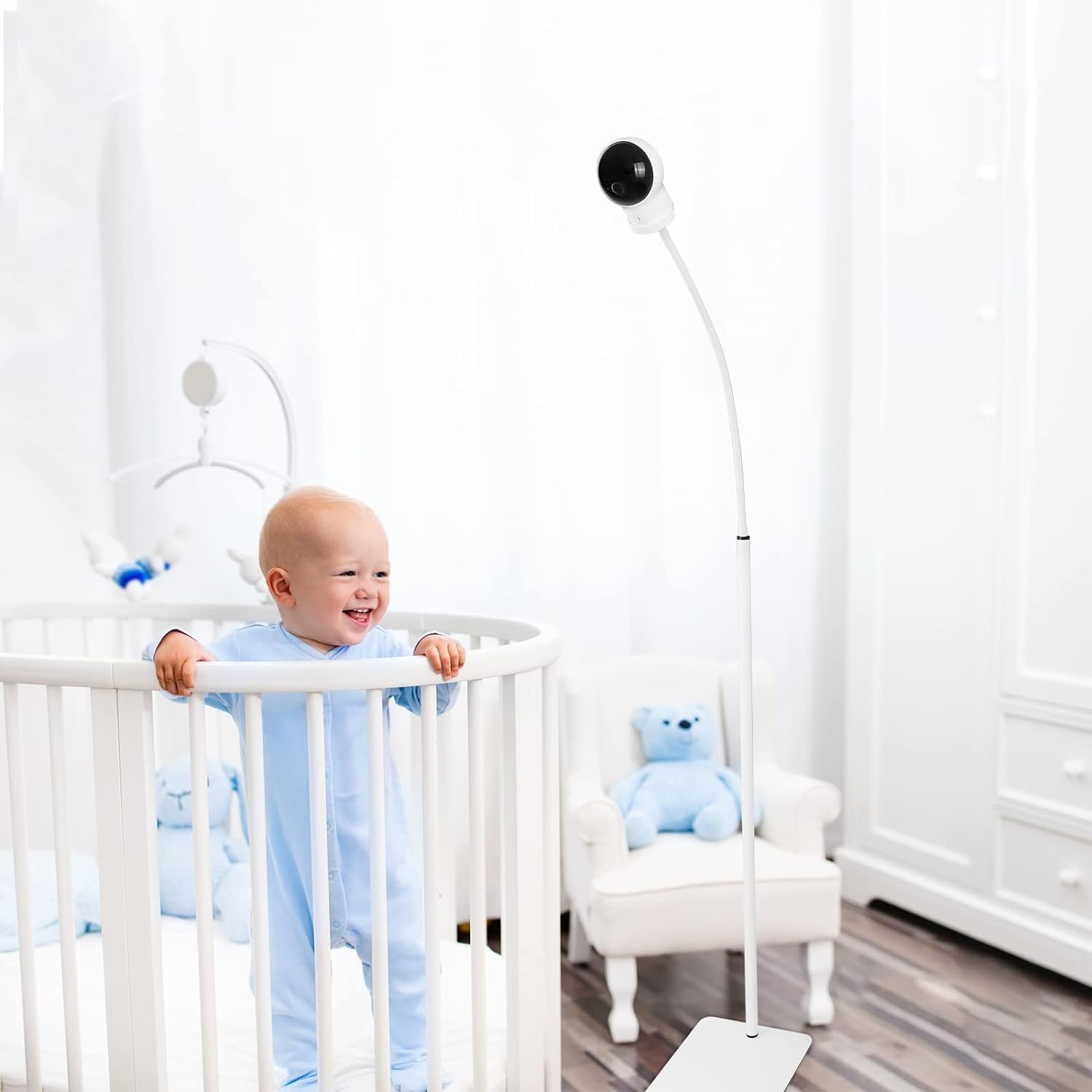
Image: A baby monitor stand positioned next to a baby crib, showing a clear view of the baby. The stand is white and blends with the nursery decor.
- Melaraskan Sudut: The upper section of the stand features a flexible gooseneck rod. Gently bend and adjust this section to achieve the desired camera angle and field of view. The stand also allows for 360-degree rotation of the camera mount.

Image: An illustration demonstrating the 360-degree rotation feature of the stand, showing arrows indicating circular movement around the vertical axis.
- Semakan Kestabilan: Before leaving the monitor unattended, gently test the stability of the stand and ensure the camera is securely attached and will not tip over.

Imej: Dari dekat view of the stand's base, highlighting its flat, stable design and the secure connection of the vertical pole.
Penyelenggaraan
To ensure the longevity and proper function of your HOLACA Floor Stand, follow these simple maintenance guidelines:
- Pembersihan: Lap dirian dengan lembut, damp kain. Elakkan menggunakan pembersih atau pelarut yang melelas, kerana ini boleh merosakkan kemasan.
- Pemeriksaan: Periodically check all connections and screws to ensure they remain tight. Re-tighten if necessary.
- Storan: If storing the stand for an extended period, disassemble it and store components in a dry, safe place to prevent damage.
Menyelesaikan masalah
If you encounter any issues with your HOLACA Floor Stand, refer to the following common solutions:
- Pendirian Tidak Stabil:
- Ensure the base plate is on a flat, level surface.
- Verify that all rod sections are securely twisted together.
- Check that the camera is properly balanced on the mounting plate.
- Camera Does Not Fit Adapter:
- Double-check that you are using the correct adapter for your specific baby monitor model. The stand includes 11 different adapters for various cameras.
- For some monitors, minor adjustments or the use of the monitor's original base might be necessary if the provided adapters do not fit perfectly.
- Camera Falls Off Stand:
- Ensure the camera is firmly screwed onto the mounting plate or securely docked into its adapter.
- Verify that the adapter itself is properly attached to the flexible rod.
Spesifikasi Produk
| Ciri | Perincian |
|---|---|
| Jenama | HOLACA |
| Nama Model | HOLACA 35 inch / 63 inch Floor Stand |
| bahan | Akrilonitril Butadiene Styrene (ABS), Keluli Tahan Karat |
| Jenis Pemasangan | Pemasangan Tripod |
| Penggunaan Dalaman/Luar | Indoor (Waterproof and rustproof for outdoor use) |
| Berat Barang | 4.64 paun (2.11 Kilogram) |
| Dimensi Pakej | 16.85 x 8.03 x 1.54 inci |
| warna | putih |
| Ciri Khas | Flexible, Universal Fit, Easy to Install, Portable |

Image: A diagram illustrating the dimensions of the base plate, various rod sections, and the camera mounting bracket.
Waranti dan Sokongan
HOLACA provides a 3-month warranty for this product.
If you experience any issues or if the product does not meet your expectations, please contact HOLACA customer support. We are committed to resolving any problems and will offer a full refund or replacement if a satisfactory resolution cannot be achieved.
For support, please refer to the contact information provided with your purchase or visit the official HOLACA webtapak.