
DaranEner NEO2000
Manual Pengguna Stesen Janakuasa Mudah Alih DaranEner NEO2000
Model: NEO2000
1. Pengenalan dan Selesai Produkview
Thank you for choosing the DaranEner NEO2000 Portable Power Station. This device is a high-capacity, versatile power solution designed to provide reliable electricity for various applications, from outdoor adventures to emergency home backup. Featuring a 2000W output and a 2074Wh LiFePO4 battery, it offers fast charging capabilities and a long lifespan.

The DaranEner NEO2000 Portable Power Station, showcasing its robust design and integrated display.
The NEO2000 is equipped with multiple output ports, including AC, DC, USB-A, and USB-C, to power a wide range of electronic devices and appliances. Its LiFePO4 battery technology ensures enhanced safety, durability, and a high number of charge cycles.
2. Arahan Keselamatan
To ensure safe operation and prolong the life of your DaranEner NEO2000, please read and adhere to the following safety guidelines:
- Jangan buka, baiki atau ubah suai unit. Pemasangan semula yang salah boleh menyebabkan kebakaran atau kejutan elektrik.
- Jangan letakkan unit berhampiran api atau dedahkannya kepada haba. Jauhkan dari cahaya matahari langsung.
- Jangan cas, gunakan atau simpan unit di dalam bilik mandi atau di kawasan yang terdedah kepada air atau lembapan.
- Gunakan hanya kabel dan penyesuai pengecas yang disediakan atau diluluskan.
- Jauhkan unit daripada kanak-kanak dan haiwan peliharaan.
- Pastikan pengudaraan yang betul semasa penggunaan dan pengecasan untuk mengelakkan terlalu panas.
- Avoid dropping, heavy impacts, or strong vibrations to the unit.
- Jika unit menunjukkan tanda-tanda kerosakan, kebocoran atau bau yang luar biasa, hentikan penggunaan dengan segera dan hubungi khidmat pelanggan.
- Jangan masukkan objek asing ke dalam port atau lubang udara.
3. Kandungan Pakej
Upon unpacking your DaranEner NEO2000, please verify that all the following items are included:
- DaranEner NEO2000 Portable Power Station
- Charging Cable (AC power cable)
- MC4-to-XT60 Solar Charging Cable
- Manual Pengguna
- Kad Waranti

The DaranEner NEO2000 is securely packaged for transport, indicating lithium-ion battery contents.
4. Komponen dan Pelabuhan Produk
Familiarize yourself with the various components and input/output ports of your NEO2000:
- Skrin Paparan Utama: Menunjukkan paras bateri, wat input/outputtage, dan penunjuk status.
- Cawangan AC: Three 230V AC outlets for powering household appliances up to 2000W total.
- Outlet DC: Four DC output ports for 12V devices.
- Outlet Kereta: One 12V car cigarette lighter socket.
- Port USB-A: Four USB-A ports, including QC3.0 18W for fast charging compatible devices.
- Port USB-C: Two USB-C ports with PD 100W for high-speed charging of laptops and other USB-C devices.
- Input XT60: Dedicated input for solar panel charging (Max. 600W).
- Input AC: For charging the power station via a standard wall outlet (Max. 1800W).
- Pad Pengecasan Wayarles: Located on top for compatible devices (Max. 10W).

Terperinci view of the DaranEner NEO2000's various input and output ports, including AC, DC, USB, and the main display.
5. Persediaan dan Penggunaan Awal
Before first use, it is recommended to fully charge your DaranEner NEO2000.
- Membongkar: Keluarkan stesen janakuasa dan semua aksesori dari pembungkusan dengan berhati-hati.
- Caj Permulaan: Connect the provided AC charging cable to the AC input port on the NEO2000 and then to a standard wall outlet. The display will show the charging status. A full charge from 0% typically takes approximately 1.5 hours.
- Hidupkan/Mati Kuasa: Press and hold the main power button (usually located near the display) for 2-3 seconds to turn the unit on or off.
The NEO2000 can be charged simultaneously via solar panels and an AC wall outlet for faster recharging.
6. Arahan Operasi
The DaranEner NEO2000 is designed for intuitive operation. Follow these steps to power your devices:
- Hidupkan: Tekan dan tahan butang kuasa utama.
- Aktifkan Output: Press the dedicated buttons for AC, DC, or USB outputs to activate them. The corresponding indicator on the display will light up.
- Sambungkan Peranti: Plug your devices into the appropriate output ports. Ensure the total wattage of connected devices does not exceed the power station's rated output (2000W).
- Paparan Monitor: The display provides real-time information on battery percentage, input power (charging), and output power (discharging).
- Pengecasan Tanpa Wayar: Letakkan peranti serasi Qi anda pada pad pengecasan wayarles.

The NEO2000 can safely power high-wattage appliances like coffee machines, refrigerators, and microwaves.
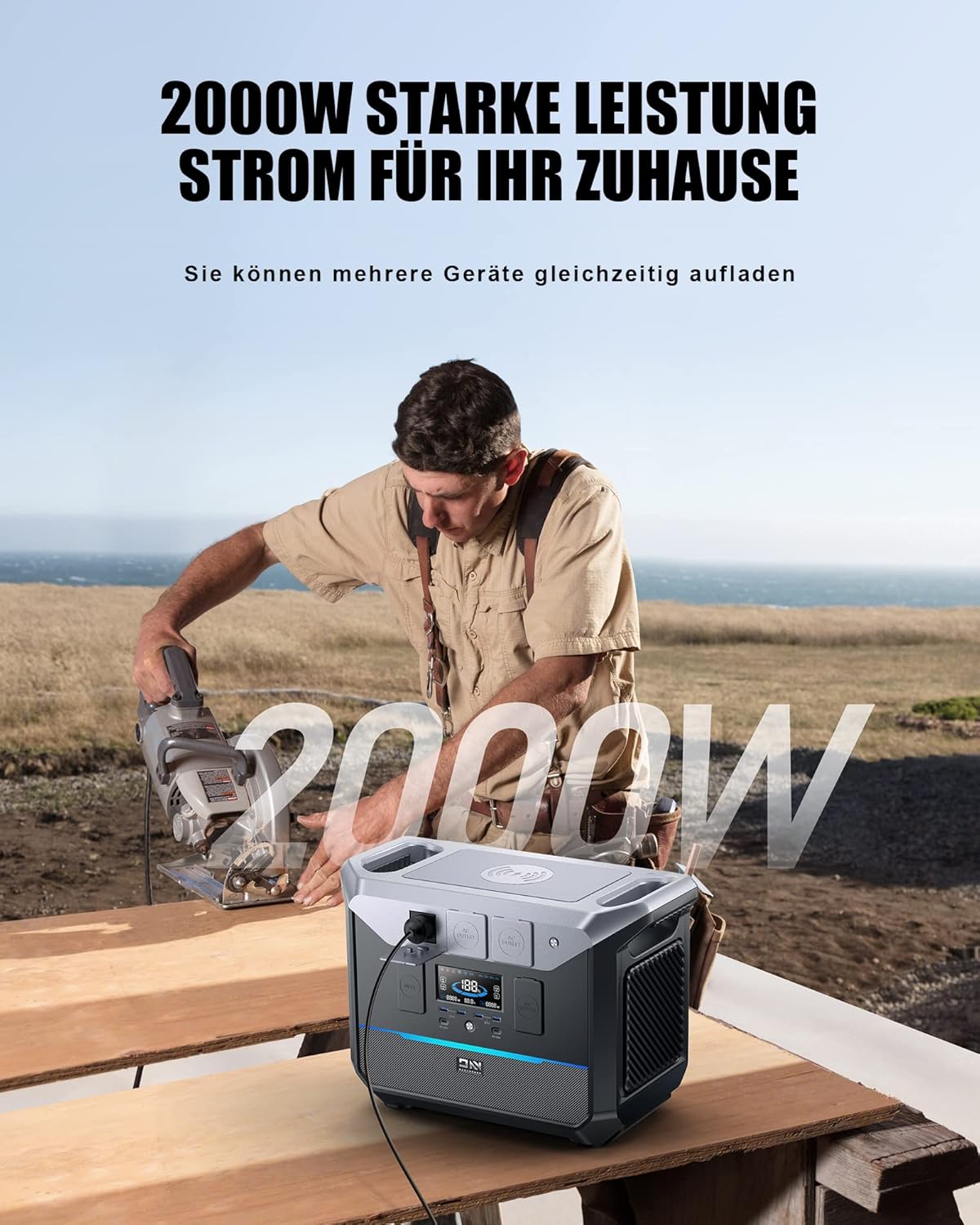
With 2000W output, the power station is capable of running power tools for various tasks.
7. Mengecas Stesen Janakuasa
The DaranEner NEO2000 offers multiple charging options:
- Saluran Keluar Dinding AC: Connect the AC charging cable to the AC input port and a wall outlet. This is the fastest charging method, taking approximately 1.5 hours for a full charge.
- Panel solar: Connect compatible solar panels (Max. 600W, 33-60V/20A) to the XT60 input port using the MC4-to-XT60 cable. Charging time varies based on sunlight intensity and panel wattage.
- Pengecas Kereta: Use a compatible car charger (not included) to charge the unit from your vehicle's 12V cigarette lighter socket.

The NEO2000 offers rapid charging, achieving full capacity in approximately 1.5 hours via AC, or 1 hour with combined PV+AC input.
8. Penyelenggaraan dan Penyimpanan
Proper maintenance ensures the longevity and performance of your NEO2000:
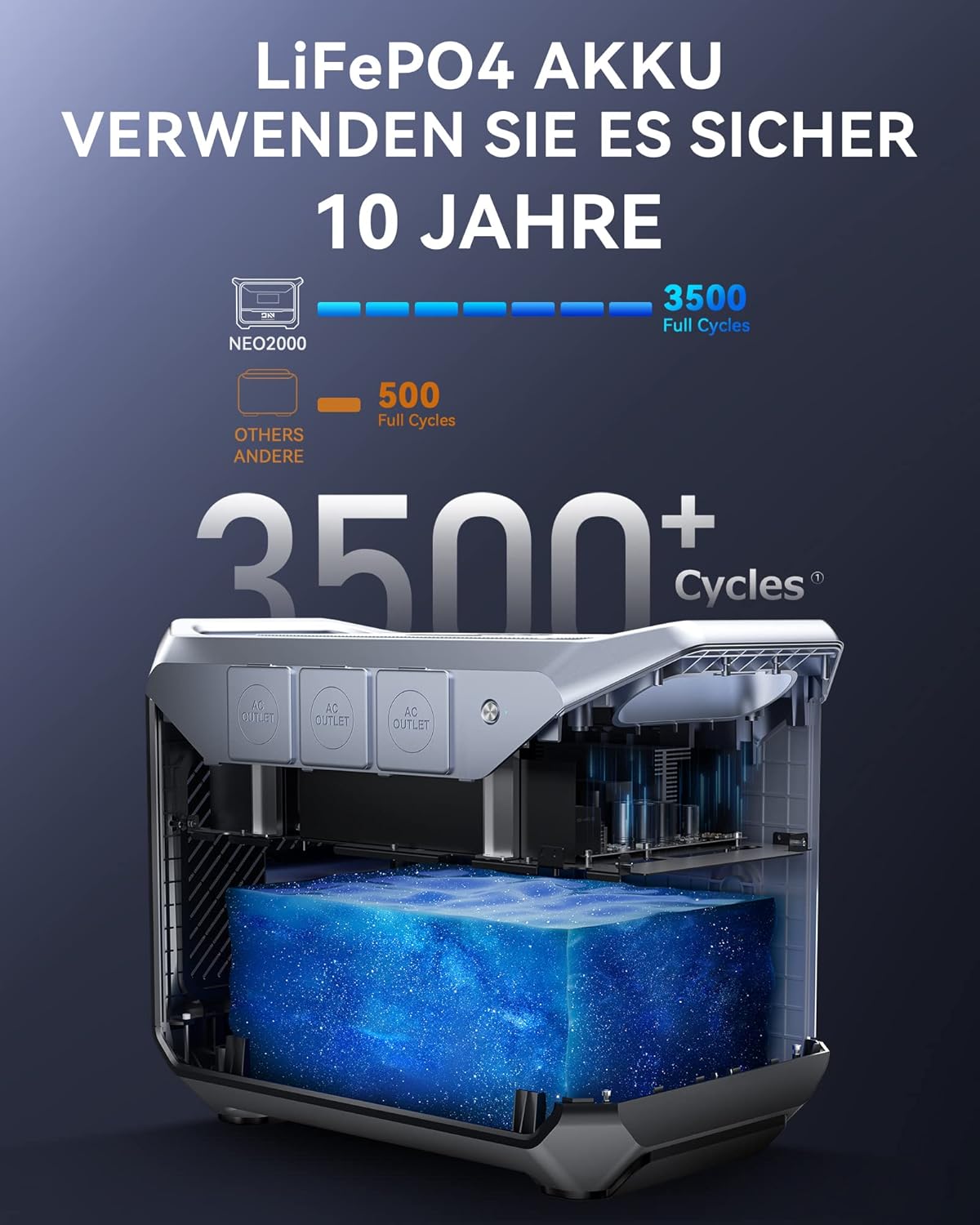
- Penjagaan Bateri: The LiFePO4 battery is designed for over 3500 full cycles. To prevent deep discharge and maintain battery health, recharge the unit at least once every 3 months, even if not in use. Avoid letting the battery level drop below 3%.
- Pembersihan: Gunakan kain kering dan lembut untuk membersihkan bahagian luar unit. Jangan gunakan pembersih atau pelarut yang kasar.
- Storan: Store the unit in a cool, dry place, away from direct sunlight and extreme temperatures. The recommended storage temperature is 10-113°F (-12-45°C).
- Pengudaraan: Pastikan bukaan pengudaraan bersih daripada habuk dan serpihan.

The NEO2000 utilizes a durable LiFePO4 battery, known for its long cycle life and enhanced safety.
9. Penyelesaian masalah
If you encounter issues with your DaranEner NEO2000, refer to the following common problems and solutions:
| Masalah | Kemungkinan Punca | Penyelesaian |
|---|---|---|
| Unit tidak dihidupkan. | Battery is completely discharged; power button not held long enough. | Connect to AC power for initial charge. Press and hold the power button for 2-3 seconds. |
| No output from ports. | Output type (AC/DC/USB) not activated; device draws too much power. | Ensure the specific output button is pressed. Check device wattage; reduce load if exceeding 2000W. |
| Unit tidak dicas. | Charging cable not properly connected; power source issue; solar input too low. | Check all cable connections. Verify wall outlet or solar panel functionality. Ensure sufficient sunlight for solar charging. |
| Display flickering or showing errors. | Temporary software glitch; internal issue. | Mulakan semula unit. Jika masalah berterusan, hubungi sokongan pelanggan. |
| Kipas berjalan secara berterusan atau kuat. | Normal operation during high load or charging; obstructed vents. | This is normal for cooling. Ensure vents are clear. If unusually loud, contact support. |
If the problem persists after attempting these solutions, please contact DaranEner customer support for further assistance.
10. Spesifikasi
| Ciri | Perincian |
|---|---|
| Jenama | DaranEner |
| Model | NEO2000 |
| Wattage (Output) | 2000 Watt |
| Kapasiti Bateri | 2074Wj (LiFePO4) |
| Voltage | 230 Volts (AC Output) |
| Kekerapan | 60 Hz |
| Input AC | Maksimum 1800W |
| Solar Input (XT60) | 33-60V/20A (Max 600W) |
| Output USB-C | PD 100W (x2) |
| Keluaran USB-A | QC3.0 18W (x4) |
| Pengecasan Tanpa Wayar | Maksimum 10W |
| Dimensi (L x W x H) | 15.94 x 10.24 x 13.35 inci |
| Berat badan | 56.1 paun (25.5 kg) |
| Suhu Operasi | 14-113 ° F (-10-45 ° C) |
| Suhu Penyimpanan | 10-113 ° F (-12-45 ° C) |
11. Waranti dan Sokongan
DaranEner provides a warranty for the NEO2000 Portable Power Station. Please refer to the warranty card included in your package for specific terms and conditions, including the warranty period and coverage details.
For technical support, troubleshooting assistance, or warranty claims, please contact DaranEner customer support:
- e-mel: support@daranener.com
- Visit the official DaranEner webtapak untuk Soalan Lazim dan sumber tambahan.
Ask a question about this manual
Ask about setup, troubleshooting, compatibility, parts, safety, or missing instructions. Manuals+ will review the question and use this page’s manual context to help answer it.