
pengenalan
This manual provides detailed instructions for the setup, operation, maintenance, and troubleshooting of your 3PLUS Vibe Pro Smart Watch. Please read this manual thoroughly to ensure proper use and to maximize the features of your device.

Image: The 3PLUS Vibe Pro Smart Watch, featuring a black watch body with a black silicone band, accompanied by an additional pink silicone band. The watch display shows time, date, activity metrics, and weather.
Persediaan
1. Mengecas Peranti
Before initial use, fully charge your 3PLUS Vibe Pro Smart Watch. Connect the magnetic charging cable to the charging contacts on the back of the watch and plug the USB end into a power adapter (not included) or a computer USB port. The watch display will indicate charging status.
2. Pemasangan Apl
To unlock the full potential of your smart watch, download the official 3Plus app on your smartphone. The app is compatible with both iPhone and Android devices.
- Cari untuk "3Plus" in the Apple App Store (for iOS) or Google Play Store (for Android).
- Muat turun dan pasang aplikasi.
- Ikut arahan pada skrin untuk membuat akaun atau log masuk.
3. Pairing Your Smart Watch
Pastikan Bluetooth telefon pintar anda didayakan.
- Open the 3Plus app on your smartphone.
- Navigate to the device pairing section (usually found under 'Devices' or 'Profile').
- Select 'Add New Device' or similar option.
- The app will search for nearby 3PLUS Vibe Pro Smart Watches. Select your watch from the list.
- Sahkan permintaan berpasangan pada kedua-dua jam tangan dan telefon pintar anda.
Arahan Operasi
Navigasi Asas
- Skrin sentuh: Leret ke kiri/kanan, ke atas/bawah untuk menavigasi menu dan skrin. Ketik untuk memilih pilihan.
- Butang Sisi: Tekan untuk kembali ke skrin utama atau mengaktifkan peranti. Tekan lama untuk pilihan kuasa.
Ciri-ciri Utama
Penjejakan GPS
The integrated GPS allows for accurate tracking of outdoor activities without needing your phone. Ensure GPS is enabled in the watch settings for outdoor workouts.
Pemantauan Kadar Jantung
Jam tangan ini sentiasa memantau kadar denyutan jantung anda. View real-time data on the watch or detailed trends in the 3Plus app.
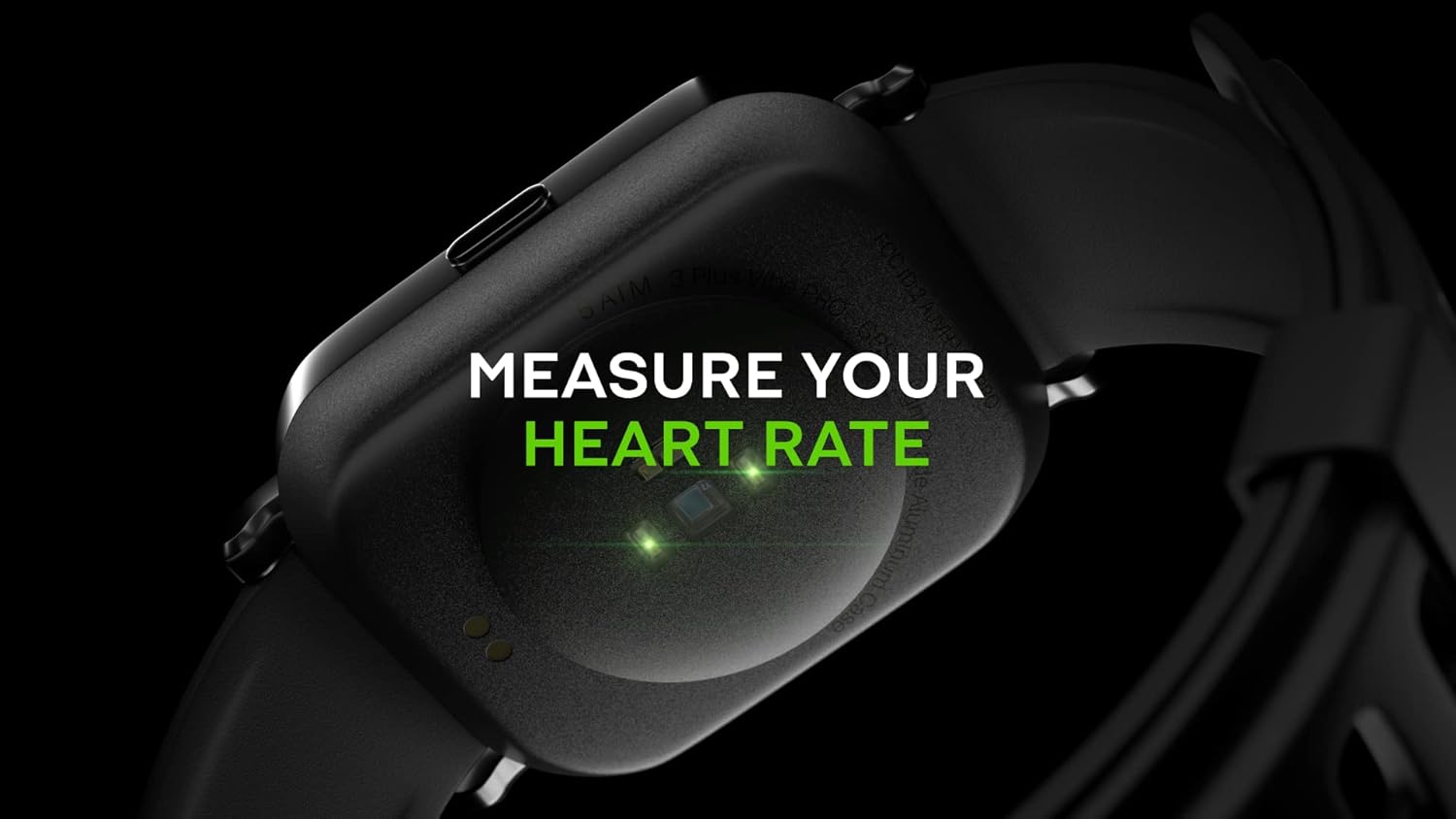
Image: Close-up of the back of the 3PLUS Vibe Pro Smart Watch, showing green LED lights indicating heart rate measurement in progress. Text overlay reads "MEASURE YOUR HEART RATE".
Pemantauan Oksigen Darah (SpO2).
Measure your blood oxygen saturation levels directly from your wrist. For accurate readings, remain still during measurement.

Image: The 3PLUS Vibe Pro Smart Watch display showing a blood oxygen measurement in progress, with a circular animation and text instructing the user to stay still. Text overlay reads "MEASURE YOUR BLOOD OXYGEN".
Pemantauan Tidur
The watch automatically tracks your sleep patterns, including deep sleep, light sleep, and awake times. Review your sleep data in the 3Plus app to understand your sleep quality.

Image: A person sleeping with the 3PLUS Vibe Pro Smart Watch on their wrist, showing the watch display with sleep data (deep sleep, light sleep, awake time). Text overlay indicates "6 HOURS 52 MINUTES SLEPT".
Pelbagai Mod Sukan
Select from various sports modes to track specific activities like running, cycling, basketball, and more. Each mode provides relevant metrics for your workout.

Image: The 3PLUS Vibe Pro Smart Watch display showing a list of workout modes, including Basketball and Soccer, with a basketball player in the background. Text overlay reads "MULTIPLE SPORTS MODES".
Pemberitahuan Pintar
Receive notifications for calls, messages, and app alerts directly on your wrist when connected to your smartphone.

Image: The 3PLUS Vibe Pro Smart Watch display showing various notifications from messaging apps like Messenger, Instagram, and Facebook. Speech bubbles representing these apps are floating around the watch.
Ketahanan Air 5ATM
The watch is rated 5ATM water resistant, meaning it can withstand pressures equivalent to a depth of 50 meters. It is suitable for swimming and showering but not for diving or high-pressure water activities.

Image: The 3PLUS Vibe Pro Smart Watch covered in water droplets, emphasizing its water resistance. Text overlay reads "5 ATM RATED WATER RESISTANT".
Penyelenggaraan
Membersihkan Jam Tangan Pintar Anda
- Regularly clean the watch body and bands with a soft, damp kain.
- For the charging contacts and sensors on the back, use a dry cotton swab to gently remove any dirt or debris.
- Avoid using harsh chemicals or abrasive materials, as they may damage the device.
Penjagaan Band
If your watch comes with silicone bands, clean them regularly with mild soap and water to prevent skin irritation, especially after workouts or prolonged wear. Ensure the band is completely dry before reattaching it to the watch.
Menyelesaikan masalah
Jam Tangan Tidak Dihidupkan
- Pastikan jam tangan dicas sepenuhnya. Sambungkannya ke pengecas selama sekurang-kurangnya 30 minit.
- Try performing a soft reset by pressing and holding the side button for 10-15 seconds.
Tidak Boleh Dipasangkan dengan Telefon Pintar
- Pastikan Bluetooth didayakan pada telefon pintar anda.
- Ensure the watch is within Bluetooth range (typically 10 meters or 33 feet).
- Mulakan semula jam tangan dan telefon pintar anda.
- Check if the 3Plus app is updated to the latest version.
- Jika sebelum ini telah dipasangkan, cuba nyahpasangkan peranti daripada tetapan Bluetooth telefon anda dan kemudian pasangkan semula melalui aplikasi.
Inaccurate Readings (Heart Rate, SpO2, Sleep)
- Pastikan jam tangan dipakai dengan kemas di pergelangan tangan anda, kira-kira satu jari lebar di atas tulang pergelangan tangan anda.
- Keep the sensor clean and free from dirt or sweat.
- For SpO2, remain still during the measurement.
Pemberitahuan Tidak Muncul
- Verify that the watch is connected to your smartphone via Bluetooth.
- Check notification settings within the 3Plus app to ensure app notifications are enabled.
- Ensure your phone's notification settings allow the 3Plus app to send notifications.
Spesifikasi
| Ciri | Spesifikasi |
|---|---|
| Nama Model | Jam Tangan Pintar Vibe Pro |
| Saiz Paparan | 1.78 Inches AMOLED Color Touchscreen |
| Tahan Air | 5ATM (sehingga 50 meter) |
| Ketersambungan | Bluetooth |
| GPS | GPS terbina dalam |
| Penderia | Monitor Kadar Jantung, Monitor Oksigen Darah |
| Keserasian | iPhone & Android |
| Berat Barang | 7.8 auns |
| Dimensi Pakej | 6.69 x 4.09 x 2.28 inci |
| Pertama Tersedia | 14 Januari 2022 |
Waranti dan Sokongan
For warranty information and customer support, please refer to the official 3Plus website or contact their customer service directly. Details can typically be found on the product packaging or within the 3Plus mobile application.
Official 3Plus Store: Visit the 3Plus Store on Amazon
Video Produk Rasmi
No official seller videos were found for this product in the provided data.