
1. Pengenalan
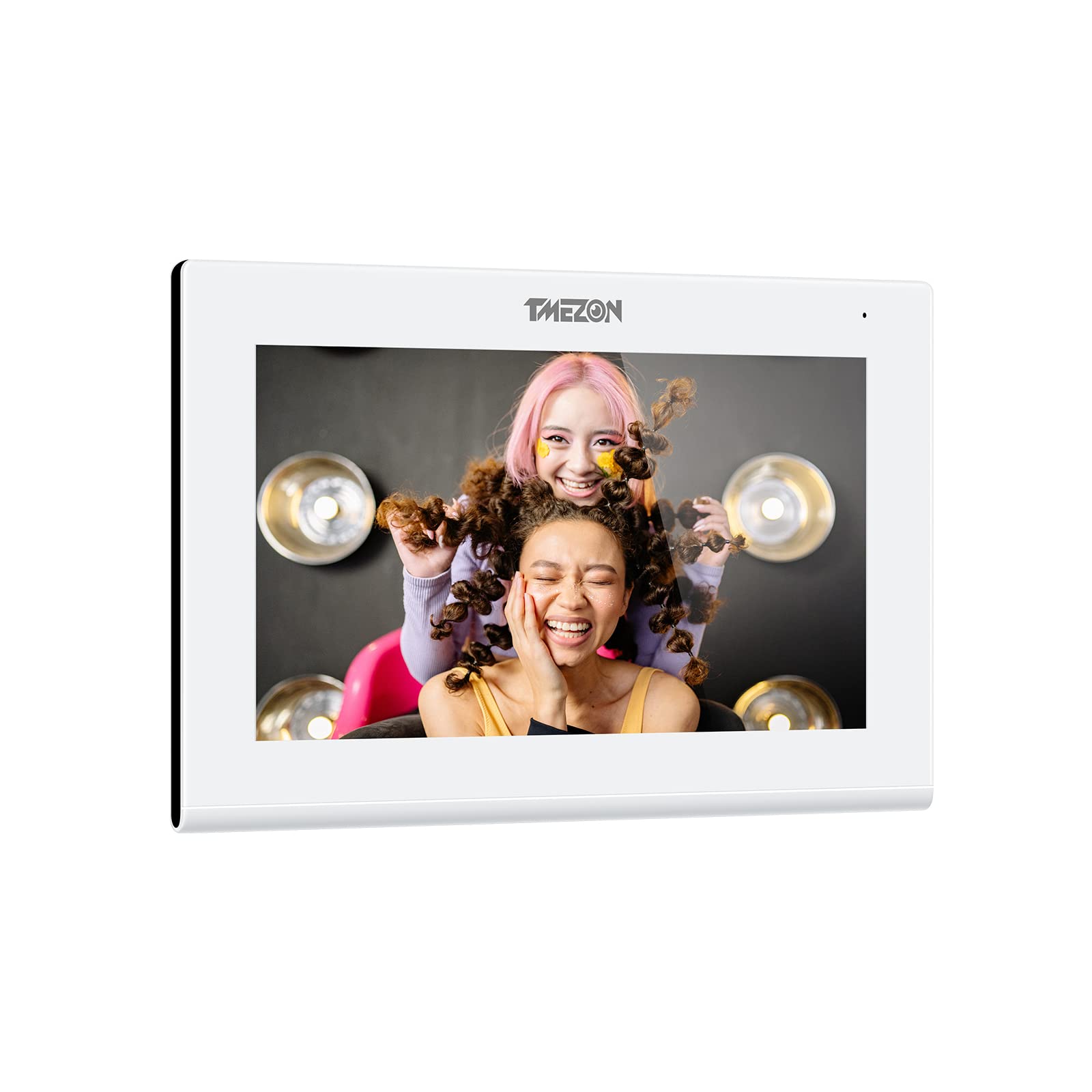
Thank you for choosing the TMEZON 718TW Intercom Monitor. This manual provides detailed instructions for the installation, operation, and maintenance of your new video intercom system. Please read this manual thoroughly before installation and use to ensure proper functionality and safety. The TMEZON 718TW is designed to enhance your home security and communication, allowing you to see and speak with visitors, and even unlock doors remotely via a mobile application.
2. Maklumat Keselamatan
- Keselamatan Elektrik: Ensure all wiring is performed by a qualified electrician and complies with local electrical codes. Disconnect power before performing any installation or maintenance.
- Persekitaran: Do not expose the device to rain, moisture, direct sunlight, or extreme temperatures. Operate within the specified temperature and humidity ranges.
- Pengendalian: Handle the monitor and outdoor unit with care. Avoid dropping or subjecting them to strong impacts.
- Pembersihan: Gunakan kain lembut dan kering untuk membersihkan. Jangan gunakan pembersih cecair atau aerosol.
- Pengubahsuaian: Jangan cuba membuka atau mengubah suai peranti. Pengubahsuaian yang tidak dibenarkan boleh membatalkan jaminan dan menimbulkan risiko keselamatan.
3. Kandungan Pakej
Please check the package contents upon receipt. If any items are missing or damaged, contact your retailer immediately.
- Indoor Monitor (718TW)
- Outdoor Doorbell Unit
- Penyesuai Kuasa
- Mounting Bracket for Indoor Monitor
- Skru Pemasangan dan Palam Dinding
- Kabel Pendawaian
- RFID Key Fobs (Quantity may vary)
- Manual Pengguna (Dokumen ini)
This image displays the complete TMEZON 718TW intercom system, including the indoor monitor, outdoor doorbell unit, several RFID key fobs, and a smartphone screen showing the mobile application interface.
4. Produk Lebihview
The TMEZON 718TW Intercom Monitor system consists of an indoor monitor and an outdoor doorbell unit. It features Wi-Fi connectivity, allowing remote viewing and control via a dedicated mobile application. The system supports two-way audio communication, video monitoring, and remote door unlocking.
Ciri-ciri Utama:
- High-resolution display on the indoor monitor.
- Wide-angle camera on the outdoor unit for clear visitor identification.
- Wi-Fi connectivity for remote access via smartphone app.
- Komunikasi audio dua hala.
- Remote door unlocking (requires compatible electronic lock, not included).
- Motion detection and recording capabilities.

A smartphone displaying the Tuya application interface, which allows remote control and monitoring of the TMEZON 718TW intercom system. The app shows a live video feed from the outdoor unit.
5. Persediaan dan Pemasangan
Follow these steps carefully for proper installation of your TMEZON 718TW intercom system.
5.1 Outdoor Doorbell Unit Installation
- Pilih Lokasi: Select a suitable location near your entrance, typically at eye level, ensuring clear visibility of visitors and protection from direct weather exposure.
- Pemasangan: Use the provided screws and wall plugs to securely mount the outdoor unit to the wall. Ensure all wiring connections are accessible.
- Pendawaian: Connect the power, video, and audio cables from the outdoor unit to the indoor monitor according to the wiring diagram in the full manual (not provided here). If connecting to an electronic lock, ensure proper wiring for the unlock function.
5.2 Pemasangan Monitor Dalaman
- Pilih Lokasi: Select a central and easily accessible location inside your home.
- Pemasangan: Attach the mounting bracket to the wall using screws and wall plugs.
- Pendawaian: Connect the cables from the outdoor unit and the power adapter to the indoor monitor. Ensure all connections are secure.
- Gunung Monitor: Carefully attach the indoor monitor to the mounting bracket.
5.3 Hidupkan Kuasa dan Konfigurasi Awal
- Hidupkan kuasa: Plug in the power adapter to an electrical outlet. The indoor monitor should power on.
- Sambungan Wi-Fi: Follow the on-screen prompts on the indoor monitor to connect it to your home Wi-Fi network. This is crucial for mobile app functionality.
- Muat turun Apl: Download the 'Tuya Smart' or 'Smart Life' application from your smartphone's app store (iOS or Android).
- Gandingan Peranti: Open the app, create an account, and follow the in-app instructions to add your TMEZON 718TW intercom system. This typically involves scanning a QR code displayed on the indoor monitor.
6. Arahan Operasi
Once installed and configured, your TMEZON 718TW intercom system is ready for use.
6.1 Menjawab Panggilan
- When a visitor presses the doorbell button, the indoor monitor will ring and display the visitor's video.
- On the indoor monitor, tap the 'Answer' button to establish two-way audio communication.
- If using the mobile app, you will receive a notification. Tap the notification to open the app and answer the call remotely.
6.2 Pemantauan
- From the indoor monitor, you can manually activate the outdoor camera to view the entrance area at any time.
- Through the mobile app, you can access the live video feed from the outdoor unit remotely, allowing you to monitor your entrance from anywhere.
6.3 Membuka Kunci Pintu
- During a call or while monitoring, tap the 'Unlock' button on the indoor monitor or in the mobile app to open a connected electronic door lock.
- RFID key fobs can also be used to unlock the door by presenting them to the outdoor unit's reader (if equipped).
6.4 Tetapan dan Penyesuaian
Access the settings menu on the indoor monitor to adjust:
- Ring volume and melody.
- Display brightness and contrast.
- Recording settings (motion detection, video duration).
- Tetapan rangkaian.
7. Penyelenggaraan
Penyelenggaraan tetap memastikan jangka hayat dan prestasi optimum sistem interkom anda.
- Pembersihan: Gunakan yang lembut, sedikit damp cloth to clean the surfaces of the indoor monitor and outdoor unit. Avoid abrasive cleaners or solvents.
- Kemas kini Firmware: Periodically check for firmware updates through the mobile application or TMEZON's official webtapak. Kemas kini boleh meningkatkan prestasi dan menambah ciri baharu.
- Pemeriksaan Kabel: Regularly inspect all cables for any signs of wear or damage. Replace damaged cables immediately.
- Outdoor Unit Lens: Keep the camera lens on the outdoor unit clean and free from obstructions (dirt, spiderwebs) for clear video quality.
8. Penyelesaian masalah
If you encounter issues with your TMEZON 718TW intercom system, refer to the following common problems and solutions.
8.1 No Power to Indoor Monitor
- Periksa Penyesuai Kuasa: Ensure the power adapter is securely plugged into both the monitor and a working electrical outlet.
- Periksa Pemutus Litar: Verify that the circuit breaker for the outlet is not tripped.
8.2 No Video from Outdoor Unit
- Semak Pendawaian: Ensure the video cable between the outdoor unit and indoor monitor is correctly and securely connected.
- Kitaran Kuasa: Disconnect and reconnect power to both units.
8.3 No Audio During Call
- Semak Kelantangan: Ensure the volume on the indoor monitor and your smartphone app is not muted or set too low.
- Semak Pendawaian: Verify audio wiring connections between the outdoor unit and indoor monitor.
8.4 Mobile App Cannot Connect / Offline
- Sambungan Wi-Fi: Ensure the indoor monitor is connected to a stable 2.4GHz Wi-Fi network.
- Penghala: Mulakan semula penghala Wi-Fi anda.
- Kebenaran Apl: Check that the mobile app has necessary network permissions on your smartphone.
- Pasangkan semula Peranti: If issues persist, try removing the device from the app and re-pairing it.
9. Spesifikasi
| Pengeluar | TMEZON |
| Model | 718TW |
| ASIN | B0B21782BN |
| Tarikh pertama kali tersedia di Amazon.fr | 29 Mei 2022 |
| Ketersediaan alat ganti | Maklumat tidak tersedia pada alat ganti |
10. Waranti dan Sokongan
For warranty information, technical support, or further assistance, please contact TMEZON customer service through your purchase platform or the official TMEZON website. Please have your product model number (718TW) and purchase details ready when contacting support.