
1. Pengenalan
Terima kasih kerana membeliasing the YOUTHINK Portable Shortwave Radio. This manual provides essential information for the safe and efficient operation of your device. Please read it thoroughly before use and retain it for future reference.
This portable radio offers AM/FM tuning, MP3 playback, and multiple power options, making it suitable for various listening environments.
2. Maklumat Keselamatan
- Jangan dedahkan radio kepada suhu yang melampau, cahaya matahari langsung atau kelembapan yang tinggi.
- Elakkan daripada menjatuhkan atau meletakkan peranti kepada kesan yang kuat.
- Jangan cuba membuka atau mengubah suai radio. Ini akan membatalkan jaminan dan boleh menyebabkan kerosakan.
- Use only the specified battery type and charging methods.
- Jauhkan peranti daripada air dan cecair lain.
- Bersihkan radio dengan kain lembut dan kering. Jangan gunakan pembersih atau pelarut yang melelas.
3. Kandungan Pakej
Sahkan bahawa semua item terdapat dalam pakej anda:
- YOUTHINK Portable Shortwave Radio
- Kabel Pengecas USB
- Power Cord (if applicable, please check your product packaging)
- Manual Pengguna (dokumen ini)
Note: The 18650 lithium battery is typically included or sold separately. Please check your product packaging for confirmation.
4. Produk Lebihview
Biasakan diri anda dengan komponen dan kawalan radio.

Rajah 4.1: Depan view of the YOUTHINK Portable Shortwave Radio with antenna extended, showing the speaker, LCD display, and control buttons.

Rajah 4.2: Terperinci view of the radio's control panel. Labels indicate: On/Off/Pause button, Previous Song button, Next Song button, Numeric keys (0-9), Volume Down (V-), Volume Up (V+), and Mode/Circulation (M) button.
Butang Kawalan:
- On/Off/Pause Button: Press to power on/off the radio. During playback, press to pause/resume.
- Kekunci Berangka (0-9): Used for direct frequency input or track selection in MP3 mode.
- Prev Song Button: Skips to the previous track in MP3 mode or tunes to the previous station.
- Butang Lagu Seterusnya: Skips to the next track in MP3 mode or tunes to the next station.
- Volume Down (V-): Mengurangkan kelantangan audio.
- Volume Up (V+): Meningkatkan kelantangan audio.
- Mode/Circulation (M) Button: Switches between radio modes (AM/FM) and MP3 playback. May also control playback circulation (repeat modes).
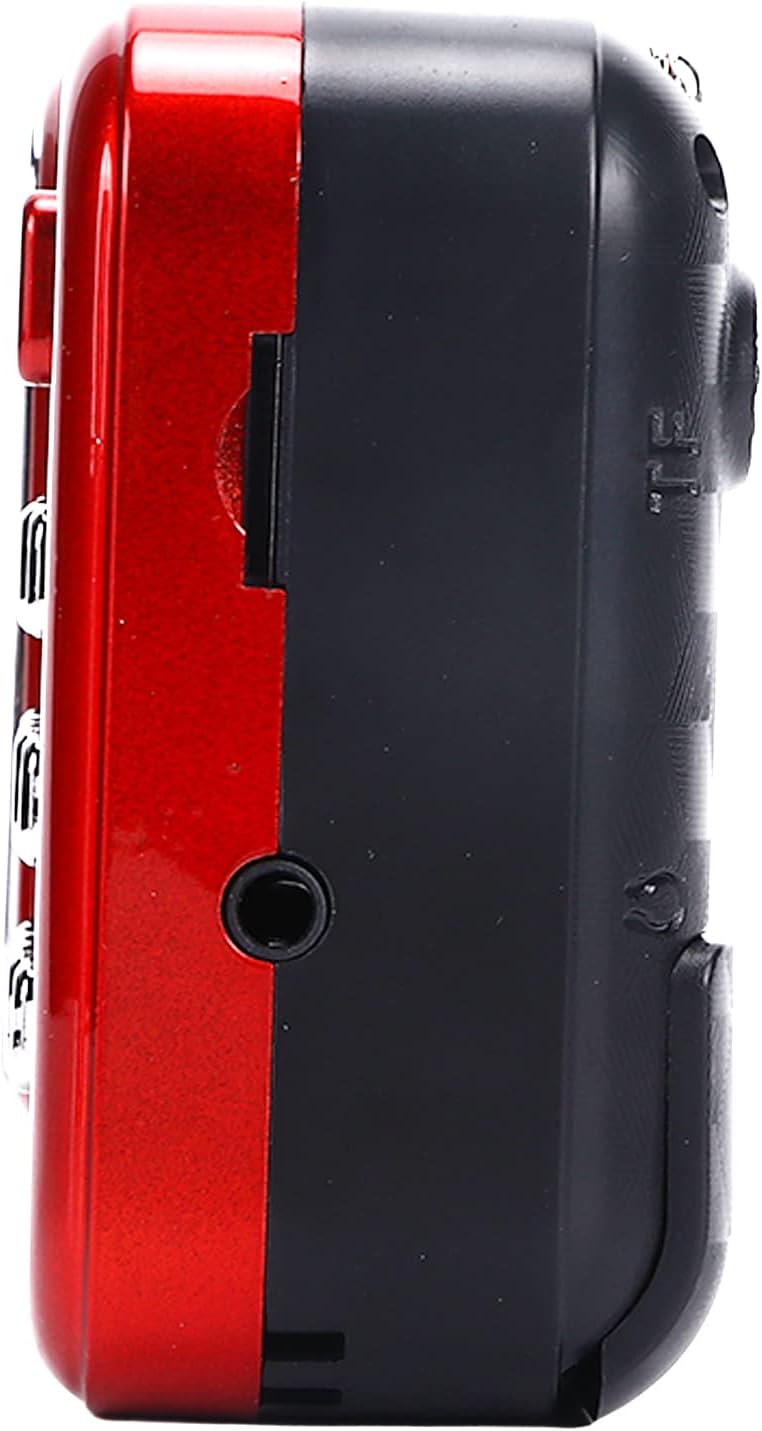
Rajah 4.3: Sisi view of the radio, highlighting the headphone jack for private listening.
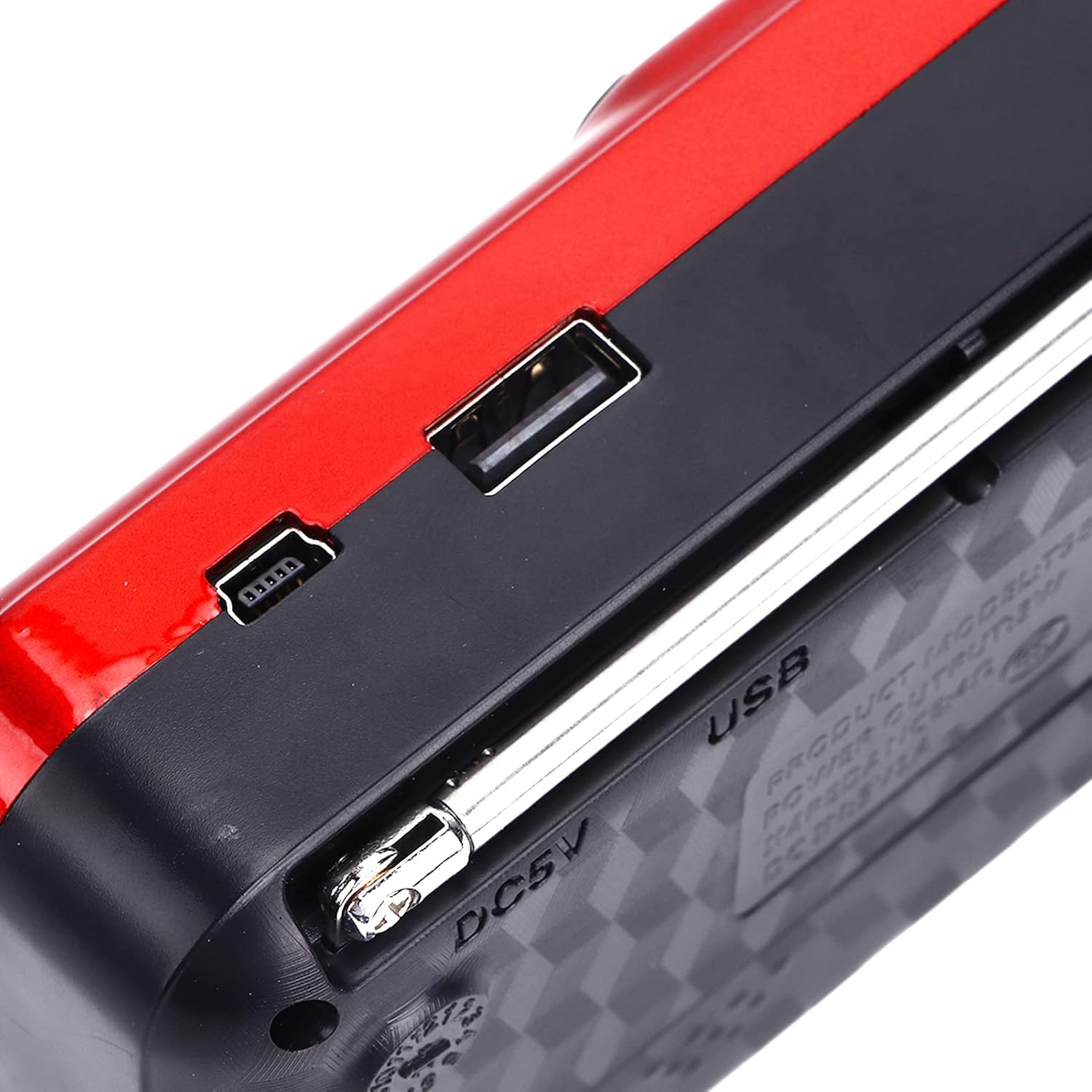
Rajah 4.4: Atas view of the radio, showing the USB port and DC 5V charging port.
5. Persediaan
5.1 Pemasangan Bateri
- Cari penutup petak bateri di belakang radio.
- Luncurkan atau angkat penutup untuk membuka petak.
- Insert one 18650 lithium battery, ensuring correct polarity (+/-) as indicated inside the compartment.
- Tutup penutup petak bateri dengan selamat.

Figure 5.1: Open battery compartment showing the insertion of an 18650 lithium battery.
The radio can operate for approximately 6-8 hours on a fully charged 18650 lithium battery.
5.2 Mengecas Bateri
- Connect the provided USB charging cable to the DC 5V port on the radio.
- Connect the other end of the USB cable to a compatible USB power source (e.g., computer, USB wall adapter, power bank, car charger).
- The LCD display may indicate charging status. Disconnect the charger once the battery is fully charged.
Mengecas Voltage: DC 5V 1A.
6. Arahan Operasi
6.1 Hidupkan/Mati Kuasa
- Tekan dan tahan butang Hidup/Mati/Jeda button to power on the radio.
- Press and hold the same button again to power off.
6.2 Melaraskan Kelantangan
- Tekan ke V+ butang untuk meningkatkan kelantangan.
- Tekan ke V- butang untuk mengurangkan kelantangan.
6.3 Radio Mode (AM/FM)
- Panjangkan antena teleskopik untuk penerimaan yang lebih baik.
- Tekan ke Mod (M) button to switch to FM or AM radio mode. The current mode will be displayed on the LCD screen.
- Imbasan Automatik: Dalam mod radio, tekan dan tahan butang Main/Jeda button (often doubles as scan) to automatically scan and save available stations.
- Penalaan Manual: Gunakan Lagu Sebelumnya or Lagu Seterusnya buttons to manually tune to the desired frequency.
- Input Frekuensi Langsung: Use the numeric keys (0-9) to directly enter a radio frequency.
6.4 Main semula MP3
The radio supports MP3 format playback from a USB drive or TF (MicroSD) card (not included).
- Insert a USB drive into the USB port or a TF card into the TF card slot.
- Tekan ke Mod (M) button to switch to MP3 playback mode. The radio will automatically detect and begin playing MP3 files.
- Gunakan Lagu Sebelumnya dan Lagu Seterusnya butang untuk menavigasi antara trek.
- Tekan ke Hidup/Mati/Jeda butang untuk menjeda atau menyambung semula main semula.
- Use the numeric keys (0-9) to directly select a track number.
6.5 Menggunakan Lampu Suluh

Figure 6.1: The radio's integrated LED flashlight illuminating a dark area, useful for emergencies or low-light conditions.
The radio includes an integrated LED flashlight. To activate or deactivate the flashlight, locate the dedicated flashlight button or switch, usually on the side of the device.
6.6 Menggunakan Fon Kepala
For private listening, plug standard 3.5mm headphones into the headphone jack located on the side of the radio.
7. Penyelenggaraan
- Pembersihan: Wipe the radio with a soft, dry cloth. Do not use liquid cleaners or aerosols.
- Storan: When not in use for extended periods, store the radio in a cool, dry place. If using a removable battery, consider removing it to prevent leakage.
- Penjagaan Bateri: Recharge the battery regularly, even if not in use, to maintain its lifespan. Avoid fully discharging the battery frequently.
8. Penyelesaian masalah
| Masalah | Kemungkinan Punca | Penyelesaian |
|---|---|---|
| Radio tidak dihidupkan. | Bateri mati atau tidak dipasang dengan betul. | Charge the battery or ensure it is installed with correct polarity. |
| Penerimaan radio yang lemah. | Antena tidak dipanjangkan atau isyarat lemah. | Panjangkan sepenuhnya antena teleskopik. Cuba atur semula kedudukan radio. |
| Tiada bunyi dari pembesar suara. | Kelantangan terlalu rendah atau fon kepala disambungkan. | Increase the volume. Disconnect headphones if not desired. |
| MP3 filetidak bermain. | Mod salah, tidak disokong file format, or faulty USB/TF card. | Ensure radio is in MP3 mode. Verify files adalah dalam format MP3. Cuba pemacu USB atau kad TF yang berbeza. |
9. Spesifikasi
- model: YOUTHINKmxkn0ugipz
- Jenama: YOUTHINK
- Teknologi Penala: AM, FM
- Pancaragam Radio Disokong: AM, FM
- Teknologi Ketersambungan: USB
- Sumber Kuasa: Battery Powered (18650 Lithium Battery)
- Mengecas Voltage: DC 5V 1A
- Kuasa Output: 3W
- Kekerapan Respons: 100Hz-18KHz
- Nisbah Isyarat kepada Bunyi: ≤70dB
- Main Balik Muzik: Supports MP3 Format
- Dimensi Produk: 4.65"L x 2.76"W x 1.38"H (Approx. 11.8 x 7 x 3.5 cm)
- Berat Barang: 5.9 auns (Kira-kira 167g)
- Ciri Khas: Portable, LCD Display, MP3 Player, Flashlight
10. Waranti dan Sokongan
For warranty information or technical support, please refer to the documentation provided with your purchase or contact YOUTHINK customer service through the retailer where the product was purchased.
Sila simpan bukti pembelian anda untuk tuntutan waranti.