
pengenalan
Welcome to the user manual for your Awei T36 TWS Wireless Earbuds. This manual provides essential information for setting up, operating, and maintaining your earbuds to ensure optimal performance and longevity. Please read this manual thoroughly before using the product.
Maklumat Keselamatan
- Jangan dedahkan fon telinga atau bekas pengecas kepada suhu yang melampau (melebihi 45°C atau di bawah 0°C).
- Keep away from water, moisture, and corrosive liquids.
- Do not disassemble, modify, or attempt to repair the product yourself. This will void the warranty.
- Use only approved charging cables and adapters to prevent damage.
- Avoid prolonged listening at high volumes to prevent potential hearing damage.
- Jauhkan daripada kanak-kanak dan haiwan peliharaan.
Kandungan Pakej
- Awei T36 TWS Wireless Earbuds (Left and Right)
- Kes Pengecasan
- Kabel Pengecas USB
- Manual Pengguna
Produk Selesaiview
Familiarize yourself with the components and design features of your Awei T36 earbuds.
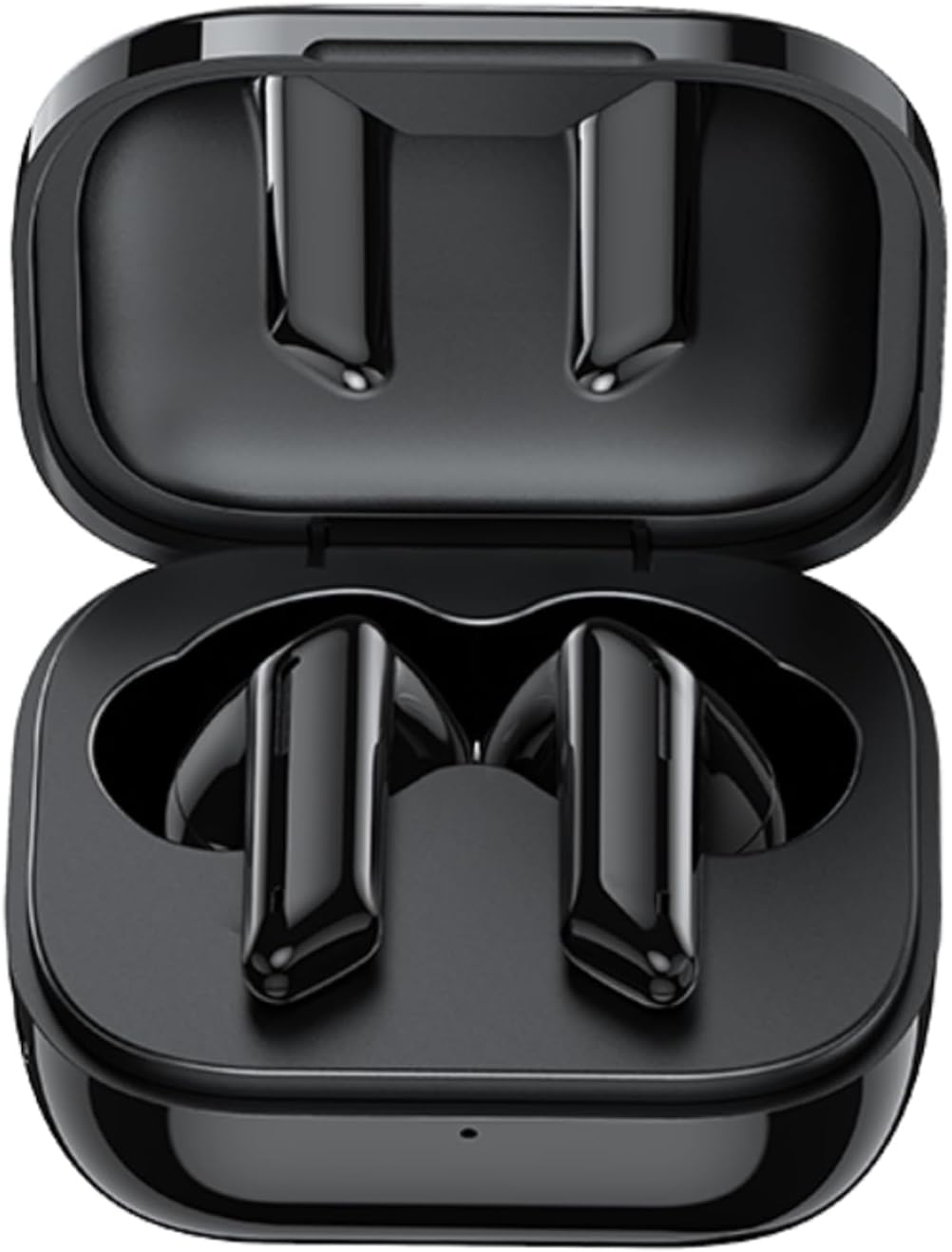
The image displays the Awei T36 TWS Wireless Earbuds securely placed within their open charging case. Both earbuds are black, sleek, and fit perfectly into their designated slots, indicating they are ready for charging or storage.

This image highlights the aesthetic design of the Awei T36 earbuds, showing them in various colors (black, white, purple, blue, green) alongside their respective charging cases. The design emphasizes portability and style.

This image illustrates the Bluetooth 5.1 capability of the Awei T36 earbuds, promising a faster and more stable connection. The earbuds and case are shown next to a smartphone, suggesting seamless integration.
Persediaan
Mengecas Fon telinga dan Sarung
Before first use, it is recommended to fully charge the earbuds and charging case.
- Place the earbuds into the charging case, ensuring they are properly seated.
- Connect the USB charging cable to the charging port on the case and then to a power source (e.g., USB wall adapter, computer USB port).
- The indicator lights on the case will illuminate to show the charging status. Once fully charged, the lights may change or turn off.

This image illustrates the charging capabilities and battery life of the Awei T36 earbuds. It shows the earbuds and case on a wireless charging pad, with text indicating a 210-hour standby time, 320mAh charging case capacity, 4-5 hours of play time, and 1.5 hours for a full charge.
Berpasangan dengan Peranti
The earbuds automatically enter pairing mode when removed from the case.
- Buka bekas pengecasan dan keluarkan kedua-dua fon telinga. Mereka akan menghidupkan dan memasuki mod berpasangan secara automatik.
- Pada peranti anda (telefon pintar, tablet, dll.), dayakan Bluetooth.
- Cari untuk "Awei T36" in the list of available Bluetooth devices.
- Select "Awei T36" to connect. Once connected, a voice prompt will confirm the successful pairing.

This image demonstrates the 'Both Earbuds are Hosts' feature, indicating that either earbud can be used independently. It highlights the 'Instant Fetch and Connect' when the case is opened and 'Close Auto OFF' when the case is closed, simplifying the user experience.
This video demonstrates the process of taking the Awei T36 earbuds out of their charging case, placing them into the ears, and interacting with their touch controls for music and calls. It showcases the product's design and ease of use.
Arahan Operasi
Kawalan Sentuh
The Awei T36 earbuds feature intuitive touch controls for managing audio playback and calls.

A visual guide detailing the touch controls for the Awei T36 earbuds. It shows how to pause/play, skip tracks, answer/reject calls, and activate voice assistant with simple taps on the earbud's touch sensitive area.
| Tindakan | Earbud Kiri | Earbud Kanan |
|---|---|---|
| Main/Jeda | Ketik pendek | Ketik pendek |
| Trek Seterusnya | T/A | Ketik dua kali |
| Trek Sebelumnya | Ketik dua kali | T/A |
| Jawab/Tamatkan Panggilan | Ketik pendek | Ketik pendek |
| Tolak Panggilan | Ketik selama 2 saat | Ketik selama 2 saat |
| Aktifkan Pembantu Suara (Siri/Google Assistant) | Ketik tiga kali | Ketik tiga kali |
Calling Noise Cancellation
The Awei T36 earbuds are equipped with calling noise cancellation technology to ensure clearer conversations by reducing ambient noise during calls.

This image shows a user wearing the Awei T36 earbuds, emphasizing the calling noise cancellation feature for improved call clarity in various environments.
Penyelenggaraan
- Bersihkan fon telinga dan bekas pengecas secara berkala menggunakan kain lembut, kering dan tidak berbulu.
- Jangan gunakan pembersih yang melelas, pelarut atau bahan kimia yang kuat.
- Ensure the charging contacts on both the earbuds and the case are clean and free of dust or debris.
- Simpan fon telinga dalam bekas pengecasnya apabila tidak digunakan untuk melindunginya dan memastikan ia dicas.
- Avoid exposing the product to extreme temperatures or direct sunlight for extended periods.
Menyelesaikan masalah
Fon telinga tidak berpasangan atau bersambung
- Pastikan kedua-dua fon telinga dicas dengan secukupnya.
- Place both earbuds back into the charging case, close the lid, wait a few seconds, then open it again and remove them to reset.
- Turn off and then turn on Bluetooth on your device.
- If the issue persists, forget or unpair "Awei T36" from your device's Bluetooth list and then attempt to re-pair.
Tiada bunyi dari satu fon telinga
- Pastikan kedua-dua fon telinga dicas.
- Place both earbuds back in the case and take them out again to re-establish the connection between them.
- Pasangkan semula fon telinga dengan peranti anda.
Kelantangan rendah
- Adjust the volume on both your connected device and, if applicable, via the earbud's touch controls.
- Ensure the earbuds are properly seated in your ears for optimal sound delivery.
Spesifikasi
| Ciri | Perincian |
|---|---|
| Nama Jenama | awei |
| Nama Model | Awei T36 |
| Teknologi Ketersambungan | Tanpa wayar |
| Penempatan Telinga Fon Kepala | Di Telinga |
| Faktor Bentuk Fon Kepala | Di Telinga |
| Impedans | 3.5E+2 Ohm |
| Kawalan Bunyi | tiada |
| Sensitiviti | 96 dB |
| Jack Fon Kepala | Jack 3.5 mm |
| warna | Hitam |
| Dimensi Produk | 4 x 11 x 9cm; 120g |
| Pengeluar | Awei |
| ASIN | B09YQL95X6 |
| Nombor model item | T36 |
| Negara asal | Samoa (Independent) |
| Tarikh Mula-mula Tersedia | 23 April 2022 |
Waranti dan Sokongan
Untuk maklumat jaminan, sokongan teknikal atau sebarang pertanyaan berkaitan produk, sila rujuk kepada pegawai pengilang webtapak atau hubungi perkhidmatan pelanggan mereka secara langsung.
Pengeluar: Awei
Please refer to your product packaging or the official Awei website for specific warranty terms, contact details, and support resources.