
1. Pengenalan
This manual provides essential information for the safe and efficient use of your EcoLink Secure 4-Way 6A Universal Multiplug Adapter. Please read these instructions carefully before use and retain them for future reference.

Figure 1: EcoLink Secure 4-Way 6A Universal Multiplug Adapter. A white and purple adapter designed for connecting multiple electrical appliances.
2. Ciri-ciri Utama
The EcoLink Secure Multiplug Adapter is designed for convenience and safety, offering the following features:
- Portable Design & Light Weight
- Universal Socket compatibility
- Single Power ON/OFF switch with LED Indicator
- Multiplug Extension box with 2 sockets for 3 Pin Plug & 2 sockets for 2 Pin Plug
- Ability to connect multiple appliances simultaneously
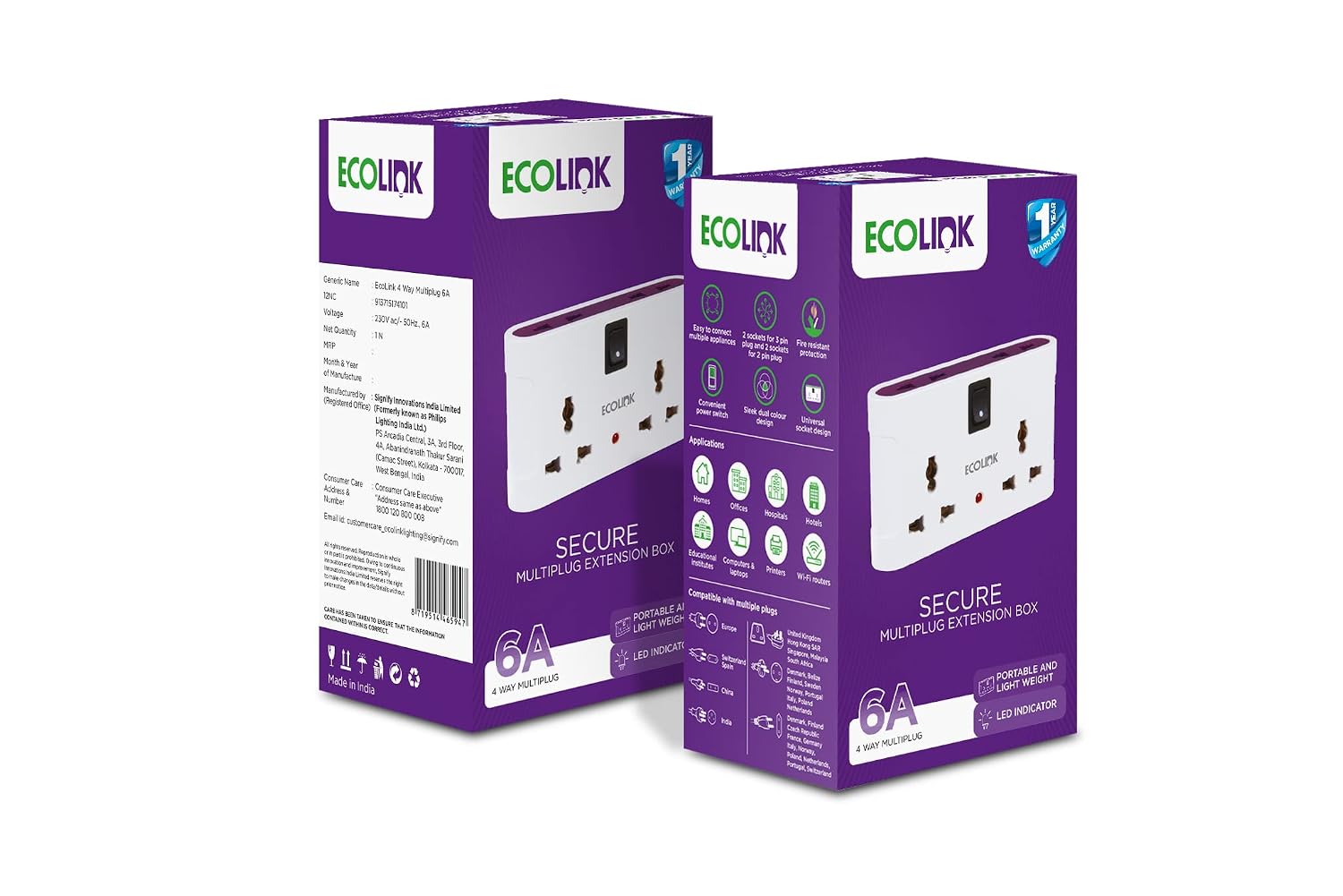
Figure 2: The EcoLink Secure 4-Way 6A Universal Multiplug Adapter showcasing its features: easy connection, 2 sockets for 3-pin and 2 for 2-pin plugs, fire-resistant protection, convenient power switch, sleek design, and universal socket design.
3. Arahan Persediaan
- Ensure the power source is off before plugging in the adapter.
- Insert the EcoLink Multiplug Adapter firmly into a standard wall socket.
- The adapter features universal sockets, accommodating both 2-pin and 3-pin plugs. Connect your appliances to the available sockets.
- Turn on the power source. The LED indicator on the adapter will illuminate, signifying that power is supplied to the adapter.
4. Arahan Operasi
- To power on the connected appliances, press the ON/OFF switch located on the adapter. The LED indicator will light up, indicating power is flowing to the sockets.
- To power off all connected appliances, press the ON/OFF switch again. The LED indicator will turn off, cutting power to the sockets.
- This adapter allows you to connect up to four appliances simultaneously, utilizing two 3-pin sockets and two 2-pin sockets.
- Always ensure that the total current draw of all connected appliances does not exceed the adapter's maximum rating of 6A to prevent overloading.
5. Penyelenggaraan
- Disconnect the adapter from the power source before cleaning.
- Wipe the adapter with a dry, soft cloth. Do not use liquid cleaners, solvents, or abrasive materials, as these can damage the unit.
- Keep the adapter away from water, excessive moisture, and direct sunlight to ensure longevity and safe operation.
- Do not attempt to open or repair the adapter yourself. Refer to qualified service personnel for any repairs.
6. Penyelesaian masalah
| Masalah | Kemungkinan Punca | Penyelesaian |
|---|---|---|
| The adapter's LED indicator does not light up when plugged in. | No power from the wall socket or the adapter's ON/OFF switch is in the OFF position. | Check the wall socket with another appliance to confirm power. Ensure the adapter's ON/OFF switch is pressed to the ON position. |
| Appliances connected to the adapter are not receiving power. | The adapter's ON/OFF switch is off, or the total load exceeds 6A. | Press the ON/OFF switch to the ON position. Reduce the number of connected appliances or ensure their combined current draw is within the 6A limit. |
7. Spesifikasi
| Spesifikasi | Perincian |
|---|---|
| Jenama | EcoLink |
| Nombor Model | 9137151741-4 |
| warna | White & Purple |
| Nama Jenis Item | Papan Sambungan |
| Bilangan Outlet | 4 (2 x 3-pin, 2 x 2-pin) |
| Jenis Palam | Jenis C |
| Berat Barang | 118 Gram |
| Dimensi Item (L x W x H) | 12 x 5.6 x 7 Sentimeter |
| Isi Kotak | 4 units EcoLink 4 way Multiplug 6A |
8. Waranti dan Sokongan
Waranti: This product comes with a 1-year manufacturer's warranty from the date of purchase.
For any product-related queries, assistance, or warranty claims, please contact our customer support:
- Consumer Care Executive Number: 1800 120 800 008
- ID e-mel: customercare_ecolinklighting@signify.com
Pengeluar: Signify Innovations India Limited
Pejabat Berdaftar: PS Arcadia Central, 3A, 3rd Floor, 4A, Abanindranath Thakur Sarani (Camac Street), Kolkata-700017, West Bengal, India.