
1. Pengenalan
Thank you for choosing the Powerwerks PWR10 Powered Speaker Cabinet. This manual provides essential information for the safe and efficient operation of your new speaker. The PWR10 is a high-performance active speaker designed for various audio applications, featuring robust power output, versatile input options, and integrated digital signal processing (DSP).
Sila baca manual ini dengan teliti sebelum mengendalikan unit ini dan simpannya untuk rujukan pada masa hadapan.
2. Maklumat Keselamatan
Untuk mengurangkan risiko kejutan elektrik, kebakaran atau kecederaan, sentiasa ikuti langkah berjaga-jaga keselamatan asas ini:
- Sumber Kuasa: Connect the unit only to a power supply of the type described in this manual or on the unit.
- Pembumian: Ensure the power cord is properly grounded to prevent electric shock.
- Pengudaraan: Jangan sekat bukaan pengudaraan. Pastikan aliran udara yang mencukupi di sekeliling unit.
- Air dan Kelembapan: Jangan dedahkan unit kepada hujan atau lembapan. Jangan letakkan objek yang diisi dengan cecair pada unit.
- haba: Jauhkan unit ini daripada sumber haba seperti radiator, daftar haba, dapur atau peralatan penghasil haba yang lain.
- Servis: Jangan cuba servis produk ini sendiri. Rujuk semua perkhidmatan kepada pegawai perkhidmatan yang berkelayakan.
- Pembersihan: Cabut plag unit daripada soket kuasa sebelum membersihkan. Gunakan kain kering untuk membersihkan.
3. Kandungan Pakej
The Powerwerks PWR10 package includes the following items:
- Powerwerks PWR10 Powered Speaker Cabinet
- Kord Kuasa
- Manual Pengguna (dokumen ini)
4. Ciri-ciri Produk
The Powerwerks PWR10 Powered Speaker Cabinet offers a range of features designed for optimal audio performance and versatility:
- Output Kuasa Tinggi: 600 watts of Class D amppemberitahuan.
- Sistem Pembesar Suara Dua Hala: Features one 10-inch low-frequency driver and one high-frequency compression driver.
- Berbilang Input Audio: Two channels with XLR / Line combo inputs for microphones or line-level devices.
- Integrated DSP: Four selectable EQ presets: Main, Monitor, DJ, and Speech.
- Kesambungan Bluetooth: Penstriman audio tanpa wayar yang lancar daripada peranti yang serasi.
- True Stereo Linking: Connect wirelessly to another Powerwerks PWR series speaker for stereo sound.
- XLR Thru Output: Allows for system expansion by connecting to other powered speakers.
- Reka Bentuk Mudah Alih: Durable wooden cabinet with integrated handles for easy transport.
- Pemasangan Tiang Standard: Compatible with standard speaker poles for elevated placement.

Imej 1: Depan view of the Powerwerks PWR10 Powered Speaker Cabinet, showcasing its protective grille and Powerwerks logo.
5. Kawalan dan Sambungan
Familiarize yourself with the control panel located on the rear of the PWR10 speaker. This section details each control and connection point.

Imej 2: Terperinci view of the rear control panel of the Powerwerks PWR10, showing inputs, outputs, and control knobs.
5.1. Bahagian Input
- INPUT 1 (XLR / Line Combo): This input accepts both XLR (microphone level) and 1/4-inch TRS/TS (line level) connectors. Use for microphones, mixers, or other audio sources.
- INPUT 2 (XLR / Line Combo): Similar to Input 1, this input also accepts XLR and 1/4-inch TRS/TS connectors for additional audio sources.
- KEUNTUNGAN 1 & 2: Rotary controls to adjust the input sensitivity for Input 1 and Input 2 respectively. Adjust these to achieve an optimal signal level without distortion.
5.2. Bluetooth Section
- Butang PAUTAN: Used for wirelessly linking two PWR series speakers for True Stereo operation.
- Butang PAIR: Initiates Bluetooth pairing mode to connect with a Bluetooth audio source (e.g., smartphone, tablet).
- Bluetooth Indicator LED: Illuminates when a Bluetooth device is connected.
5.3. Output and DSP Section
- DSP EQ PRESETS: A rotary selector to choose between four optimized sound modes:
- UTAMA: General purpose setting for front-of-house sound.
- MONITOR: Optimized for stage pemantauan aplikasi.
- DJ: Enhanced bass and treble for music playback.
- UCAPAN: Optimized for vocal clarity in spoken word applications.
- VOLUME MASTER: Controls the overall output level of the speaker.
- OUTPUT (XLR Thru): An XLR output that sends a mix of the input signals to another powered speaker or audio device for system expansion.
- LED KUASA: Menunjukkan bila unit dihidupkan.
- LIMIT LED: Illuminates when the internal limiter is active, indicating that the signal is approaching distortion. Reduce input gain or master volume if this LED frequently lights up.
5.4. Power Section
- MASUK AC: Sambungkan kord kuasa yang dibekalkan di sini.
- SUIS KUASA: Menghidupkan atau mematikan pembesar suara.
6. Persediaan
Persediaan yang betul memastikan prestasi dan keselamatan yang optimum.
6.1. penempatan
- Peletakan Lantai: Letakkan pembesar suara di atas permukaan yang stabil dan rata.
- Pemasangan tiang: The PWR10 features a standard pole mount receptacle on the bottom. Insert the speaker onto a sturdy speaker pole stand. Ensure the stand is stable and capable of supporting the speaker's weight.
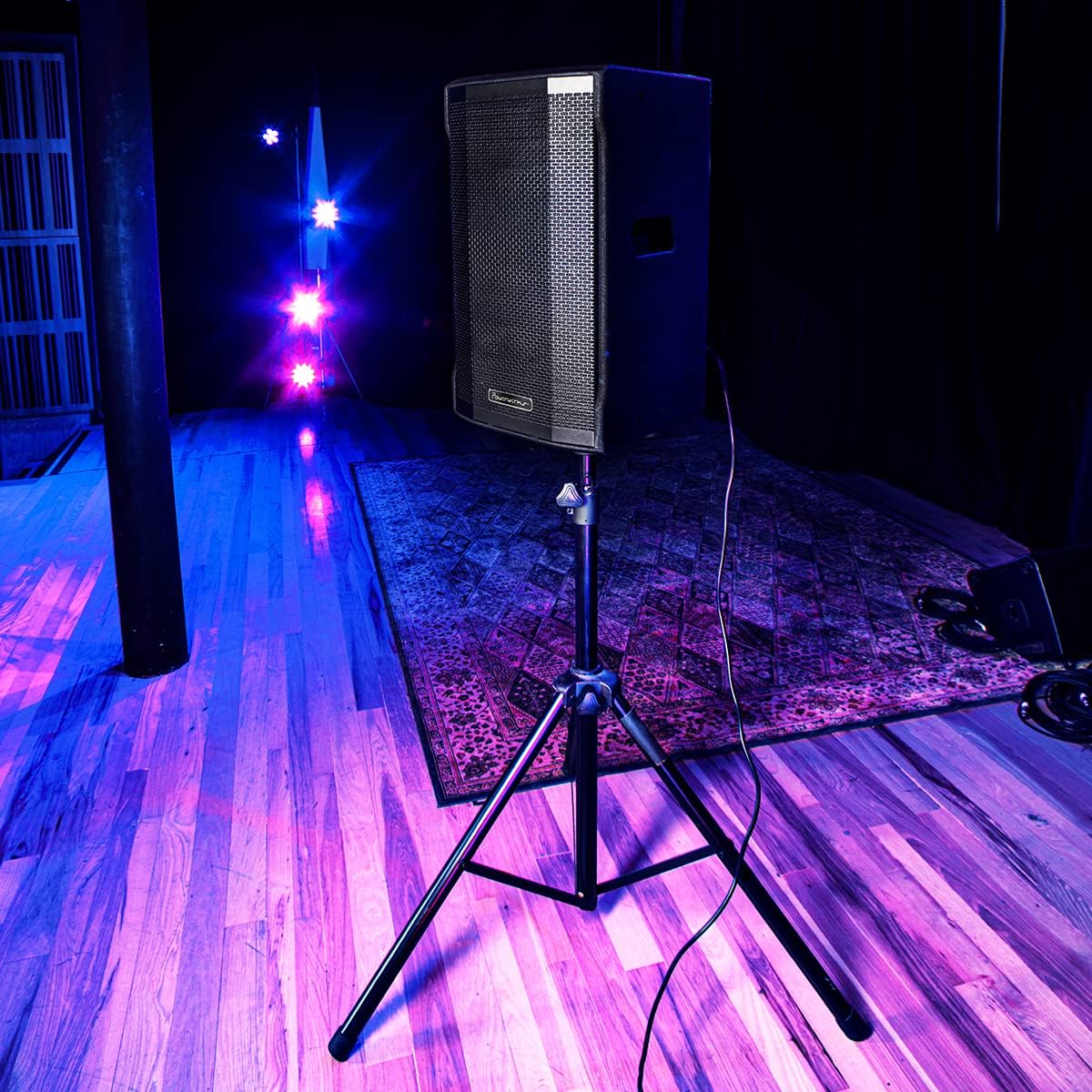
Image 3: The Powerwerks PWR10 speaker positioned on a stand, illustrating a typical setup for live sound applications.
6.2. Sambungan Kuasa
- Pastikan suis POWER pada panel belakang berada dalam kedudukan OFF.
- Connect the supplied power cord to the AC INLET on the speaker.
- Palamkan hujung kord kuasa yang lain ke dalam salur keluar elektrik yang dibumikan.
6.3. Pemeriksaan Awal
- Before powering on, ensure all gain controls are set to their minimum (fully counter-clockwise) position.
- Sahkan semua kabel audio disambungkan dengan selamat.
7. Arahan Operasi
7.1. Menghidupkan/Mematikan
- To power on, flip the POWER switch to the ON position. The POWER LED will illuminate.
- To power off, flip the POWER switch to the OFF position.
7.2. Menyambung Sumber Audio
- Connect your microphone or line-level device (e.g., mixer, instrument pre-amp) to INPUT 1 or INPUT 2 using an appropriate XLR or 1/4-inch cable.
- Slowly increase the corresponding GAIN control for the connected input until the desired volume is achieved without the LIMIT LED flashing excessively.
- Adjust the MASTER VOLUME to control the overall output level.
7.3. Berpasangan Bluetooth
- Press the PAIR button on the rear panel. The Bluetooth indicator LED will flash, indicating it is in pairing mode.
- On your Bluetooth-enabled device (smartphone, tablet), search for available Bluetooth devices.
- Select "Powerwerks PWR10" from the list.
- Once connected, the Bluetooth indicator LED will glow solid. You can now stream audio wirelessly to the speaker.
7.4. Using DSP Presets
Rotate the DSP EQ PRESETS knob to select the desired sound profile:
- UTAMA: Standard flat response for general use.
- MONITOR: Disesuaikan untuk stage monitoring, often with reduced bass to prevent muddiness.
- DJ: Boosted bass and treble for impactful music playback.
- UCAPAN: Optimized for vocal clarity, often with a mid-range boost.
7.5. True Stereo Linking (with another PWR series speaker)
- Ensure both PWR series speakers are powered on and within Bluetooth range.
- On the first speaker (which will act as the master), pair your Bluetooth audio source as described in section 7.3.
- On the master speaker, press the LINK button. The Bluetooth indicator LED will flash.
- On the second speaker (slave), press its LINK button. The Bluetooth indicator LED will flash.
- Once linked, both speakers' Bluetooth indicator LEDs will glow solid, and audio will play in stereo.
8. Penyelenggaraan
Regular maintenance helps prolong the life of your speaker.
- Pembersihan: Disconnect the power cord before cleaning. Use a soft, dry cloth to wipe down the cabinet. Do not use abrasive cleaners, solvents, or waxes.
- Storan: When not in use for extended periods, store the speaker in a dry, dust-free environment.
- Pemeriksaan: Periodically check the power cord and audio cables for any signs of damage.
9. Penyelesaian masalah
If you encounter issues with your PWR10 speaker, refer to the following common problems and solutions:
- Tiada Kuasa:
- Pastikan kord kuasa disambungkan dengan kukuh pada pembesar suara dan soket elektrik yang berfungsi.
- Check the POWER switch is in the ON position.
- Sahkan alur keluar elektrik berfungsi dengan memasang peranti lain.
- Tiada Bunyi:
- Check that the MASTER VOLUME is turned up.
- Ensure the GAIN controls for the active inputs are adjusted appropriately.
- Verify audio cables are securely connected and not damaged.
- If using Bluetooth, ensure the device is paired and streaming audio.
- Uji dengan sumber audio atau kabel yang berbeza.
- Bunyi Herot:
- Reduce the GAIN controls for the inputs.
- Reduce the MASTER VOLUME.
- If the LIMIT LED is frequently lit, reduce the input signal level.
- Periksa sumber audio untuk herotan.
- Bluetooth Tidak Bersambung:
- Ensure the speaker is in PAIRING mode (Bluetooth LED flashing).
- Pastikan Bluetooth didayakan pada peranti anda.
- Gerakkan peranti anda lebih dekat dengan pembesar suara.
- Cuba nyahgandingkan dan pasangkan semula peranti.
- Ensure no other devices are currently connected to the speaker via Bluetooth.
10. Spesifikasi
Detailed technical specifications for the Powerwerks PWR10 Powered Speaker Cabinet:

Image 4: Diagram illustrating the dimensions of the Powerwerks PWR10 speaker.
| Nama Model | Powerwerks 600 Watt 1 x 10" Speaker |
| Jenis Pembesar Suara | 2-Channel Active Speaker, Component |
| Diameter Woofer | 10 Inci |
| Wattage | 600 Watt (Puncak) |
| Teknologi Ketersambungan | Bluetooth, XLR, 1/4-inch Line |
| Mod Keluaran Audio | Stereo (via True Stereo Linking) |
| DSP EQ Pratetap | Main, Monitor, DJ, Speech |
| Dimensi Produk (D x W x H) | 28.3" x 15" x 15.6" |
| Berat Barang | 42.9 paun (19.5 Kilogram) |
| Sumber Kuasa | Elektrik Bertali |
| Jenis Pemasangan | Floor Standing, Pole Mount |
| warna | Hitam |
| UPC | 701963063117 |
11. Waranti dan Sokongan
The Powerwerks PWR10 Powered Speaker Cabinet comes with a limited warranty. Please refer to the warranty card included with your product or contact Powerwerks customer support for specific details regarding coverage and duration.
For technical assistance, troubleshooting beyond this manual, or warranty claims, please contact Powerwerks customer support through their official webtapak atau maklumat hubungan yang diberikan bersama dokumentasi pembelian anda.