
1. Pengenalan
The LAUNCH Creader Elite is a professional-grade OBD2 diagnostic scanner designed specifically for BMW, MINI, and Rolls-Royce vehicles manufactured between 1996 and 2023. This powerful bi-directional scan tool offers comprehensive full system diagnostics, a wide range of reset services, ECU coding capabilities, and lifetime free updates to ensure continuous compatibility and functionality.
The device features a 4-inch LCD touchscreen, Wi-Fi connectivity for updates, and supports 11 languages for user convenience. It is built with a robust, orange-colored body with rubberized ends for durability and a secure grip.

Image: The LAUNCH Creader Elite diagnostic tool displaying its main menu with options like Diagnose, OBD II, Reset, Upgrade, Mall, and Settings. This image provides an overview of the device's user interface.
2. Persediaan
2.1. Peranti Lebihview
The Creader Elite features a 4-inch high-resolution color touchscreen and three physical buttons at the bottom for navigation. The device's body is rubberized for enhanced durability. On the bottom of the tool, a dust cover protects a USB-C connector and a slot for a memory card.

Image: The LAUNCH Creader Elite diagnostic tool, showcasing its robust orange casing, 4-inch screen, and the attached OBD2 cable. A separate USB-C cable is also visible, highlighting the device's connectivity options.
2.2. Persediaan dan Pendaftaran Awal
- Hidupkan kuasa: Connect the device to your vehicle's OBD2 port. The device will power on automatically.
- Pemilihan Bahasa: Ikut gesaan pada skrin untuk memilih bahasa pilihan anda.
- Zon Waktu: Set the correct time zone for your location.
- Sambungan Wi-Fi: Connect the device to a stable Wi-Fi network. This is crucial for software updates and device registration.
- Pendaftaran: The device requires registration to access full diagnostic and update features. Use the provided QR code or visit the LAUNCH website to register your device using its serial number.
- Kemas Kini Perisian: After successful registration and Wi-Fi connection, navigate to the 'Upgrade' section to download and install the latest software for BMW, MINI, and Rolls-Royce.
3. Mengendalikan Peranti
The main menu provides six primary functions: Diagnose, OBD II, Reset, Upgrade, Mall, and Settings.
3.1. Diagnosis
This function is used for in-depth vehicle diagnostics. It offers several options:
- AutoDetect: The device attempts to automatically identify the vehicle's VIN and model.
- Laporan Kesihatan: Performs a comprehensive scan of all modules in the vehicle, identifies fault codes, and generates a full status report. This report can be shared.
- Imbasan Sistem: Scans the vehicle to determine which modules are present and equipped.
- Pemilihan Sistem: Allows direct access to specific vehicle modules (e.g., PCM, TCM, ABS, IMMO) to read fault codes, clear codes, or view aliran data langsung.
Video: Demonstration of the Health Report function on the LAUNCH Creader Elite, showing how it scans various vehicle modules and displays diagnostic trouble codes (DTCs).
3.2. OBD II
This mode provides standard OBD II diagnostic functions, compatible with various vehicle brands (not limited to BMW/MINI/Rolls-Royce). While it may not offer full bi-directional control or all service functions for non-BMW brands, it allows access to basic and advanced OBD II functionalities:
- Baca Kesediaan I/M: Checks if the vehicle is ready for a smog inspection.
- Baca Data Langsung: Displays real-time data from various sensors (e.g., engine coolant temperature, oxygen sensor voltage). This data can be viewed in numerical format or as a graph, and can also be recorded for later review.
- Baca Bingkai Beku: Menangkap petikan data sensor pada saat kod kesalahan ditetapkan.
- Read Fault Code (Mode $03/$07/$0A): Retrieves diagnostic trouble codes.
- Clear Fault Code (Mode $04): Erases diagnostic trouble codes and turns off the Check Engine Light.
- Test Results: O2 Sensor Monitor (Mode $05): Displays oxygen sensor monitoring test results.
- Test Results: On-Board Monitoring Test (Mode $06): Accesses results of on-board diagnostic monitoring tests for specific components/systems.
- Read Vehicle Information (Mode $09): Retrieves vehicle information such as VIN, calibration IDs, and calibration verification numbers.
3.3. Tetapkan Semula Perkhidmatan
The device supports a wide array of maintenance reset services for BMW, MINI, and Rolls-Royce vehicles:
- Set Semula Minyak
- Transmission Reset
- Tetapan Semula EPB (Brek Parkir Elektronik)
- SAS (Steering Angle Sensor) Service Reset
- Airbag Service Reset
- Pendarahan ABS
- Penjanaan Semula DPF (Penapis Zarah Diesel).
- Battery Replacement/Registration
- Tetapan Semula TPMS (Sistem Pemantauan Tekanan Tayar)
- Perkhidmatan IMMO (Immobilizer)
- Pengekodan Penyuntik

Image: A visual representation of the 'All Maintenance Service Functions' available on the LAUNCH Creader Elite, including Oil Reset, Transmission Reset, EBP Reset, SAS Service Reset, Airbag Service Reset, ABS Bleeding, DPF Regeneration, Battery Replacement, TPMS Reset, IMMO Service, and Injector Coding.
Video: This video demonstrates the 'All Systems All Maintenance Service' capabilities of the LAUNCH BMW Scanner, highlighting its ability to perform various reset and service functions across different vehicle systems.
3.4. Naik taraf
This function allows you to update the device's software. Ensure the device is connected to Wi-Fi or a computer via USB-C for updates.
3.5. Pusat beli-belah
The 'Mall' section typically allows users to purchase additional software packages or functionalities for other vehicle brands, if available.
3.6. Tetapan
Configure various device settings, including units of measurement, brightness, sound, network connection, time zone, and language.
4. Fungsi Khas
The LAUNCH Creader Elite offers advanced special functions beyond standard diagnostics:
4.1. Pengekodan ECU
This feature allows for customization and improvement of vehicle comfort and functionality. It can be used to:
- Refresh hidden functions (e.g., fold/unfold mirrors automatically, unlock doors automatically).
- Disable annoying functions (e.g., auto start-stop, seat belt warning sounds).
- Perform retrofits (e.g., installing fog lights, retrofitting headlamps, changing battery type).
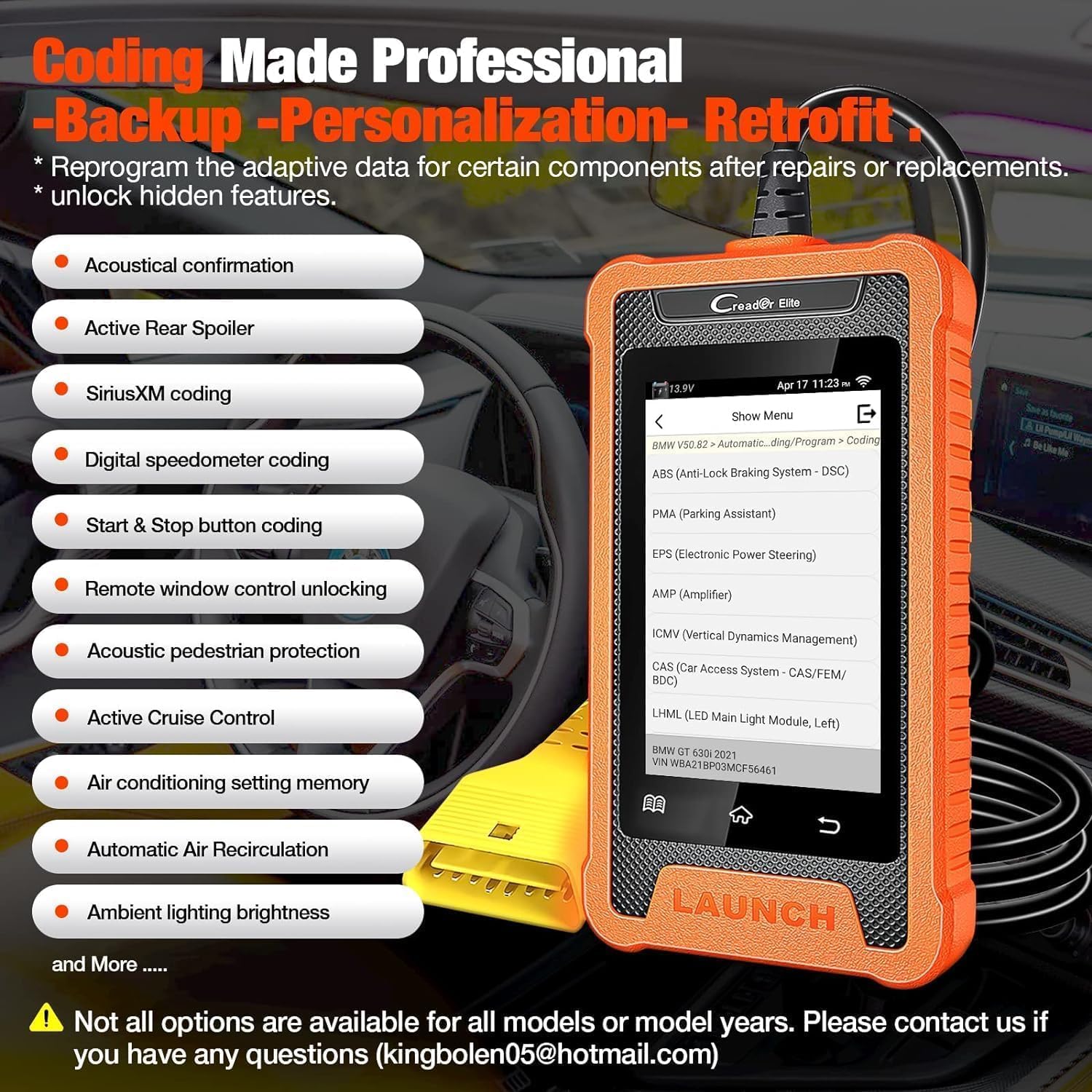
Image: The LAUNCH Creader Elite displaying 'Coding Made Professional' options, including Acoustical confirmation, Active Rear Spoiler, SiriusXM coding, Digital speedometer coding, Start & Stop button coding, Remote window control unlocking, Acoustic pedestrian protection, Active Cruise Control, Air conditioning setting memory, Automatic Air Recirculation, and Ambient lighting brightness.
Video: This video illustrates the 'Coding/Program' function of the LAUNCH BMW Full Diagnostic Tool, demonstrating how users can access and modify vehicle settings.
4.2. Kawalan Dwiarah (Ujian Aktif)
This feature allows the diagnostic tool to send commands to vehicle ECUs and control specific components, helping to accurately locate issues. Examples termasuk:
- Turning on the radiator fan
- Memodulasi pendikit
- Cermin operasi
- Turning ON/OFF lights
- Turning ON/OFF the horn
- Activating door lock actuators
- A/C compressor activation
- Activation radiator shutter
- EGR Test
- Injector Buzz Test
- IMRC Test
- Fuel Rail Pressure Test
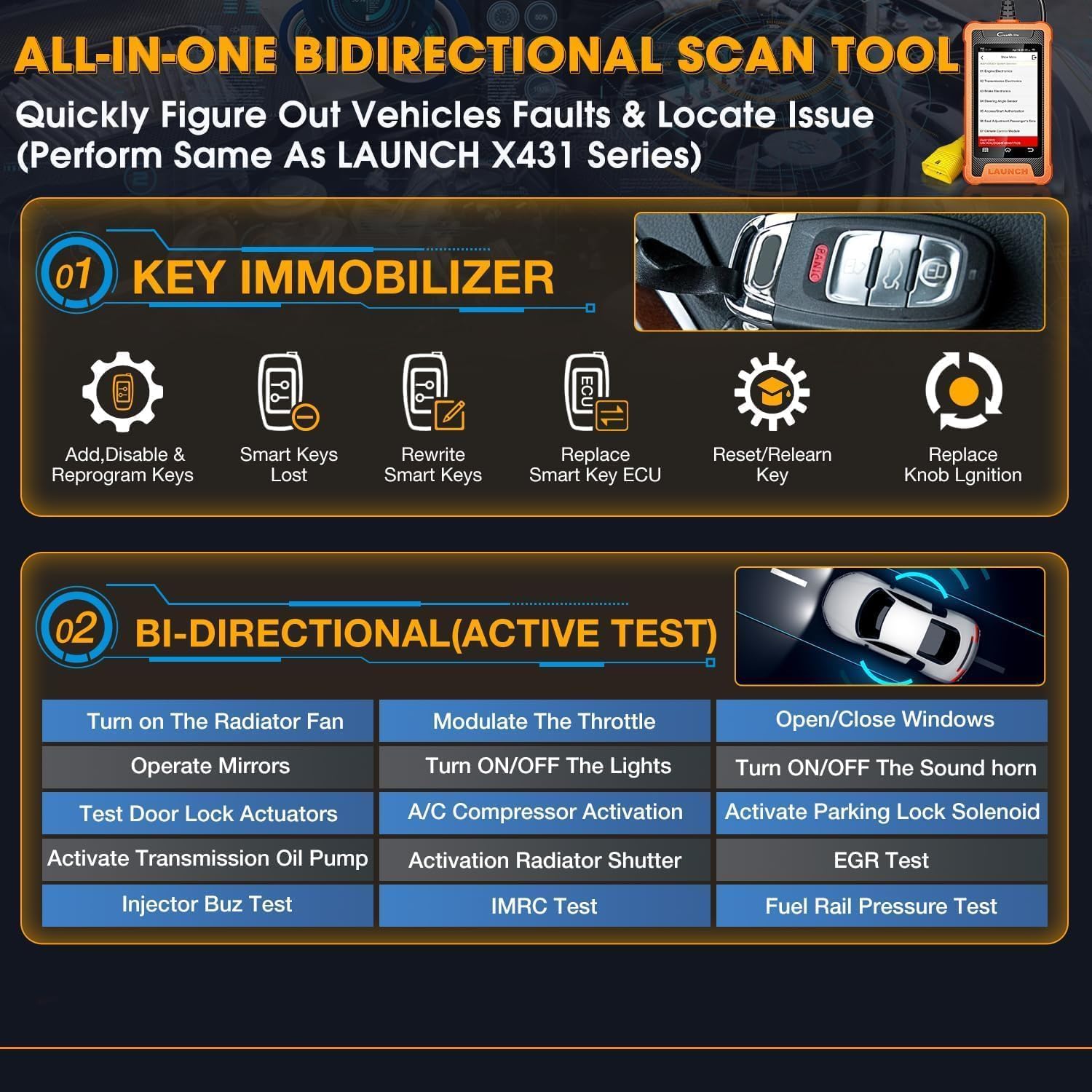
Image: The 'All-in-One Bidirectional Scan Tool' interface, detailing Key Immobilizer functions (Add/Disable & Reprogram Keys, Rewrite Smart Keys, Replace Smart Key ECU, Reset/Relearn Key, Replace Knob Ignition) and Bi-directional (Active Test) capabilities.
Video: This video demonstrates the 'Special Function' capabilities of the LAUNCH BMW Full Diagnostic Tool, showcasing various advanced diagnostic and control features.
4.3. Key Immobilizer
This function assists with key-related operations, including:
- Adding, disabling, and reprogramming keys.
- Rewriting smart keys.
- Replacing smart key ECUs.
- Resetting and relearning keys.
- Replacing knob ignition components.
5. Spesifikasi
- Jenama: PELANCARAN
- model: Creader Elite
- Sumber Kuasa: Dikuasakan Bateri
- Dimensi Produk: 3.46"L x 1"W x 6.3"H
- Sistem pengendalian: Android
- Saiz Skrin: 4 Inci
- Storan Dalaman: 16GB
- Ketersambungan: USB-C, Wi-Fi
- Bahasa yang Disokong: 11 (including English, French, Spanish, German, Italian, Russian, Portuguese, Korean, Japanese, Polish, Chinese)
6. Penyelenggaraan
6.1. Kemas Kini Perisian
Regular software updates are provided free for life. To ensure optimal performance and compatibility with the latest vehicle models, it is recommended to update the device regularly. Connect the device to a Wi-Fi network or a computer via the USB-C cable and navigate to the 'Upgrade' section in the main menu.
6.2. Pengurusan Data
The device allows for recording and playback of live data streams, as well as generating and sharing diagnostic reports. These features are useful for tracking vehicle performance over time and for sharing information with technicians or other users.
7. Penyelesaian masalah
- Peranti Tidak Dihidupkan: Ensure the device is securely connected to the vehicle's OBD2 port. Check the vehicle's battery voltage.
- Isu Sambungan: Verify the OBD2 cable is properly connected. For Wi-Fi issues, ensure the network is stable and the device is within range.
- VIN Auto-Detection Failure: If the device fails to automatically detect the VIN, manually enter the vehicle information for diagnosis.
- Fault Codes Persist After Clearing: If fault codes reappear immediately after clearing, it indicates an underlying issue that requires repair. Clearing codes only resets the warning light; it does not fix the problem.
- Masalah Kemas Kini Perisian: Ensure a stable internet connection during updates. If issues persist, try connecting the device to a computer for a wired update.
8. Waranti dan Sokongan
For any service problems, suggestions, or inquiries regarding this product, please contact LAUNCH customer support. You can reach them via email at:
- Overseas Service: overseas.service@cnlaunch.com
- Pertanyaan Jualan: sales@cnlaunch.com
Please refer to your local dealer for specific warranty information and support procedures.