
1. Produk Lebihview
The iFFALCON 50K72 is a 50-inch 4K Ultra HD Smart Android LED TV designed to deliver a high-quality viewing experience. This manual provides essential information for setting up, operating, and maintaining your television.
Imej: Depan view of the iFFALCON 50K72 50-inch 4K Ultra HD Smart Android LED TV, showcasing its exciting features.
Key features include a 4K Ultra HD resolution (3840 x 2160) with a 60 Hz refresh rate, an A+ Grade Panel for superior display quality, and a 178-degree wide viewing angle. It runs on Android (R11) and supports hands-free voice control, dual-band Wi-Fi, and popular streaming applications.
2. Apa yang ada di dalam Kotak
Upon unboxing your iFFALCON 50K72 TV, please ensure all the following components are present:
- 1 TV LED
- 1 Stand Atas Meja
- 1 Manual Pengguna (dokumen ini)
- 1 Kad Waranti
- 1 Alat Kawalan Jauh
- 2 Bateri AAA
Video: Selesai ringkasview of the iFFALCON 50K72 TV and its key features, including what's typically found in the box.
3. Panduan Persediaan
3.1 Memasang Penyangga Atas Meja
- Letakkan skrin TV dengan berhati-hati pada permukaan yang lembut dan rata untuk mengelakkan kerosakan.
- Jajarkan dirian dengan lubang pelekap di bahagian bawah TV.
- Selamatkan dirian menggunakan skru yang disediakan. Pastikan semua skru diketatkan dengan kuat.

Imej: Side profile of the iFFALCON 50K72 TV showing the attached table-top stand.
3.2 Pemasangan Dinding (Pilihan)
If you choose to wall mount your TV, please note that a wall mount bracket is not included and must be purchased separately. The TV supports a VESA mount standard of 200 x 200 mm. Professional installation is recommended for wall mounting.

Imej: Belakang view of the iFFALCON 50K72 TV, highlighting the VESA mounting points.
3.3 Hidupkan dan Konfigurasi Awal
- Sambungkan kord kuasa ke TV dan kemudian ke salur keluar kuasa.
- Tekan butang kuasa pada TV atau alat kawalan jauh untuk menghidupkannya.
- Ikut arahan pada skrin untuk melengkapkan persediaan awal, termasuk pemilihan bahasa, sambungan rangkaian dan log masuk akaun Google.
4. Operasi Asas
4.1 Alat Kawalan Jauh
The included remote control allows you to navigate the TV's interface, adjust settings, and access smart features. Insert the two AAA batteries into the remote control, ensuring correct polarity.

Image: The iFFALCON 50K72 TV remote control, highlighting Google Assistant and dedicated quick access buttons for streaming services.
4.2 Smart TV Features (Android R11)
Your iFFALCON 50K72 TV runs on Android (R11), providing access to a wide range of applications and services. Navigate through the home screen to find installed apps like Prime Video, Disney+Hotstar, Netflix, Zee5, Sony LIV, and more. You can also download additional apps from the Google Play Store.
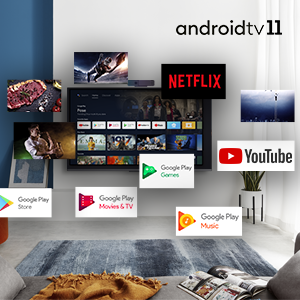
Image: The Android 11 TV interface displaying various streaming and utility applications.
4.3 Kawalan Suara Bebas Tangan
The TV supports hands-free voice control, allowing you to use voice commands without the remote. Simply say "Hey Google" or "Ok Google" followed by your command to search for content, control playback, or manage smart home devices.

Image: A person using hands-free voice control to search for content on the iFFALCON TV.
4.4 T-cast (Screen Mirroring)
Use the T-cast feature to mirror content from your smartphone or tablet to the TV screen. This allows for easy sharing of photos, videos, and other media.

Image: The TCL Channel 3.0 interface, illustrating screen mirroring capabilities.
4.5 Video Call Camera Support
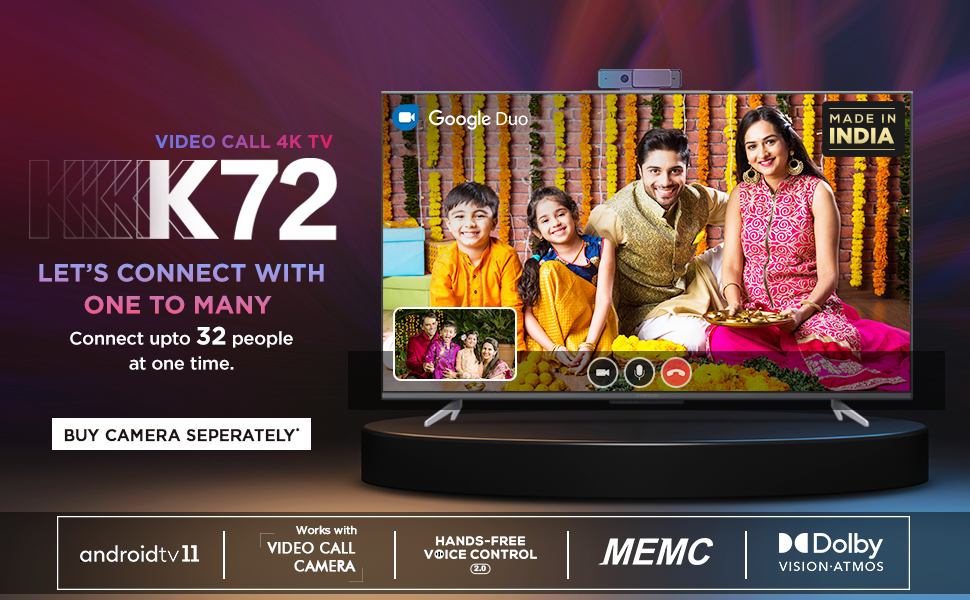
The iFFALCON 50K72 TV is compatible with external video call cameras (purchased separately) for conducting video calls through applications like Google Duo directly on your TV screen.
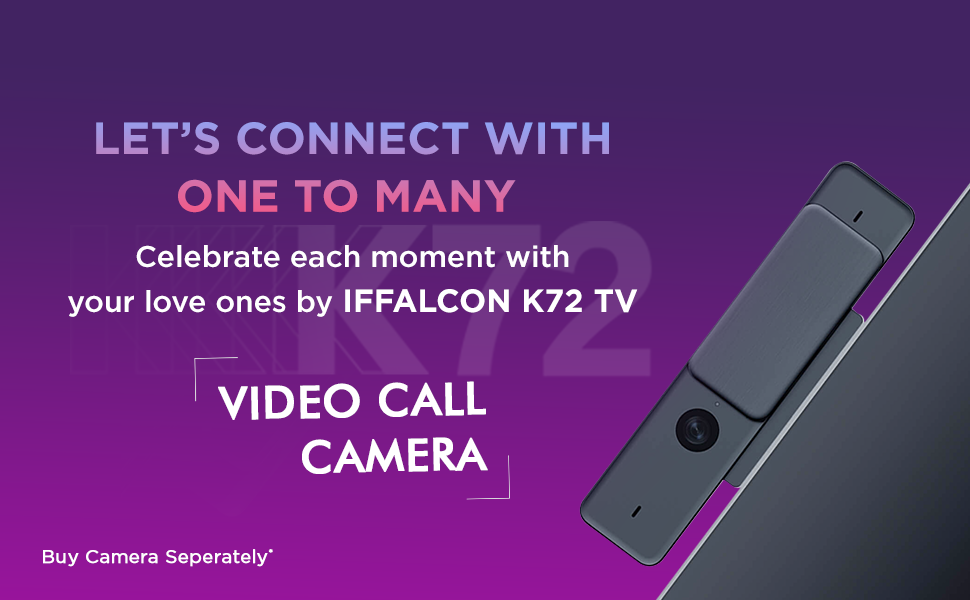
Image: A family engaged in a video call on the iFFALCON K72 TV, demonstrating the external camera functionality.
5. Ketersambungan
The iFFALCON 50K72 TV offers various ports for connecting external devices:

Imej: Sisi view of the iFFALCON 50K72 TV with all connectivity ports clearly labeled.
- Port HDMI (3): Connect set-top boxes, Blu-ray players, gaming consoles, and other HDMI-enabled devices. One port supports eARC/ARC for enhanced audio return.
- Port USB (2): Connect hard drives, USB flash drives, and other USB devices for media playback or software updates. Includes one USB 2.0 and one USB 3.0 port.
- Port LAN (Ethernet): Untuk sambungan internet berwayar yang stabil.
- Antena/Kabel Masuk: Untuk menyambungkan antena atau isyarat TV kabel.
- Audio Keluar Digital (Optik): Untuk menyambung ke sistem audio luaran dengan input optik.
- Penyesuai AV In: For connecting older devices using composite video and stereo audio cables (adapter may be required).
- Jack fon kepala: Untuk menyambungkan fon kepala atau pembesar suara luaran.
- Wi-Fi Dwi-Jalur: Supports 2.4GHz and 5GHz networks for wireless internet connectivity.
6. Ciri Paparan dan Audio
6.1 Teknologi Paparan
- Resolusi Ultra HD 4K: Provides sharp, detailed images with 3840 x 2160 pixels.
- A+ Grade Panel: Ensures high picture quality and consistency.
- HDR (Julat Dinamik Tinggi): Enhances contrast and color accuracy for a more lifelike picture.
- Dolby Vision: Advanced HDR technology for superior brightness, contrast, and color.
- MEMC (Anggaran Pergerakan, Pampasan Pergerakan): Reduces motion blur in fast-moving scenes for smoother viewing.
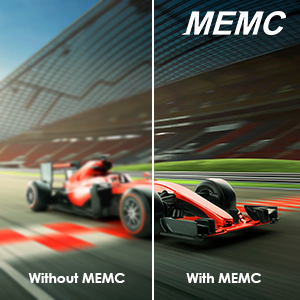
Image: A visual comparison demonstrating the effect of MEMC technology on motion clarity.
6.2 Teknologi Audio
- Output 24 Watt: Provides clear and powerful sound.
- Audio Dolby: Delivers immersive surround sound experience.
- Dolby Atmos: Creates a three-dimensional audio experience, placing sound all around you.
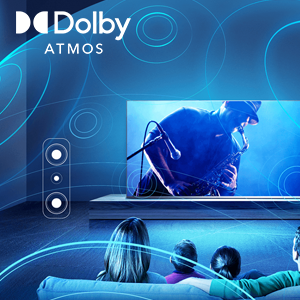
Image: An illustration depicting the immersive sound field created by Dolby Atmos technology.
7. Spesifikasi Teknikal

Image: Diagram showing the physical dimensions of the iFFALCON 50K72 TV.
| Ciri | Perincian |
|---|---|
| Saiz Skrin | 50 Inci (126 cm) |
| Jenama | iFFALCON |
| Teknologi Paparan | LED |
| Resolusi | 4K Ultra HD (3840 x 2160) |
| Kadar Segar Semula | 60 Hz |
| Teknologi Ketersambungan | Ethernet, HDMI (3), USB (2), Wi-Fi (Dual-Band) |
| Nisbah Aspek | 16:9 |
| Perkhidmatan Internet yang Disokong | Google Play Store, Google services applications, Hotstar, Netflix, Prime Video, Sun NXT, YouTube, Zee5, Sony LIV |
| Nisbah Kontras | 5000:1 |
| Maximum Display Brightness | 280 Candela Per Square Meter |
| Screen Finish Type | rata |
| Format HDR Disokong | HDR, Dolby Vision |
| Picture Quality Enhancement | HDR, A+ Grade Panel, MEMC |
| Masa Tindak Balas | 8 milisaat |
| Viewsudut | 178 Darjah |
| Mod Keluaran Audio | Keliling |
| Bilangan Saluran Audio | Audio Dolby, Dolby Atmos |
| Voltage | 240 Volt |
| Wattage / Penggunaan Kuasa | 110 Watt |
| Pemasangan VESA Standard | 200 x 200 mm |
| Sistem Operasi | Android (R11) |
| Kaedah Kawalan | Voice, Remote Control |
| Berat Barang | 9400 Gram |
| Tahun Model | 2021 |
8. Penyelesaian masalah
This section addresses common issues you might encounter with your iFFALCON 50K72 TV.
8.1 Tiada Kuasa / TV Tidak Dihidupkan
- Pastikan kord kuasa disambungkan dengan kukuh ke TV dan soket kuasa yang berfungsi.
- Periksa sama ada alur keluar kuasa berfungsi dengan memasang peranti lain.
- Sahkan bahawa bateri kawalan jauh dimasukkan dengan betul dan tidak habis.
8.2 Tiada Gambar / Kualiti Gambar Lemah
- Periksa semua sambungan kabel (HDMI, antena) untuk memastikan ia selamat.
- Sahkan sumber input yang betul dipilih pada TV.
- Laraskan tetapan gambar (kecerahan, kontras, warna) dalam menu TV.
- If using an external device, check its output settings.
8.3 Tiada Bunyi / Kualiti Bunyi Lemah
- Ensure the volume is not muted and is set to an audible level.
- Periksa sambungan kabel audio jika menggunakan pembesar suara luaran.
- Laraskan tetapan bunyi dalam menu TV.
- Jika menggunakan sistem audio luaran, pastikan ia dihidupkan dan dikonfigurasikan dengan betul.
8.4 Isu Ketersambungan Rangkaian
- For Wi-Fi, ensure the router is on and within range. Re-enter the Wi-Fi password if necessary.
- Untuk sambungan berwayar, pastikan kabel Ethernet disambungkan dengan selamat ke TV dan penghala.
- Mulakan semula penghala dan modem anda.
9. Waranti dan Sokongan
Your iFFALCON 50K72 TV comes with a 1-year comprehensive manufacturer's warranty from the date of purchase. This warranty covers manufacturing defects and ensures repair or replacement as per the terms and conditions.
For assistance with installation, service, or any product-related queries, please contact iFFALCON customer support:
- Nombor Bebas Tol: 18004190622 / 18001020622
- When contacting support, please provide your product's model name (50K72) and seller's details as mentioned on your invoice.
Image: iFFALCON customer care information, including contact numbers for support.
The manufacturer is Bhagwati Products Ltd, located at Plot No.S-1, E-City, Fabcity, Raviryala(V), Maheshwaram(M), Range Reddy (Dist), Telangana State-501510.