
1. Pengenalan
This manual provides detailed instructions for the setup, operation, and maintenance of your Auna AMP-4000 DAB HiFi Stereo Amplifier. Please read this manual thoroughly before using the device to ensure proper functionality and safety. Keep this manual for future reference.

Imej 1.1: Depan view of the Auna AMP-4000 DAB HiFi Stereo Amppengikat. Imej ini memaparkan amplifier's sleek design with its silver and black finish, featuring two large rotary knobs on either side and a central LED display.
2. Arahan Keselamatan
To prevent fire, electric shock, and damage to the unit, observe the following safety precautions:
- Jangan dedahkan perkakas ini kepada hujan atau lembapan.
- Jangan sekat sebarang bukaan pengudaraan. Pasang mengikut arahan pengilang.
- Jangan pasang berhampiran mana-mana sumber haba seperti radiator, daftar haba, dapur, atau radas lain (termasuk amppenghidup) yang menghasilkan haba.
- Lindungi kabel kuasa dari berjalan atau dicubit, terutama pada palam, wadah kemudahan, dan titik di mana mereka keluar dari perkakas.
- Hanya gunakan lampiran/aksesori yang ditentukan oleh pengilang.
- Cabut plag perkakas ini semasa ribut petir atau apabila tidak digunakan untuk jangka masa yang lama.
- Refer all servicing to qualified service personnel. Servicing is required when the appliance has been damaged in any way.
3. Produk Lebihview
3.1 Kawalan Panel Hadapan
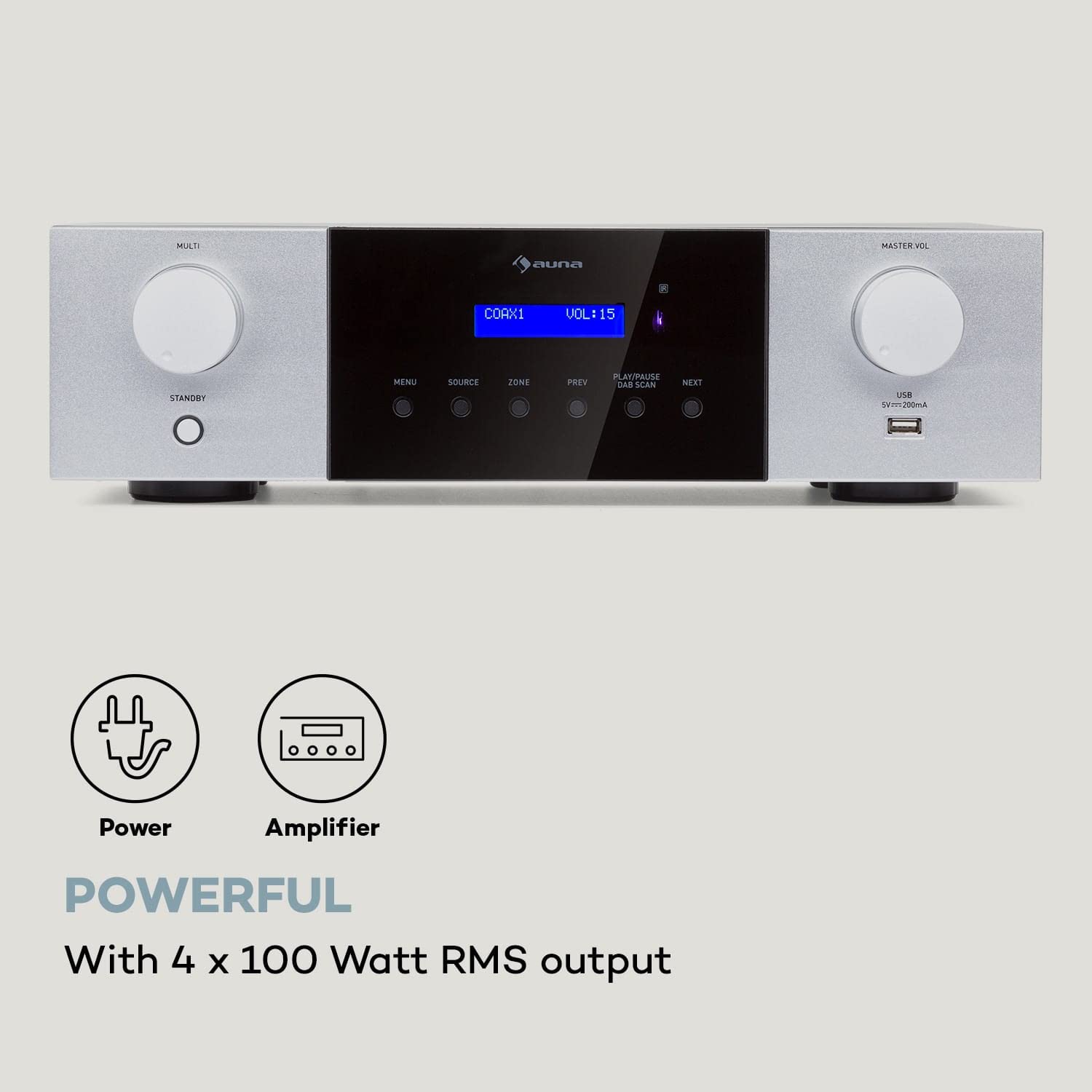
Imej 3.1: Terperinci view of the Auna AMP-4000 front panel. This image highlights the main controls including the Multi-function knob, Standby button, Menu, Source, Zone, Previous, Play/Pause/DAB Scan, Next buttons, Master Volume knob, and USB port.
- MULTI Knob: Adjusts various settings depending on the selected menu option.
- Butang STANDY: Menghidupkan atau mematikan unit.
- Butang MENU: Accesses the system menu for settings and options.
- Butang SUMBER: Selects the audio input source (DAB, Bluetooth, USB, AUX, Optical, Coaxial).
- Butang ZON: (If applicable) Controls multi-zone audio output.
- PREV / NEXT Buttons: Navigates tracks or radio stations.
- PLAY/PAUSE / DAB SCAN Button: Controls playback or initiates a DAB radio scan.
- MASTER VOL Knob: Melaraskan tahap kelantangan keseluruhan.
- Port USB: Untuk menyambungkan peranti storan USB bagi main balik audio.
- Paparan led: Shows current status, source, volume, and track information.
3.2 Sambungan Panel Belakang
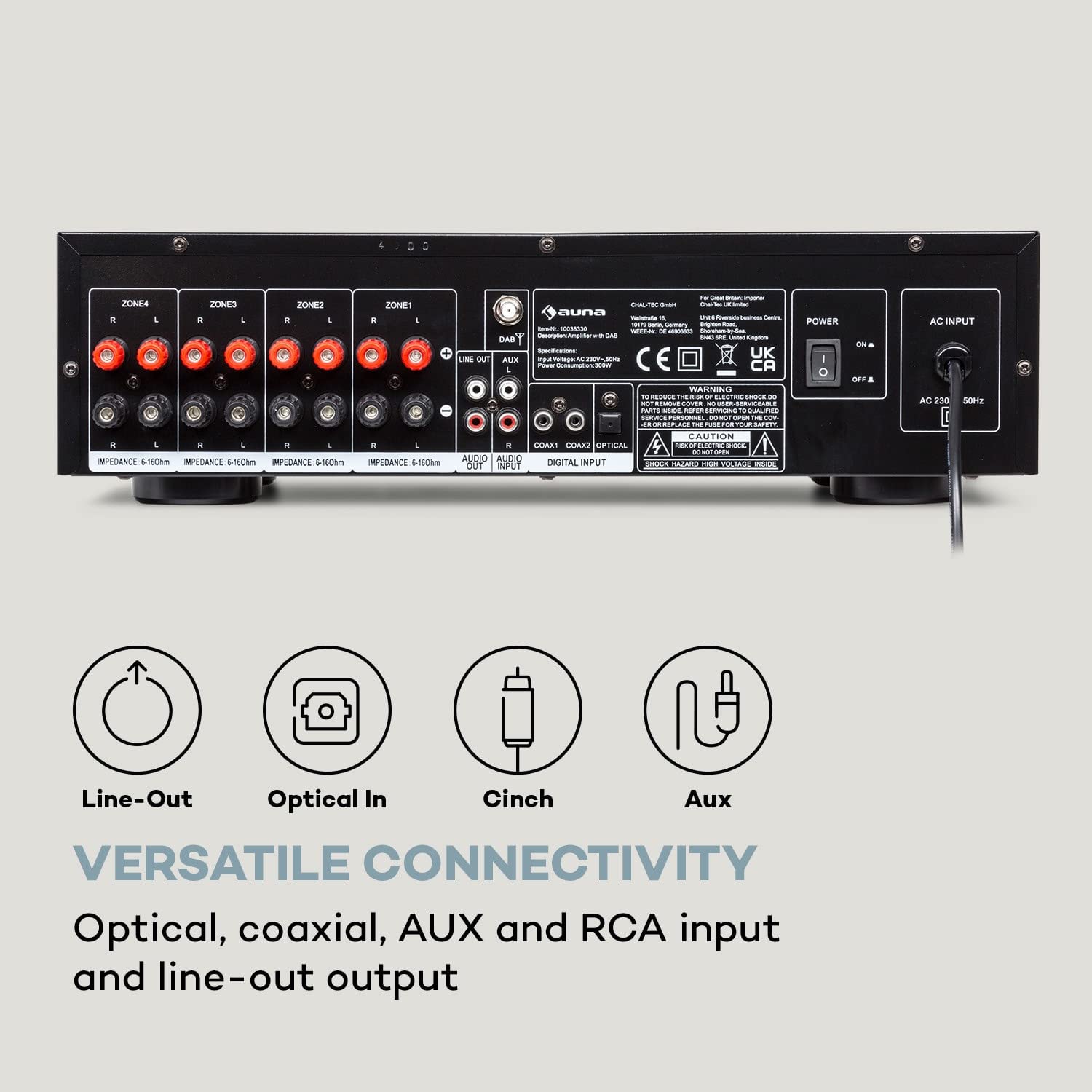
Imej 3.2: belakang view of the Auna AMP-4000, showing all available input and output connections. This includes speaker terminals for multiple zones, Line Out, Audio Input (RCA), Digital Input (Coaxial, Optical), and the AC power input.
- Speaker Terminals (ZONE1, ZONE2, ZONE3, ZONE4): Connect your passive speakers. Ensure correct polarity (+ to + and - to -) and impedance matching (5-16 Ohms).
- TALIAN KELUAR (RCA): For connecting to another ampalat penghidup atau rakaman.
- AUDIO INPUT (RCA): Connect external analog audio sources (e.g., CD player, turntable with pre-amp).
- DIGITAL INPUT (COAXIAL, OPTICAL): Connect digital audio sources (e.g., TV, Blu-ray player).
- INPUT AC: Connect the power cord to a suitable AC power outlet.
- DAB Antenna Input: Connect the DAB antenna for digital radio reception.
4. Persediaan
4.1 Sambungan Pembesar suara
- Memastikan ampPengaktif dimatikan dan dicabut daripada sesalur kuasa.
- Connect your passive speakers to the corresponding speaker terminals on the rear panel (ZONE1, ZONE2, etc.).
- Match the positive (+) terminal on the amplifier to the positive (+) terminal on the speaker, and the negative (-) terminal on the amppengubah suai ke terminal negatif (-) pada pembesar suara.
- Ensure the speaker impedance is within the recommended range of 5-16 Ohms.
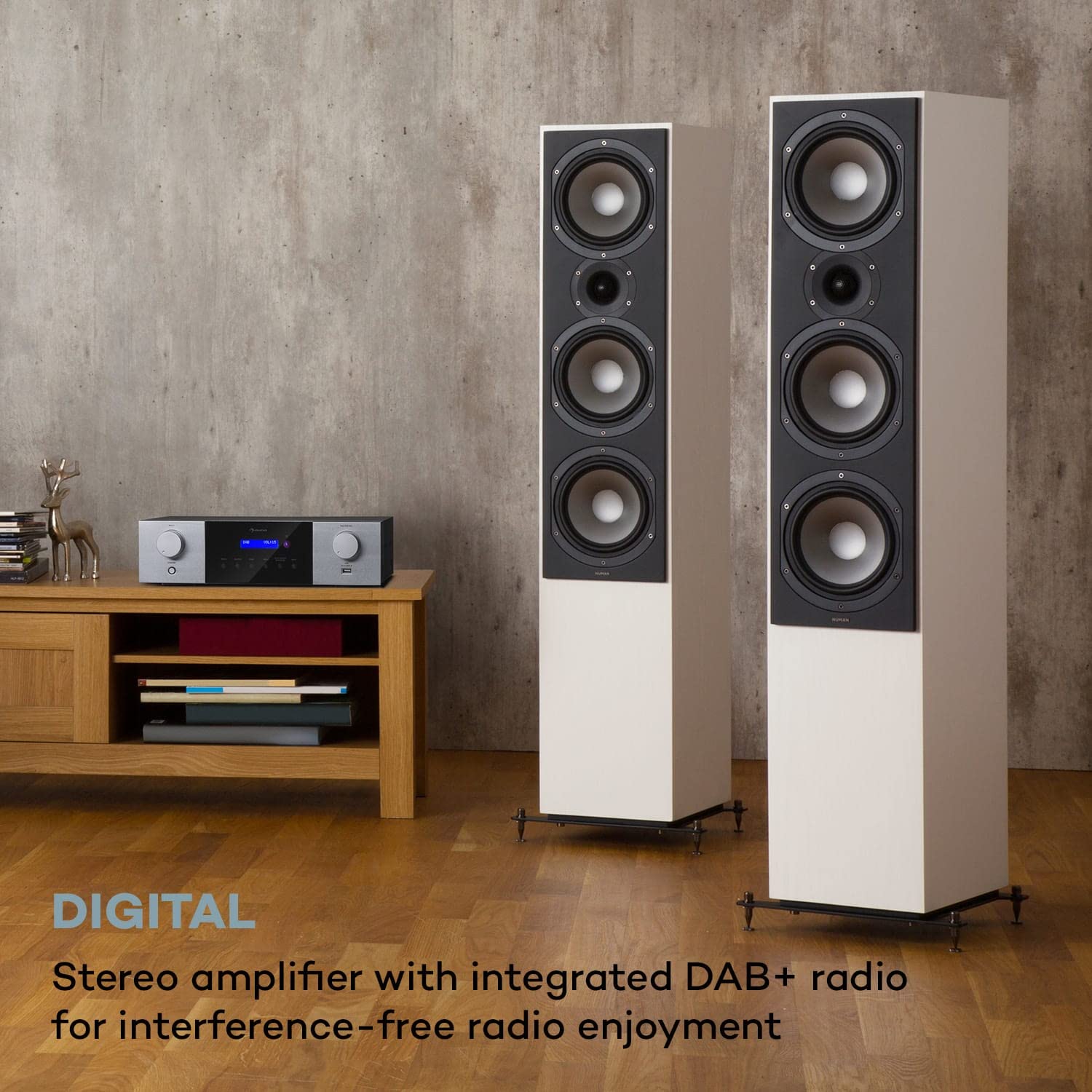
Imej 4.1: The Auna AMP-4000 amplifier positioned with two large floor-standing speakers in a living room setting. This illustrates a typical setup for home audio, emphasizing the connection to external speakers.
4.2 Sambungan Sumber Audio
- Analog Sources (RCA): Connect your CD player, DVD player, or other analog audio devices to the "AUDIO INPUT" RCA jacks using appropriate RCA cables.
- Digital Sources (Optical/Coaxial): Connect your TV, game console, or Blu-ray player to the "DIGITAL INPUT" (Optical or Coaxial) using optical or coaxial cables.
- Antena DAB: Connect the supplied DAB antenna to the DAB antenna input for optimal digital radio reception.
4.3 Sambungan Kuasa
After all audio and speaker connections are made, connect the power cord to the "AC INPUT" on the rear panel of the amplifier and then plug it into a wall outlet.
5. Arahan Operasi
5.1 Hidupkan/Mati Kuasa
Tekan ke STANDBY button on the front panel or the remote control to power the amphidup atau mati.
5.2 Pemilihan Sumber
Tekan ke SUMBER button on the front panel or the remote control repeatedly to cycle through available input sources (DAB, Bluetooth, USB, AUX, Optical, Coaxial).
5.3 Operasi Radio DAB+
- Select "DAB" as the source.
- If it's the first time using DAB, or if you want to rescan, press the PLAY/PAUSE / DAB SCAN button to initiate an automatic scan for available DAB+ stations.
- Gunakan SEBELUM dan SETERUSNYA buttons to navigate through the found stations.
5.4 Berpasangan Bluetooth
- Select "Bluetooth" as the source. The LED display will indicate "Pairing" or similar.
- Pada telefon pintar atau tablet anda, dayakan Bluetooth dan cari peranti yang tersedia.
- Select "Auna AMP-4000" from the list of devices to pair.
- Setelah dipasangkan, anda boleh menstrim audio secara wayarles dari peranti anda ke amplebih hidup.

Imej 5.1: The Auna AMP-4000 amplifier shown with a smartphone, illustrating the wireless Bluetooth streaming capability. This image highlights the convenience of playing music from mobile devices.
5.5 Main Semula USB
- Insert a USB storage device (e.g., USB flash drive) into the USB port on the front panel.
- Select "USB" as the source.
- The amplifier will automatically detect and begin playing compatible audio files. Menggunakan SEBELUM, SETERUSNYA, dan MAIN/JEDA butang untuk mengawal main balik.
5.6 Kawalan Kelantangan
Putar MASTER VOL knob on the front panel or use the volume buttons on the remote control to adjust the audio output level.
5.7 Alat Kawalan Jauh
The included remote control provides full functionality for operating the amplifier from a distance. Refer to the remote control diagram (if available) for specific button functions.

Imej 5.2: The Auna AMP-4000 amplifier's front panel displayed alongside its remote control. This image emphasizes the convenient operation provided by the remote, allowing control of various functions including volume, source, and radio stations.
6. Penyelenggaraan
- Pembersihan: Gunakan kain lembut dan kering untuk membersihkan bahagian luar amppenghidrat. Jangan gunakan pembersih cecair atau bahan kasar.
- Pengudaraan: Pastikan bukaan pengudaraan tidak disekat untuk mengelakkan terlalu panas.
- Storan: Jika menyimpan unit untuk tempoh yang lama, cabut palamnya dari salur keluar kuasa dan simpan di tempat yang sejuk dan kering.
7. Penyelesaian masalah
| Masalah | Kemungkinan Punca | Penyelesaian |
|---|---|---|
| Tiada kuasa | Kord kuasa tidak disambungkan; soket kuasa rosak. | Periksa sambungan kord kuasa; cuba outlet lain. |
| Tiada keluaran bunyi | Incorrect source selected; speaker cables loose; volume too low; mute activated. | Select correct source; check speaker connections; increase volume; deactivate mute. |
| Bluetooth tidak bersambung | Amplifier not in pairing mode; device too far; Bluetooth off on source device. | pastikan amplifier is in Bluetooth source mode; bring device closer; enable Bluetooth on source device. |
| Penerimaan DAB+ yang lemah | Antenna not connected or poorly positioned; weak signal in area. | Check antenna connection; reposition antenna; perform a new DAB scan. |
8. Spesifikasi

Imej 8.1: Diagram illustrating the physical dimensions of the Auna AMP-4000 amplifier, showing its width (43 cm), depth (24.5 cm), and height (12.5 cm).
- Jenama: AUNA
- model: AMP-4000
- Kuasa Output: 4 x 100 Watt RMS
- Teknologi Penala: DAB+
- Ketersambungan: Auxiliary, Bluetooth, USB, RCA, Optical, Coaxial
- Peranti Serasi: Telefon Pintar, Tablet
- Mod Output Audio: Stereo
- Impedans Pembesar Suara: 5-16 Ohm
- Dimensi Produk (LxWxH): 24.5 x 43 x 12.5 cm
- Berat Barang: 4 kg
- warna: Hitam-Putih
9. Waranti dan Sokongan
For warranty information and technical support, please refer to the documentation provided with your purchase or contact AUNA customer service. Keep your proof of purchase for warranty claims.