
pengenalan
Thank you for choosing the Altec Lansing Kids Bluetooth Over-Ear Headphones. This manual provides essential information for the safe and efficient use of your headphones. Please read it thoroughly before use and retain it for future reference.
Ciri-ciri Produk
- Safe Volume Limiting: Built-in 85dB volume limit protects developing ears during extended listening. These headphones comply with hearing safety standards.
- Wireless Bluetooth and Wired Mode: Connect wirelessly via Bluetooth or use the included 3.5mm aux cable for wired listening with various devices.
- Reka bentuk boleh dilipat dan ringan: The compact, foldable design allows for easy storage and portability.
- Destar boleh laras: Designed to comfortably fit a range of head sizes, from toddlers to older children.
- Bateri boleh dicas semula: The USB rechargeable battery provides hours of playtime.
- In-line Learning Mic: Integrated microphone for communication and interactive learning.
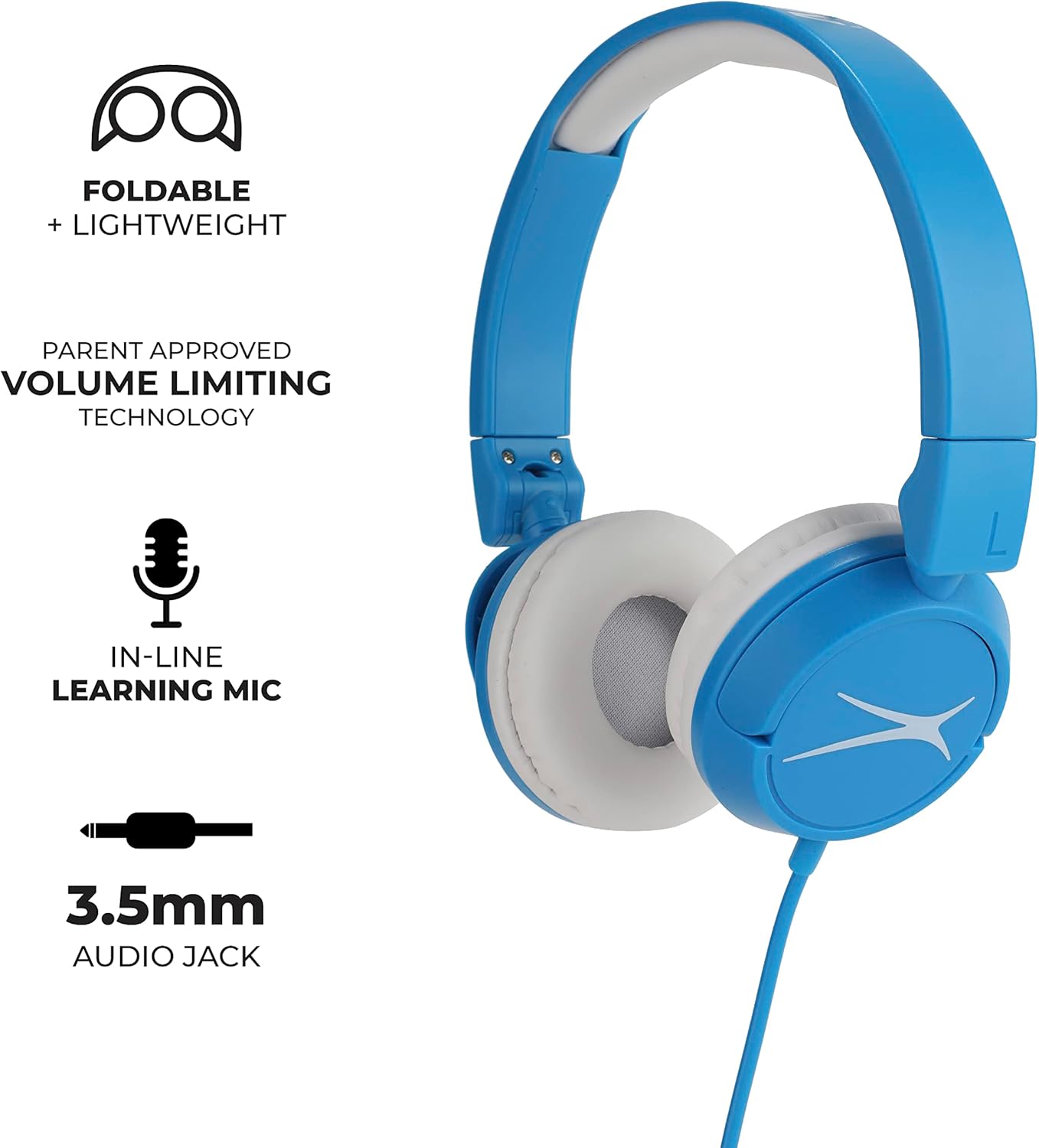
Image: Altec Lansing Kids Bluetooth Over-Ear Headphones with key features labeled.
Apa yang ada dalam Kotak
- Altec Lansing Kids Bluetooth Over-Ear Headphones
- Kabel Audio 3.5mm
- USB Charging Cable (not explicitly listed but implied by 'USB rechargeable battery')
Persediaan
1. Mengecas Fon Kepala
Before first use, fully charge the headphones. Connect the provided USB charging cable to the charging port on the headphones and to a compatible USB power source (e.g., computer USB port, wall adapter). The LED indicator will show charging status and turn off or change color when fully charged.
2. Melaraskan Kesesuaian
Gently extend or retract the headband to ensure a comfortable and secure fit over the ears. The ear cushions should rest comfortably without excessive pressure.
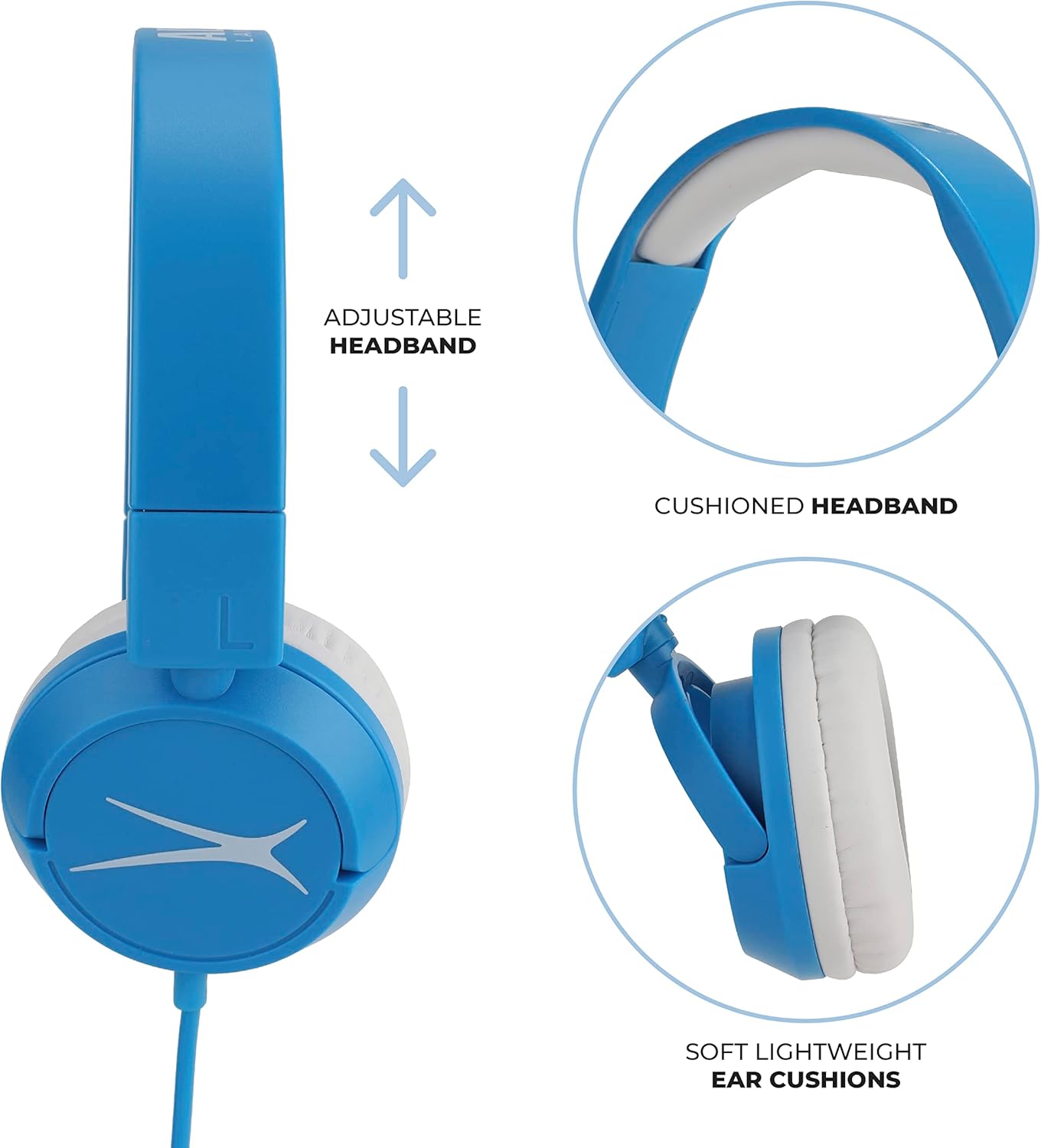
Image: Adjustable headband and cushioned ear pads for comfort.
3. Penggandingan Bluetooth (Mod Tanpa Wayar)
- Pastikan fon kepala dicas dan dimatikan.
- Tekan dan tahan butang Kuasa pada fon kepala sehingga penunjuk LED berkelip, menunjukkan mod berpasangan.
- Pada peranti anda (telefon pintar, tablet, komputer riba), dayakan Bluetooth dan cari peranti yang tersedia.
- Select "Altec Lansing Kids Headphones" from the list.
- Once connected, the LED indicator will stop flashing or show a solid light.
4. Sambungan Berwayar (Mod Aux)
Insert one end of the 3.5mm audio cable into the headphone's audio jack and the other end into the audio output jack of your device. The headphones will automatically switch to wired mode.

Image: Child using headphones with a laptop, illustrating device compatibility.
Arahan Operasi
Hidupkan/Mati Kuasa
- Untuk menghidupkan, tekan dan tahan butang Kuasa sehingga penunjuk LED menyala.
- Untuk mematikan kuasa, tekan dan tahan butang Kuasa sehingga penunjuk LED dimatikan.
Kawalan Kelantangan
The headphones feature a built-in volume limit of 85dB to protect hearing. Adjust the volume using the controls on your connected device. The headphones will not exceed the safe listening level.
Using the In-line Microphone
When connected wirelessly or via the 3.5mm audio cable (if it supports microphone functionality), the in-line microphone can be used for calls or voice commands. Refer to your device's instructions for microphone usage.
Penyelenggaraan
Pembersihan
Wipe the headphones with a soft, dry cloth. Do not use harsh chemicals or abrasive materials. Avoid getting moisture into any openings.
Penyimpanan
When not in use, fold the headphones for compact storage. Store them in a cool, dry place away from direct sunlight and extreme temperatures.

Image: Foldable design for easy storage and portability.
Menyelesaikan masalah
- Tiada Bunyi:
- Pastikan fon kepala dihidupkan dan dicas.
- Periksa tahap kelantangan pada kedua-dua fon kepala dan peranti yang disambungkan.
- If using Bluetooth, ensure proper pairing. Try re-pairing if necessary.
- If using wired mode, ensure the 3.5mm cable is fully inserted into both jacks.
- Tidak Dapat Berpasangan melalui Bluetooth:
- Pastikan fon kepala berada dalam mod berpasangan (LED berkelip).
- Matikan dan hidupkan Bluetooth pada peranti anda.
- Gerakkan fon kepala lebih dekat ke peranti.
- Clear previous Bluetooth connections on your device if experiencing issues.
- Hayat Bateri Pendek:
- Ensure headphones are fully charged before use.
- Battery life can vary based on volume level and usage.
Spesifikasi
| Ciri | Perincian |
|---|---|
| Jenama | Altec Lansing |
| Nombor Model | MZX4300-blub-stk-6 |
| Nama Model | Kids Safe Over The Ear Headphones |
| Teknologi Ketersambungan | Berwayar, Bluetooth |
| Bicu Fon Kepala | Jack 3.5 mm |
| Penempatan Telinga | Di Telinga |
| Faktor Bentuk | Atas Telinga |
| Kawalan Bunyi | Pengasingan Bunyi |
| Sensitiviti | 85 dB (Kelantangan Terhad) |
| Julat Kekerapan | 20 Hz - 20,000 Hz |
| Berat Barang | 5.6 auns |
| Ciri-ciri Tambahan | Boleh dilipat |
Video Produk Rasmi
Video: Produk Berakhirview of the Altec Lansing Kids Bluetooth Over-Ear Headphones, provided by Amazon Product Imaging.
Maklumat Waranti
This product is covered by a Manufacturer Warranty. For specific details regarding warranty coverage, duration, and claims, please refer to the documentation included with your purchase or visit the official Altec Lansing webtapak.
Sokongan
Untuk bantuan lanjut, sokongan teknikal, atau untuk view frequently asked questions, please visit the official Altec Lansing support website. You may also find additional resources and contact information there.