
pengenalan
The Naxa NSH-3001 Wi-Fi Smart Camera provides reliable home security monitoring with 24/7 HD recording capabilities. This camera allows you to check in on your home remotely from anywhere using your smartphone. It features motion detection, two-way audio communication, night vision, and customizable activity alerts.
This manual provides detailed instructions for setting up, operating, and maintaining your Naxa NSH-3001 Wi-Fi Smart Camera to ensure optimal performance and security.
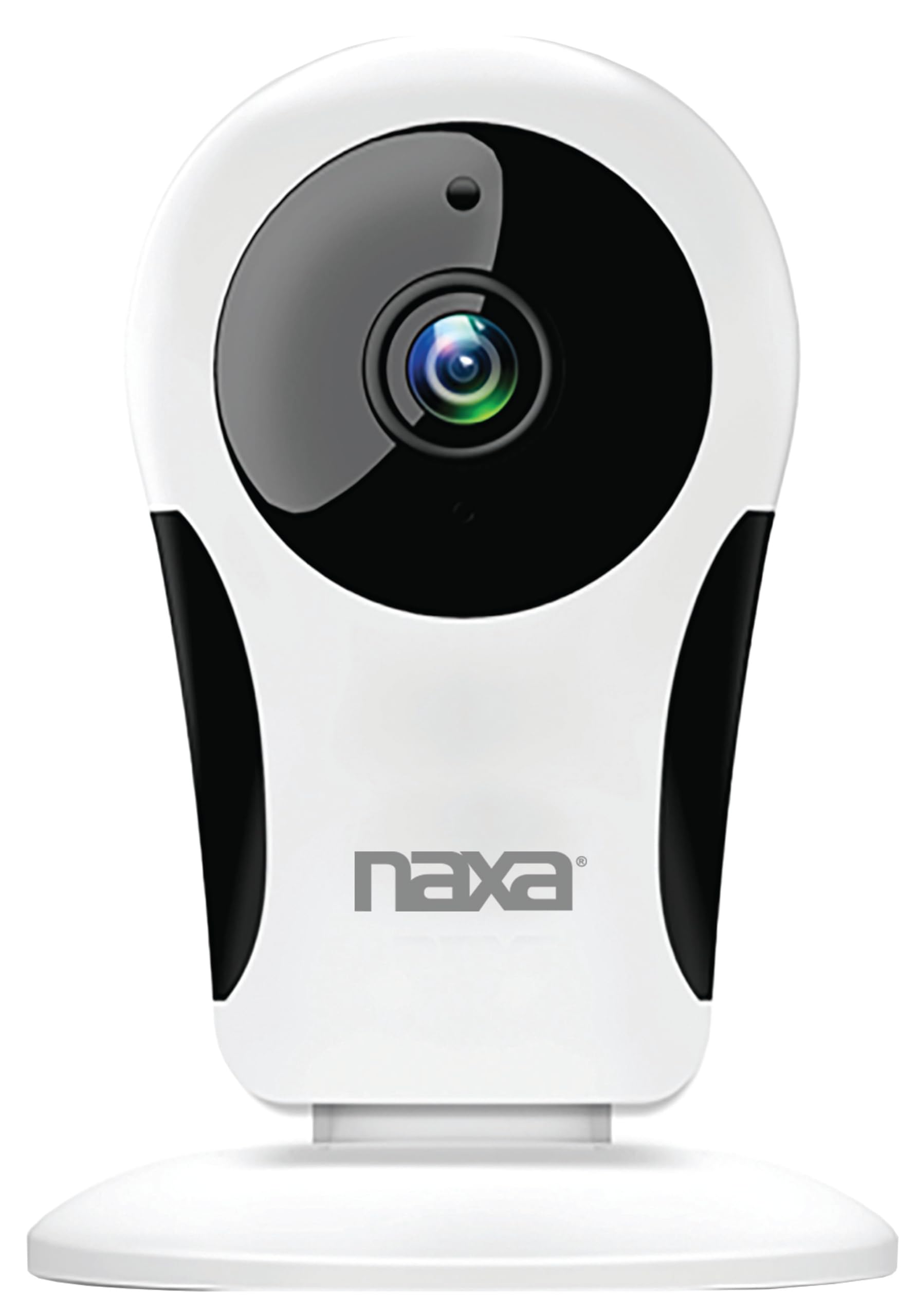
Imej: Depan view of the Naxa NSH-3001 Wi-Fi Smart Camera, showing the lens and Naxa logo.
Apa yang ada dalam Kotak
Upon unpacking your Naxa NSH-3001 Wi-Fi Smart Camera, please ensure all the following components are present:
- Kamera Pintar Wi-Fi
- Penyesuai Kuasa AC
- Kabel USB
- Manual Pengguna (dokumen ini)
Produk Selesaiview
Familiarize yourself with the main components of your Naxa NSH-3001 Wi-Fi Smart Camera.

Image: The Naxa NSH-3001 Wi-Fi Smart Camera displayed alongside icons representing its key features: HD Resolution, Encrypted ID, 2-Way Audio, Cloud Service, Motion Detection, IR Night Vision, Time Scheduling, and Hotspot capability.
- Kanta Kamera: Tangkap video footage.
- Infrared (IR) LEDs: Menyediakan keupayaan penglihatan malam.
- mikrofon: Untuk input audio dan komunikasi dua hala.
- Penceramah: Untuk output audio dan komunikasi dua hala.
- Port USB Mikro: Untuk sambungan kuasa.
- Butang Tetapkan Semula: Digunakan untuk menetapkan semula kamera kepada tetapan kilang.
- Slot Kad Mikro SD: For local storage of recorded footage (Micro SD card not included).
Panduan Persediaan
1. Menghidupkan Kamera
- Connect the provided USB cable to the camera's Micro USB port.
- Sambungkan hujung kabel USB yang lain ke penyesuai kuasa AC.
- Pasangkan penyesuai kuasa AC ke soket elektrik standard.
- The camera will power on, and an indicator light will show its status (refer to the camera's LED indicator guide for specific light patterns).
2. Memuat turun Aplikasi Smart Life
The Naxa NSH-3001 camera is controlled via the Smart Life app. Download it to your smartphone:
- For iOS devices, search for "Smart Life" in the Apple App Store.
- For Android devices, search for "Smart Life" in the Google Play Store.
- Install the app and create an account if you don't already have one.

Image: The Naxa NSH-3001 Wi-Fi Smart Camera shown with the Smart Life app logo and icons for the Apple App Store and Google Play, indicating app compatibility.
3. Menyambung ke Wi-Fi
Ensure your smartphone is connected to a 2.4 GHz Wi-Fi network. The NSH-3001 camera only supports 2.4 GHz Wi-Fi.
- Open the Smart Life app and tap "Add Device" or the "+" icon.
- Select "Security & Video Surveillance" and then "Smart Camera".
- Follow the on-screen instructions in the app to connect your camera to your Wi-Fi network. This typically involves scanning a QR code generated by the app with the camera's lens.
- Once connected, the camera's indicator light will change (refer to the LED indicator guide), and you will see the camera added to your app.
4. Memasang Kamera
The NSH-3001 camera is designed for wall mount installation, but can also be placed on a flat surface. Choose a location that provides the desired viewing angle (105 degrees) and is within range of your Wi-Fi signal.

Image: The Naxa NSH-3001 Wi-Fi Smart Camera positioned on a nightstand in a bedroom, demonstrating a typical indoor placement.
- For wall mounting, use appropriate screws and anchors (not included) to secure the camera's base to the wall.
- Laraskan sudut kamera untuk menutup kawasan yang dikehendaki.
Arahan Operasi
Langsung View dan Akses Jauh
Once connected, you can access your camera's live feed from anywhere using the Smart Life app on your smartphone.
- Open the Smart Life app and select your NSH-3001 camera from the device list.
- The live video stream will appear.
Komunikasi Audio Dua Hala
The camera supports two-way audio, allowing you to hear and speak through the camera.
- Dalam siaran langsung view antara muka aplikasi, ketik ikon mikrofon untuk bercakap.
- Ketik ikon pembesar suara untuk mendengar audio dari lokasi kamera.
Pengesanan Pergerakan dan Makluman
The camera can detect motion and send real-time push notifications to your phone.
- Navigate to the camera settings within the Smart Life app.
- Dayakan "Pengesanan Gerakan" dan laraskan tahap kepekaan mengikut keperluan.
- Configure alert schedules and notification preferences.
Penglihatan Malam
The NSH-3001 features an IR-cut filter for clear night vision, automatically switching between day and night modes based on ambient light.
- Night mode activates automatically in low-light conditions.
- The IR-cut filter ensures optimal clarity in both day and night recordings.
Rakaman dan Penyimpanan Video
The camera supports 24/7 HD recording. Footage can be stored locally or via cloud service (subscription may be required).
- Storan Kad SD Mikro: Insert a compatible Micro SD card (up to 128GB, not included) into the camera's SD card slot for continuous or event-based recording.
- Storan Awan: Check the Smart Life app for available cloud storage options and subscription details.
- Review dirakam footage directly through the Smart Life app.
Video Tuning
Adjust video parameters directly from your smartphone for optimal image quality.
- Within the Smart Life app, access video settings to adjust contrast, brightness, saturation, and sharpness.
Penjadualan Masa
Set schedules for camera operation, recording, or alerts.
- Use the Smart Life app's scheduling feature to define specific times for motion detection, recording, or other functions.
Penyelenggaraan
Proper maintenance ensures the longevity and optimal performance of your Naxa NSH-3001 Wi-Fi Smart Camera.
- Pembersihan: Lap perlahan-lahan lensa kamera dan badan dengan kain lembut dan kering. Elakkan menggunakan bahan kimia yang keras atau pembersih yang kasar.
- Kemas Kini Perisian: Regularly check the Smart Life app for firmware updates for your camera. Keeping the firmware updated ensures you have the latest features and security enhancements.
- penempatan: Ensure the camera is placed in a stable location and protected from extreme temperatures, direct sunlight, and moisture.
Menyelesaikan masalah
If you encounter issues with your Naxa NSH-3001 Wi-Fi Smart Camera, refer to the following common solutions:
| Masalah | Penyelesaian yang Mungkin |
|---|---|
| Kamera tidak bersambung ke Wi-Fi |
|
| No video feed in the app |
|
| Amaran gerakan tidak diterima |
|
| Audio dua hala tidak berfungsi |
|
If problems persist, please contact Naxa customer support.
Spesifikasi
| Ciri | Perincian |
|---|---|
| Nama Model | NSH-3001 |
| Jenama | Naxa |
| Teknologi Ketersambungan | Wi-Fi (2.4 GHz) |
| Resolusi Tangkapan Video | 720p |
| Viewsudut | 105 Darjah |
| Ciri Khas | Sensor Gerakan, Penglihatan Malam, Audio Dua Hala |
| Penggunaan Dalaman/Luar | Indoor, Outdoor (Note: IP54 rating suggests splash resistance, not full outdoor weatherproofing) |
| Sumber Kuasa | Elektrik Bertali |
| Peranti Serasi | Smartphone (via Smart Life App) |
| Jenis Pemasangan | Lekap di dinding |
| Penyimpanan | Kad Mikro SD (sehingga 128GB, tidak disertakan), Storan Awan (pilihan) |
| Dimensi (L x W x H) | 3.2 x 3.2 x 4.3 inci |
| Berat Barang | 3.2 auns |
| bahan | plastik |
| Penilaian Perlindungan Antarabangsa | IP54 |
Waranti dan Sokongan
Naxa Electronics, Inc. manufactures the NSH-3001 Wi-Fi Smart Camera. For specific warranty information, please refer to the warranty card included with your product or visit the official Naxa webtapak.
For technical support, troubleshooting assistance beyond this manual, or inquiries about your product, please contact Naxa customer service. Contact details can typically be found on the Naxa webtapak atau pada pembungkusan produk.
Naxa Official Webtapak: www.naxa.com