
1. Pengenalan
This manual provides detailed instructions for the installation, operation, and maintenance of your Aramox Backup Camera, specifically designed as a replacement for the 3rd stop lamp on Nissan NV200 models from 2010 to 2017. Please read this manual thoroughly before installation and use to ensure proper function and safety.
2. Maklumat Keselamatan
- Keselamatan Elektrik: Ensure the vehicle's power is off before beginning installation to prevent electrical shock or damage to the vehicle's electrical system.
- Pemasangan Profesional: If you are not comfortable with automotive electrical systems or vehicle modifications, it is recommended to seek professional installation.
- Tahan Air: The camera features an IP68 protection level, indicating it is dust-tight and protected against immersion in water. However, avoid high-pressure water jets directly on the camera.
- Suhu Operasi: The camera is designed to operate within a temperature range of -30℃ to +80℃. Extreme temperatures outside this range may affect performance.
- Keterlihatan: Always check your surroundings visually in addition to using the backup camera. The camera is an aid and not a substitute for safe driving practices.
3. Kandungan Pakej
Sahkan bahawa semua item terdapat dalam pakej:
- 1 x Belakang View Camera (Integrated into 3rd stop lamp perumahan)
- 2 x Connection Line (Video cable and power cable)
- 1 x Manual Pengguna
4. Produk Lebihview
The Aramox Backup Camera integrates seamlessly into your vehicle's existing 3rd stop lamp housing, providing a discreet and functional solution for enhanced rear visibility.

Figure 4.1: Aramox Backup Camera unit.
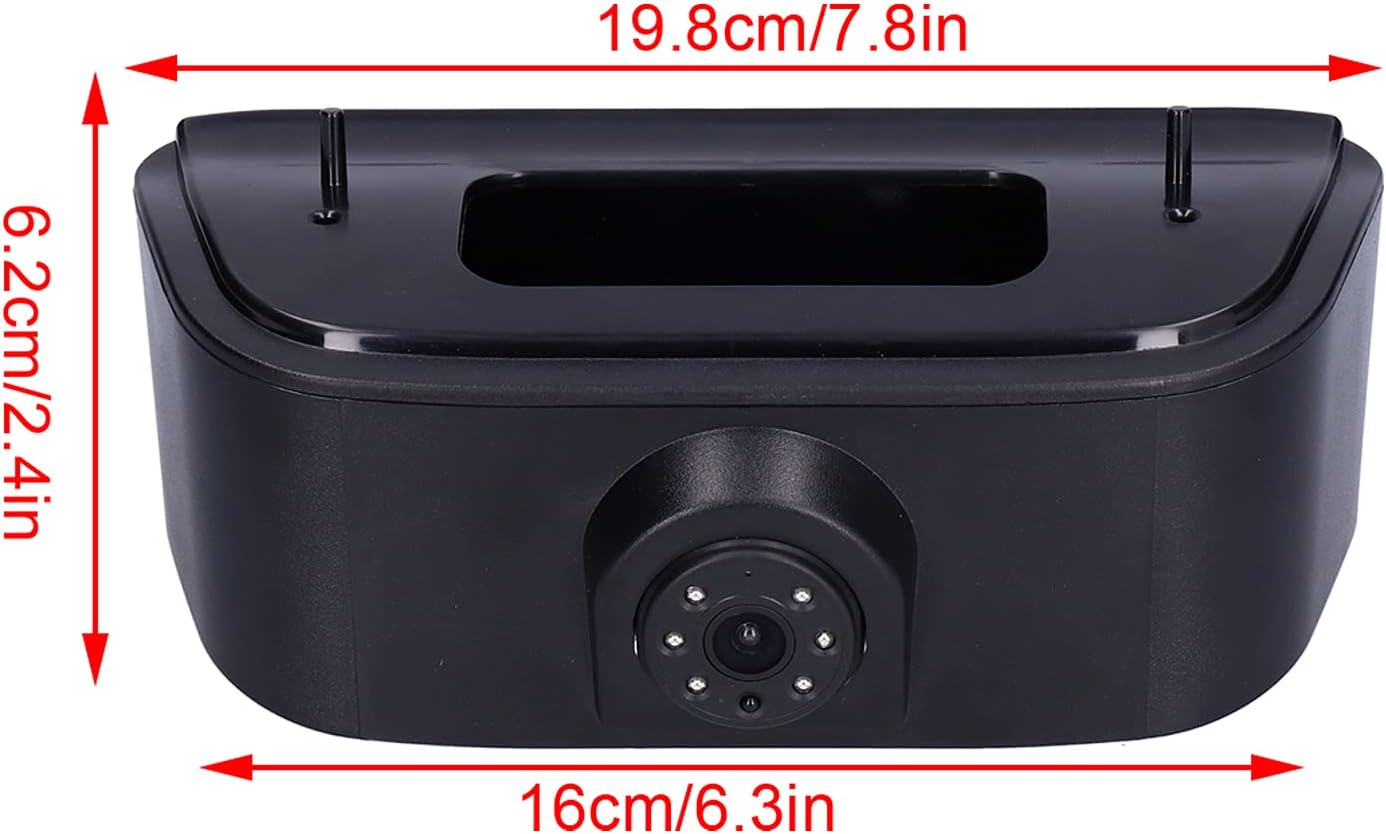
Figure 4.2: Product dimensions for fitting reference.

Figure 4.3: Close-up of the camera lens and integrated illumination.
5. Persediaan dan Pemasangan
The installation process involves replacing the vehicle's original third brake light with the integrated camera unit. This is a direct replacement designed for the Nissan NV200 (2010-2017).
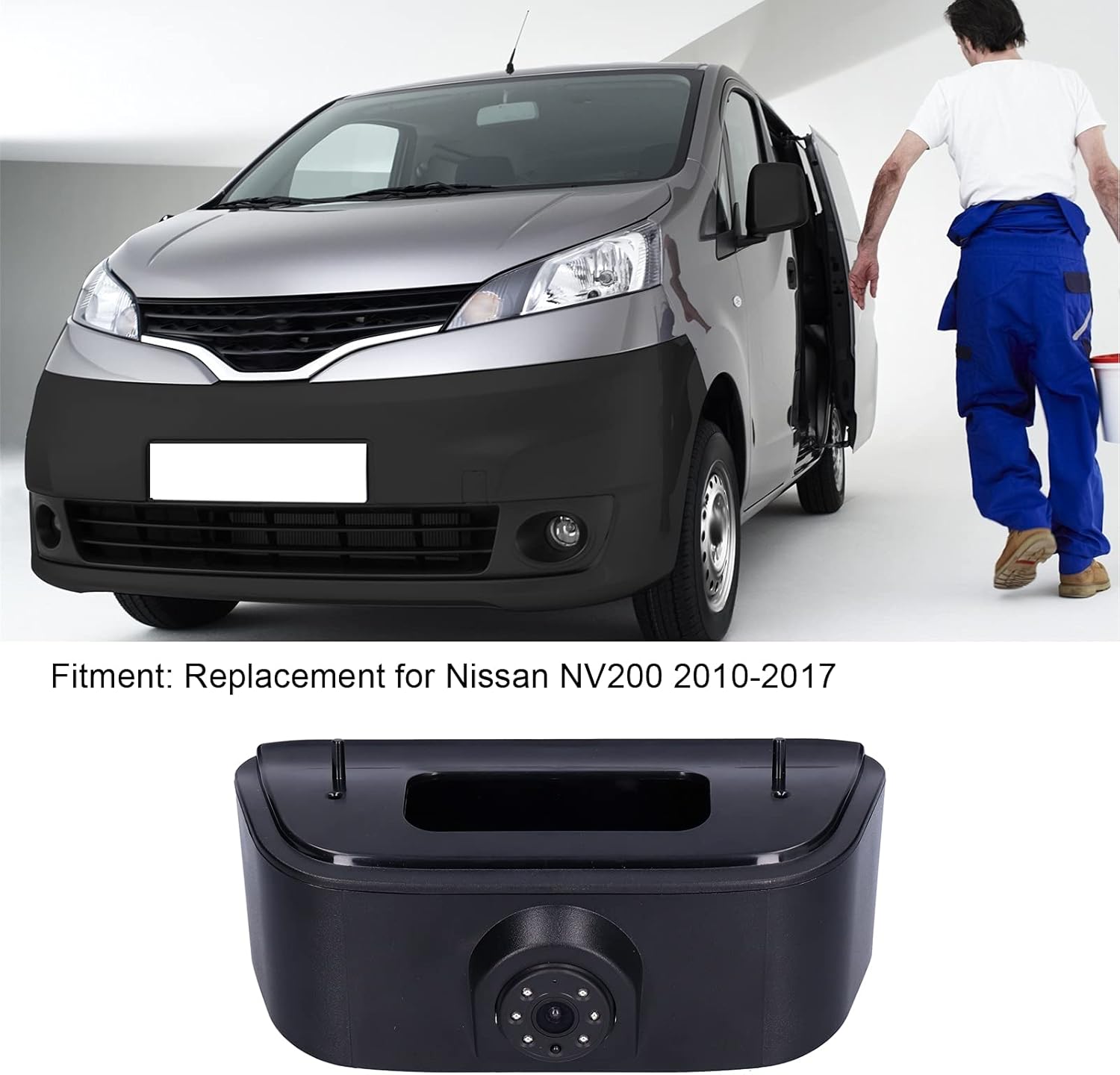
Gambar 5.1: Cthample of the camera installed on a compatible vehicle.
Langkah Pemasangan:
- Sediakan Kenderaan: Park the vehicle on a level surface, engage the parking brake, and turn off the ignition. Disconnect the negative terminal of the vehicle's battery to prevent electrical issues.
- Remove Original 3rd Brake Light: Carefully remove the screws or clips securing the original 3rd brake light assembly on the rear of your Nissan NV200. Disconnect its electrical connector.
- Pasang Unit Kamera: Connect the new Aramox Backup Camera's electrical connector to the vehicle's wiring harness, ensuring a secure connection. Mount the camera unit into the opening where the original brake light was, securing it with the original screws or clips.
- Kabel Laluan: Route the video cable from the camera through the vehicle's interior to the location of your display monitor (e.g., rearview mirror monitor, aftermarket head unit). Ensure cables are tucked away safely and do not interfere with moving parts or pinch points.
- Sambung ke Paparan: Connect the RCA video output from the camera to the video input of your display monitor. Connect the power cable for the camera to a 12V power source that is activated when the vehicle is in reverse (typically the reverse light circuit).
- Sistem Ujian: Reconnect the vehicle's battery. Turn on the ignition and engage reverse gear. Verify that the camera image appears on your display and that the parking assistance lines are visible.
- Jaminan Akhir: Once confirmed operational, ensure all connections are secure and all trim panels are reinstalled.

Figure 5.2: Camera unit showing video and power connections.
6. Arahan Operasi
The Aramox Backup Camera is designed for automatic operation when the vehicle is shifted into reverse gear.
- Pengaktifan Automatik: When the vehicle's transmission is placed in reverse, the camera will automatically activate and display the rear view pada monitor anda yang disambungkan.
- Parking Assistance Lines: The display will show parking assistance lines, which help guide you when backing up. These lines indicate the projected path of your vehicle.
- Penglihatan Malam: The camera is equipped with night vision capabilities, providing a clear image even in low-light conditions.
- Sudut Lebar View: The 170° wide-angle lens provides an expansive view of the area behind your vehicle, minimizing blind spots.
7. Penyelenggaraan
Regular maintenance ensures the longevity and optimal performance of your backup camera.
- Membersihkan Lensa: Bersihkan kanta kamera secara berkala dengan kain lembutamp kain untuk menanggalkan kotoran, habuk atau tompokan air yang boleh menghalang view. Elakkan pembersih yang kasar.
- Periksa Kabel: Occasionally check the wiring and connections for any signs of wear, damage, or loose connections.
- Faktor Persekitaran: While the camera is designed for outdoor use, extreme weather conditions (heavy snow, ice, prolonged direct sunlight) can temporarily affect performance. Ensure the lens is clear of obstructions before use.
8. Penyelesaian masalah
If you encounter issues with your Aramox Backup Camera, refer to the following common problems and solutions:
| Masalah | Kemungkinan Punca | Penyelesaian |
|---|---|---|
| No image on display when in reverse. | Loose power or video connection; faulty power supply; incorrect wiring; display issue. | Check all cable connections. Ensure the camera is receiving 12V power when in reverse. Verify your display monitor is functioning correctly. |
| Image is distorted, flickering, or poor quality. | Loose video connection; electrical interference; damaged video cable; dirty lens. | Secure video cable connections. Ensure video cable is not routed near high-voltage wires. Clean the camera lens. |
| Night vision not working effectively. | Lens obstruction; insufficient ambient light for IR sensors. | Clean the camera lens. Ensure no objects are blocking the camera's view. Note that night vision performance can vary based on ambient light. |
| Parking lines are not visible. | Display setting; camera malfunction. | Check your monitor's settings to ensure parking lines are enabled if applicable. If the issue persists, the camera may require inspection. |
If these troubleshooting steps do not resolve the issue, please contact customer support for further assistance.
9. Spesifikasi
| Ciri | Spesifikasi |
|---|---|
| Nombor Model | Aramox34grydf2v86328 |
| Keserasian | Nissan NV200 (2010-2017) |
| Piksel HD | 1280 x 720 |
| Sudut Kanta | 170° (Wide Angle) |
| Penglihatan Malam | Disokong |
| warna | Hitam |
| Tahap Perlindungan | IP68 |
| Pencahayaan Minimum | 0.01 Lux |
| Bekerja Voltage | DC 12V |
| Suhu Bekerja | -30 ℃ hingga + 80 ℃ |
| bahan | ABS |
| Jenis Penyambung | RCA |
| Teknologi Penderia Optik | CMOS |
| Saiz Penderia Optik | 1/3 inci |
| Resolusi Tangkapan Video | 720p |
10. Waranti dan Sokongan
For warranty information or technical support, please refer to the documentation provided with your purchase or contact Aramox customer service through your retailer. Keep your purchase receipt for warranty claims.