

1. Pengenalan
This manual provides comprehensive instructions for the CALYPSO K5818/4 X-trem digital watch. This sporty and functional timepiece is designed for daily wear and various activities, featuring a durable plastic case, a comfortable black plastic strap, and 10 ATM water resistance. Please read this manual carefully to ensure proper use and maintenance of your watch.
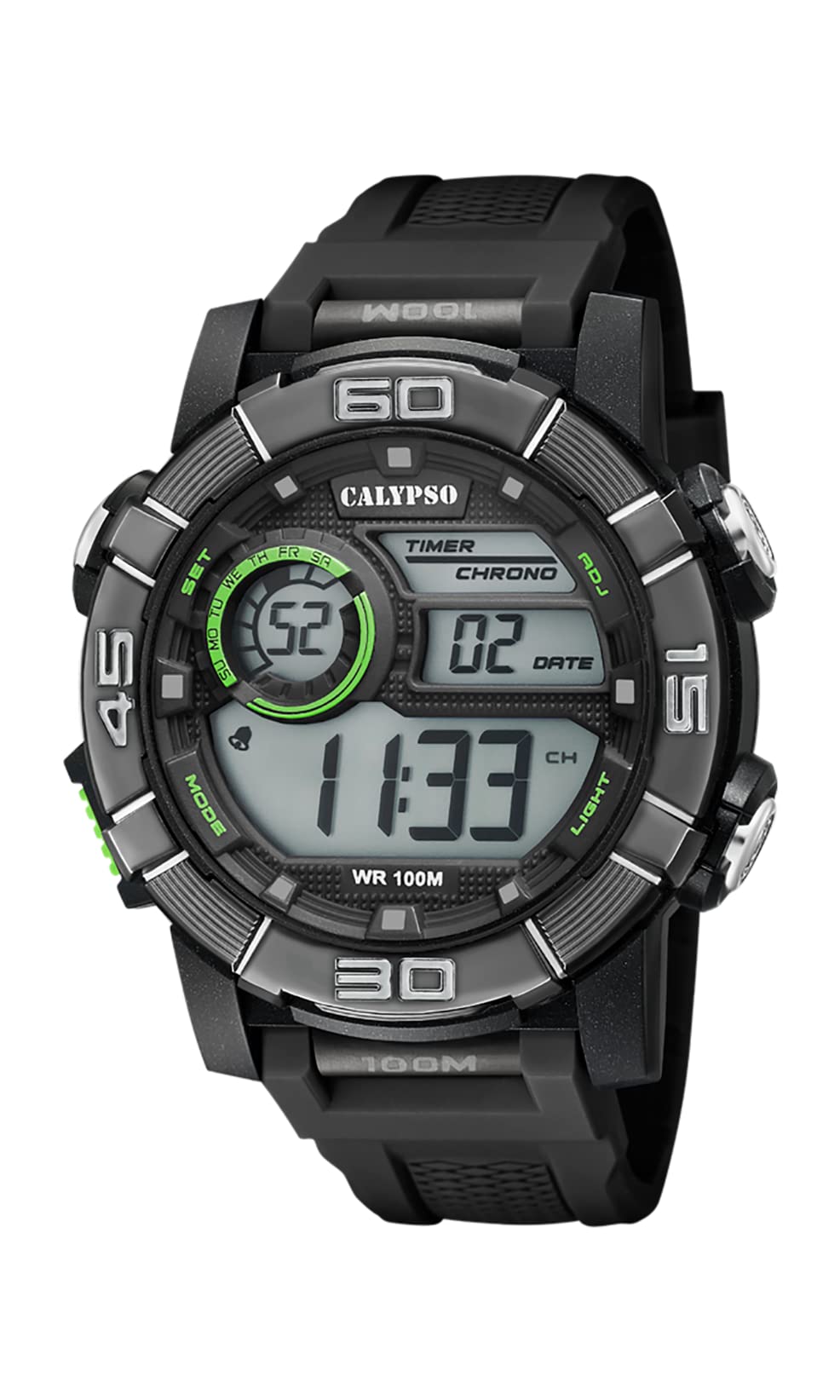
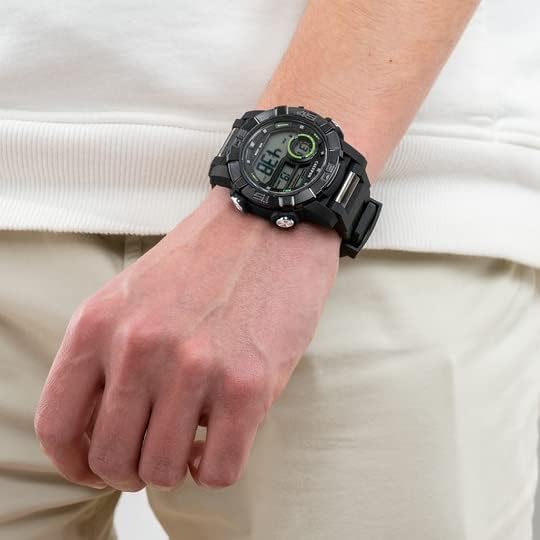
Image 1.1: CALYPSO K5818/4 X-trem Digital Watch on a wrist, showcasing reka bentuknya.
Kandungan Pakej:
- CALYPSO K5818/4 X-trem Digital Watch
- Manual Pengguna (dokumen ini)

Image 1.2: The watch is typically supplied in a clear cylindrical packaging.
2. Awasiview dan Fungsi Butang
Familiarize yourself with the buttons and their functions before operating your watch.
Imej 2.1: Depan view of the watch, highlighting button locations.
- MODE Button (Left-Bottom): Cycles through different modes (Time, Chronograph, Alarm).
- SET Button (Left-Top): Used to enter and confirm settings in various modes.
- ADJ Button (Right-Top): Adjusts values during setting, starts/stops chronograph.
- LIGHT Button (Right-Bottom): Activates the backlight for illumination.
3. Persediaan dan Operasi Asas
3.1. Menetapkan Masa dan Tarikh
- In Time Mode (normal time display), press and hold the SET butang sehingga saat mula berkelip. Ini menunjukkan anda berada dalam mod tetapan.
- Tekan ke CAHAYA butang untuk melihat tetapan: Saat → Jam → Minit → Tahun → Bulan → Hari → Format 12/24 jam.
- Gunakan ADJ butang untuk meningkatkan nilai berkelip.
- Setelah semua tetapan dilaraskan, tekan butang SET butang untuk keluar dari mod tetapan.
3.2. Menggunakan Kronograf (Jam Randik)
- Dari Mod Masa, tekan butang MODE butang sekali untuk memasuki Mod Kronograf. Paparan akan menunjukkan '00:00:00'.
- Tekan ke ADJ butang untuk memulakan jam randik.
- Tekan ke ADJ butang sekali lagi untuk menghentikan jam randik.
- Semasa jam randik dihentikan, tekan butang SET button to reset it to '00:00:00'.
- Tekan ke MODE butang untuk kembali ke Mod Masa.
3.3. Menetapkan Penggera
- Dari Mod Masa, tekan butang MODE button twice to enter Alarm Mode. The display will show the alarm time.
- Tekan dan tahan butang SET butang sehingga digit jam mula berkelip.
- Gunakan ADJ butang untuk menetapkan jam penggera yang diingini.
- Tekan ke CAHAYA button to move to the minute digits, then use the ADJ butang untuk menetapkan minit penggera yang dikehendaki.
- Tekan ke SET butang untuk mengesahkan masa penggera dan keluar dari mod tetapan.
- Dalam Mod Penggera, tekan butang ADJ button to toggle the alarm ON or OFF. An alarm icon will appear/disappear on the display.
3.4. Menggunakan Lampu Latar
Tekan ke CAHAYA button at any time to illuminate the display for a few seconds, making it visible in low-light conditions.
4. Tahan Air
Your CALYPSO K5818/4 X-trem watch has a water resistance rating of 10 ATM (100 meters).
- This means the watch is suitable for swimming, snorkeling, and water sports.
- Ia adalah bukan suitable for high-impact water sports or diving.
- Penting: Do not operate any buttons while the watch is submerged in water or wet, as this can compromise the water seal and cause damage.
- Selepas terdedah kepada air masin, bilas jam tangan dengan air tawar dan keringkannya dengan teliti.
5. Penyelenggaraan
5.1. Pembersihan
Untuk memastikan jam tangan anda dalam keadaan baik:
- Lap bekas jam tangan dan tali dengan kerap menggunakan kain lembut, damp kain.
- Elakkan menggunakan bahan kimia, pelarut atau pembersih yang kasar, kerana ini boleh merosakkan bahan jam tangan.
5.2. Penggantian Bateri
The watch is powered by a quartz movement with a battery. When the display becomes dim or stops functioning, the battery may need replacement. It is recommended to have the battery replaced by a qualified watch technician to ensure the water resistance seal is properly maintained.
5.3. Penyimpanan
Apabila tidak digunakan, simpan jam tangan anda di tempat yang sejuk dan kering jauh dari cahaya matahari langsung dan suhu yang melampau.
6. Penyelesaian masalah
- Display is blank or faint: Bateri mungkin lemah atau habis. Gantikan bateri.
- Masa tidak tepat: Reset the time and date according to the instructions in Section 3.1.
- Butang tidak bertindak balas: Ensure the watch is dry. If the issue persists, there may be internal damage, and professional inspection is recommended.
- Pemeluwapan di dalam jam tangan: This indicates a breach in the water resistance. Stop using the watch immediately and seek professional service to prevent further damage.
7. Spesifikasi
| Ciri | Spesifikasi |
|---|---|
| Nombor Model | K5818/4 |
| Jenis Paparan | digital |
| Jenis Pergerakan | Kuarza |
| Tahan Air | 10 ATM (100 Meter) |
| Bahan Kes | Polycarbonate (Plastic) |
| Bahan Band | Polycarbonate (Plastic) |
| Bahan Tingkap Dail | plastik |
| Diameter Kes | 35 Milimeter |
| Lebar Jalur | 23 Milimeter |
| Ketebalan Kes | 16.3 Milimeter |
| Berat badan | 40 Gram |
| Ciri Khas | 24-hour Display, Chronograph |
8. Waranti dan Sokongan
8.1. Waranti Pengeluar
Your CALYPSO K5818/4 X-trem watch is covered by a manufacturer's warranty. Please refer to the warranty card included with your purchase or visit the official CALYPSO webtapak untuk terma dan syarat terperinci.
8.2. Spare Parts Availability
Alat ganti untuk model ini tersedia sehingga 5 tahun dari tarikh pembelian.
8.3. Sokongan Pelanggan
For any questions, service requests, or technical support, please contact CALYPSO customer service through their official website or authorized service centers. Keep your purchase receipt as proof of purchase for warranty claims.