
klarus XT11R
Klarus XT11R Tactical Flashlight User Manual
Model: XT11R
pengenalan
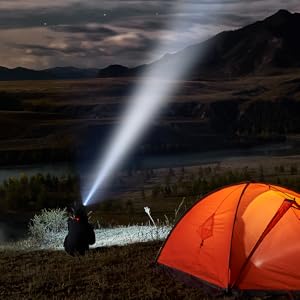
The Klarus XT11R is an advanced tactical flashlight designed for reliability and performance in various environments. It features a powerful 1300-lumen output, a long beam distance, and extended battery life, making it suitable for law enforcement, outdoor activities, and everyday carry. Its intuitive dual-switch design allows for rapid mode changes and quick access to tactical functions like strobe.
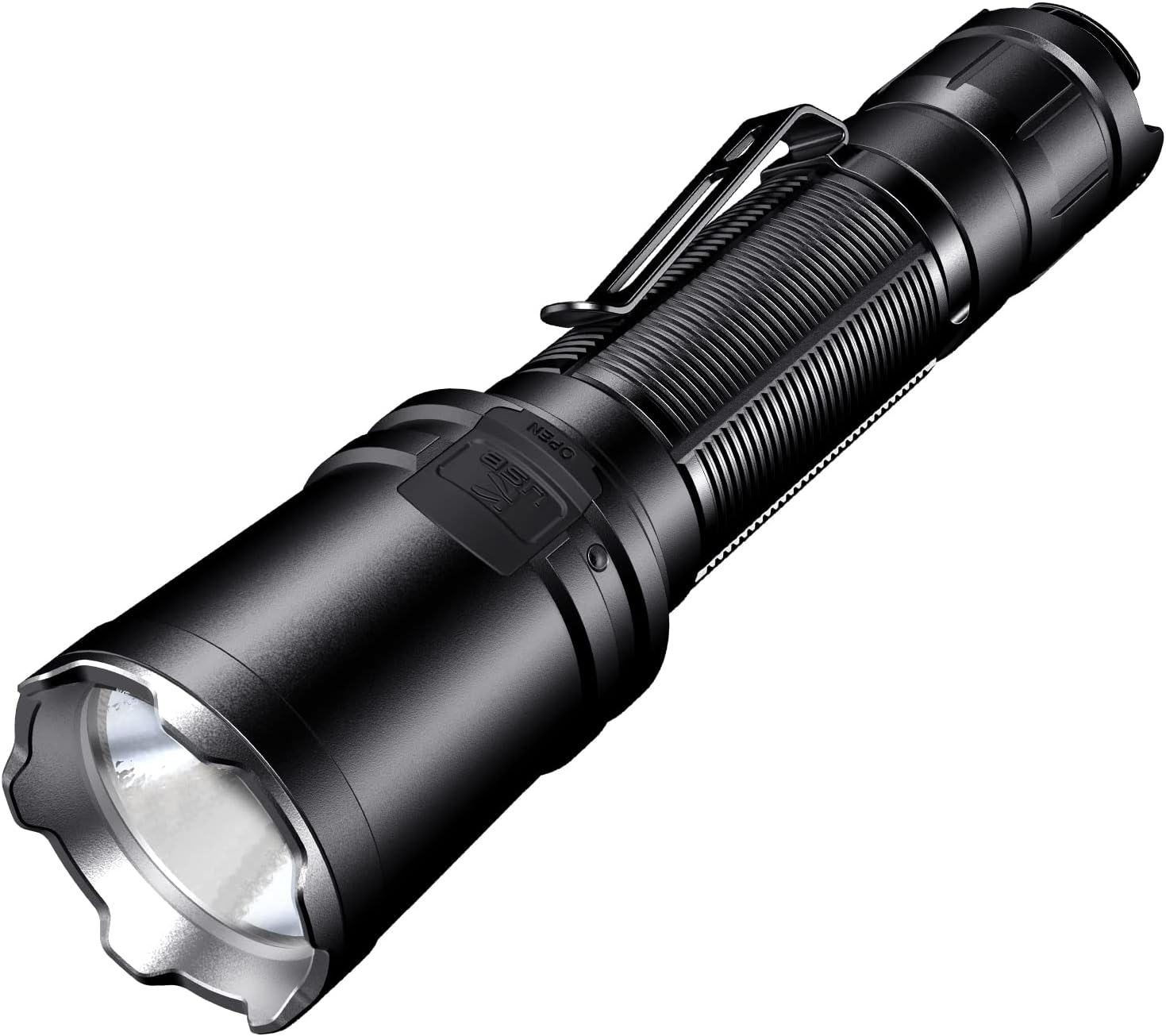
Produk Selesaiview
The XT11R flashlight is engineered for durability and ease of use. Below are its key components and features.


Persediaan
Kandungan Pakej
Upon unboxing your Klarus XT11R, please verify that all components are present:
- Klarus XT11R Tactical Flashlight
- Kabel Pengecas USB-C
- Manual Pengguna
- Lanyard (if included)
- Spare O-ring (if included)
- Battery (if included, note: some models are sold without battery)

Pemasangan Bateri
- Tanggalkan penutup ekor lampu suluh dengan memusingkannya lawan arah jam.
- Insert the 18650 Li-ion battery (if included, or a compatible battery) with the positive (+) end facing towards the head of the flashlight. The XT11R is designed for 18650 batteries.
- Screw the tail cap back on clockwise until it is securely tightened. Ensure it is fully tightened to maintain water resistance and proper electrical contact.
Pengecasan Awal
Before first use, it is recommended to fully charge the flashlight battery.
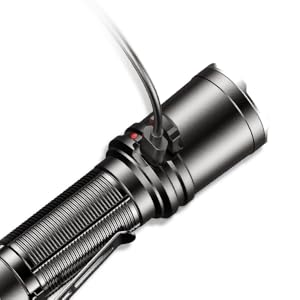
- Locate the USB-C charging port on the side of the flashlight. It is usually covered by a rubber flap for protection.
- Open the rubber flap and insert the provided USB-C cable into the port.
- Connect the other end of the USB-C cable to a compatible USB power source (e.g., wall adapter, computer USB port, power bank).
- The indicator light near the charging port will show the charging status. It typically turns red during charging and green when fully charged.
- Once charging is complete, disconnect the cable and securely close the rubber flap to protect the port from dust and water.
Arahan Operasi
The XT11R features a dual-switch tail cap for intuitive control and quick access to various lighting modes.
Suis Ekor
- Primary Switch (Larger Button):
- Tekan sepenuhnya untuk menghidupkan/mematikan lampu suluh.
- Half-press and hold for momentary ON (releases to OFF).
- Mode Switch (Smaller Button):
- When the light is ON, press to cycle through lighting modes: High → Medium → Low.
- When the light is OFF, press and hold for One-Touch Strobe.
- When the light is ON, press and hold for One-Touch Strobe. Release to return to the previous mode.
Mod Pencahayaan
- Tinggi: Maximum brightness (1300 lumens) for powerful illumination.
- Sederhana: Balanced brightness for general use and extended runtime.
- Rendah: Minimal brightness for close-range tasks and maximum battery life.
- Strobo: Disorienting flashing light for tactical situations or signaling.

Penyelenggaraan
Proper maintenance ensures the longevity and optimal performance of your Klarus XT11R flashlight.
- Pembersihan: Bersihkan badan lampu suluh secara kerap dengan lembut, damp kain. Untuk kanta, gunakan kain pembersih kanta dan larutan untuk mengelakkan calar.
- Pelinciran: Apply a thin layer of silicone grease to the O-rings and threads periodically to maintain water resistance and smooth operation.
- Penjagaan Bateri:
- Remove the battery if the flashlight will not be used for an extended period to prevent leakage.
- Simpan bateri di tempat yang sejuk dan kering.
- Do not over-discharge or over-charge batteries.
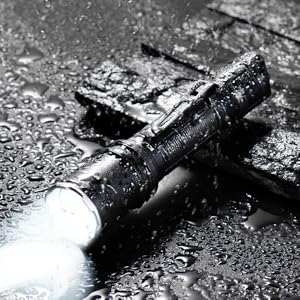
- Tahan Air: The XT11R is IPX8 rated (submersible up to 2 meters). Ensure the tail cap is fully tightened and the USB-C port cover is sealed before exposing to water.
Menyelesaikan masalah
If you encounter issues with your XT11R flashlight, refer to the following common problems and solutions:
| Masalah | Kemungkinan Punca | Penyelesaian |
|---|---|---|
| Lampu suluh tidak menyala. | Battery low or depleted; Incorrect battery insertion; Loose tail cap; Dirty contacts. | Charge or replace battery; Ensure positive end faces head; Tighten tail cap; Clean battery and flashlight contacts with an alcohol swab. |
| Lampu berkelip-kelip atau padam tanpa diduga. | Loose tail cap; Low battery; Overheating. | Tighten tail cap; Charge battery; Reduce brightness mode to allow cooling. |
| Tidak boleh beralih melalui mod. | Mode switch malfunction; Battery issue. | Ensure battery is fully charged; Contact customer support if issue persists. |
| Penunjuk pengecasan tidak berfungsi. | Faulty cable or power source; Charging port issue. | Try a different USB-C cable and power source; Ensure port is clean and free of debris. |
Spesifikasi
Detailed technical specifications for the Klarus XT11R Tactical Flashlight.
| Ciri | Perincian |
|---|---|
| Model | XT11R |
| Kecerahan | 1300 Lumen (Maks) |
| Jarak Pancaran | 300 Meter (Maks) |
| Masa jalan | 144 hours (Max) |
| Jenis Sumber Cahaya | LED |
| Sumber Kuasa | Battery Powered (1 A battery required, included) |
| Komposisi Sel Bateri | NiMH |
| bahan | Aluminum 6061-T6 with Mil-Spec HAIII anti-abrasive and anodized finish |
| Tahap Ketahanan Air | IPX8 (2 meter tenggelam) |
| Rintangan Kesan | 1 Meter |
| Dimensi | 5.7 inches (length), 1 inch (diameter) |
| Berat Barang | 4.3 auns (122 Gram) |
| Ciri Khas | LED Flashlight, Dual Tail Switches, USB-C Rechargeable, Crenelated Bezel |
Waranti dan Sokongan
Klarus provides a warranty for its products. For specific warranty terms and conditions, please refer to the official Klarus website or the warranty card included with your product. For technical support, troubleshooting assistance beyond this manual, or warranty claims, please contact Klarus customer service through their official channels.
You can find more information and contact details on the official Klarus webtapak: www.klaruslight.com
Ask a question about this manual
Ask about setup, troubleshooting, compatibility, parts, safety, or missing instructions. Manuals+ will review the question and use this page’s manual context to help answer it.