
1. Pengenalan
Welcome to the user manual for your new Altec Lansing Fury Wireless Speaker. This ultra-portable speaker is designed to be an ideal travel and adventure companion, offering powerful sound and true wireless stereo pairing capabilities. This manual provides detailed instructions on how to set up, operate, maintain, and troubleshoot your speaker.
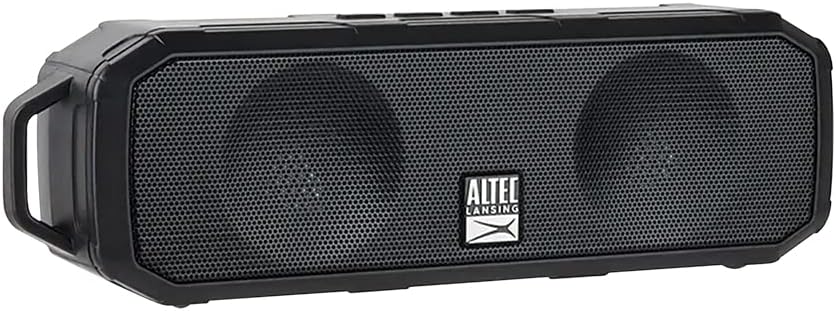
Figure 1: Altec Lansing Fury Wireless Speaker
2. Arahan Keselamatan Penting
- Baca semua arahan dengan teliti sebelum menggunakan produk.
- Simpan manual ini untuk rujukan masa hadapan.
- Jangan dedahkan pembesar suara kepada suhu, kelembapan atau cahaya matahari langsung yang melampau.
- Jangan buka, baiki atau ubah suai pembesar suara sendiri. Rujuk semua servis kepada kakitangan yang berkelayakan.
- Bersihkan hanya dengan kain kering.
- Ensure the charging port cover is securely closed when not charging to maintain IPX5 water resistance.
3. Apa yang ada di dalam Kotak
Sahkan bahawa semua item yang disenaraikan di bawah disertakan dalam pakej anda:
- 1 x Altec Lansing Fury Wireless Speaker
- 1 x Kabel Pengecas USB Mikro
- 1 x Klip Carabiner
- 1 x Panduan Mula Pantas

Rajah 2: Kandungan Pakej
4. Produk Lebihview
The Altec Lansing Fury Wireless Speaker features intuitive controls and a robust design for various environments.

Rajah 3: Kawalan dan Port Pembesar Suara
Kawalan Reka Letak
| Butang / Petunjuk | Fungsi |
|---|---|
| Power / Play / Pause / Answer / Siri Button | Press and hold to power on/off. Press to play/pause music. Press to answer/end calls. Press and hold to activate Siri/Google Assistant. |
| Butang Kelantangan Naik / Seterusnya | Tekan untuk meningkatkan kelantangan. Tekan dan tahan untuk trek seterusnya. |
| Tombol Kelantangan Kelantangan / Laluan Sebelumnya | Tekan untuk mengurangkan kelantangan. Tekan dan tahan untuk trek sebelumnya. |
| Penunjuk LED | Indicates power status, charging status, and Bluetooth pairing status. |
| Mikrofon (MIC) | Untuk arahan panggilan bebas tangan dan pembantu suara. |
| Port USB Mikro | Untuk mengecas pembesar suara. |
5. Bermula
5.1 Mengecas Speaker
Before first use, fully charge your speaker. A full charge takes approximately 2-3 hours.
- Open the protective cover of the Micro USB port on the side of the speaker.
- Sambungkan kabel pengecas Mikro USB ke port Mikro USB pembesar suara.
- Sambungkan hujung kabel USB yang satu lagi ke penyesuai kuasa USB (tidak disertakan) atau port USB komputer.
- Penunjuk LED akan menyala semasa pengecasan dan padam apabila dicas sepenuhnya.
- Once charging is complete, securely close the protective cover to maintain water resistance.
5.2 Menghidupkan/Mematikan
- Untuk Menghidupkan: Press and hold the Power button for approximately 3 seconds until you hear an audible prompt and the LED indicator lights up.
- Untuk Mematikan: Press and hold the Power button for approximately 3 seconds until you hear an audible prompt and the LED indicator turns off.
6. Operasi
6.1 Berpasangan Bluetooth
The Fury Wireless Speaker offers universal compatibility, allowing you to pair with any Bluetooth-enabled device up to a 30-foot range.
- Ensure the speaker is powered on and the LED indicator is blinking, indicating it's in pairing mode.
- Pada peranti berdaya Bluetooth anda (telefon pintar, tablet, komputer riba), pergi ke tetapan Bluetooth.
- Cari untuk available devices and select "Altec Lansing Fury" or "IMW340N".
- Once paired, the LED indicator will stop blinking and remain solid, and you will hear a confirmation sound.
- Pembesar suara akan menyambung semula secara automatik ke peranti pasangan terakhir apabila dihidupkan, jika peranti berada dalam julat dan Bluetooth didayakan.

Rajah 4: Keserasian Bluetooth Universal
6.2 Using Voice Assistant ("Just Ask")
Wake up Siri or Google Assistant for news, weather updates, and more with a simple voice command.
- Ensure your speaker is connected to a Bluetooth-enabled device with an active internet connection.
- Press and hold the Power button for approximately 2 seconds (after powering on) to activate your device's voice assistant.
- Speak your command clearly into the speaker's microphone.

Figure 5: Just Ask Voice Assistant Feature
6.3 Panggilan Bebas Tangan
Answer phone calls with ease thanks to the built-in noise-free microphone.
- Jawab Panggilan: Press the Power button once when a call comes in.
- Tamatkan Panggilan: Tekan butang Kuasa sekali semasa panggilan.
- Tolak Panggilan: Press and hold the Power button for 2 seconds when a call comes in.
6.4 Penggandingan Stereo Tanpa Wayar Sebenar (TWS)
Pair two Altec Lansing Fury Wireless Speakers together for an enhanced stereo sound experience.
- Ensure both Fury speakers are powered on and not connected to any Bluetooth device.
- On one speaker (this will be your primary speaker), double-press the Power button. The speaker will enter TWS pairing mode.
- The two speakers will automatically connect to each other. You will hear a confirmation tone once connected.
- Once TWS paired, connect your Bluetooth device to the primary speaker as described in section 6.1.
6.5 Main Balik Audio
- Main/Jeda: Tekan butang Kuasa sekali.
- Kelantangan: Tekan butang Kelantangan Naik.
- Perlahankan suara: Tekan butang Kurangkan Kelantangan.
- Lagu Seterusnya: Tekan dan tahan butang Naik Kelantangan.
- Trek Sebelumnya: Tekan dan tahan butang Kurangkan Kelantangan.

Figure 6: Extended Playback Time
7. Penjagaan dan Penyelenggaraan
- Bersihkan pembesar suara dengan kain lembut dan kering. Jangan gunakan pembersih atau pelarut yang melelas.
- Keep the speaker away from excessive heat, cold, humidity, and dust.
- Ensure the charging port cover is sealed when not in use to maintain water resistance.
- Simpan pembesar suara di tempat yang sejuk dan kering apabila tidak digunakan untuk tempoh yang lama.
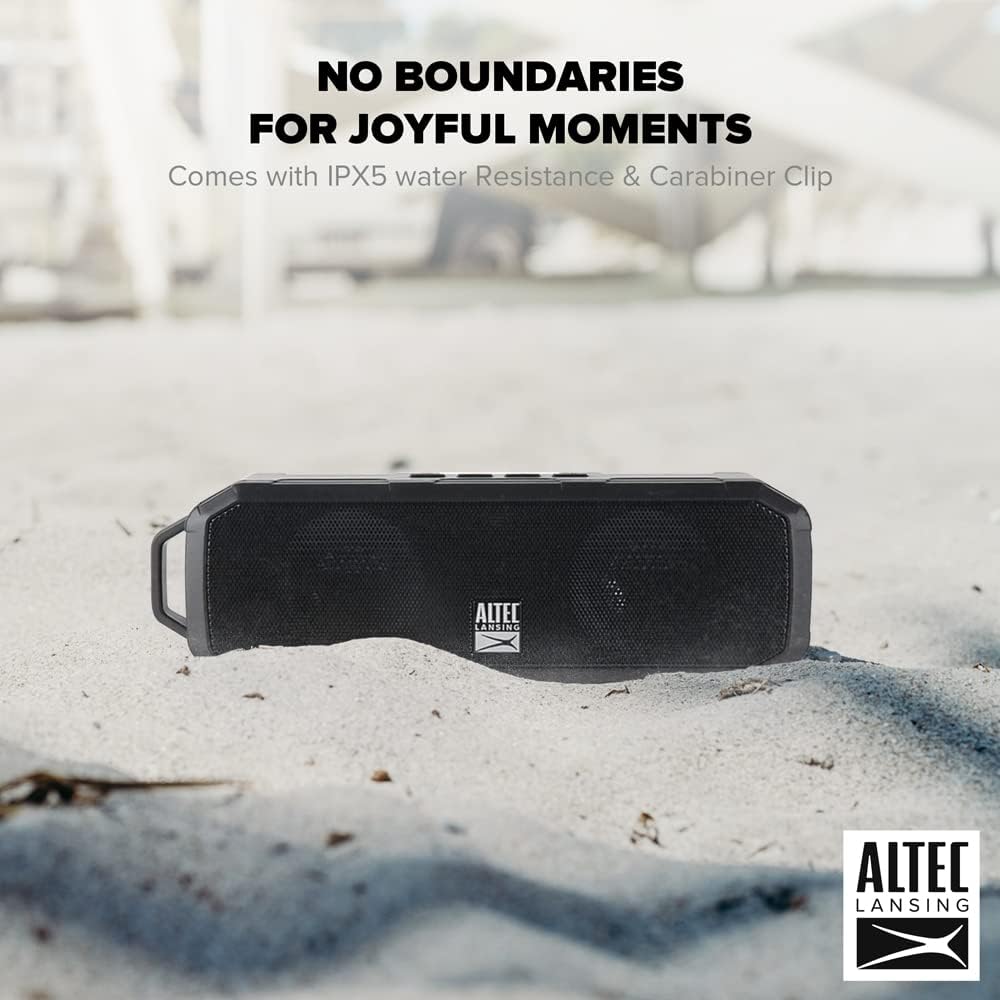
Rajah 7: Tahan Air IPX5
8. Panduan Penyelesaian Masalah
If you encounter any issues with your speaker, refer to the table below for common problems and solutions.
| Masalah | Kemungkinan Punca | Penyelesaian |
|---|---|---|
| Speaker tidak dihidupkan. | Bateri habis. | Charge the speaker fully using the provided Micro USB cable. |
| Tidak boleh berpasangan dengan peranti Bluetooth. | Speaker is not in pairing mode. Device's Bluetooth is off. Speaker is too far from device. | Ensure speaker LED is blinking. Turn on Bluetooth on your device. Move speaker closer to device (within 30 feet). Forget previous pairings on your device and try again. |
| Tiada bunyi atau kelantangan rendah. | Volume on speaker or device is too low. Speaker is not connected. | Increase volume on both the speaker and your connected device. Ensure speaker is successfully paired. |
| Penyelewengan bunyi. | Volume is too high. Device is too far from speaker. | Reduce volume. Move speaker closer to device. |
| Pembantu suara tidak bertindak balas. | Not connected to internet. Incorrect button press. | Ensure connected device has internet access. Press and hold the Power button for 2 seconds to activate. |
9. Spesifikasi Teknikal
| Ciri | Spesifikasi |
|---|---|
| Nama Model | Pembesar Suara Tanpa Wayar Fury |
| Nombor Model | IMW340N-BLK |
| warna | Hitam |
| Penilaian Ketahanan Air | IPX5 |
| Masa bermain | Sehingga 6 Jam (pada volum 50%) |
| Masa Mengecas | 2-3 Jam |
| Julat Bluetooth | Sehingga 30 Kaki |
| Teknologi Ketersambungan | Bluetooth |
| Mod Keluaran Audio | Stereo |
| Jenis Pemasangan | Atas meja |
| Bateri | 1 bateri Polimer Litium (termasuk) |
| Dimensi Pakej | 23.2 x 11.6 x 7 cm |
| Berat Barang | 430 g |
| Pengeluar | ATI Electronics Shenzhen Co. Ltd. |
10. Maklumat dan Sokongan Waranti
10.1 Waranti
The Altec Lansing Fury Wireless Speaker comes with a One-Year Hassle-Free Replacement Warranty. This warranty covers all manufacturing defects. Please note that it does not cover defects resulting from wear and tear, product modification, or misuse.
10.2 Sokongan Pelanggan
For further assistance, troubleshooting, or warranty claims, please contact Altec Lansing customer support. Refer to the contact information provided on the product packaging or the official Altec Lansing webtapak.