
1. Pengenalan
The Dilwe T11 Smart Voice Translator is a portable, real-time translation device designed to facilitate communication across language barriers. Featuring a 2.4-inch touchscreen, it supports multi-language voice and photo translation, making it suitable for travel, business, and educational purposes.
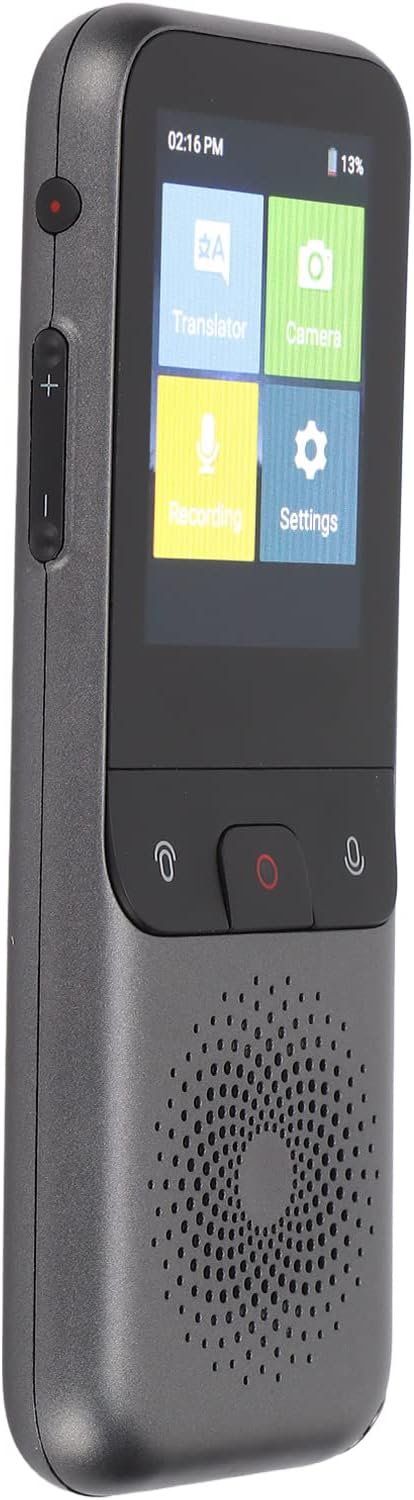
Rajah 1.1: The Dilwe T11 Smart Voice Translator device.
2. Kandungan Pakej
Sahkan bahawa semua item terdapat dalam pakej:
- 1 x Dilwe T11 Smart Voice Translator
- 1 x Data Cable (Type-C)
- 1 x Manual Pengguna (dokumen ini)

Rajah 2.1: Translator device and included data cable.
3. Peranti Lebihview
Familiarize yourself with the physical components of your T11 translator.
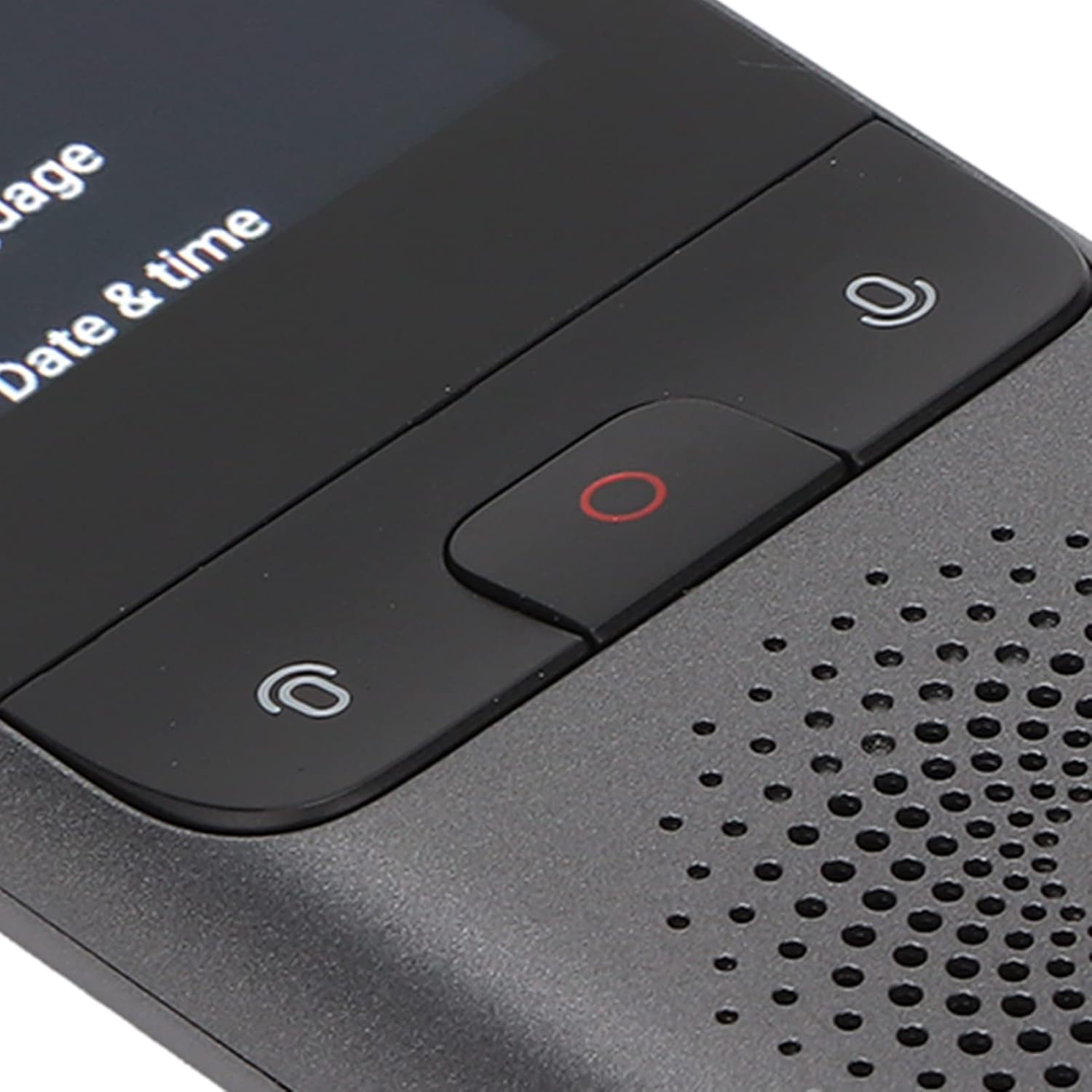
Rajah 3.1: Front control buttons for translation input.
- Butang Kuasa: Located on the side, used for powering on/off and screen wake/sleep.
- Butang Kelantangan: Located on the side, used to adjust audio output.
- Microphone Buttons: Two buttons on the front for initiating voice input for translation.
- Butang Rekod: Central red button on the front for recording functions.
- Penceramah: Located at the bottom front for audio output.
- Antaramuka Jenis-C: Untuk pengecasan dan pemindahan data.
- Jack fon kepala: Untuk mendengar secara peribadi.
- kamera: Rear-facing camera for photo translation.
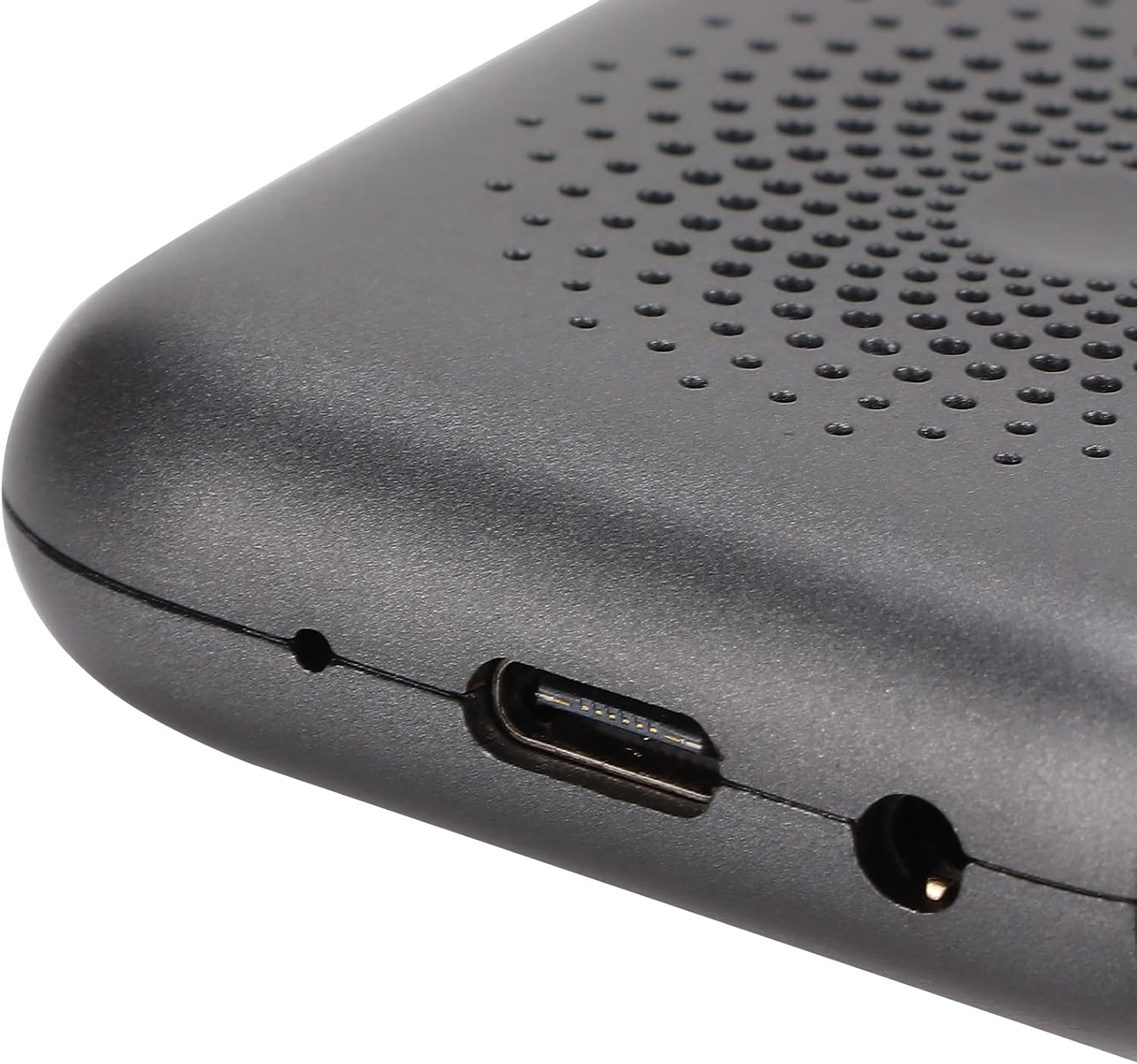
Rajah 3.2: Type-C charging port and headphone jack.
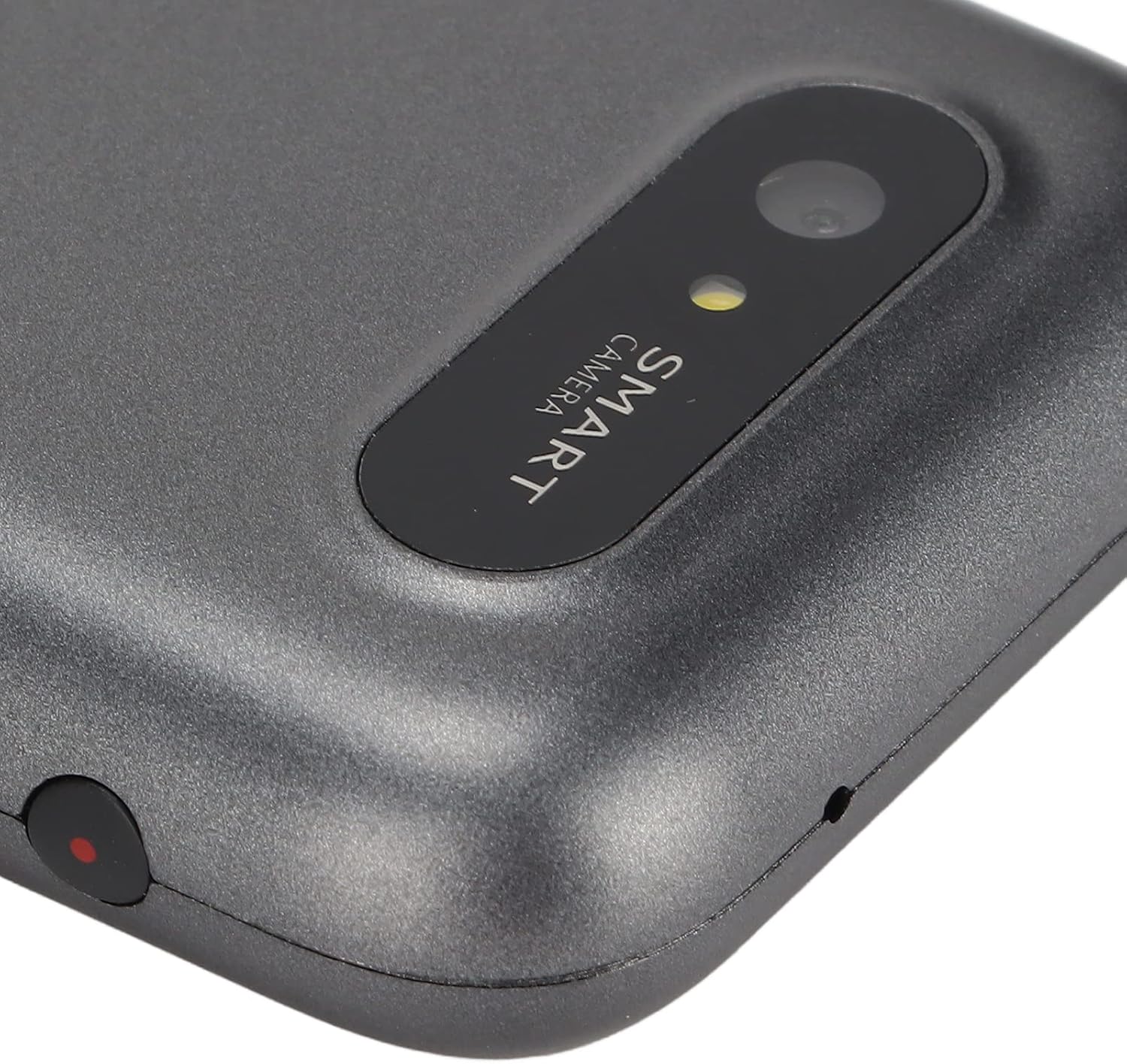
Rajah 3.3: Rear-facing camera for photo translation.
4. Persediaan dan Penggunaan Awal
4.1. Mengecas Peranti
Before first use, fully charge the device using the provided Type-C data cable and a compatible USB power adapter (not included). The device has a built-in 1500mAh lithium battery.
4.2. Menghidupkan/Mematikan
- To power on: Press and hold the power button for 3 seconds until the screen illuminates.
- To power off: Press and hold the power button for 3 seconds, then select "Power Off" on the screen.
4.3. Sambungan Rangkaian
For most translation functions, an internet connection is required. The T11 supports Wi-Fi networking.
- Dari skrin utama, ketik ikon "Tetapan".
- Select "Wi-Fi" from the settings menu.
- Toggle Wi-Fi on and select your desired network.
- Masukkan kata laluan jika digesa dan sambungkan.
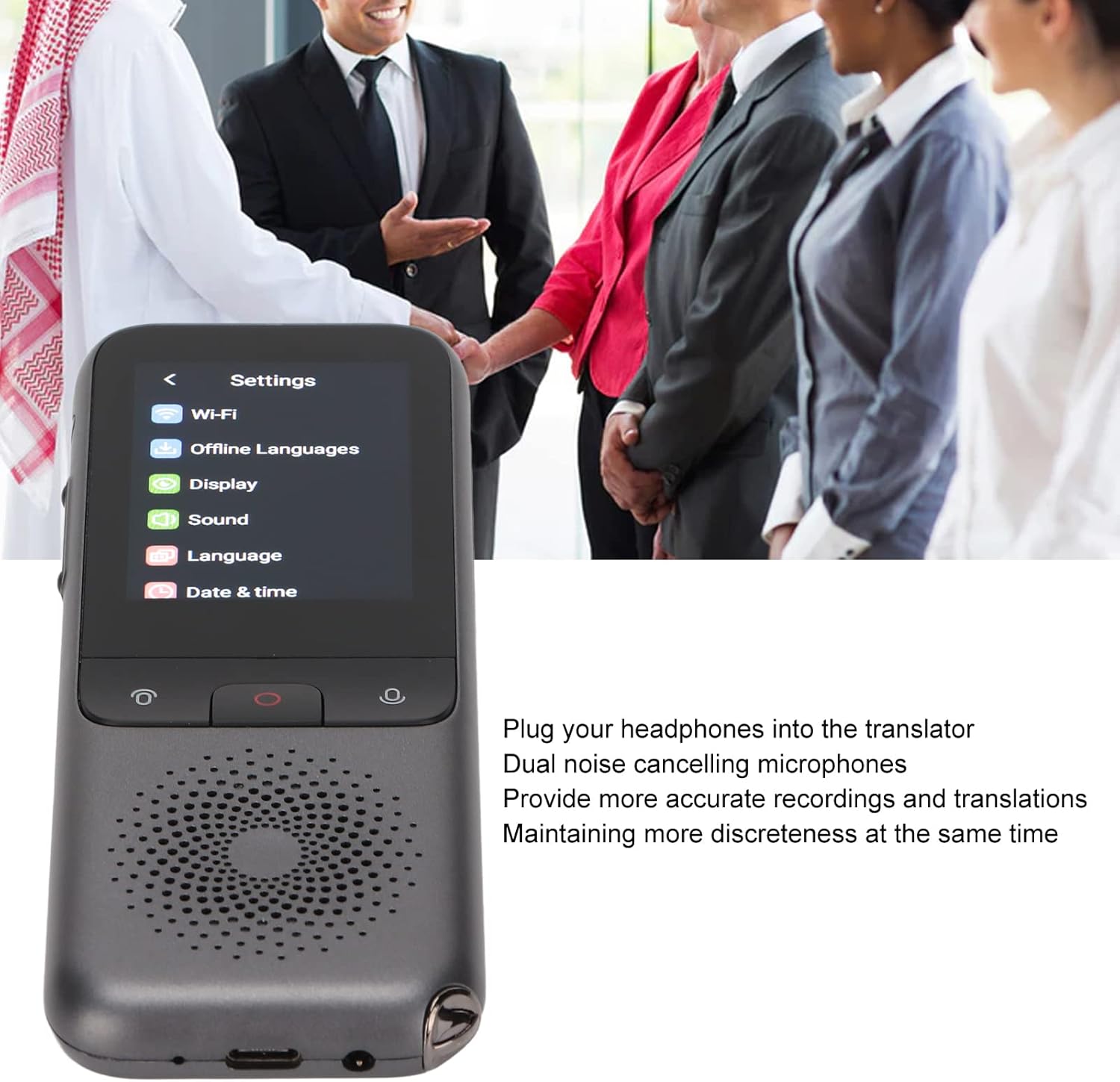
Rajah 4.1: Accessing the settings menu to configure Wi-Fi.
4.4. Initial Language Selection
Set your preferred interface language and default translation languages in the settings menu.
Video 4.1: Demonstrates connecting the charging cable and powering on the Dilwe T11 translator device.
5. Arahan Operasi
5.1. Voice Translation (Online)
The T11 supports 112 online languages for real-time two-way voice translation.
- From the home screen, tap the "Translator" icon.
- Select the source and target languages on the screen.
- Press and hold the microphone button corresponding to the language you will speak.
- Speak clearly into the device.
- Lepaskan butang itu, dan peranti akan menterjemah dan menyebut terjemahan dengan kuat.
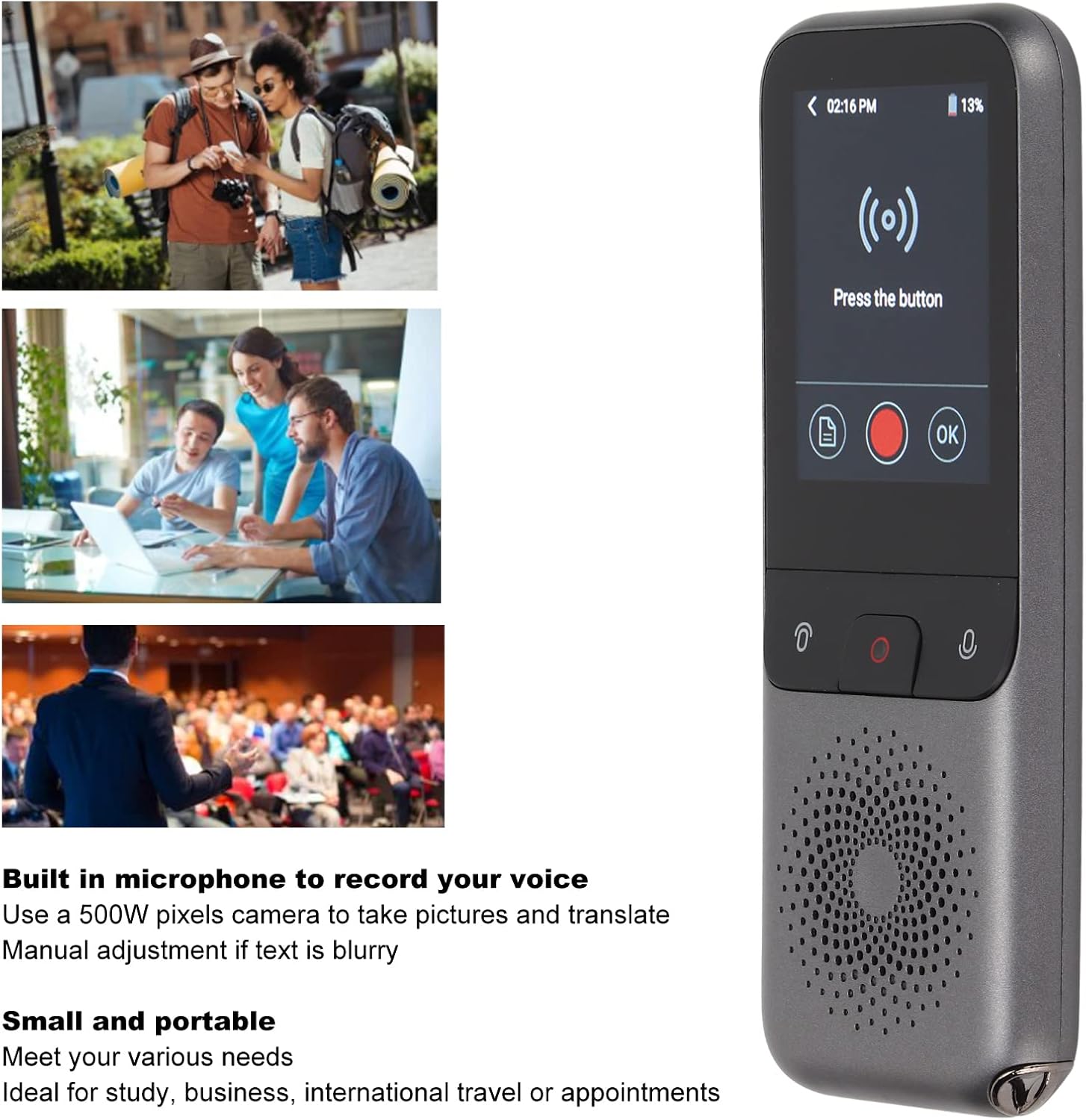
Rajah 5.1: Using the voice translation feature in a real-world scenario.
5.2. Terjemahan Foto
The 500W pixel camera allows for translation of text from images.
- From the home screen, tap the "Camera" icon.
- Point the camera at the text you wish to translate. Ensure good lighting and focus.
- Ketik skrin untuk menangkap imej.
- Pilih bahasa sumber dan bahasa sasaran.
- The device will display the translated text.
5.3. Recording Translation
The device supports recording translation for specific languages (Mandarin, Simplified Chinese; Taiwanese, Traditional Chinese; Cantonese; English (US)).
- From the home screen, tap the "Recording" icon.
- Press the central red record button to start recording.
- Speak or place the device near the audio source.
- Press the record button again to stop.
- Select the recorded audio and choose the target language for translation.
5.4. Terjemahan Luar Talian
The T11 supports offline translation for 10 languages: Simplified Chinese, Traditional Chinese, English, German, Spanish, French, Japanese, Korean, Russian, and Thai.
- Go to "Settings" and then "Offline Languages".
- Download the language packs you require for offline use.
- Once downloaded, you can perform voice translation between these languages without an internet connection.
5.5. Menggunakan Fon Kepala
For private listening or in noisy environments, plug headphones into the 3.5mm audio jack. The device features dual noise-canceling microphones for clearer input.

Rajah 5.2: The settings menu, illustrating the device's use in various professional settings.
6. Penyelenggaraan dan Penjagaan
- Keep the device dry. Avoid exposure to water or excessive humidity.
- Bersihkan skrin dan badan dengan kain lembut dan kering. Jangan gunakan pembersih yang kasar.
- Elakkan daripada menjatuhkan peranti atau terkena impak yang kuat.
- Simpan peranti di tempat yang sejuk dan kering apabila tidak digunakan.
- Regularly update the device firmware for optimal performance and new features.
7. Penyelesaian masalah
7.1. Peranti Tidak Dihidupkan
- Pastikan peranti dicas sepenuhnya. Sambungkannya ke sumber kuasa dan tunggu beberapa minit sebelum cuba menghidupkannya semula.
- Press and hold the power button for at least 5-10 seconds to perform a hard reset.
7.2. Translation Inaccurate or Not Working
- Check your internet connection (Wi-Fi). Most online translation requires a stable connection.
- Sahkan bahawa bahasa sumber dan bahasa sasaran yang betul telah dipilih.
- Speak clearly and at a moderate pace. Avoid background noise.
- For photo translation, ensure the text is well-lit, in focus, and not blurry.
- If using offline translation, confirm that the required language packs are downloaded.
7.3. Kualiti Audio Tidak Baik
- Adjust the volume using the side buttons.
- Pastikan pembesar suara tidak terhalang.
- If using headphones, check the headphone connection and try another pair if available.
8. Spesifikasi
| Model | T11 |
| bahan | ABS |
| warna | Kelabu |
| Kapasiti Bateri | Bateri Litium 1500mAh terbina dalam |
| Memori Berlari | 2G |
| Kapasiti Storan | 32G |
| Saiz Skrin | 2.4 inci |
| Resolusi | 240 x 320 |
| Kaedah Rangkaian | Wi-Fi |
| Kamera | 500W Piksel |
| Antaramuka Data | Antara muka Jenis-C |
| Online Supported Languages | 112 |
| Offline Supported Languages | 10 (Simplified Chinese, Traditional Chinese, English, German, Spain, French, Japanese, Korean, Russian, Thai) |
| Recording Translation Languages | 4 (Mandarin, Simplified Chinese; Taiwanese, Traditional Chinese; Cantonese; English (US)) |
| Dimensi Pakej | 6.42 x 3.03 x 1.5 inci |
| Berat Barang | 7.9 auns |
| Pengeluar | Dilwe |
9. Waranti dan Sokongan
For warranty information and technical support, please refer to the documentation provided at the time of purchase or contact Dilwe customer service. Keep your purchase receipt for warranty claims.
You may also visit the official Dilwe store for additional product information and support resources: Dilwe Store on Amazon.