
pengenalan
This manual provides detailed instructions for the OLEVS Men's Automatic Watch, Model QBZ-S-G6650. This self-winding timepiece combines classic design with practical features, including a date display, rotating bezel, and luminous hands. Please read this manual carefully to ensure proper use and maintenance of your watch.

Image: OLEVS Men's Automatic Watch, Model QBZ-S-G6650, featuring a black dial and silver stainless steel band.
Ciri-ciri Utama
- Pergerakan Automatik: Self-winding mechanism, no battery required. Powered by the motion of your arm.
- Pembinaan Keluli Tahan Karat: Durable case and band for longevity.
- Unidirectional Rotating Bezel: Classic design element, useful for timing.
- Magnified Date Window: Located at 3 o'clock for easy reading.
- Luminous Hands and Hour Markers: Ensures visibility in low-light conditions.
- Tahan Air 30M: Suitable for everyday use, splash/rain resistant.
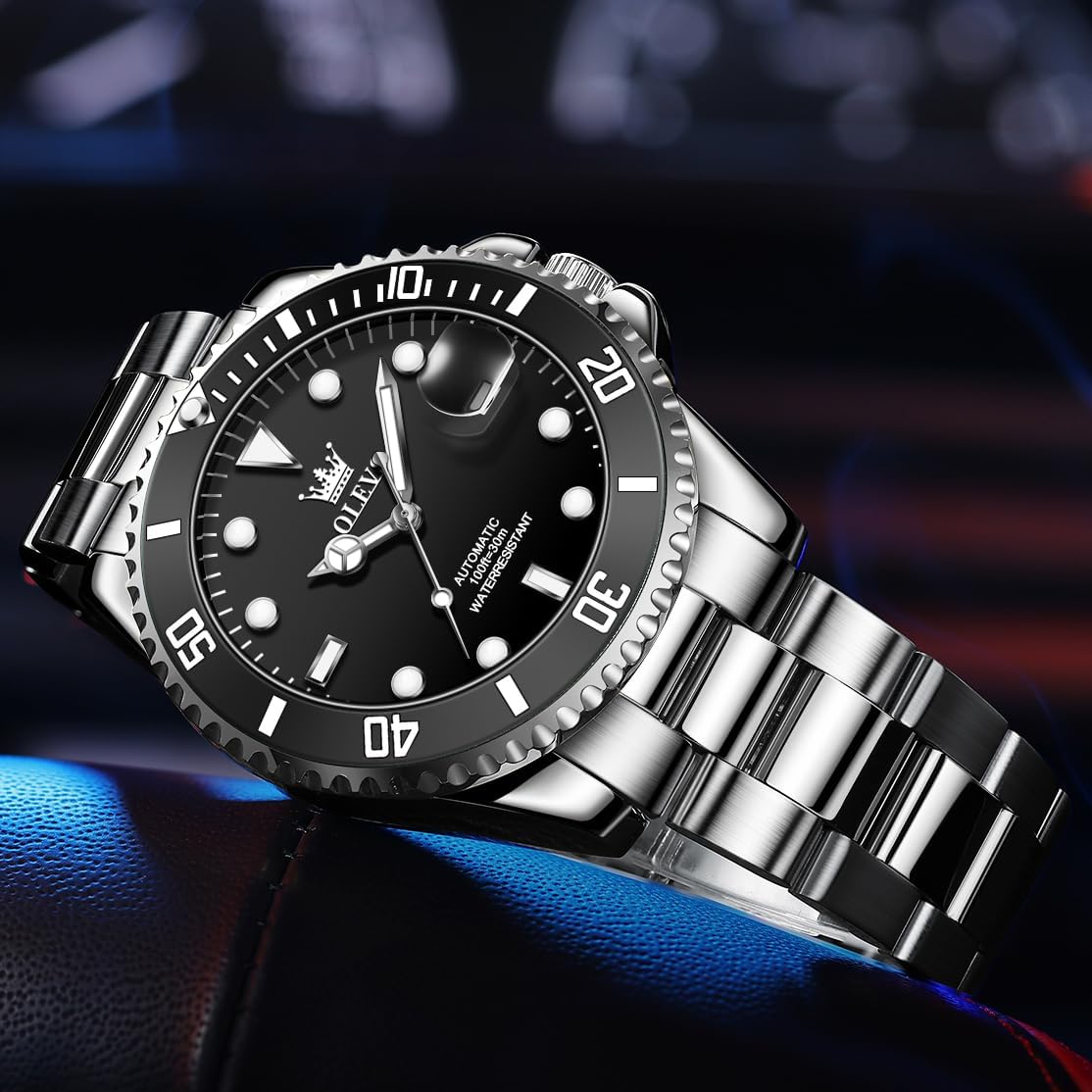
Imej: Terperinci view of the watch face highlighting the luminous hands and magnified date window.

Image: Visual representation of key features including luminous display, date window, rotatable bezel, and automatic movement.
Persediaan
Winding the Automatic Movement
Your OLEVS automatic watch is powered by the natural motion of your arm. No battery is required. To ensure accurate timekeeping, it is recommended to wear the watch for at least 8 hours a day. If the watch has completely stopped, manually wind it by rotating the crown clockwise approximately 30 turns, or until you feel slight resistance. This will provide an initial power reserve.

Imej: Dalaman view of the automatic movement, illustrating the self-winding mechanism.
Arahan Operasi
Menetapkan Masa dan Tarikh
- Tarik keluar mahkota: Gently pull the crown (the knob on the side of the watch) to the first click position to set the date, or to the second click position to set the time.
- Tetapkan tarikh: In the first click position, rotate the crown either clockwise or counter-clockwise to adjust the date. Avoid setting the date between 9 PM and 3 AM, as this can interfere with the automatic date change mechanism.
- Tetapkan masa: In the second click position, rotate the crown to adjust the hour and minute hands. Ensure the AM/PM is correctly set by observing the date change as you pass midnight.
- Tolak ke dalam mahkota: Once the time and date are set, push the crown back into its original position to secure it and restart the watch movement.
Menggunakan Bezel Berputar
The unidirectional rotating bezel can be used for timing events. Rotate the bezel so that the zero marker aligns with the minute hand. As time passes, the minute hand will indicate the elapsed time on the bezel. The unidirectional design prevents accidental rotation in the wrong direction, which is crucial for dive timing (though this watch is not suitable for diving).
Penyelenggaraan
Water Resistance (30M / 100ft)
Your OLEVS watch is water-resistant to 30 meters (100 feet). This means it is suitable for everyday use and can withstand splashes or rain. It is not suitable for showering, bathing, swimming, diving, or any water-related work where it would be submerged for extended periods. Always ensure the crown is fully pushed in to maintain water resistance.

Image: The watch partially submerged in water, illustrating its water-resistant capabilities for splashes and rain.
Pembersihan dan Penjagaan
- Wipe the watch regularly with a soft, dry cleaning cloth to remove dust and fingerprints.
- Elakkan daripada mendedahkan jam tangan kepada suhu yang melampau, cahaya matahari langsung untuk tempoh yang lama atau medan magnet yang kuat.
- If the watch band needs adjustment, use the provided watch link remover or consult a professional watchmaker.

Image: A watch link remover tool, used for adjusting the metal band.
Menyelesaikan masalah
- Tonton tidak berjalan: As an automatic watch, it requires movement to operate. If it has stopped, manually wind it by rotating the crown clockwise 30 times. Ensure you wear it regularly for sufficient power generation.
- Tarikh tidak berubah dengan betul: Check if the time is set correctly for AM/PM. Avoid setting the date between 9 PM and 3 AM.
- Kemasukan air: If water appears inside the watch, immediately take it to a professional watch repair service. Do not attempt to open the watch yourself.
Spesifikasi
| Ciri | Spesifikasi |
|---|---|
| Jenis Pergerakan | Automatik |
| Diameter Kes | 41 mm (1.61 inci) |
| Ketebalan Kes | 13 mm |
| Lebar Jalur | 20 mm (0.79 inci) |
| Panjang Jalur | 210 mm (8.27 inci) |
| Berat badan | 140g (4.94 oz) |
| Bahan Lensa | Kaca Mineral |
| Tahan Air | 30 Meter (100 Kaki) |
| Jenis Genggam | Foldover Clasp With Push Button |
| Nombor Model | QBZ-S-G6650 |

Image: Diagram illustrating the key dimensions of the OLEVS automatic watch.
Video Produk Rasmi
OLEVS Men's Luxury Automatic Watch Overview
Video: Akhir terperinciview of the OLEVS Men's Luxury Automatic Watch, showcasing reka bentuk dan ciri-cirinya.
OLEVS Men's Automatic Watch - Green Dial Variant
Video: This video highlights the green dial variant of the OLEVS Men's Automatic Watch, demonstrating its aesthetic appeal and functionality.
Waranti dan Sokongan
Your OLEVS automatic watch comes with a worry-free 24-month warranty. For any problems or inquiries, please contact customer service through Amazon. You can reach us by clicking our name next to "Sold by" on the product page and selecting "Ask a Question," or if you've already purchased, by clicking "Get help" or "Get product support" on your order. We aim to provide a satisfactory solution within 12 hours.