
1. Pengenalan
This manual provides essential information for the safe and efficient operation of your SANSUI 43-inch 4K Ultra HD Certified Android LED TV, model JSW43ASUHD. Please read these instructions thoroughly before using your television and retain them for future reference.

Image: SANSUI 43-inch 4K Ultra HD Android LED TV JSW43ASUHD.
2. Apa yang ada di dalam Kotak
Carefully unpack the box and ensure all the following items are present:
- 1 Unit TV
- 1 Alat Kawalan Jauh
- 1 Manual Pengguna (dokumen ini)
- 1 Kad Waranti
- 1 Pemasangan Dinding
- 2 Bateri AAA
- 2 Pangkalan Pangkalan
- 4 Screws (for base stand)
- 1 Mini AV Cable
- 1 Kord Kuasa
3. Persediaan
3.1 Membongkar dan Meletakkan
Tanggalkan TV dan semua aksesori daripada pembungkusan. Letakkan TV di atas permukaan yang stabil dan rata atau sediakan untuk pemasangan di dinding. Pastikan pengudaraan yang mencukupi di sekeliling TV.
3.2 Pemasangan Stand
If using the included base stands:
- Letakkan skrin TV dengan berhati-hati pada permukaan yang lembut dan bersih untuk mengelakkan calar.
- Jajarkan setiap kaki tapak dengan slot yang sepadan di bahagian bawah TV.
- Selamatkan setiap pendirian menggunakan skru yang disediakan. Pastikan ia diketatkan dengan kuat.
- Angkat TV dengan berhati-hati ke kedudukan tegak pada permukaan yang stabil.

Image: SANSUI TV with base stands installed.
3.3 Pemasangan Dinding
Your SANSUI TV supports VESA wall mounting with a standard of 200 x 200 mm. Follow the instructions provided with your wall mount kit. Ensure the wall mount is securely fastened to a suitable wall structure and can support the weight of the TV (approximately 6.75 kg).
3.4 Menyambung Peranti
Connect your external devices to the appropriate ports on the TV's rear panel.
- HDMI Ports (3): Connect Blu-ray players, gaming consoles, set-top boxes, etc.
- Port USB (2): Connect USB drives for media playback or other USB devices.
- 3.5mm Audio Jack: Connect headphones or external audio systems.
- RJ45 (Ethernet)Untuk sambungan internet berwayar.
- Input Antena: Connect your terrestrial or cable antenna.

Image: Rear panel connectivity ports.
3.5 Hidupkan
After connecting all necessary cables, plug the power cord into a wall outlet. Press the power button on the remote control or on the TV to turn it on. Follow the on-screen instructions for initial setup, including network connection and Google account login.
4. Mengendalikan TV Anda
4.1 Ciri-ciri TV Pintar (Android 10.0)
Your SANSUI TV runs on Android 10.0, offering a smart and intuitive user experience. Key features include:
- Google Assistant & Alexa Enabled Support: Use voice commands for navigation, content search, and smart home control.
- Chromecast terbina dalam: Easily cast content from your smartphone or tablet to the TV screen.
- Apl yang Disokong: Access popular streaming services like Prime Video, Netflix, Disney+ Hotstar, YouTube, and Google Play Store.
- Prestasi: Powered by a CA53 Quad Core Processor with 2GB RAM and 8GB ROM for smooth operation.
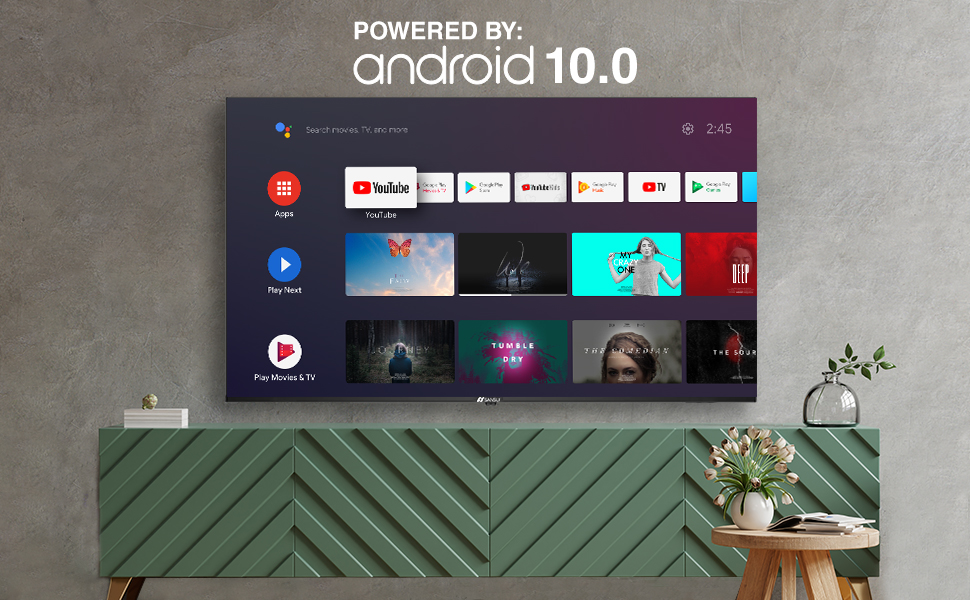
Image: Android 10.0 Smart TV interface.
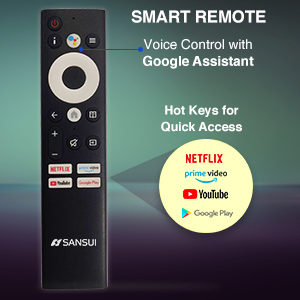
Image: Built-in Chromecast functionality.
4.2 Alat Kawalan Jauh
The included remote control features voice search capabilities with Google Assistant and dedicated hotkeys for quick access to popular streaming services.
- Kawalan Suara: Press the microphone button and speak your commands.
- Kekunci Panas: Direct access buttons for Netflix, Prime Video, YouTube, and Google Play.

Image: SANSUI Smart Remote Control.

Image: Smart Remote features.
4.3 Ketersambungan
The TV offers versatile connectivity options:
- Wi-Fi: Connect to your home wireless network for internet access.
- Bluetooth: Pair with compatible wireless headphones, speakers, or other Bluetooth devices.
- Ethernet (RJ45): For a stable wired internet connection.
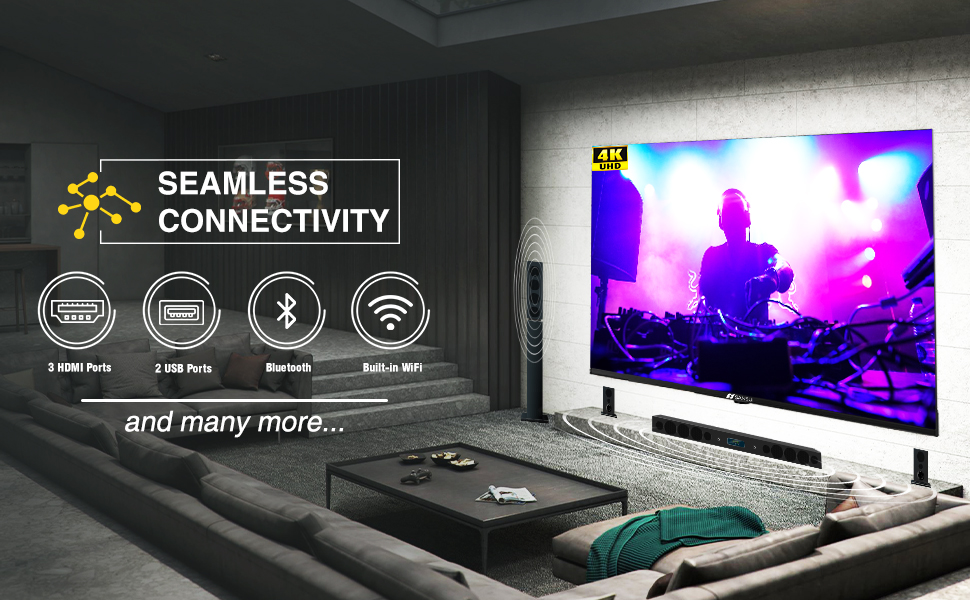
Image: Seamless connectivity options.
5. Ciri Paparan dan Audio
5.1 Kualiti Paparan
Experience stunning visuals with your SANSUI 4K UHD Android TV:
- 4K UHD (3840x2160) Resolution: Delivers sharp, detailed images.
- HDR 10: Enhances contrast and color accuracy for a more dynamic picture.
- Gamut Warna Lebar: Produces a broader range of vibrant colors.
- Reka Bentuk Tanpa Bezel: Maximizes screen space for an immersive viewpengalaman dalam.
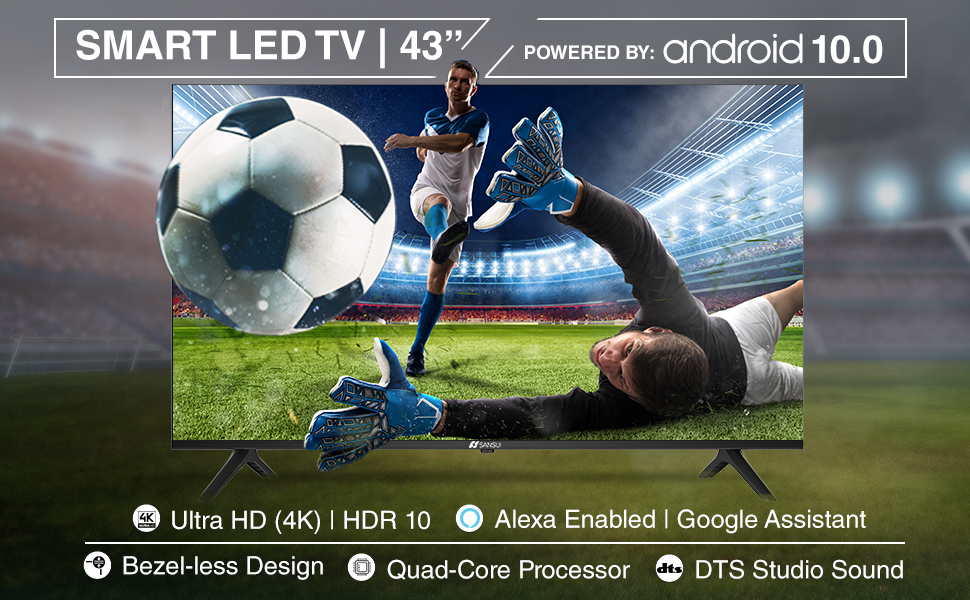
Image: Incredible visual possibilities with 4K UHD.
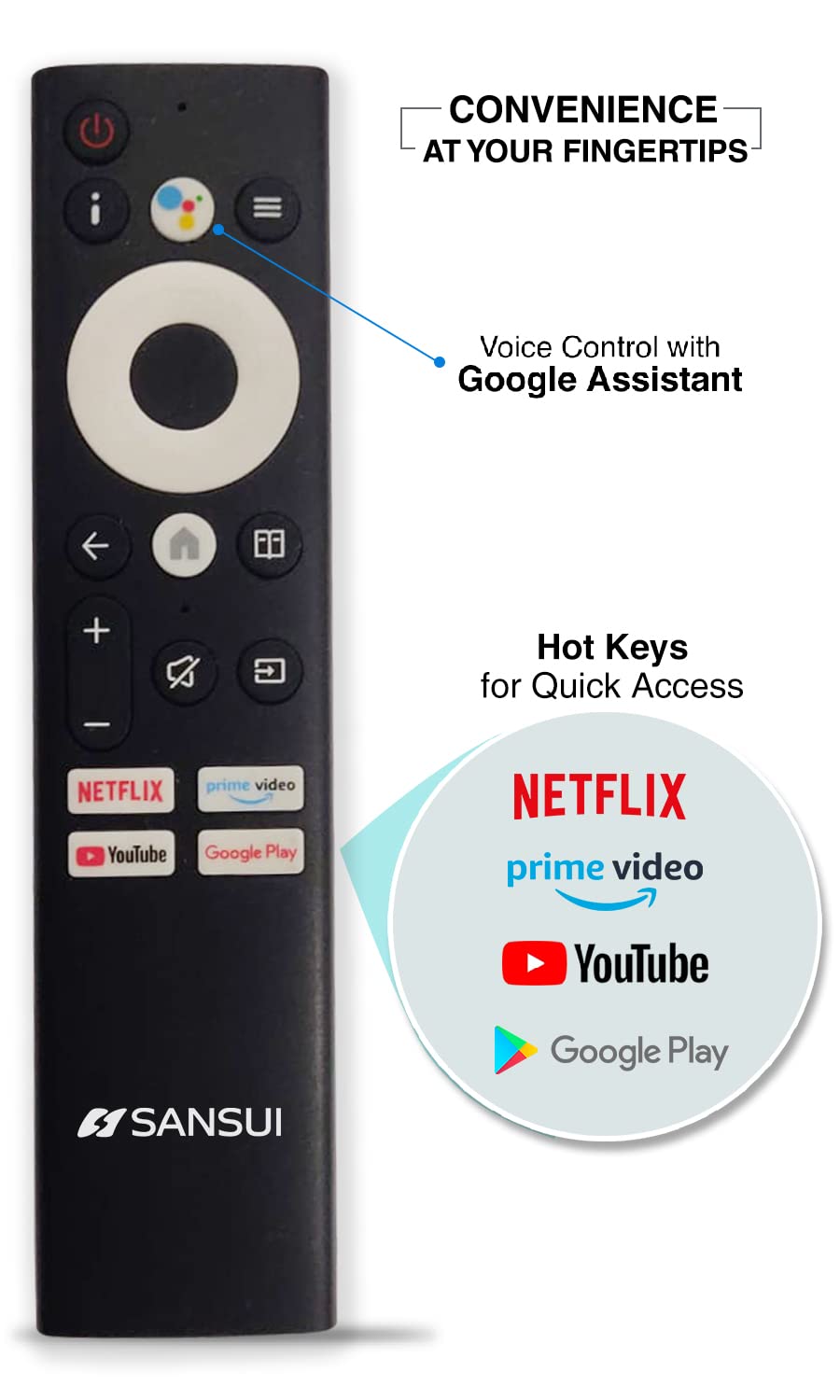
Image: Bezel-less design for an expansive view.
5.2 Kualiti Audio
The TV features:
- 20W Audio Output: Provides clear and powerful sound.
- Dolby Audio & DTS Studio Sound: Enhances audio quality for an immersive listening experience.
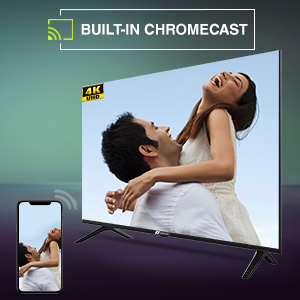
Image: Incredible audio features.
6. Penyelenggaraan
6.1 Membersihkan Skrin
Untuk membersihkan skrin, lap perlahan-lahan dengan kain lembut yang tidak berbulu. Untuk tanda degil, sedikit dampen kain dengan air atau pembersih skrin khusus. jangan gunakan bahan kimia yang keras, pembersih yang melelas, atau sembur cecair terus ke skrin.
6.2 Penjagaan Am
- Jauhkan TV daripada cahaya matahari langsung, sumber haba dan habuk yang berlebihan.
- Pastikan pengudaraan yang betul di sekeliling TV untuk mengelakkan terlalu panas.
- Cabut palam TV daripada soket kuasa semasa ribut petir atau apabila ia tidak akan digunakan untuk tempoh yang lama.
7. Penyelesaian masalah
Jika anda menghadapi masalah dengan TV anda, rujuk kepada penyelesaian biasa berikut:
| Masalah | Penyelesaian yang Mungkin |
|---|---|
| Tiada kuasa | Check if the power cord is securely plugged into the TV and the wall outlet. Ensure the outlet is functional. Try pressing the power button on the TV itself. |
| Tiada gambar, tetapi bunyi hadir | Semak sumber input. Pastikan peranti luaran dihidupkan dan disambungkan dengan betul. Cuba mulakan semula TV. |
| Tiada bunyi, tetapi ada gambar | Periksa tahap kelantangan dan pastikan TV tidak disenyapkan. Sahkan tetapan audio dan sambungan pembesar suara luaran jika berkenaan. |
| Alat kawalan jauh tidak berfungsi | Ensure the AAA batteries are correctly inserted and not depleted. Point the remote directly at the TV's IR sensor. Remove any obstructions. |
| Tidak dapat menyambung ke Wi-Fi | Check if your Wi-Fi router is on and functioning. Re-enter the Wi-Fi password. Try restarting both the TV and the router. |
If the problem persists after trying these solutions, please contact SANSUI customer support.
8. Spesifikasi Teknikal
Below are the detailed technical specifications for the SANSUI JSW43ASUHD TV:

Image: TV dimensions.
| Ciri | Spesifikasi |
|---|---|
| Saiz Skrin | 43 Inci (109 cm) |
| Teknologi Paparan | LED |
| Resolusi | 4K UHD (3840x2160) |
| Kadar Segar Semula | 60 Hz |
| Sistem Operasi | Android 10.0 (Certified by Google) |
| Pemproses | CA53 Kuad Teras |
| RAM | 2GB |
| ROM (Storan) | 8GB |
| Format HDR Disokong | HDR10 |
| Viewsudut | 178 Darjah |
| Output Audio | 20 W |
| Teknologi Audio | Dolby Audio, DTS Studio Sound |
| Port HDMI | 3 |
| Port USB | 2 |
| Ketersambungan | Bluetooth, Wi-Fi, Ethernet (RJ45) |
| Jenis Pemasangan | Wall Mount & Table Top |
| Pemasangan VESA Standard | 200 x 200 mm |
| Berat Barang | 6750 Gram |
| Tahun Model | 2022 |
9. Waranti dan Sokongan
9.1 Maklumat Waranti
Your SANSUI TV comes with a Waranti komprehensif 1 tahun dan an additional 1-year warranty on the panel, provided by the brand from the date of purchase.
9.2 Sokongan Pelanggan
For warranty support or any technical assistance, please contact SANSUI customer service:
- Toll-Free No.: 1800-419-3777
- E-mel: sansuicare@jainaindia.com
- Importer Contact: Jaina India Pvt Ltd., D170, Okhla Industrial Area, Phase-1, New Delhi-110020 INDIA
10. Catatan Penting
No official product videos with 'Seller' as creator type were available for embedding in this manual.