
1. Pengenalan
This manual provides detailed instructions for the installation, operation, and maintenance of the Dilwe SIM7600G-H 4G DONGLE LTE USB Modem. This device is designed to provide high-speed 4G network connectivity for various applications, including industrial computers, PCs, and other IoT devices. Please read this manual thoroughly before using the product to ensure proper functionality and safety.
2. Kandungan Pakej
Verify that all items listed below are present in your package. If any items are missing or damaged, please contact customer support.
- 1 x SIM7600G-H 4G DONGLE
- 1 x Antena LTE
- 1 x Kabel Sambungan USB
- 5 x Skru
- 1 x Pemutar skru
- 1 x Talian Sambungan

Imej 2.1: Package contents including the 4G DONGLE, LTE antenna, USB extension cable, screws, screwdriver, and connection line.
3. Produk Lebihview
The Dilwe SIM7600G-H 4G DONGLE is an industrial-grade LTE USB adapter designed for reliable 4G communication. It features a SIM card slot, USB and UART communication interfaces, and LED indicators for status monitoring.

Imej 3.1: Depan view of the SIM7600G-H 4G DONGLE with the LTE antenna attached.
3.1. Komponen dan Antara Muka
- Port USB: For connecting to a host device (PC, industrial computer, Raspberry Pi).
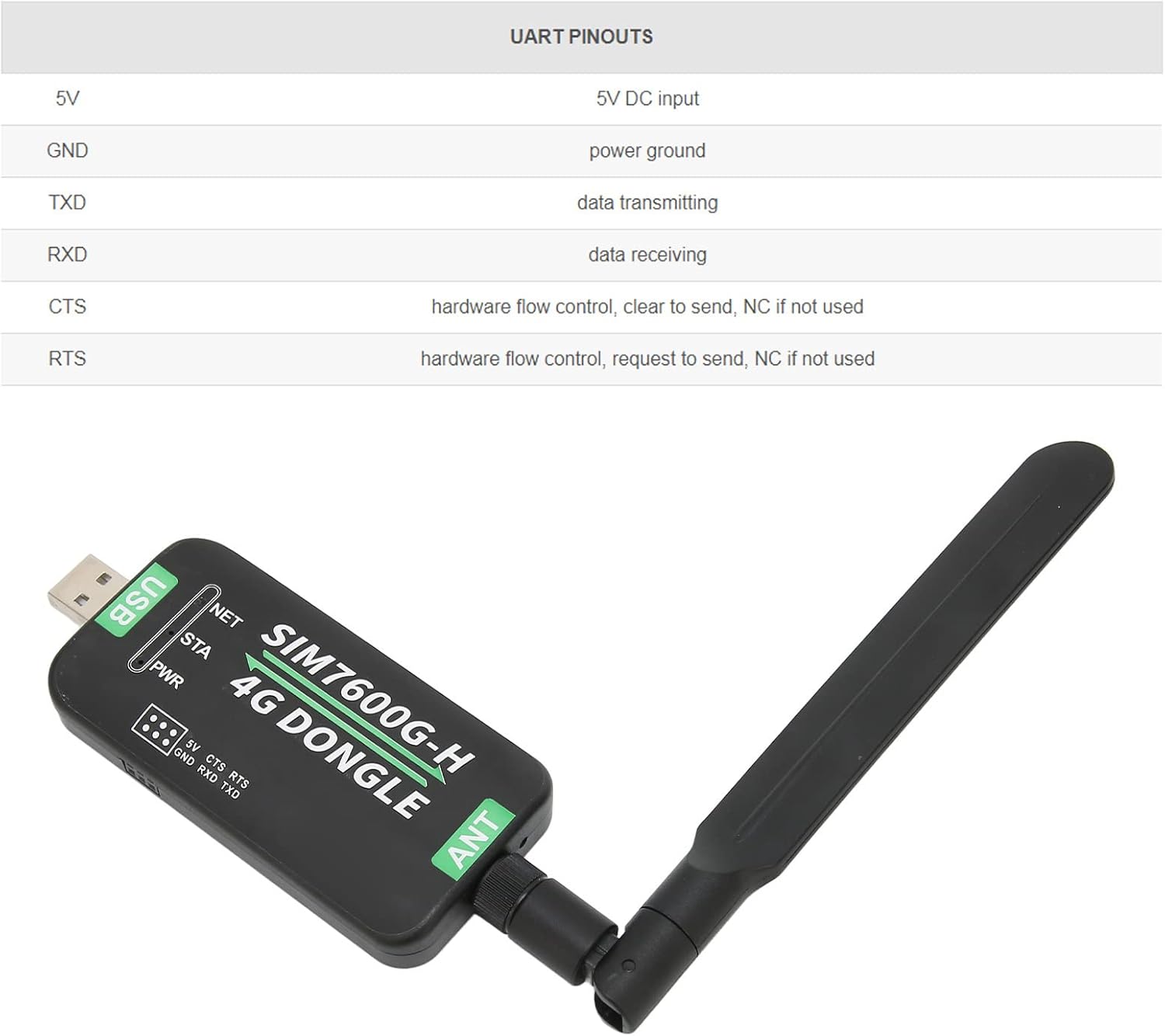
- Pelabuhan UART: For serial communication (5V, GND, TXD, RXD, CTS, RTS).
- LTE Antenna Interface: For connecting the included LTE antenna.
- Slot Kad SIM Nano: Supports 1.8V / 3V Nano SIM cards (card not included).

Imej 3.2: Berakhirview of key features: 4G communication, USB/UART interface, multi-system support, and GNSS positioning.
3.2. Petunjuk LED
The device features three LED indicators to display its operational status:
- NET (Network LED): Menunjukkan status sambungan internet.
- STA (Status LED): Indicates the module's operational status.
- PWR (Power LED): Menunjukkan status bekalan kuasa.

Imej 3.3: Terperinci view of the LED indicators (NET, STA, PWR), USB port, and UART port on the device.
3.3. Slot Kad SIM
The SIM7600G-H 4G DONGLE includes an onboard Nano SIM card slot with a sliding cover for easy insertion and removal of the SIM card.

Imej 3.4: The Nano SIM card slot with its sliding cover, designed for easy access.
4. Persediaan
Follow these steps to set up your Dilwe SIM7600G-H 4G DONGLE.
- Masukkan Kad SIM: Open the sliding cover of the SIM card slot and carefully insert a Nano SIM card (1.8V or 3V) into the slot. Ensure it is correctly oriented. Close the sliding cover.
- Attach LTE Antenna: Screw the provided LTE antenna onto the antenna interface of the 4G DONGLE. The antenna is rotatable for optimal signal reception.
- Sambung ke Peranti Hos: Plug the 4G DONGLE into an available USB port on your PC, industrial computer, or Raspberry Pi. Use the USB extension cable if needed.
- Pemasangan Pemandu: The device requires specific drivers for Windows and Linux operating systems. Drivers are typically available from the manufacturer's support website. For this model, drivers can be found at waveshare.net/wiki/SIM7600G-H_4G_DONGLE. Download and install the appropriate driver for your operating system.
- Konfigurasi Sistem: After driver installation, configure your operating system to recognize and use the 4G DONGLE for network access. This usually involves enabling cellular data in network settings.
Imej 4.1: The 4G DONGLE supports Windows and Linux operating systems.
5. Arahan Operasi
Once the setup is complete, you can begin using your 4G DONGLE for internet access.
5.1. Sambungan Rangkaian
- Ensure the SIM card has an active data plan.
- After connecting the DONGLE and installing drivers, your operating system should detect it as a network adapter.
- Enable cellular data in your system's network settings. The DONGLE will attempt to connect to the 4G network.
- Monitor the NET LED indicator: A steady light typically indicates a successful connection.

Imej 5.1: The 4G DONGLE provides high-speed internet access for various host devices.
5.2. Data Communication
The SIM7600G-H supports various communication protocols and interfaces:
- Akses internet: NDIS/RNDIS/PPP
- Protokol: TCP/IP/IPV4/IPV6/Multi-PDP/FTP/FTPS/HTTP/HTTPS/DNS
- Short Message Service (SMS): Supports MT, MO, CB, Text, PDU
- GNSS: Supports GPS, Beidou, Glonass, LBS base station positioning
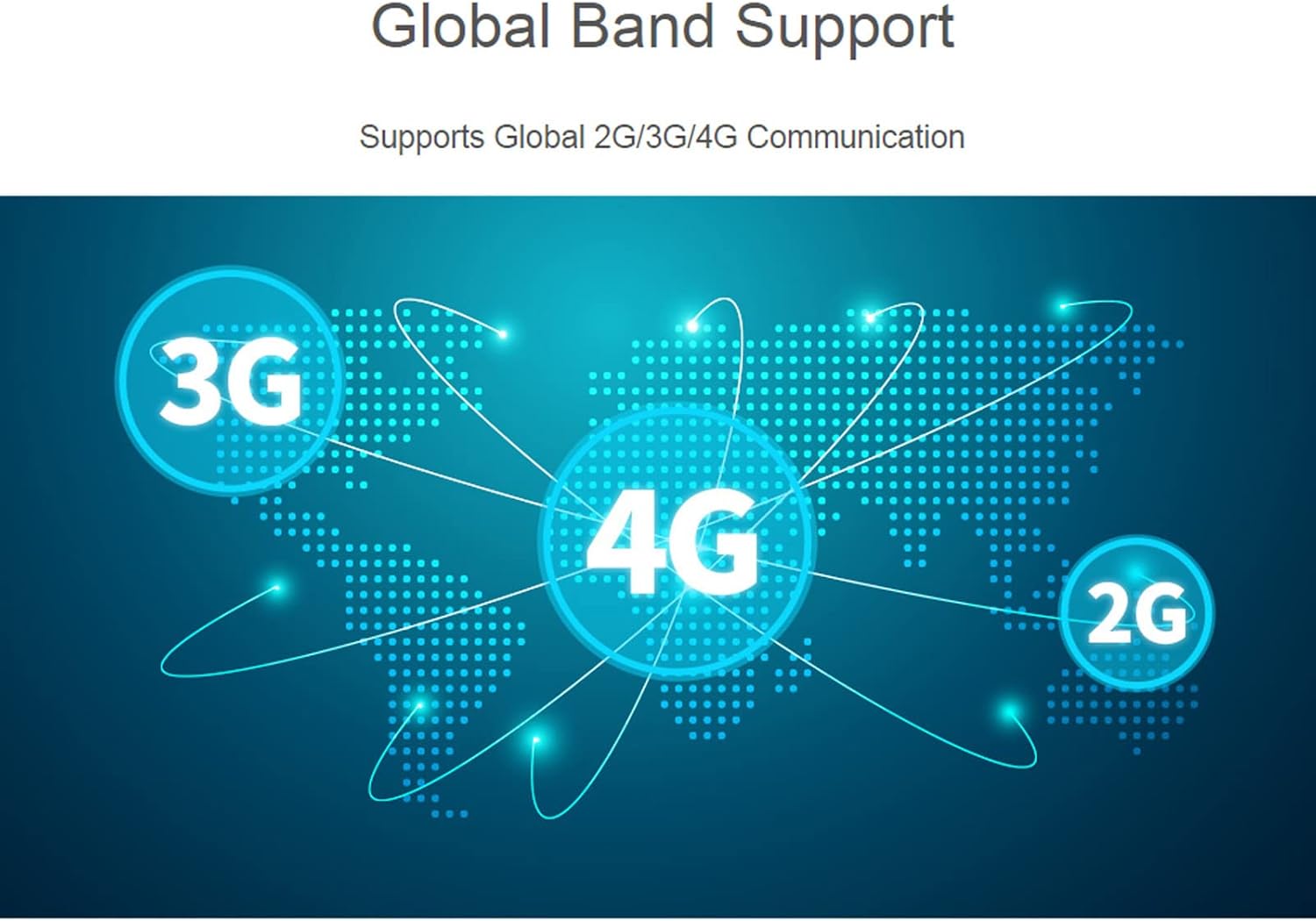
Imej 5.2: The device supports global 2G, 3G, and 4G communication bands.
6. Penyelenggaraan
To ensure the longevity and optimal performance of your 4G DONGLE, follow these maintenance guidelines:
- Pastikan peranti bersih dan bebas daripada habuk dan lembapan.
- Elakkan daripada mendedahkan peranti kepada suhu yang melampau atau cahaya matahari langsung.
- Pastikan antena dipasang dengan kukuh tetapi jangan terlalu ketat.
- Handle the SIM card slot and USB connector with care to prevent damage.
- Regularly check for updated drivers on the manufacturer's webtapak untuk memastikan keserasian dan peningkatan prestasi.
7. Penyelesaian masalah
If you encounter issues with your 4G DONGLE, refer to the following common troubleshooting steps:
- Tiada Sambungan Rangkaian:
- Verify that the SIM card is correctly inserted and has an active data plan.
- Ensure the LTE antenna is securely attached.
- Check if the drivers are correctly installed for your operating system.
- Confirm that cellular data is enabled in your device's network settings.
- Try connecting the DONGLE to a different USB port or another computer to rule out port or host device issues.
- Kelajuan Sambungan Perlahan:
- Ensure the antenna is positioned for optimal signal reception.
- Check your location for 4G network coverage.
- Verify your SIM card's data plan speed limits.
- Peranti Tidak Dikenali:
- Reinstall the drivers.
- Pastikan sambungan USB selamat.
- Check your operating system's device manager for any error messages related to the DONGLE.
8. Spesifikasi
Detailed technical specifications for the Dilwe SIM7600G-H 4G DONGLE.
| Ciri | Penerangan |
|---|---|
| Model | SIM7600G-H |
| bahan | ABS |
| LTE-TDD Frequency Bands | B34/B38/B39/B40/B41 |
| LTE-FDD Frequency Bands | B1/B2/B3/B4/B5/B7/B8/B12/B13/B18/B19/B20/B25/B26/B28/B66 |
| Jalur Frekuensi 3G | UMTS/HSDPA/HSPA+: B1/B2/B4/B5/B6/B8/B19 |
| Jalur Frekuensi 2G | GSM/GPRS: 850/900/1800/1900MHz |
| Sokongan GNSS | GPS, Beidou, Glonass, LBS base station positioning |
| Kawasan Berkenaan | Sejagat |
| LTE Cat-4 Data Rate | 150Mbps (DL) / 50Mbps (UL) |
| 3G (HSPA+) Data Rate | 42Mbps (DL) / 5.76Mbps (UL) |
| 2G Data Rate | 236.8Kbps (DL) / 236.8Kbps (UL) |
| 2G (GPRS) Data Rate | 85.6Kbps (DL) / 85.6Kbps (UL) |
| Sokongan Sistem Pengendalian | Windows, Linux |
| Antaramuka Komunikasi | USB, UART |
| Kadar Baud UART | 300bps - 4Mbps (default: 115200bps) |
| Kad SIM yang disokong | Nano SIM Card (1.8V / 3V) |
| Antara Muka Antena | LTE |
| Bekalan Voltage | 5V |
| Logik Voltage | 3.3V |
| Berat Barang | 5 auns |
| Dimensi Pakej | 6.26 x 4.17 x 1.34 inci |
8.1. UART Pinouts
| Pin | Fungsi |
|---|---|
| 5V | Input DC 5V |
| GND | Tanah kuasa |
| TXD | Penghantaran data |
| RXD | Penerimaan data |
| CTS | Hardware flow control, Clear To Send (NC if not used) |
| RTS | Hardware flow control, Request To Send (NC if not used) |

Imej 8.1: UART pinout details for advanced users.
9. Waranti dan Sokongan
Maklumat mengenai jaminan produk dan sokongan pelanggan tidak tersedia dalam data yang diberikan. Sila rujuk kepada pembungkusan produk atau rasmi pengilang website for details on warranty coverage, technical support, and service options.