
1. Produk Lebihview
The auna Connect 150 MKII is a versatile 2.1 internet radio system designed for comprehensive audio entertainment. It features Wi-Fi connectivity for internet radio and podcasts, DAB/DAB+ and FM reception, Bluetooth for wireless streaming, and a USB port for local media playback. The unit is equipped with a 2.8-inch TFT color display and can be controlled via an app.
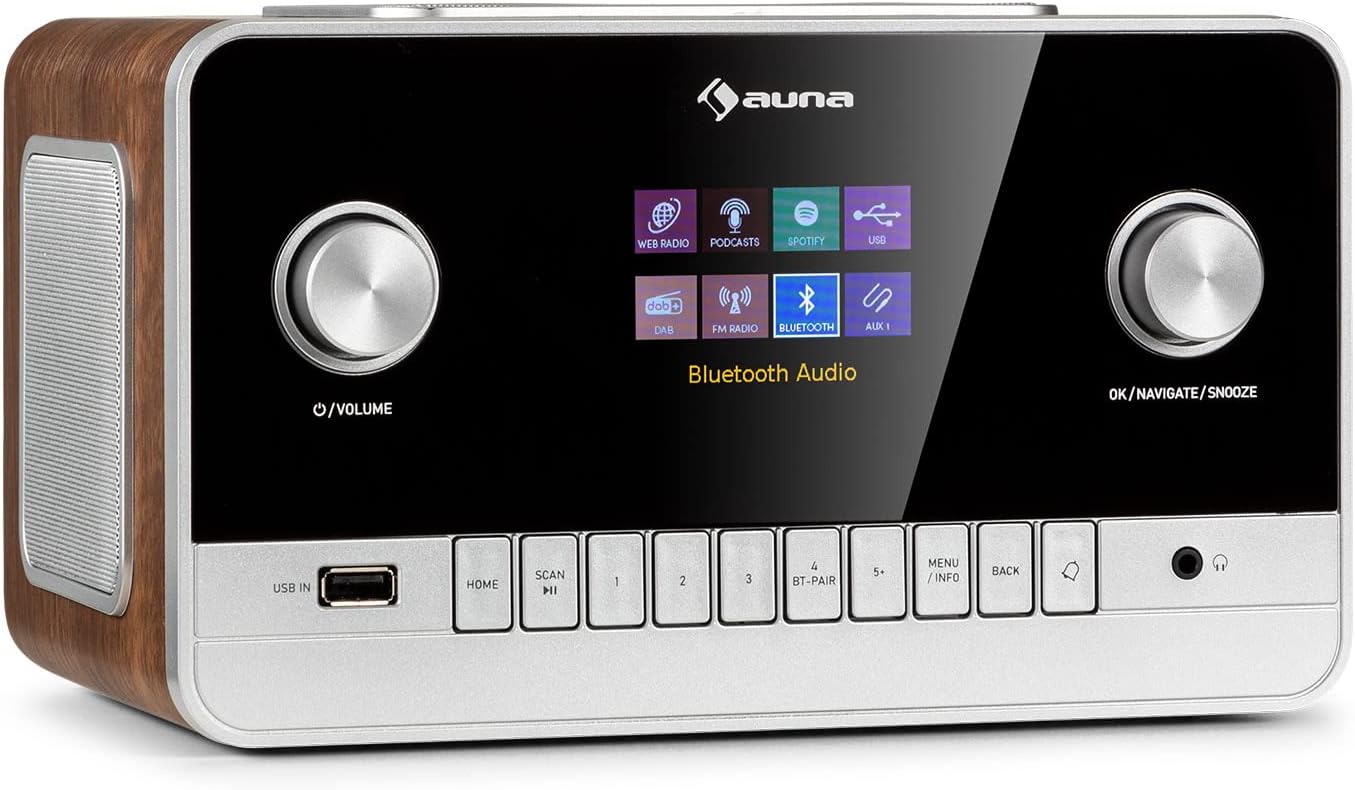
Imej 1.1: Depan view of the auna Connect 150 MKII Internet Radio, showcasing the display, control knobs, and buttons.
2. Maklumat Keselamatan
Please read this manual carefully before operating the device. Keep it for future reference. Observe all warnings and instructions. Do not expose the device to rain or moisture. Do not block any ventilation openings. Only use attachments/accessories specified by the manufacturer. Disconnect the device during lightning storms or when unused for long periods. Refer all servicing to qualified service personnel.
3. Kandungan Pakej
- 1 x auna Connect 150 MKII Internet Radio
- 1 x Unit Bekalan Kuasa
- 1 x Remote Control (2 x 1.5 V AAA batteries not included)
- 1 x Multi-language User Manual (this document)
4. Ciri-ciri Produk
- Ketersambungan: Wi-Fi (802.11 b/g/n), Bluetooth (2402 - 2480 MHz), USB port, 3.5 mm AUX-in, 3.5 mm AUX-out, 3.5 mm Headphone output.
- Output Audio: Integrated 2.1 speaker system with 28 watts RMS (2 x 5W + 1 x 18W subwoofer).
- paparan: 2.8-inch, 320 x 240 pixel TFT color display.
- Penerimaan Radio: Internet Radio, DAB/DAB+, FM.
- Penstriman: UPnP and DLNA support, Spotify Connect.
- Codec Audio: AAC, MP3, FLAC.
- Penyesuaian Bunyi: Equalizer presets (Normal, Flat, Jazz, Rock, Movie, Classical, Pop, News), 2-band equalizer with adjustable treble and bass.
- Kemudahan: Sleep timer, dual programmable alarms (buzzer, internet radio, DAB, FM), media player with playlist, repeat, and shuffle functions, dimmable display, time and date display with internet synchronization, mute function, setup assistant, software update capability.

Image 4.1: The auna Connect 150 MKII offers a smart variety of listening options including Internet Radio, DAB/DAB+, FM, media players, and Spotify Connect.
5. Kawalan dan Sambungan
5.1 Kawalan Panel Hadapan
- Tombol Kuasa/Kelantangan: Turn on/off, adjust volume.
- Tombol OK/Navigasi/Tunda: Confirm selections, navigate menus, activate snooze.
- USB DALAM: Port USB untuk main balik media.
- Butang rumah: Kembali ke menu utama.
- Butang SCAN: Initiate station scan.
- Preset Buttons (1-5+): Simpan dan ingat semula stesen kegemaran.
- BT-PAIR Button: Initiate Bluetooth pairing.
- MENU/INFO Button: Access menu options or display information.
- Butang KEMBALI: Go back in menus.
- Output Fon Kepala: 3.5 mm jack for private listening.
5.2 Sambungan Panel Belakang
- Suis ON / OFF: Suis kuasa utama.
- Antena Teleskopik: For DAB/DAB+ and FM reception.
- AUX DI: 3.5 mm jack for connecting external audio sources.
- AUX OUT: 3.5 mm jack for connecting to external amppenghidup atau pembesar suara.
- Masukan DC (9V/3A): Sambungan penyesuai kuasa.
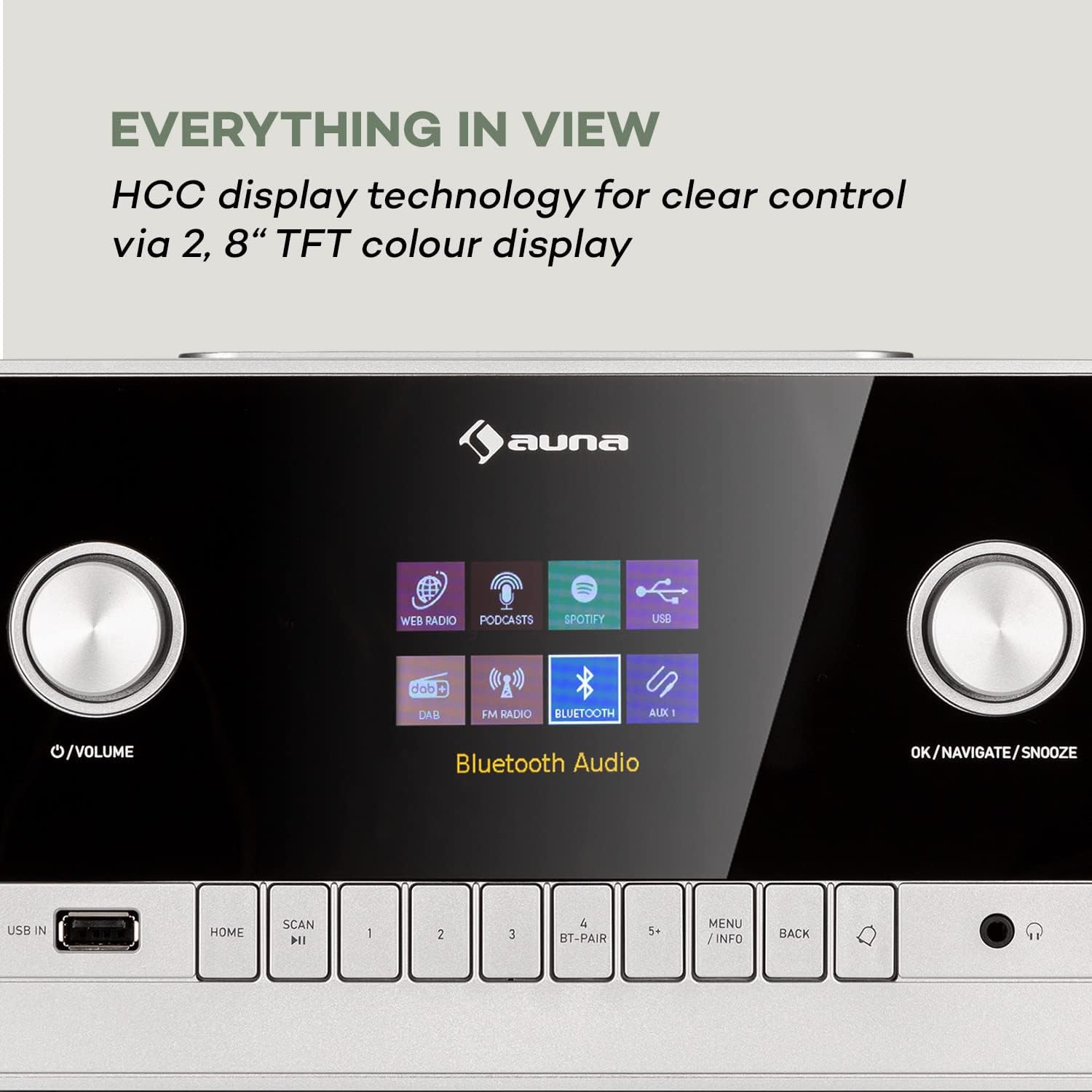
Image 5.1: The 2.8-inch TFT color display provides clear visual feedback for all functions and settings.

Image 5.2: Rear panel connections for additional audio sources and power.
6. Persediaan
6.1 Sambungan Kuasa
- Connect the power supply unit to the DC IN port on the rear of the radio.
- Plug the power supply unit into a suitable wall outlet.
- Flip the ON/OFF switch on the rear panel to the 'ON' position.
6.2 Persediaan Antena
Extend the telescopic antenna fully for optimal DAB/DAB+ and FM radio reception. Adjust its position to improve signal strength if needed.
6.3 Persediaan Rangkaian (Wi-Fi)
- Upon first power-on, the setup assistant will guide you through initial settings, including network configuration.
- Select 'Network Wizard' or 'Wi-Fi Setup' from the menu.
- Radio akan mengimbas rangkaian Wi-Fi yang tersedia. Pilih rangkaian anda daripada senarai.
- Enter your Wi-Fi password using the navigation knob and 'OK' button. Alternatively, if your router supports WPS, you can select 'WPS' and press the WPS button on your router.
- Once connected, the radio will confirm the connection.
7. Arahan Operasi
7.1 Operasi Asas
- Hidupkan/Mati Kuasa: Press the Power/Volume knob.
- Kawalan Kelantangan: Putar tombol Kuasa/Kelantangan.
- Navigasi Menu: Use the OK/Navigate knob to scroll and press to select. Use the BACK button to return.
7.2 Radio Internet
- From the main menu, select 'Internet Radio'.
- Browse stations by location, genre, or search for specific stations.
- Pilih stesen untuk memulakan main balik.
- To save a preset, press and hold one of the preset buttons (1-5+). To recall, press the button briefly.
7.3 Radio DAB/DAB+
- Select 'DAB Radio' from the main menu.
- The radio will automatically scan for available DAB/DAB+ stations. If not, press the SCAN button.
- Use the navigation knob to select a station from the list.
7.4 Radio FM
- Select 'FM Radio' from the main menu.
- Press the SCAN button to automatically search for and store FM stations.
- Manually tune by rotating the navigation knob.
7.5 Penstriman Bluetooth
- Select 'Bluetooth' from the main menu. The radio will enter pairing mode.
- On your smartphone or tablet, enable Bluetooth and search for 'auna Connect 150 MKII'.
- Select the radio to pair. Once connected, you can stream audio from your device.
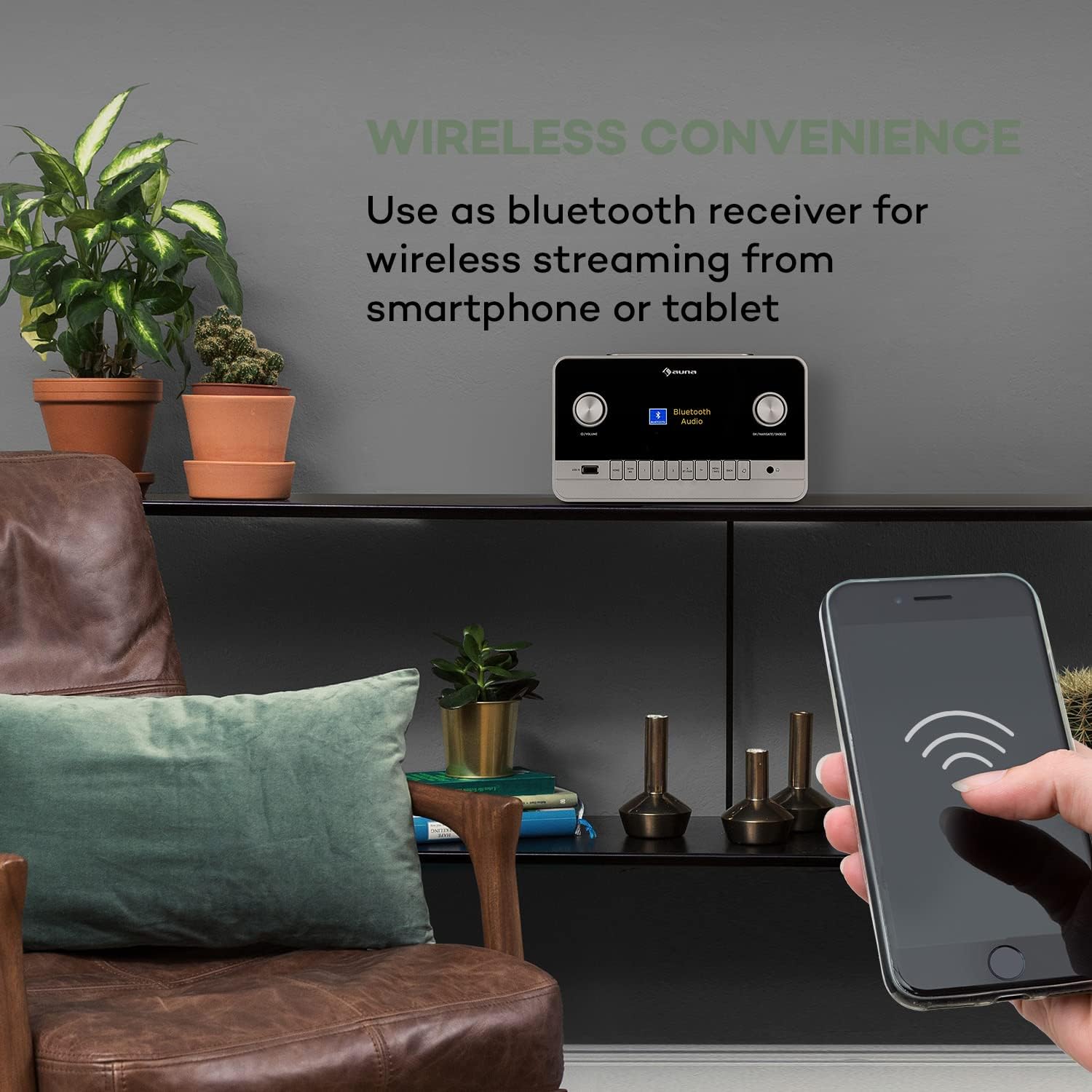
Image 7.1: Enjoy wireless convenience by streaming audio from your smartphone or tablet via Bluetooth.
7.6 Main Semula USB
- Insert a USB flash drive into the USB IN port on the front panel.
- Select 'USB' or 'Media Player' from the main menu.
- Browse your music files and select a track to play. Supported formats include AAC, MP3, FLAC.
7.7 Input AUX
- Connect an external audio device (e.g., MP3 player) to the AUX IN port on the rear panel using a 3.5 mm audio cable.
- Select 'AUX' from the main menu.
- Kawal main balik daripada peranti luaran anda.
7.8 Penggera dan Pemasa Tidur
- penggera: Access the 'Alarm' settings in the main menu to set up two independent alarms. Choose alarm source (buzzer, internet radio, DAB, FM) and volume.
- Pemasa Tidur: Set a timer for the radio to automatically turn off after a specified duration.
7.9 Kawalan Apl
The auna Connect 150 MKII can be controlled via a dedicated smartphone app (e.g., UNDOK app). Download the app from your device's app store (App Store for iOS, Google Play for Android) and follow the in-app instructions to connect to your radio.

Image 7.2: The UNDOK app provides convenient remote control of the radio from your smartphone.
8. Penyelenggaraan
- Pembersihan: Gunakan kain lembut dan kering untuk membersihkan bahagian luar radio. Jangan gunakan pembersih atau pelarut yang melelas.
- Storan: Jika menyimpan peranti untuk tempoh yang lama, putuskan sambungannya daripada kuasa dan simpan di tempat yang sejuk dan kering.
- Kemas Kini Perisian: Semak kemas kini perisian secara berkala melalui menu tetapan sistem untuk memastikan prestasi optimum dan akses kepada ciri baharu.
9. Penyelesaian masalah
| Masalah | Kemungkinan Punca | Penyelesaian |
|---|---|---|
| Tiada kuasa | Power cable not connected; Rear power switch off | Check power connections; Ensure rear switch is ON |
| Tiada bunyi | Kelantangan terlalu rendah; Bisu diaktifkan; Sumber yang dipilih salah | Tingkatkan kelantangan; Nyahaktifkan bisu; Pilih sumber input yang betul |
| Tidak dapat menyambung ke Wi-Fi | Incorrect password; Router too far; Network issues | Re-enter password; Move radio closer to router; Restart router; Check network settings |
| Penerimaan DAB/FM yang lemah | Antenna not extended; Weak signal area | Fully extend and adjust telescopic antenna; Try repositioning the radio |
| Penggandingan Bluetooth gagal | Device not in pairing mode; Radio not discoverable | Ensure radio is in Bluetooth mode and pairing is active; Check device's Bluetooth settings |
| Alat kawalan jauh tidak berfungsi | Batteries depleted; Obstruction between remote and radio | Replace AAA batteries; Remove any obstructions; Ensure line of sight |
10. Spesifikasi
| Ciri | Spesifikasi |
|---|---|
| Nombor Model | 523747 |
| Kuasa Keluaran | 28 watts RMS (2 x 5W + 1 x 18W) |
| Paparan | 2.8" TFT Color Display (320 x 240 pixels) |
| Wi-Fi | 802.11 b/g/n (WEP, WPA/WPA2, WPS support) |
| Kekerapan Bluetooth | 2402 - 2480 MHz |
| Codec Audio yang Disokong | AAC, MP3, FLAC |
| Sambungan | 1 x 3.5 mm AUX-in, 1 x 3.5 mm AUX-out, 1 x 3.5 mm Headphone output, 1 x USB, DC IN |
| Bekalan Kuasa | 9 V / 3 A via 100 - 240 V ~ | 50/60 Hz power unit |
| Dimensi (W x H x D) | Lebih kurang 24 x 17.6 x 13.8 cm |
| Berat badan | lebih kurang 2.1 kg |

Imej 10.1: Dimensi produk untuk rujukan peletakan.
11. Waranti dan Sokongan
This product comes with a standard manufacturer's warranty. For detailed warranty terms and conditions, please refer to the documentation provided with your purchase or contact auna customer support. For technical assistance, troubleshooting beyond this manual, or spare parts, please visit the official auna website or contact their support team directly. Keep your proof of purchase for warranty claims.