Thank you for choosing the MAXTOP T5 Smartwatch. This device is designed to help you monitor your health and fitness activities, receive notifications, and manage various daily functions. Please read this manual carefully to ensure proper use and optimal performance.
Image: The MAXTOP T5 Smartwatch in use during a run, highlighting its fitness and health tracking capabilities.
2. Kandungan Pakej
Pastikan semua item ada dalam pakej:
MAXTOP T5 Smartwatch Head
Tali jam
Kabel Pengecasan Magnetik
Manual Pengguna
3. Persediaan dan Penggunaan Awal
3.1. Mengecas Jam Pintar
Sebelum penggunaan pertama, cas penuh jam pintar.
Sambungkan kabel pengecas magnet ke titik pengecasan di bahagian belakang jam tangan pintar.
Connect the USB end of the cable to a standard USB power adapter (5V/1A recommended) or a computer's USB port.
Paparan jam tangan akan menunjukkan status pengecasan. Cas penuh biasanya mengambil masa kira-kira 2 jam.
Nota: The battery life is approximately 3 to 5 days with normal use and up to 7 days in standby mode. Actual battery life may vary based on usage.
3.2. Pemasangan Apl dan Berpasangan
To access all features and synchronize data, download and install the companion app on your smartphone.
Scan the QR code in the manual or search for "MAXTOP" or "H BAND" in your smartphone's app store (Google Play Store for Android, Apple App Store for iOS).
Muat turun dan pasang apl.
Pastikan Bluetooth didayakan pada telefon pintar anda.
Open the app and follow the on-screen instructions to create an account and pair your MAXTOP T5 Smartwatch.
During pairing, select "T5" from the list of available devices.
Keserasian: Requires iOS 9.0 or higher, or Android 6.0 or higher.
4. Mengendalikan Jam Pintar
4.1. Navigasi Asas
Skrin sentuh: Leret ke kiri/kanan, atas/bawah untuk menavigasi menu dan fungsi. Ketik untuk memilih.
Butang Sisi: Tekan untuk kembali ke skrin utama atau membangunkan peranti.
Image: The MAXTOP T5 Smartwatch showing its main display with time, steps, distance, and calories.
4.2. Penjejakan Kecergasan
The smartwatch tracks various fitness metrics throughout the day.
Pembilang Langkah: Automatically records your daily steps.
Jarak: Calculates the distance covered based on your steps.
Kalori yang dibakar: Estimates calorie expenditure.
Image: A visual representation of the smartwatch's 24-hour tracking feature, showing steps, distance, and calorie data.
4.3. Mod Sukan
The smartwatch offers 10 exercise modes to track specific workouts.
Access the "Sports" menu on the watch.
Pilih aktiviti yang anda inginkan (cth., Berlari, Berjalan, Berbasikal).
The watch will record duration, distance, and calories for the selected activity.
Image: A man running, with icons representing the 10 available sports modes on the MAXTOP T5 Smartwatch.
Image: A man exercising with weights, illustrating the 10 sports modes available on the smartwatch.
4.4. Pemantauan Kesihatan
The smartwatch provides continuous monitoring of key health metrics.
Pemantau Kadar Jantung: Measures your heart rate in real-time. Access this function from the watch menu or view data dalam apl.
Pemantau Tekanan Darah: Provides blood pressure readings. For medical accuracy, consult a professional medical device.
Penjejakan Tidur: Monitors your sleep patterns, including deep sleep, light sleep, and awake time. View detailed analysis in the app to adjust sleep habits.
Penjejakan Kitaran Haid: For female users, the app can track and predict menstrual cycles.
Image: A man sleeping, with the smartwatch displaying heart rate and icons indicating deep sleep, light sleep, and awake time tracking.
Image: The smartwatch screen showing sleep data, including duration and quality.
Image: The smartwatch displaying a heart rate reading.
Image: The smartwatch displaying a blood pressure reading.
Image: A woman wearing the smartwatch, with an overlay showing the menstrual period management feature.
4.5. Pemberitahuan
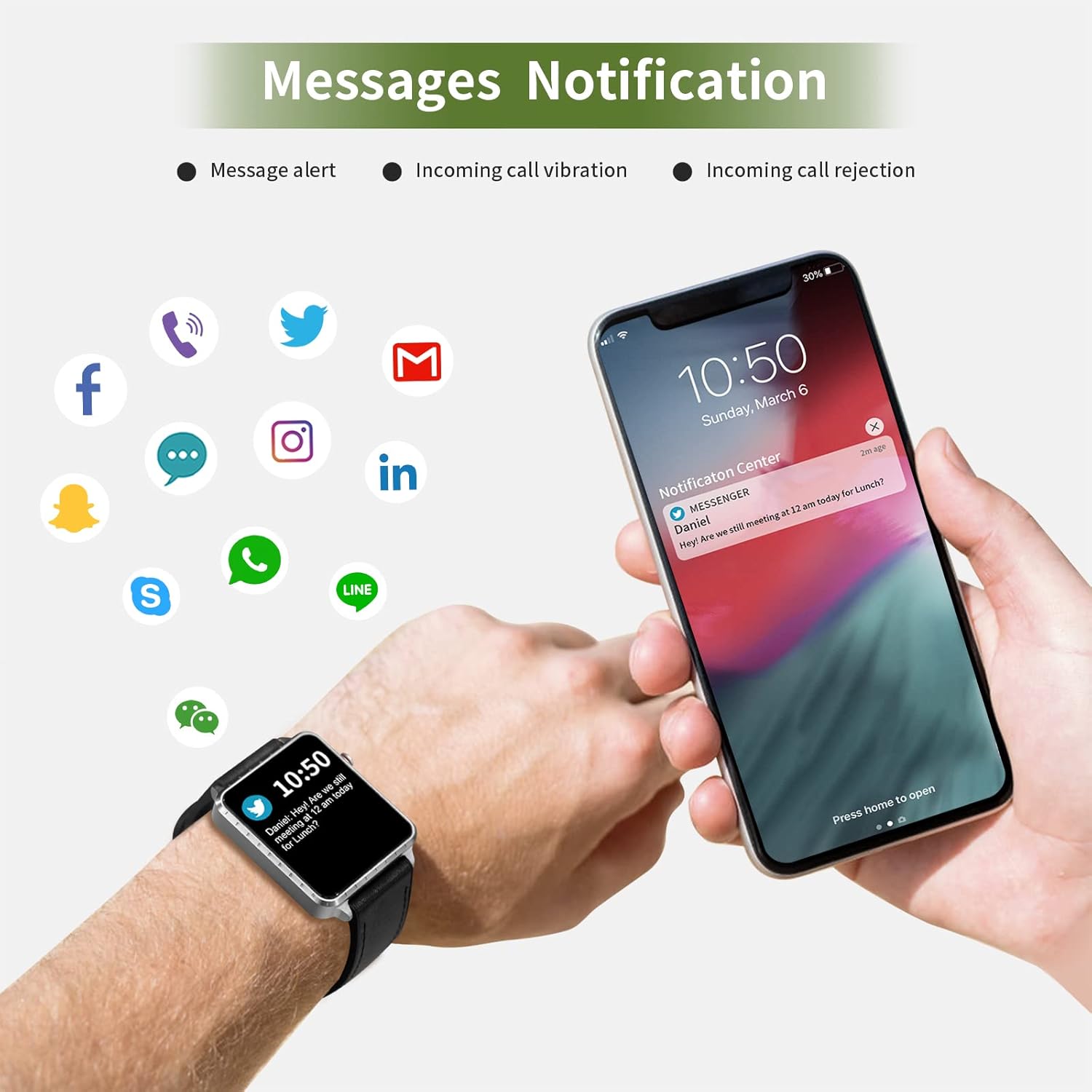
Receive call and message notifications directly on your smartwatch when paired with your phone.
Panggilan Masuk: The watch will vibrate and display caller ID. You can reject calls from the watch.
Amaran Mesej: Receive notifications from SMS, Facebook, WhatsApp, Twitter, Instagram, LinkedIn, etc.
Penting: The smartwatch cannot answer calls or reply to messages.
Image: The smartwatch and a smartphone displaying message notifications from social media and communication apps.
Image: The smartwatch screen showing icons for various social media and communication app notifications.
4.6. Ciri-ciri Tambahan
Kawalan Muzik: Kawal main balik muzik pada telefon pintar anda (main, jeda, langkau trek) terus dari jam tangan.
Kawalan Jauh Kamera: Use the watch as a remote shutter for your smartphone camera.
Jam loceng: Set alarms through the app, and the watch will vibrate to alert you.
Jam randik/Pemasa: Fungsi asas pemantauan masa.
Cari Telefon: Locate your paired smartphone by triggering an alert sound from the watch.
Peringatan Sedentari: The app can remind you to move if you've been inactive for too long.
Muka Jam Boleh Disesuaikan: Choose from various watch faces via the app.
Image: The smartwatch screen showing the camera icon, indicating its remote camera control function.
Image: The smartwatch screen showing music control icons (play, pause, skip).
Image: A collage of different watch faces available for the MAXTOP T5 Smartwatch.
5. Penyelenggaraan
5.1. Waterproof Rating (IP68)
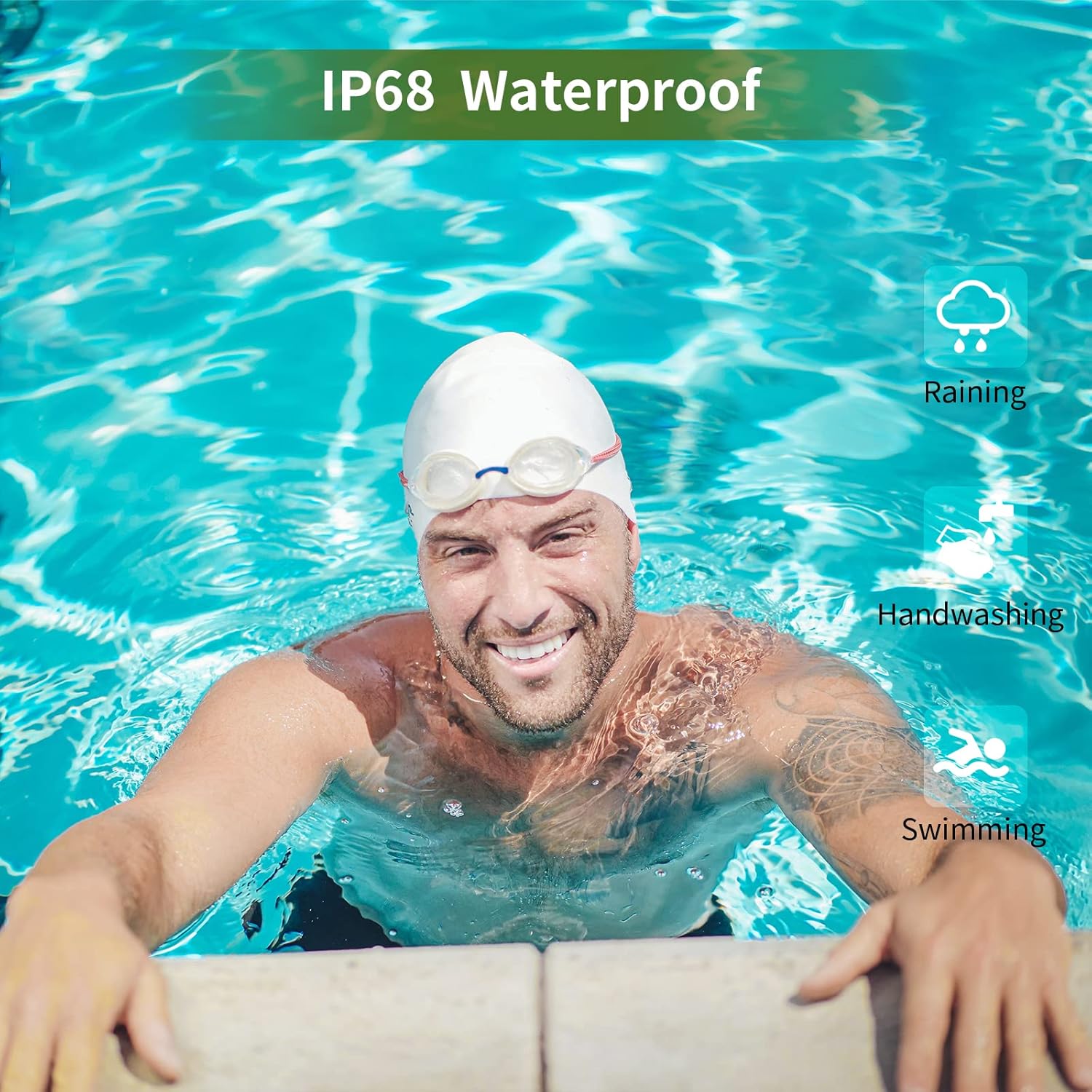
The MAXTOP T5 Smartwatch is IP68 waterproof, meaning it is dust-tight and protected against continuous immersion in water up to 1.5 meters for a maximum of 30 minutes.
You can wear the watch while washing hands, running in the rain, or swimming in shallow water.
JANGAN immerse the watch in seawater, hot water, or use it in hot springs or saunas.
Avoid exposing the watch to high-pressure water jets.
Image: A man swimming, demonstrating the IP68 waterproof capability of the MAXTOP T5 Smartwatch.
Image: The smartwatch with water droplets, visually confirming its IP68 waterproof rating.
5.2. Pembersihan
Lap jam tangan dan tali dengan kerap menggunakan kain lembut dan kering. Jika perlu, gunakan sedikit kainamp kain dan keringkan dengan teliti. Elakkan bahan kimia yang keras.
6. Penyelesaian masalah
Tonton tidak dihidupkan: Pastikan jam tangan dicas sepenuhnya. Sambungkannya ke pengecas selama sekurang-kurangnya 10 minit.
Tidak boleh berpasangan dengan telefon pintar:
Pastikan Bluetooth didayakan pada telefon anda.
Pastikan jam tangan berada dalam julat Bluetooth (biasanya 10 meter).
Mulakan semula kedua-dua jam tangan dan telefon pintar anda.
Semak sama ada apl dikemas kini kepada versi terkini.
If previously paired, try unpairing from your phone's Bluetooth settings and re-pairing through the app.
Data kesihatan tidak tepat:
Pastikan jam tangan dipakai dengan kemas di pergelangan tangan anda, tidak terlalu ketat atau terlalu longgar.
Elakkan pergerakan berlebihan semasa pengukuran.
Environmental factors can affect readings. For medical accuracy, consult a professional medical device.
Pemberitahuan tidak diterima:
Check app permissions on your smartphone to ensure the app has access to notifications.
Verify that notification settings are enabled within the MAXTOP/H BAND app.
Pastikan jam tangan disambungkan melalui Bluetooth.
Hayat bateri pendek:
Frequent use of features like continuous heart rate monitoring, bright screen, and numerous notifications can reduce battery life.
Reduce screen brightness and notification frequency if extended battery life is desired.
7. Spesifikasi
Image: Detailed physical dimensions of the MAXTOP T5 Smartwatch, including watch face and strap measurements.
Ciri
Perincian
Jenama
MAXTOP
Model
T5
Saiz Skrin
1.54 inci
Dimensi
4.5 x 3.8 x 1 cm
Berat badan
250 g
Penilaian Kalis Air
IP68
Ketersambungan
Bluetooth
Sistem Operasi
iOS (9.0 and above), Android (6.0 and above)
Jenis Bateri
Polimer Litium
Masa Mengecas
lebih kurang 2 jam
Hayat Bateri (Penggunaan Biasa)
3-5 hari
Hayat Bateri (Bersedia)
Sehingga 7 hari
Komponen yang Disertakan
Watch head, strap, magnetic charging cable, manual
8. Waranti dan Sokongan
For warranty information and customer support, please refer to the warranty card included in your package or visit the official MAXTOP webtapak.
Penafian: The health monitoring features of this device are for general wellness and fitness purposes only and are not intended for medical diagnosis, treatment, or prevention of any disease. Always consult a medical professional for health-related concerns.