
BWBQNZ-01
Emoji Alarm Clock for Kids User Manual
Model: BWBQNZ-01 | Brand: Generic
1. Produk Lebihview
The Generic Emoji Alarm Clock for Kids is a versatile and fun alarm clock designed specifically for children. It features dual alarms, five selectable ringtones, adjustable volume, a snooze function, and displays date and temperature. Its unique smart luminous function allows the display to activate with sound or touch, and it comes with a cute emoji display that changes with interaction.

Image 1.1: The pink Emoji Alarm Clock, showing the time 06:30 on its display.
2. Kandungan Pakej
- 1 x Emoji Alarm Clock (Pink)
- 1 x USB Charging Cable (DC5V)
- 1 x Manual Pengguna
Note: A charger plug is not included and must be provided separately.
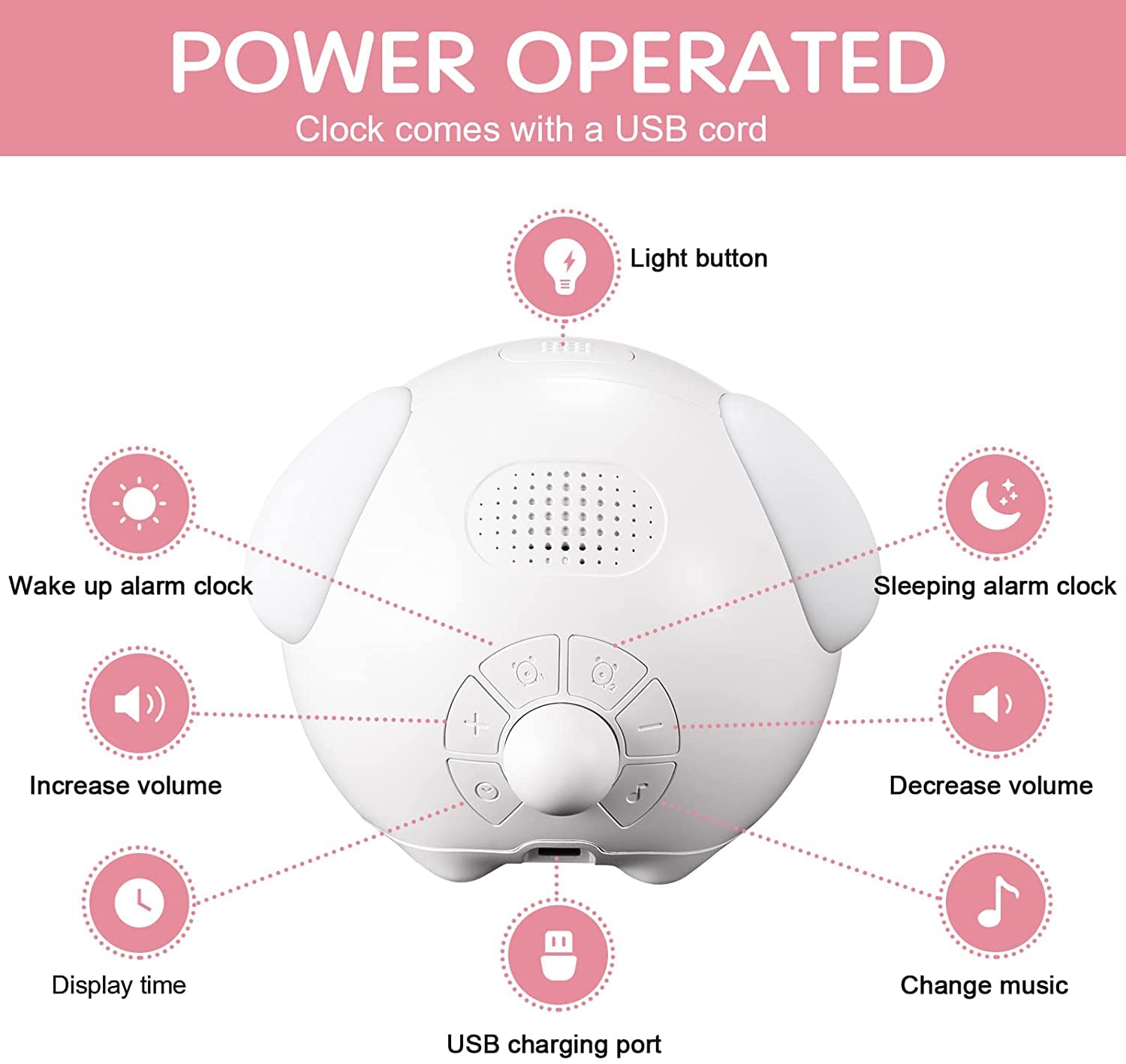
Image 2.1: The alarm clock, USB charging cable, and user manual as included in the package.
3. Persediaan
3.1 Pengecasan Awal
Before first use, ensure the alarm clock is fully charged. Connect the provided USB cable to the charging port on the back of the clock and plug the other end into a DC5V USB power adapter (not included) or a computer USB port.

Image 3.1: The alarm clock being charged via its USB port.
3.2 Hidupkan/Mati Kuasa
The clock typically powers on automatically when connected to power or when the battery has sufficient charge. To conserve battery, the screen defaults to an energy-saving mode and will not display continuously.
4. Arahan Operasi
4.1 Activating the Display (Smart Luminous Function)
The display screen will light up for 15 seconds when activated by a sound louder than 56 dB (e.g., a clap) or by touching the clock. After 15 seconds, the display will automatically turn off to save power.

Image 4.1: A child clapping their hands to activate the clock's display, showing the time.
4.2 Menetapkan Masa dan Tarikh
Refer to the control panel diagram below for button identification. Press the "Display Time" button (usually indicated by a clock icon) to enter time setting mode. Use the "+" dan "-" buttons to adjust hours, minutes, and date. Press the "Light button" (power button) to confirm each setting and move to the next.

Imej 4.2: Overhed view of the alarm clock's control panel, showing buttons for light, wake-up alarm, sleeping alarm, volume control, display time, and music change.
4.3 Setting Dual Alarms
The clock supports two separate alarms. Press the "Wake up alarm clock" or "Sleeping alarm clock" button (indicated by alarm icons) to select an alarm. Use "+" dan "-" to set the desired alarm time. Confirm with the "Light button". You can choose from 5 optional chord ringtones.
4.4 Fungsi Tunda
When an alarm sounds, shake the clock to activate the 5-minute snooze function. To completely shut down the alarm and snooze, press any button on the clock.
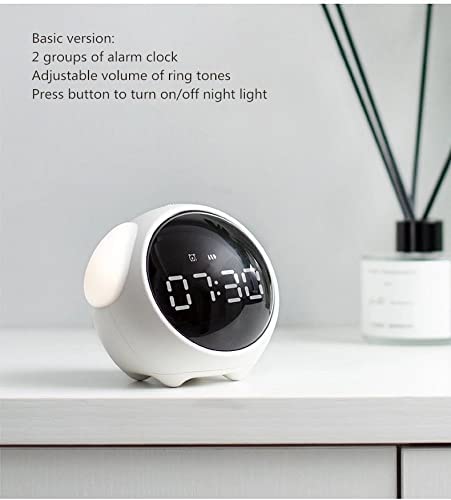
Image 4.3: A child's hand reaching towards the alarm clock to activate the snooze function.
4.5 Adjusting Volume and Ringtones
Gunakan "Increase volume" dan "Decrease volume" buttons to adjust the alarm volume to one of the 4 available levels. Press the "Change music" button to cycle through the 5 chord ringtones.
4.6 Fungsi Lampu Malam
The clock features a night light. Press the "Light button" to turn the night light on or off. This function provides a soft glow for nighttime visibility.
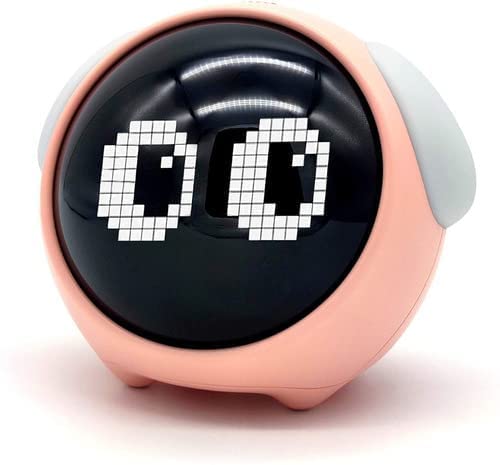
Image 4.4: Two Emoji Alarm Clocks, one pink and one white, with their side night lights illuminated, creating a soft glow in a dimly lit setting.
5. Penyelenggaraan
5.1 Pembersihan
Lap jam dengan kain lembut dan kering. Jangan gunakan pembersih yang melelas atau rendam peranti di dalam air.
5.2 Penjagaan Bateri
The clock uses a 2000mAh lithium battery. For optimal battery life, avoid fully discharging the battery frequently. Recharge when the low battery indicator appears or when the display becomes dim.
6. Penyelesaian masalah
| Masalah | Kemungkinan Punca | Penyelesaian |
|---|---|---|
| Paparan tidak menyala. | Energy-saving mode active; low battery. | Clap or touch the clock to activate. Charge the clock if battery is low. |
| Penggera tidak berbunyi. | Penggera tidak ditetapkan atau kelantangan terlalu rendah. | Ensure alarm is set correctly and volume is adjusted. |
| Clock not charging. | Kabel USB atau penyesuai kuasa yang rosak. | Try a different USB cable or power adapter. Ensure connection is secure. |
7. Spesifikasi
| Jenama | Generik |
| Nombor Model | BWBQNZ-01 |
| warna | Merah jambu |
| Jenis Paparan | Digital (Emoji Display) |
| Dimensi Produk | 10W x 10H Centimeters |
| Sumber Kuasa | Dikuasakan oleh Bateri (Bateri Litium 2000mAh) |
| Ciri Khas | Dual Alarm, 5 Ringtones, Snooze, Date, Temperature, Smart Luminous Function (Sound/Touch Activated), Adjustable Volume, 12/24 Hour Format |
| bahan | Plastik, Akrilonitril Butadiena Stirena |
| Berat Barang | 270 g |
8. Waranti dan Sokongan
For any questions or comments regarding your Emoji Alarm Clock, please contact the seller or manufacturer directly. Please refer to your purchase documentation for specific warranty details and customer service contact information.
Ask a question about this manual
Ask about setup, troubleshooting, compatibility, parts, safety, or missing instructions. Manuals+ will review the question and use this page’s manual context to help answer it.