
pengenalan
This manual provides detailed instructions for the installation, operation, and maintenance of your EZoneTronics Android 11 Car Stereo. Please read this manual thoroughly before using the product to ensure proper function and safety. This unit is designed for Peugeot 308 and 408 models manufactured between 2010 and 2016.
Kandungan Pakej
Sahkan bahawa semua item yang disenaraikan di bawah disertakan dalam pakej anda:
- 1 x EZoneTronics Android Player
- 1 x Antena GPS
- 1 x Abah Kuasa
- 1 x Kabel Input/Output RCA
- 2 x Penyesuai USB
- 1 x Kabel Input Kamera
- 1 x Manual Pengguna (dokumen ini)
Persediaan dan Pemasangan
The EZoneTronics Android 11 Car Stereo is designed for plug-and-play installation in compatible Peugeot 308/408 models. Professional installation is recommended.
Pemeriksaan Pra-Pemasangan
- Pastikan pencucuhan kenderaan dimatikan dan bateri diputuskan sambungannya sebelum memulakan pemasangan.
- Confirm compatibility with your vehicle's make, model, and year (Peugeot 308/408, 2010-2016).
Langkah Pemasangan
- Carefully remove the original car stereo unit from your vehicle's dashboard. Refer to your vehicle's service manual for specific instructions.
- Connect the provided Power Harness to the vehicle's wiring harness. Ensure all connections are secure.
- Connect the GPS Antenna. Position the antenna in a location with a clear view langit untuk penerimaan isyarat yang optimum.
- Connect the RCA Input/Output Cable, USB Adapters, and Camera Input Cable as needed for external devices (e.g., rear camera, USB drives).
- Carefully slide the EZoneTronics Android Player into the dashboard opening. Ensure all cables are tucked away and not pinched.
- Secure the unit in place using the appropriate mounting brackets or screws.
- Reconnect the vehicle's battery and turn on the ignition to test the unit.
Nota: Minor modifications to the vehicle's frame (e.g., removing plastic tabs) may be required for a perfect fit. Consult online resources or a professional if unsure.
Arahan Operasi
Your EZoneTronics Android 11 Car Stereo features a 9-inch TFT Capacitive Touch Screen and an Octa Core CPU for a responsive user experience.
Navigasi Asas
- Hidupkan/Mati Kuasa: Tekan dan tahan butang kuasa pada unit atau gunakan penyalaan kenderaan.
- Skrin Sentuh: Navigate through menus and applications by tapping, swiping, and pinching on the screen.
- Skrin Utama: Access frequently used apps and widgets. Customize by long-pressing on empty areas.
- tetapan: Access system settings, network configurations, display options, and more.

Image: The Android 11 interface with various application icons, highlighting the Octa Core processor for smooth operation.
Kesambungan Bluetooth 5.0
The unit features built-in Bluetooth 5.0 for hands-free calling and audio streaming (A2DP).
- Go to the Bluetooth settings on the car stereo.
- Dayakan Bluetooth pada telefon mudah alih anda dan cari peranti yang tersedia.
- Select the car stereo (e.g., "EZoneTronics Car Stereo") from your phone's list and pair.
- Once paired, you can make/receive calls and stream music directly from your phone.

Image: The Bluetooth 5.0 interface displaying options for call history, dialing, hanging up, and playing music from a connected phone.
CarPlay dan Android Auto
Integrated CarPlay and Android Auto allow seamless smartphone integration via USB (wired) or wirelessly.
- Connect your iPhone (for CarPlay) or Android phone (for Android Auto) to one of the USB ports.
- Follow the on-screen prompts to initiate CarPlay or Android Auto.
- Once connected, you can access navigation, music, messages, and calls through the car stereo interface.
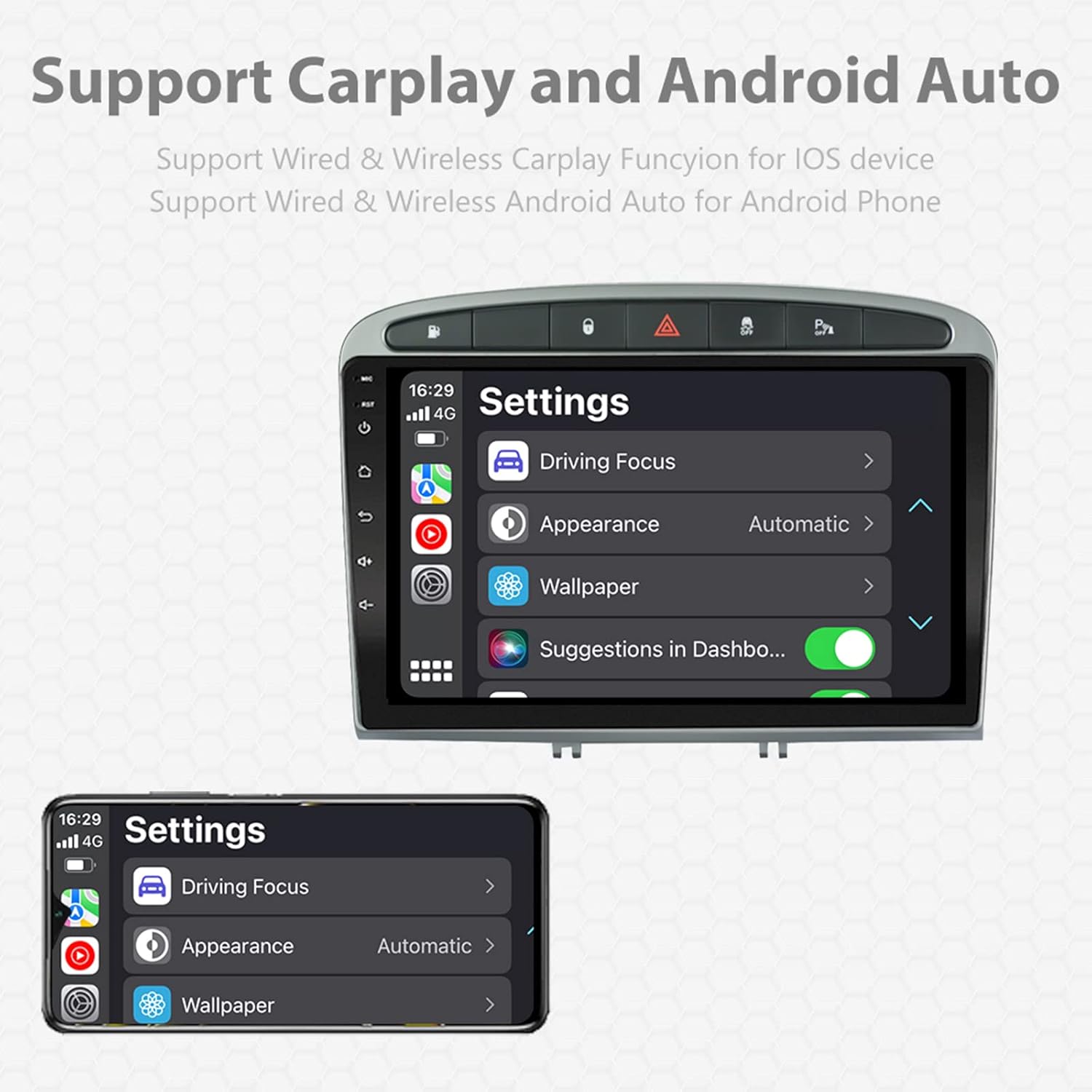
Image: A screen capture showing the settings menu for CarPlay and Android Auto, indicating support for both wired and wireless connections.
Fungsi Skrin Pisah
The Android 11 system supports multi-tasking, allowing two applications to run side-by-side.
- To activate, open an application, then swipe up from the bottom of the screen (or use the recent apps button) and drag another app to one side of the screen.
- This enables simultaneous use of navigation and music playback, or browsing while listening to the radio.
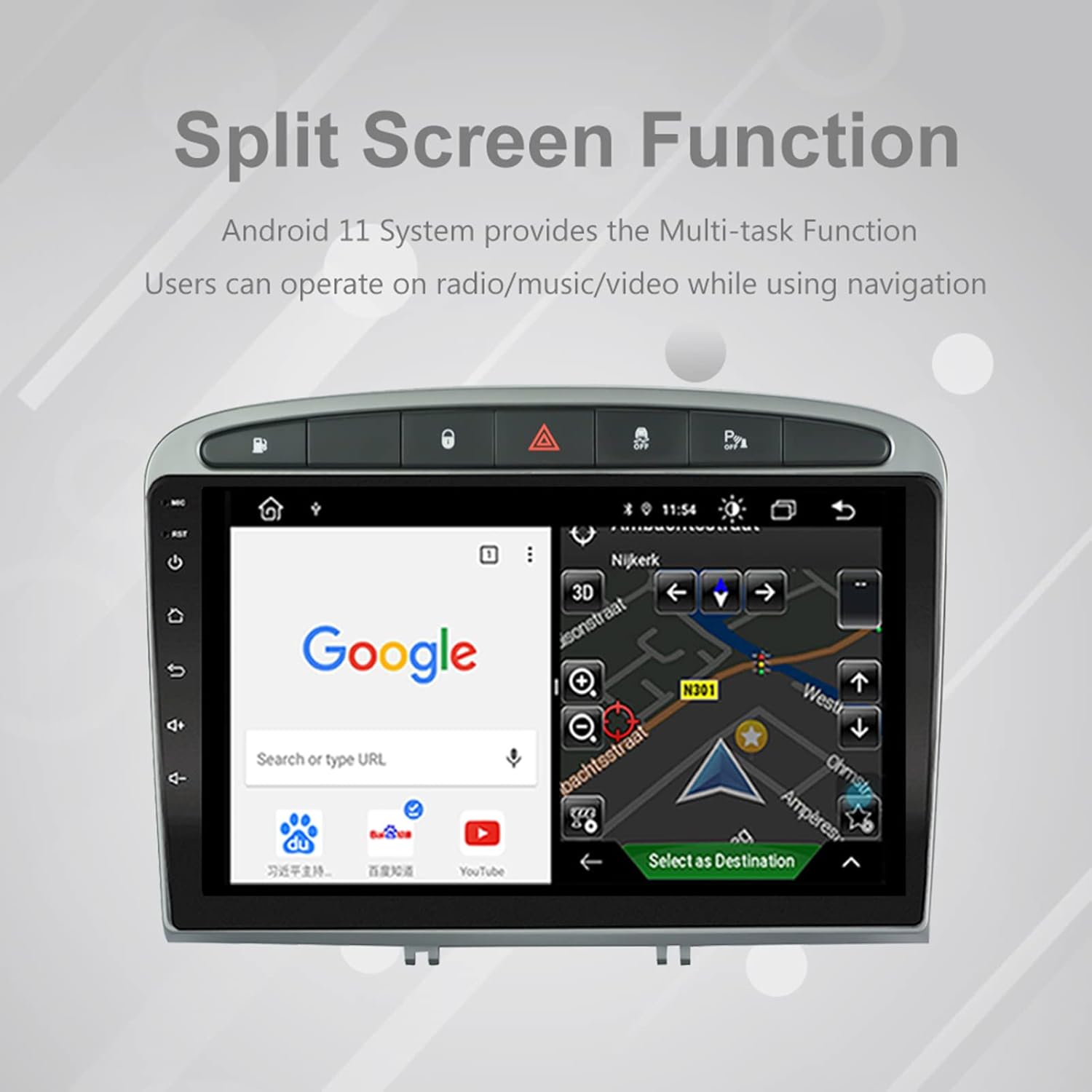
Image: The split-screen feature in action, displaying a Google search interface on one side and a navigation map on the other.
Radio (AM/FM/RDS)
The unit includes an automotive-grade chipset for optimal radio signal reception.
- Select the 'Radio' application from the home screen.
- Use the on-screen controls to scan for stations, manually tune, or select preset stations.
- RDS (Sistem Data Radio) menyediakan maklumat tambahan seperti nama stesen dan jenis program jika tersedia.
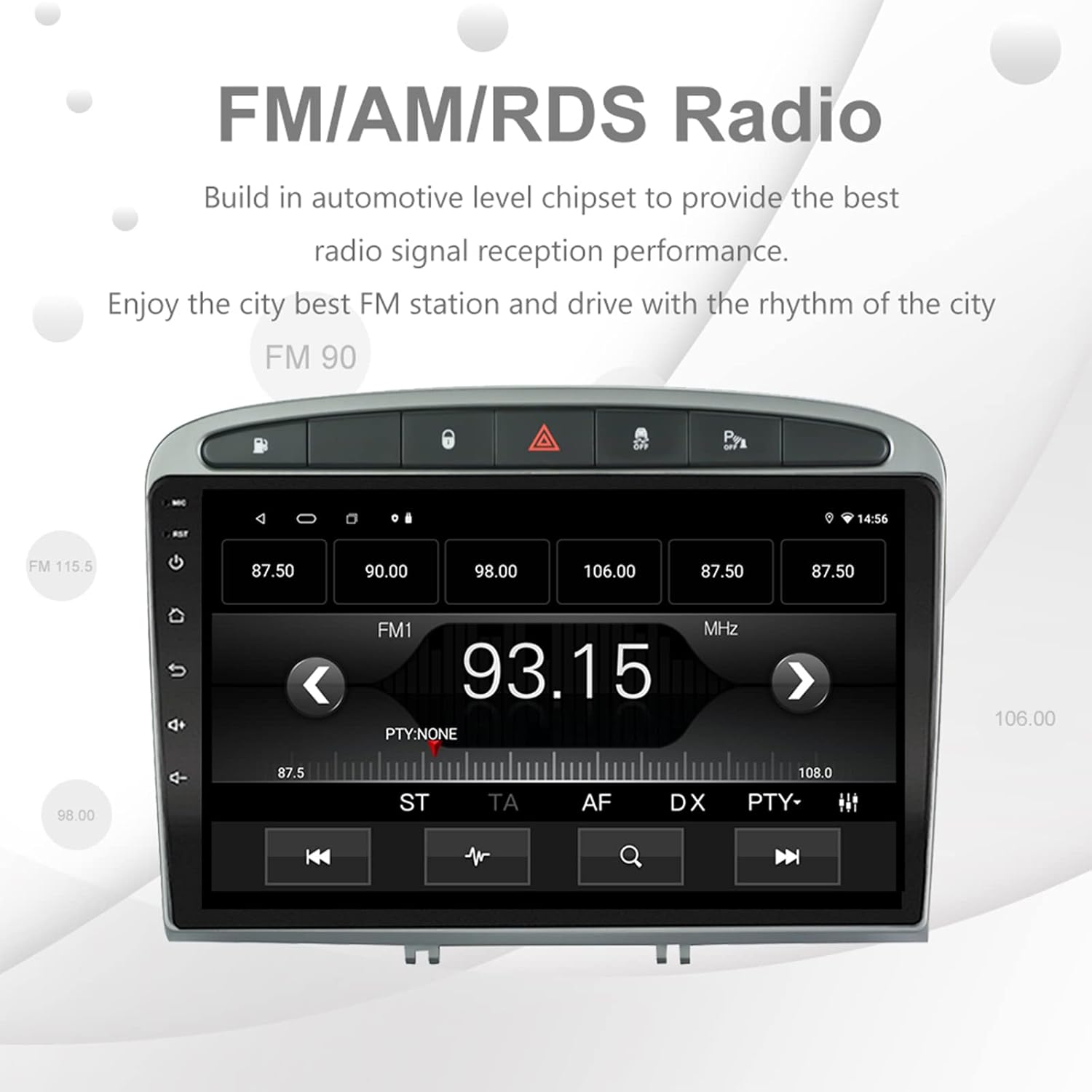
Image: The FM/AM/RDS radio interface, showing frequency display, tuning controls, and preset options.
Pemproses Bunyi Digital (DSP)
The built-in 32-band DSP allows for precise audio customization to match your preferences and vehicle acoustics.
- Access the 'EQ' or 'DSP' application from the home screen.
- Adjust individual frequency bands, fader, balance, treble, and bass settings.
- Select from preset EQ modes or create and save your custom profiles.

Image: The DSP system interface, illustrating the multi-band equalizer with adjustable frequency sliders for sound customization.
Multimedia Playback (Music & Video)
The unit supports various multimedia formats for music and 1080P HD video playback.
- Connect USB drives to the rear USB inputs for media files.
- Use the 'Music' or 'Video' applications to browse and play your media.
- Stream music from your mobile phone via Bluetooth or compatible apps like Spotify (requires internet connection).

Image: The multimedia player displaying a high-definition scenic image, demonstrating its capability for 1080P video and music playback.
Input Kamera Terbalik
The unit supports a reverse camera input for enhanced parking safety. An AHD camera (optional) provides superior clarity compared to standard CVBS cameras.
- Connect a compatible reverse camera to the 'Camera Input' cable.
- Paparan akan bertukar kepada kamera secara automatik view apabila kenderaan dimasukkan ke dalam gear undur.
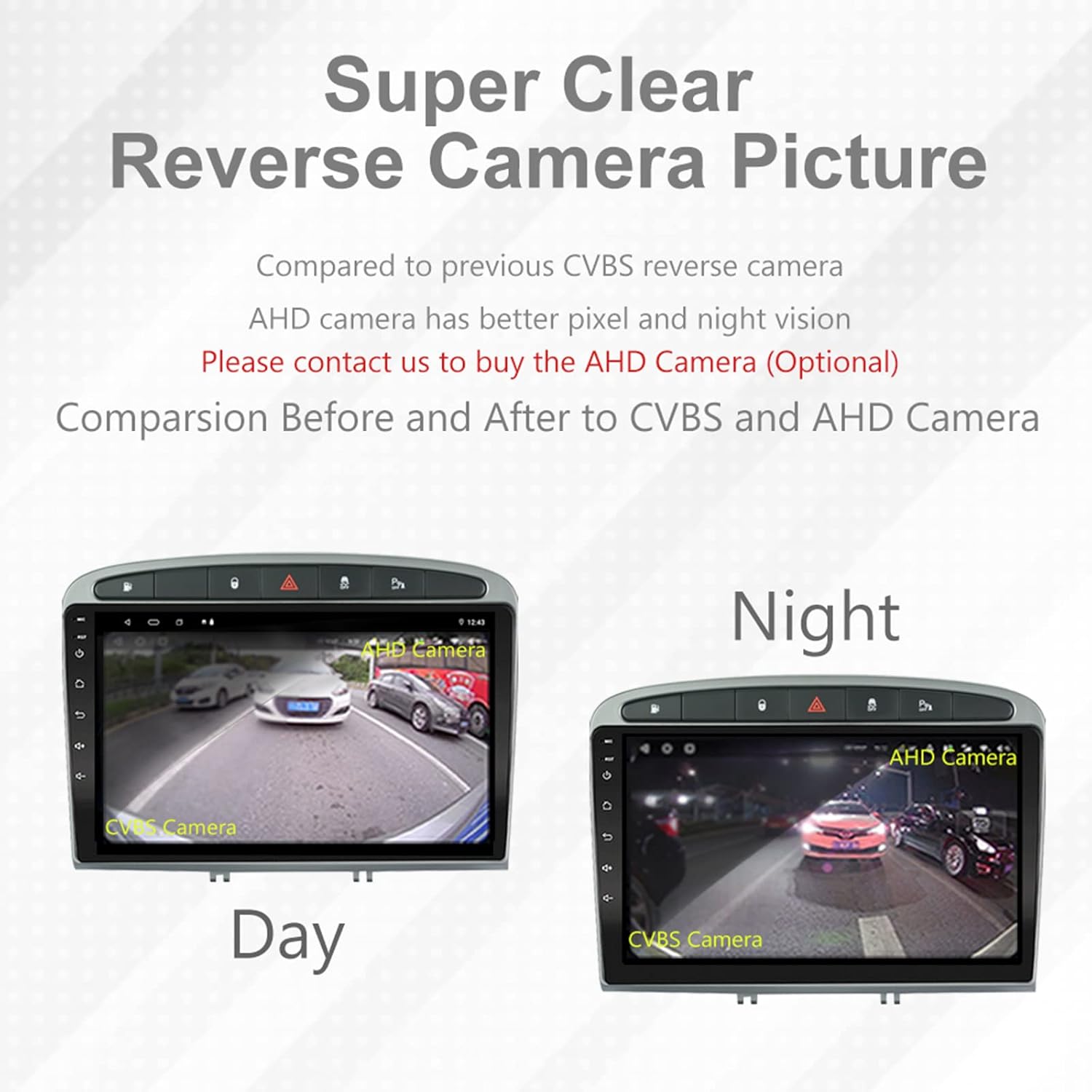
Image: A visual comparison demonstrating the clear reverse camera picture, highlighting the improved clarity of an AHD camera during both day and night conditions.
Penyelenggaraan
Penyelenggaraan yang betul memastikan jangka hayat dan prestasi optimum stereo kereta anda.
- Membersihkan Skrin: Gunakan kain lembut dan tidak berbulu untuk mengelap skrin sentuh dengan lembut. Elakkan pembersih atau pelarut yang kasar.
- Kemas Kini Perisian: Periodically check for system software updates to ensure optimal performance and access to new features. Updates can usually be found in the system settings or on the manufacturer's webtapak.
- Suhu: Elakkan daripada mendedahkan unit kepada suhu yang melampau.
Menyelesaikan masalah
Jika anda menghadapi masalah, rujuk kepada masalah dan penyelesaian biasa berikut:
| Masalah | Kemungkinan Punca | Penyelesaian |
|---|---|---|
| Unit tidak dihidupkan | Sambungan kuasa longgar, fius pecah, masalah bateri kenderaan. | Check power harness connections. Inspect vehicle fuses. Ensure vehicle battery is charged. |
| Tiada bunyi | Kelantangan terlalu rendah, redam diaktifkan, isu pendawaian pembesar suara, tetapan output audio yang salah. | Increase volume. Check mute status. Verify speaker connections. Adjust audio settings in DSP/EQ. |
| Isyarat GPS lemah atau tidak tepat | GPS antenna improperly placed or disconnected, environmental interference. | Pastikan antena GPS mempunyai jernih view of the sky and is securely connected. Avoid placing near metal objects. |
| Isu berpasangan Bluetooth | Bluetooth not enabled on unit or phone, incorrect pairing procedure, device interference. | Ensure Bluetooth is enabled on both devices. Restart both devices. Follow pairing instructions carefully. |
| CarPlay/Android Auto not working | Faulty USB cable, phone software issue, app not installed/updated. | Try a different USB cable. Ensure your phone's OS and CarPlay/Android Auto apps are updated. Restart phone and stereo. |
| Unit perlahan atau tidak responsif | Too many apps running in background, low storage, software glitch. | Close unnecessary applications. Clear cache. Perform a system restart. If persistent, a factory reset might be needed (backup data first). |
Untuk isu yang tidak diliputi di sini, sila hubungi khidmat pelanggan.
Spesifikasi
- Nombor Model: RMS8-PGT-408-08-2G32
- Sistem pengendalian: Android 11
- Saiz Skrin: 9 inci
- Jenis Paparan: TFT Capacitive Touch Screen
- Resolusi: 1280 x 720 pixels (Note: Some documentation may state 1024x600, but 1280x720 is the primary specification)
- CPU: Octa Core with 1.6GHz Cortex A55
- RAM: 2GB DDR3
- Storan Dalaman: Memori Denyar 32GB
- Bluetooth: Version 5.0 (A2DP, Hands-Free, Phonebook)
- Ketersambungan: Built-in WiFi, 4G SIM Card Compatible (requires external module/dongle for 4G), RCA, USB
- GPS: Built-in receiver, compatible with Waze/Navfree/Yandex Map etc.
- Radio: AM/FM/RDS with Auto Memory Store/Preset Scan
- Output Audio: 4 x 45W Power Output, 4.1 Channel RCA/Sub Output
- Pemprosesan Bunyi: 32 Band DSP, Multi EQ Settings, Volume/Fader/Balance/Treble/Bass Control
- Input Video: 1 Channel Video Input, Back Camera Input
- Input Audio: Input Audio 2 Saluran
- Peranti Serasi: Smartphone (for CarPlay/Android Auto, Bluetooth)
- Perkhidmatan Internet yang Disokong: Spotify
- Bahasa: English, French, Italian, German, Spanish, Portuguese, Chinese, Japanese, and more.
- Dimensi Pakej: 31.3 x 21.6 x 11.9 cm
- Berat Pakej: 1.51 kg
Waranti dan Sokongan
Your EZoneTronics car stereo comes with a Waranti 1 tahun dari tarikh pembelian.
For technical assistance, warranty claims, or any inquiries, please contact our customer support team:
- e-mel: sales2@rhythmhk.com
Please provide your model number (RMS8-PGT-408-08-2G32) and a detailed description of the issue when contacting support.