
1. Pengenalan
This manual provides essential instructions for the safe and effective operation, maintenance, and troubleshooting of your VARON Portable Pulse Oxygen Generator, Model NT-3. This device is designed to provide oxygen for health protection and to improve quality of life. It is not intended for medical treatment or life support.

Image 1.1: VARON Portable Pulse Oxygen Generator NT-3 with its external battery unit.
2. Maklumat Keselamatan
Please read all safety warnings and instructions carefully before using the device to prevent injury or damage. Keep this manual for future reference.
- This device is for health and quality of life improvement only. It is not a medical device for treatment or life support. Consult a healthcare professional for medical conditions.
- Do not use the device near open flames or flammable materials. Oxygen can accelerate combustion.
- Pastikan pengudaraan yang betul di sekeliling peranti semasa operasi.
- Jauhkan peranti daripada air dan kelembapan.
- Jangan buka atau cuba membaiki peranti ini sendiri. Hubungi kakitangan servis yang berkelayakan untuk pembaikan.
- Jauhkan daripada kanak-kanak dan haiwan peliharaan.
- Use only VARON-approved accessories and replacement parts.
3. Kandungan Pakej
Sahkan bahawa semua item terdapat dalam pakej:
- VARON Portable Pulse Oxygen Generator (Main Unit)
- External Battery Pack (2500 mAh, 14.8V)
- Penyesuai Kuasa AC
- Pengecas Kereta
- Oxygen Cannula (Nasal)
- Membawa Beg
- Manual Pengguna

Imej 3.1: Selesaiview of the VARON Portable Pulse Oxygen Generator and its included accessories.
4. Ciri-ciri Produk
- PSA Oxygen Technology: Utilizes Pressure Swing Adsorption (PSA) method with a high-quality molecular sieve for efficient oxygen production.
- Eight-Layer Filtration System: Features an advanced eight-layer air input filtration system with a removable filter to ensure clean oxygen. Includes a cleaning reminder function.
- Oxygen Output: Provides a pulse oxygen flow of 3 L/min with an oxygen concentration of 32.5% ± 2.5% (v/v).
- Intelligent Timing: Offers four timing settings: 40 minutes, 60 minutes, 80 minutes, and 180 minutes.
- Reka Bentuk Mudah Alih: Lightweight at 1.4 kg (net weight), compact size (20.5 x 9.5 x 13 cm), and includes an external battery for portability.
- Pilihan Kuasa Serbaguna: Can be powered by the included AC adapter or car charger.
- Operasi senyap: Enhanced noise reduction structure for a quieter oxygen inhalation experience.
- Mesra pengguna: Operasi satu butang mudah.

Image 4.1: Key features of the oxygen generator, including oxygen output and filtration system.
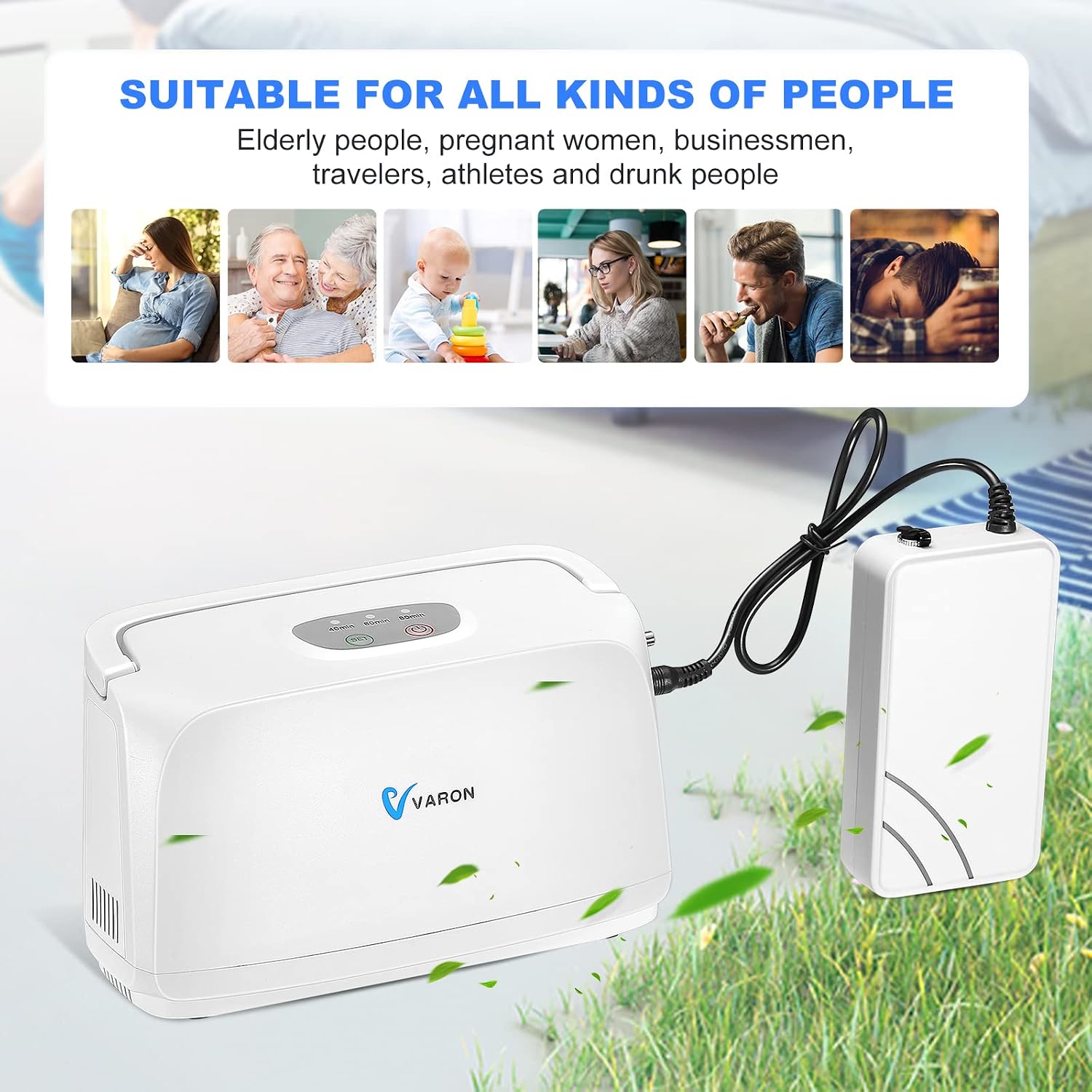
Image 4.2: The compact size of the device, emphasizing its portability.
5. Persediaan
5.1 Mengecas Bateri
- Connect the AC power adapter to the battery pack's charging port.
- Palamkan penyesuai AC ke salur keluar dinding standard.
- Allow the battery to charge fully before first use. A full charge provides approximately 2.5 hours of continuous use.
5.2 Connecting the Battery to the Main Unit
- Ensure both the main unit and battery are powered off.
- Locate the battery connection port on the side of the main oxygen generator unit.
- Connect the battery pack to the main unit using the provided cable. Ensure a secure connection.

Image 5.1: Detail of the battery connection to the main unit.
5.3 Connecting the Oxygen Cannula
- Attach one end of the oxygen cannula to the oxygen outlet port on the main unit.
- Place the nasal prongs of the cannula comfortably into your nostrils.
6. Arahan Operasi
6.1 Menghidupkan/Mematikan
- Untuk Menghidupkan: Tekan dan tahan butang Kuasa (●) on the top panel until the indicator lights illuminate.
- Untuk Mematikan: Tekan dan tahan butang Kuasa (●) again until the indicator lights turn off.
6.2 Menetapkan Pemasa
The device offers four preset timing options:
- 40 minit
- 60 minit
- 80 minit
- 180 minit
To select a timing setting, press the Timer button (⏱) repeatedly until the desired time is indicated on the display. The device will automatically shut off after the set time expires.

Image 6.1: Top panel with control buttons and intelligent timing display.
6.3 Using in a Car
The device can be used in a car by connecting the car charger to the main unit's power input and plugging it into the vehicle's 12V power outlet.

Image 6.2: The device being used with a car charger and carried with a shoulder bag.
7. Penyelenggaraan
Regular maintenance ensures optimal performance and longevity of your oxygen generator.
7.1 Membersihkan Penapis Udara
The device features a removable air filter. A cleaning reminder function will alert you when cleaning is required to prevent air inlet blockage and maintain oxygen production efficiency.
- Matikan dan cabut plag peranti.
- Cari dan tanggalkan penutup penapis udara.
- Keluarkan elemen penapis dengan berhati-hati.
- Clean the filter with a soft brush or vacuum cleaner. If heavily soiled, gently wash with mild soap and water, then rinse thoroughly.
- Ensure the filter is completely dry before reinserting it.
- Gantikan penutup penapis.
7.2 Pembersihan Am
- Lap bahagian luar peranti dengan lembut, damp kain. Jangan gunakan pembersih atau pelarut yang melelas.
- Ensure no liquid enters the device openings.
8. Penyelesaian masalah
If you encounter issues with your VARON Portable Pulse Oxygen Generator, refer to the following table:
| Masalah | Kemungkinan Punca | Penyelesaian |
|---|---|---|
| Peranti tidak dihidupkan. | Battery is depleted or not connected properly. Power adapter is not connected or faulty. | Charge the battery. Ensure battery and power adapter are securely connected. Try a different power outlet. |
| Low oxygen output or concentration. | Air filter is dirty or blocked. Oxygen cannula is kinked or blocked. | Clean or replace the air filter (refer to Section 7.1). Check the oxygen cannula for obstructions. |
| Peranti mengeluarkan bunyi yang luar biasa. | Isu komponen dalaman. | Power off the device and contact customer support. Do not attempt to open or repair. |
| Hayat bateri lebih pendek daripada jangkaan. | Bateri tidak dicas sepenuhnya. Kemerosotan bateri dari semasa ke semasa. | Ensure battery is fully charged. Consider replacing the battery if it's old and capacity has significantly reduced. |
If the problem persists after attempting these solutions, please contact VARON customer support.
9. Spesifikasi
| Parameter | Nilai |
|---|---|
| Nama Produk | Penjana Oksigen |
| Nombor Model | NT-3 |
| Oxygen Production Method | Penjerapan Ayunan Tekanan (PSA) |
| Kuasa Operasi | 30 W |
| Input Voltage | DC 12 V ~ 16.8 V |
| Tetapan Masa | 40 min, 60 min, 80 min, 180 min |
| Dimensi Produk (L x W x H) | 20.5 x 9.5 x 13 cm |
| Berat Produk Bersih | 1.4 kg |
| Max Oxygen Flow (Equivalent) | 3 L/min |
| Kepekatan Oksigen | 32.5% ± 2.5% (v/v) |
| Standard Battery Capacity | 2500 mAh, 14.8 V (Max 16.8 V) |
| Max Battery Usage Time | 2.5 jam |
10. Waranti dan Sokongan
For warranty information and customer support, please refer to the documentation included with your purchase or visit the official VARON website. Please have your model number (NT-3) and purchase date available when contacting support.
Pengeluar: VARON