
pengenalan
This manual provides essential information for the setup, operation, and maintenance of your Numskull Official Xbox Series X Premium Game Storage Tower. Please read these instructions carefully before assembly and use to ensure proper functionality and longevity of the product.
The Numskull Official Xbox Series X Premium Game Storage Tower is designed to keep your game and media cases organized and easily accessible. It is compatible with Xbox Series X, Xbox Series S, Xbox One, PS4, PS5, and Blu-Ray movie cases.
Ciri-ciri Produk
- Official Microsoft Product: This storage tower is an officially licensed Microsoft product, ensuring compatibility and quality aligned with Xbox accessories.
- Optimal Organization: Designed to hold up to 10 game or Blu-Ray movie cases.
- Perhimpunan Mudah: Features a tool-free, clip-together design for quick setup and disassembly.
- Reka bentuk boleh tindanan: Multiple units can be stacked to expand storage capacity.
- Komposisi Teguh: Equipped with anti-slip pads on the base to ensure stability.
Arahan Persediaan
The Numskull Official Xbox Series X Premium Game Storage Tower is designed for easy, tool-free assembly. Follow these steps to set up your storage tower:
- Unpack all components from the packaging. Verify that all parts are present.
- Identify the base unit and the side panels.
- Align the slots on the side panels with the corresponding tabs on the base unit.
- Gently push and clip the side panels into place until they are securely fastened to the base.
- Ensure all connections are firm before placing items into the tower.
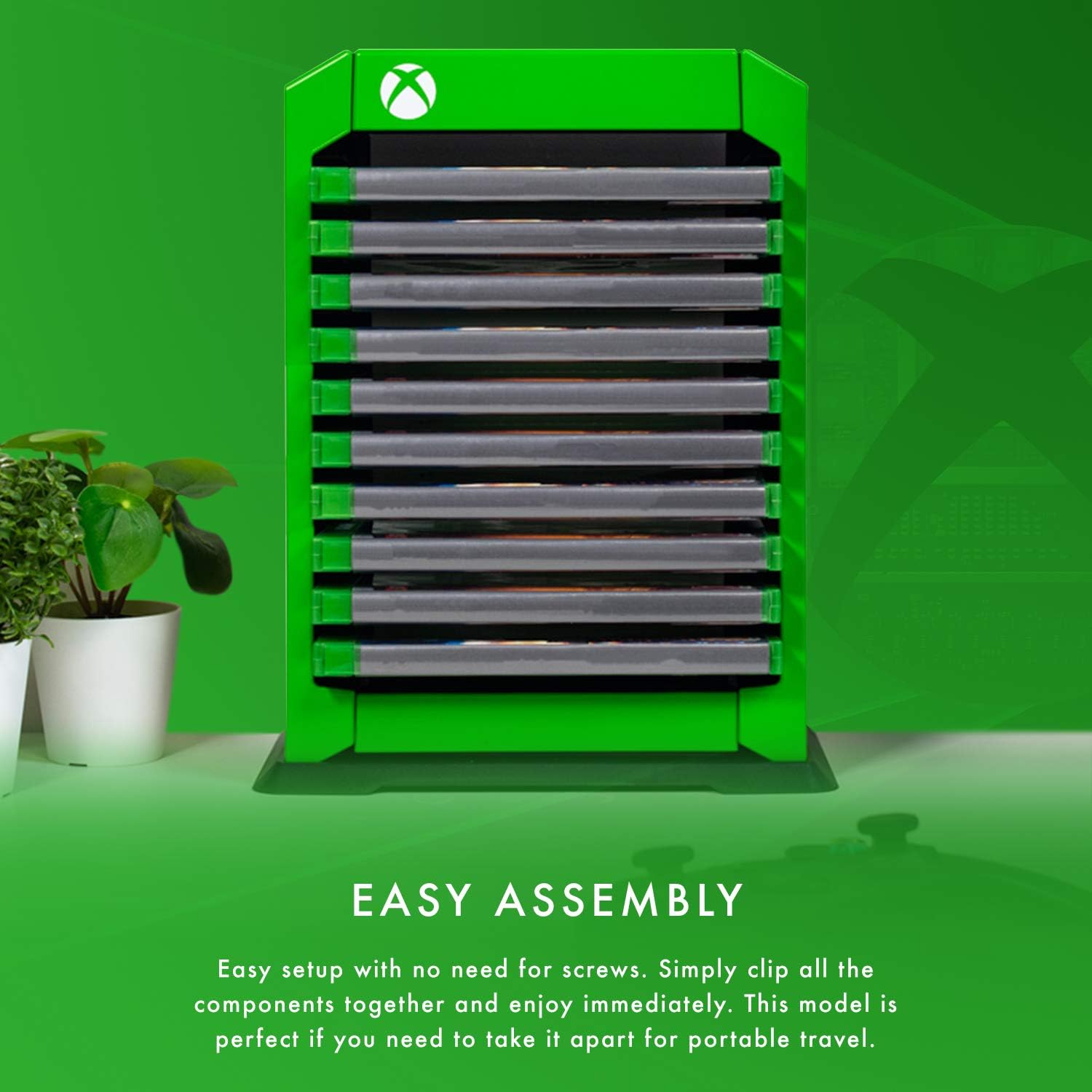
Figure 1: Easy Assembly. The image illustrates the simple, tool-free assembly process where components clip together.
Stacking Multiple Towers
If you have purchased additional storage towers, they can be stacked to increase your storage capacity. The base of each tower is ergonomically designed to allow secure stacking.
- Assemble the first tower as per the instructions above.
- Assemble the second tower.
- Carefully place the second assembled tower directly on top of the first tower, aligning the base of the upper tower with the top of the lower tower.
- Ensure the stacked units are stable before loading them with game cases.

Figure 2: Stack Multiple Towers. This image shows how two storage towers can be stacked to create additional storage space.
Arahan Operasi
Once assembled, the storage tower is ready for use. It is designed to hold standard game cases and Blu-Ray movie cases.
- Gently slide your Xbox Series X, Xbox Series S, Xbox One, PS4, PS5, or Blu-Ray game/movie cases into the designated slots.
- The tower can accommodate up to 10 cases.
- Ensure cases are inserted fully and are stable within their slots to prevent accidental falls.
- Position the tower on a flat, stable surface. The anti-slip pads on the base provide additional stability.

Figure 3: Optimal Organization. This image displays the storage tower's capacity, holding 10 game cases, along with its dimensions.
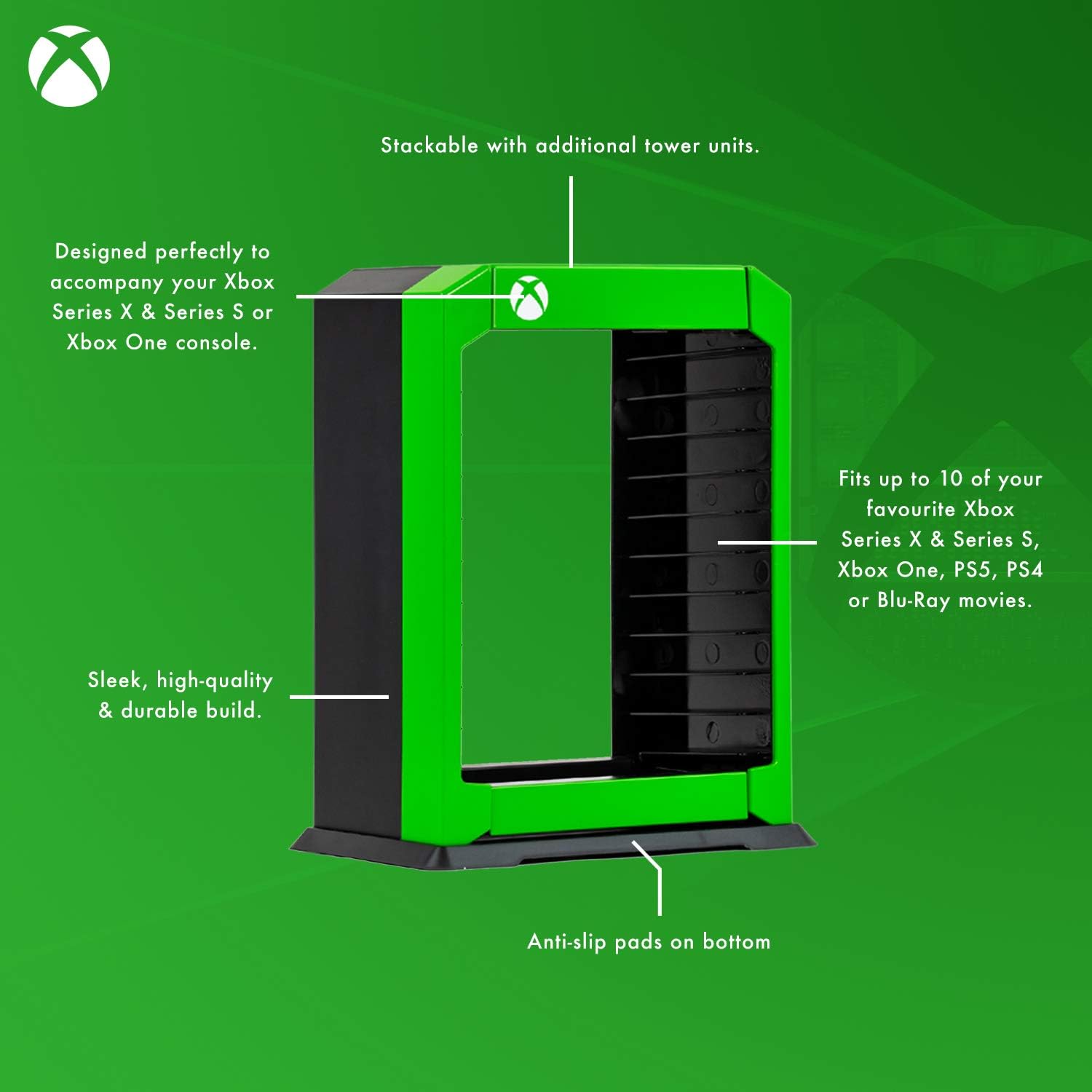
Rajah 4: Produk Lebihview. A diagram illustrating key features such as stackability, 10-case capacity, compatibility with various game consoles, and anti-slip pads.
Penyelenggaraan
To maintain the appearance and functionality of your game storage tower, follow these simple guidelines:
- Pembersihan: Wipe the tower with a soft, dry, or slightly damp cloth. Avoid using abrasive cleaners, solvents, or harsh chemicals, as these may damage the finish.
- penempatan: Place the tower in a cool, dry environment, away from direct sunlight or extreme temperatures, which could affect the material integrity.
- Pemeriksaan: Periodically check for any loose connections, especially if the tower has been moved or if multiple units are stacked.
Menyelesaikan masalah
If you encounter any issues with your game storage tower, consider the following:
- Ketidakstabilan: Ensure the tower is placed on a flat, level surface. Check that all components are securely clipped together. If stacking, ensure the top unit is properly aligned with the bottom unit.
- Bahagian yang Rosak: If any part appears damaged or broken, do not attempt to force assembly or use the product. Contact customer support for assistance.
Spesifikasi
| Ciri | Perincian |
|---|---|
| Nombor Model | 5056280425373 |
| ASIN | B08JVKW2VM |
| Berat Barang | 1.63 paun (0.74 kg) |
| Kapasiti | Up to 10 game/Blu-Ray cases |
| Keserasian | Xbox Series X, Xbox Series S, Xbox One, PS4, PS5, Blu-Ray |
| Pengeluar | Numskull |
| Tarikh Mula-mula Tersedia | 23 September 2020 |
Maklumat Waranti
Numskull provides a Waranti pengilang selama 1 tahun untuk produk ini. Waranti ini meliputi kecacatan bahan dan mutu kerja di bawah penggunaan biasa. Sila simpan bukti pembelian anda untuk tuntutan waranti.
Waranti tidak melindungi kerosakan yang disebabkan oleh penyalahgunaan, kemalangan, pengubahsuaian tanpa kebenaran atau haus dan lusuh biasa.
Sokongan Pelanggan
For further assistance, technical support, or warranty claims, please contact Numskull customer service through their official webtapak atau peruncit tempat anda membeli produk tersebut.
Sila sediakan nombor model produk anda (5056280425373) dan bukti pembelian semasa menghubungi sokongan.