1. Lebihview
The Nubwo N1 Pro Gaming Headphones are designed to provide an immersive audio experience for gaming and multimedia. Featuring a comfortable on-ear design, a noise-reduction microphone, and versatile connectivity, these headphones are suitable for extended use.

Image 1.1: Nubwo N1 Pro Gaming Headphones with their 3.5mm audio jack, microphone jack, and USB connector for LED lighting.
2. Kandungan Pakej
Sila sahkan bahawa semua item terdapat dalam pakej:
- Nubwo N1 Pro Gaming Headphones
- Kusyen Telinga (prapasang)
- Headband (pre-installed)
- Manual Pengguna (dokumen ini)
3. Arahan Persediaan
3.1 Menyambungkan Fon Kepala
- Sambungan Audio: Locate the 3.5mm audio jack (green connector) on your headphones. Plug this into the audio output port (usually green) on your computer, gaming console controller, or other audio device.
- Sambungan Mikrofon: Locate the 3.5mm microphone jack (orange connector) on your headphones. Plug this into the microphone input port (usually pink) on your computer or device.
- USB Power for LED Lighting: Plug the USB connector into an available USB port on your computer or gaming console to power the headphone's LED lighting feature. The headphones will function for audio and microphone without the USB connection, but the lights will not illuminate.
3.2 System Configuration (Windows Example)
After connecting, you may need to configure your operating system's sound settings:
- Right-click the speaker icon in your taskbar and select 'Sound Settings' or 'Playback devices'.
- Under 'Output', select 'Speakers (Realtek High Definition Audio)' or similar entry corresponding to your 3.5mm jack.
- Under 'Input', select 'Microphone (Realtek High Definition Audio)' or similar entry.
- Adjust volume levels as needed.
4. Arahan Operasi
4.1 Kawalan Kelantangan
The headphones feature an integrated volume knob for convenient audio adjustment.
- Tingkatkan Kelantangan: Rotate the volume knob upwards.
- Kurangkan Kelantangan: Rotate the volume knob downwards.
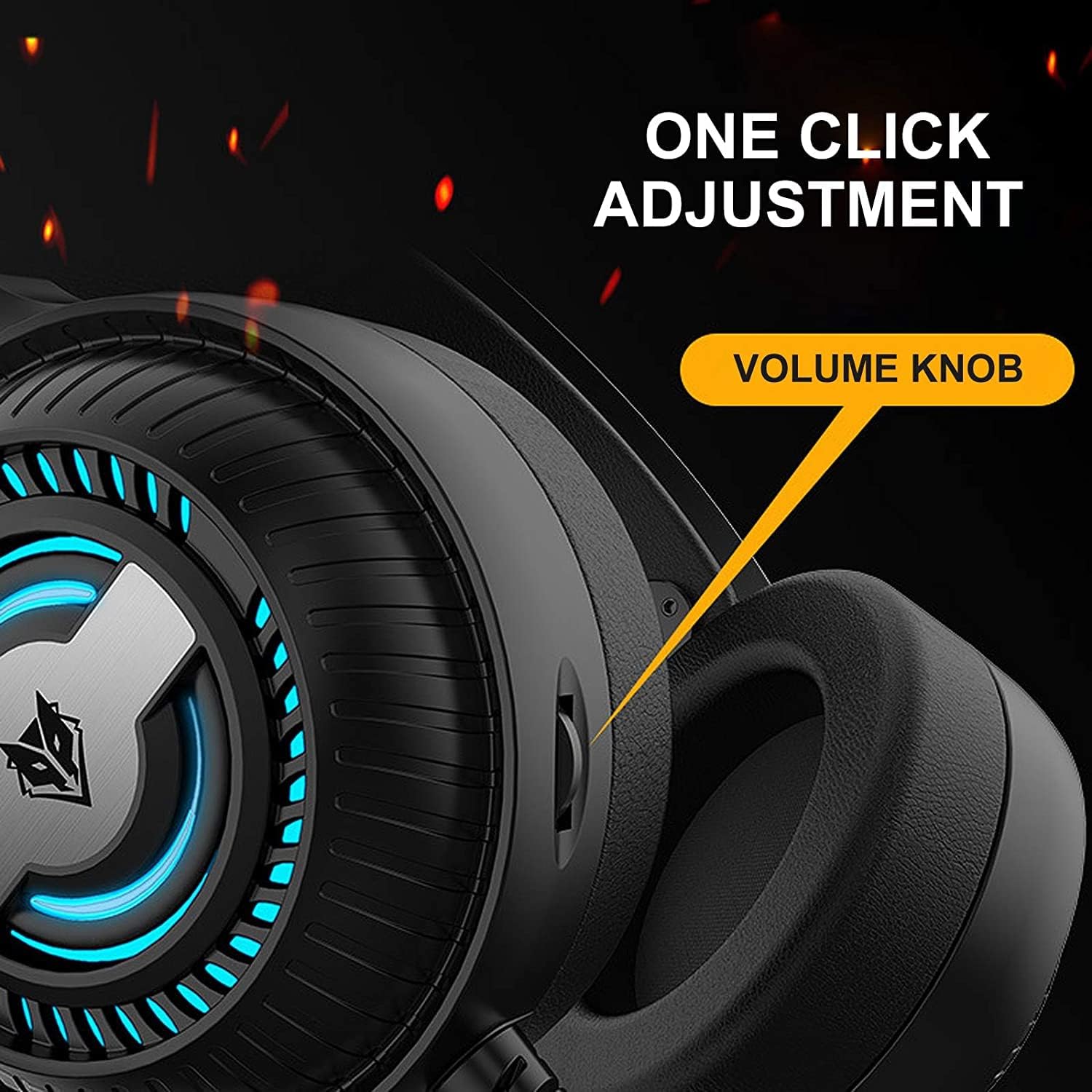
Image 4.1: The volume knob located on the left ear cup for quick audio adjustments.
4.2 Penggunaan Mikrofon
The flexible microphone is equipped with noise reduction technology for clear communication.
- Kedudukan: Adjust the flexible microphone boom to a comfortable position near your mouth for optimal voice pickup.
- Pengurangan Bunyi: The integrated sponge on the microphone helps to reduce ambient noise, ensuring your voice is transmitted clearly.

Image 4.2: The flexible microphone with noise reduction capabilities, shown in various positions.
4.3 Lampu LED
The headphones feature a breathing lamp effect with 7 different colors, powered via the USB connection.
- The LED lights will automatically cycle through 7 colors when the USB connector is plugged into a powered USB port.
- There is no manual control for changing or turning off the LED colors; they operate in a continuous breathing cycle.

Image 4.3: The ear cup illuminated with the 7-color breathing lamp kesan.
5. Penyelenggaraan
5.1 Pembersihan
- Gunakan kain lembut dan kering untuk mengelap permukaan luar fon kepala.
- Untuk kusyen telinga, lap perlahan-lahan dengan sedikitamp kain dan biarkan kering sepenuhnya sebelum digunakan.
- Jangan gunakan bahan kimia, pelarut atau pembersih yang kasar.
5.2 Penyimpanan
- Simpan fon kepala di tempat yang sejuk dan kering jauh dari cahaya matahari langsung dan suhu yang melampau.
- Elakkan meletakkan objek berat pada fon kepala.
5.3 Penjagaan Kabel
- Elakkan selekoh tajam atau tarikan kabel yang berlebihan untuk mengelakkan kerosakan.
- Always grasp the plug, not the cable, when disconnecting.
6. Penyelesaian masalah
6.1 No Sound from Headphones
- Ensure the 3.5mm audio jack is fully inserted into the correct audio output port.
- Check the volume knob on the headphones and your device's system volume.
- Verify that the headphones are selected as the default playback device in your sound settings.
- Uji fon kepala dengan peranti lain untuk menolak isu khusus peranti.
6.2 Mikrofon Tidak Berfungsi
- Ensure the 3.5mm microphone jack is fully inserted into the correct microphone input port.
- Verify that the microphone is selected as the default recording device in your sound settings.
- Semak tetapan privasi mikrofon dalam sistem pengendalian anda.
- Uji mikrofon dengan peranti atau aplikasi lain.
6.3 LED Lights Not Illuminating
- Pastikan penyambung USB dipasang dengan kukuh ke port USB berkuasa.
- Cuba port USB lain.
7. Spesifikasi
Key technical specifications for the Nubwo N1 Pro Gaming Headphones:
| Ciri | Spesifikasi |
|---|---|
| Nama Model | N1 Pro |
| Nama Jenama | Generic (Nubwo) |
| Teknologi Ketersambungan | Wired (3.5mm Audio, 3.5mm Mic, USB for LED) |
| Faktor Bentuk Fon Kepala | Di Telinga |
| Penempatan Telinga Fon Kepala | Di Telinga |
| Jack Fon Kepala | Jack 3.5 mm |
| Sensitiviti | 96 dB |
| Kawalan Bunyi | None (Microphone features noise reduction) |
| warna | Hitam |
| Komponen yang Disertakan | Kusyen Telinga, Ikat Kepala |
| Dimensi Pakej | 25.2 x 19.9 x 12.6 cm |
| Berat badan | 450 g |
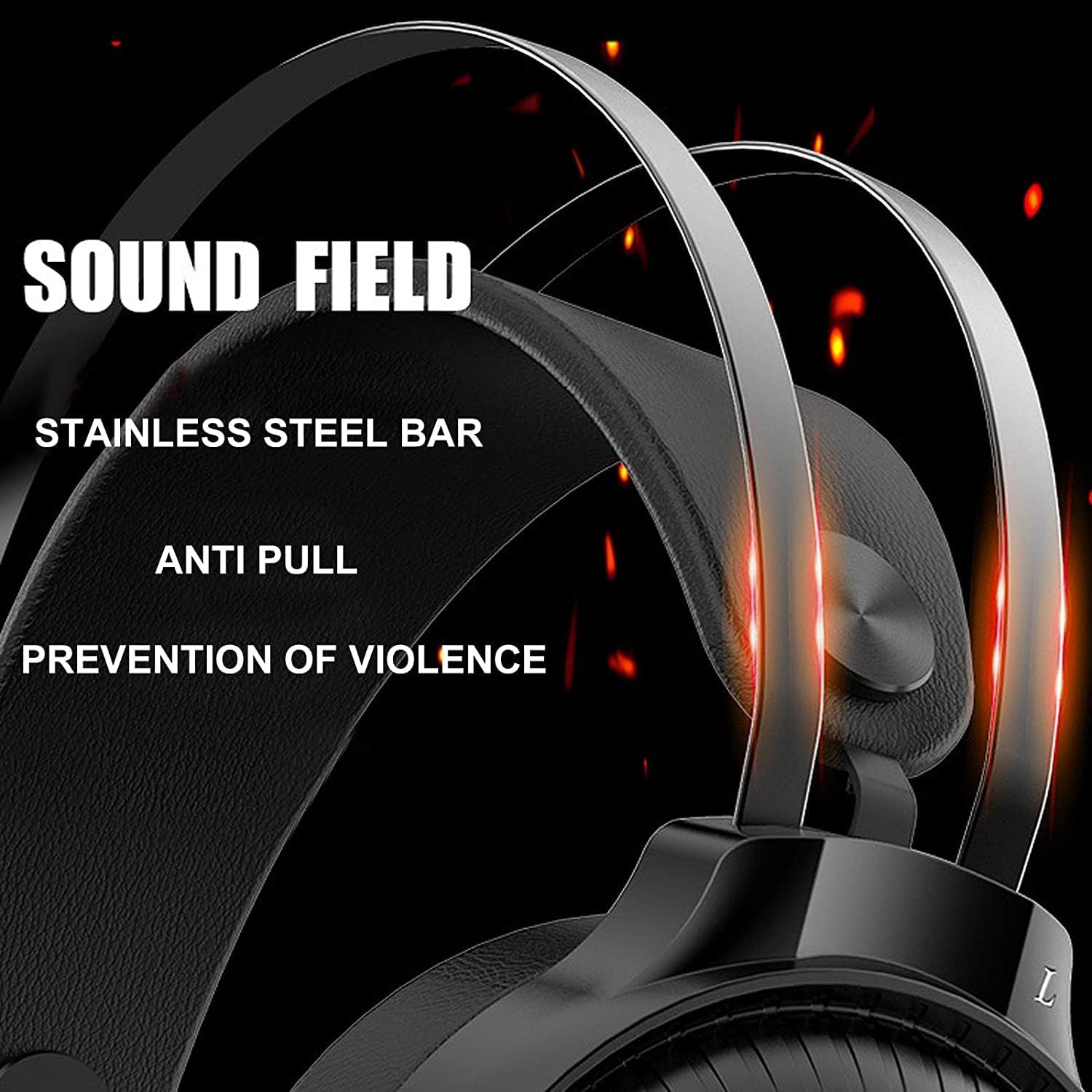
Image 7.1: Illustration of the 50mm horn for sound field and the durable stainless steel bar construction.
8. Waranti dan Sokongan
For information regarding warranty coverage and technical support, please refer to the retailer or the official Nubwo website where the product was purchased. Keep your proof of purchase for warranty claims.
Jika anda menghadapi masalah yang tidak diliputi dalam manual ini, sila hubungi khidmat pelanggan untuk mendapatkan bantuan.