
X7 Pro
X7 Pro Smart Watch User Manual
Model: X7 Pro | Brand: Generic
pengenalan
Thank you for choosing the X7 Pro Smart Watch. This manual provides essential information for setting up, operating, and maintaining your device. The X7 Pro Smart Watch is designed to enhance your daily life with features such as Bluetooth calling, health monitoring, fitness tracking, and smart notifications. It supports both Android and iPhone devices and features a 1.78-inch IPS full touch screen.
Kandungan Pakej
Sila tandai kotak untuk item berikut:
- X7 Pro Smart Watch (Black)
- Silicone Band (44mm)
- Kabel Pengecas Tanpa Wayar
- Manual Pengguna

Image: The X7 Pro Smart Watch in black, featuring a sleek design and a clear digital display showing the date and time.
Produk Selesaiview
Familiarize yourself with the main components of your X7 Pro Smart Watch:
- 1.78-inch IPS Full Touch Screen: For interactive navigation and display.
- Mahkota Berputar: Used for navigating menus, zooming, and scrolling.
- Butang Sisi: Typically for power on/off or returning to the home screen.
- Pemantau Kadar Jantung: Terletak di belakang untuk pengesanan kesihatan.
- Pad Pengecasan Wayarles: On the back for convenient charging.
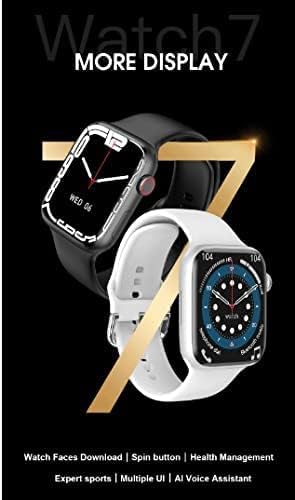
Image: A close-up of the X7 Pro Smart Watch, highlighting the rotating crown on the side, which is used for navigation.
Persediaan
1. Mengecas Peranti
Before first use, fully charge your X7 Pro Smart Watch. Place the watch on the wireless charging pad. A built-in magnetic module ensures correct alignment. A full charge takes approximately 2 hours.

Image: The X7 Pro Smart Watch positioned on its wireless charging base, illustrating the charging process. The image also notes the 200mAh battery and 2-hour charging time.
2. Menghidupkan/Mematikan
- Hidupkan kuasa: Tekan dan tahan butang sisi sehingga skrin menyala.
- Matikan: Tekan dan tahan butang sisi, kemudian pilih "Matikan Kuasa" pada skrin.
3. Berpasangan dengan Telefon Pintar
- Muat turun Wearfit Pro application from your smartphone's app store (compatible with Android and iPhone).
- Pastikan Bluetooth didayakan pada telefon pintar anda.
- Open the Wearfit Pro app and follow the on-screen instructions to search for and connect to your X7 Pro Smart Watch. The watch uses Bluetooth 5.2 for stable connectivity.
- Sahkan permintaan berpasangan pada kedua-dua jam tangan dan telefon pintar anda.
Arahan Operasi
Navigasi Asas
- Skrin Sentuh: Leret ke atas, bawah, kiri atau kanan untuk menavigasi menu dan pemberitahuan. Ketik untuk memilih item.
- Mahkota Berputar: Rotate to scroll through lists, zoom in/out, or change watch faces. Press to return to the home screen or confirm selections.
Fungsi Panggilan Bluetooth
Once paired with your smartphone, you can make and answer calls directly from your X7 Pro Smart Watch. Ensure the Bluetooth call feature is enabled in the Wearfit Pro app.
Pemberitahuan
Receive notifications for SMS, Facebook, Twitter, Line, WhatsApp, and other applications directly on your watch. Configure notification settings within the Wearfit Pro app.
Health Monitoring & Fitness Tracking
- Pemantau Kadar Jantung: Jam tangan ini sentiasa memantau kadar denyutan jantung anda. View your data in real-time on the watch or in the Wearfit Pro app.
- Penjejak Kecergasan: Track your steps, distance, calories burned, and various sports activities.
Menyesuaikan Muka Jam
The X7 Pro Smart Watch offers a variety of built-in watch faces and allows for custom watch faces. Access the "Dial Market" within the Wearfit Pro app to download more options and personalize your watch's appearance.

Image: A display showcasing various dynamic watch faces available for the X7 Pro Smart Watch, emphasizing personalization options.
PIN Lock Feature
For enhanced security, you can set a PIN lock on your watch. This feature helps keep your data safe and provides peace of mind.
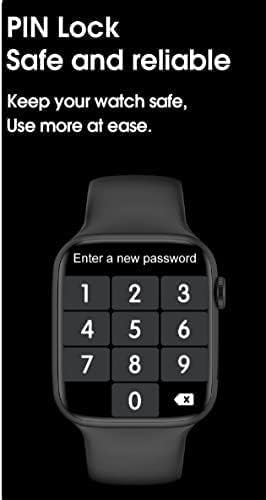
Image: The X7 Pro Smart Watch screen showing the PIN lock interface, prompting the user to enter a new password for security.
Ciri-ciri lain
- Kongsi Lokasi: Utilize location sharing features through the connected app.
- QR Code Support: For quick access to certain functions or information.
- PayPal & Alipay: Support for mobile payment functionalities.
- Wake Up Gesture: Angkat pergelangan tangan anda untuk membangunkan skrin.
- penggera: Tetapkan penggera terus daripada jam tangan anda.
- Berhenti menonton: Jam randik terbina dalam untuk aktiviti pemasaan.
Penyelenggaraan
Membersihkan Jam Tangan Anda
Lap jam tangan dan tali dengan kerap dengan lembut, damp kain. Elakkan menggunakan bahan kimia yang keras atau bahan yang melelas.
Rintangan Air (IP68)
The X7 Pro Smart Watch is IP68 waterproof and dustproof. This means it can withstand daily water splashes, rain, and can be used normally in such conditions. Avoid prolonged submersion or hot water exposure.

Image: The X7 Pro Smart Watch shown with water droplets, illustrating its IP68 dustproof and waterproof capabilities, suitable for daily use and splashes.
Penjagaan Bateri
To prolong battery life, avoid extreme temperatures and fully discharging the battery frequently. The 200mAh lithium polymer battery provides more than 4 days of typical use.
Menyelesaikan masalah
If you encounter issues with your X7 Pro Smart Watch, try the following common solutions:
- Tonton tidak dihidupkan: Pastikan jam tangan dicas sepenuhnya.
- Tidak boleh berpasangan dengan telefon: Make sure Bluetooth is enabled on both devices and the Wearfit Pro app is open. Try restarting both the watch and phone.
- Pemberitahuan tidak muncul: Check notification permissions in the Wearfit Pro app and your phone's settings.
- Data kesihatan tidak tepat: Ensure the watch is worn snugly on your wrist and the sensors are clean.
For persistent issues, refer to the Wearfit Pro app's help section or contact customer support.
Spesifikasi
| Ciri | Spesifikasi |
|---|---|
| Nombor Model | X7 Pro |
| Saiz Skrin | 1.78 inches IPS Full Touch Screen |
| Versi Bluetooth | 5.2 |
| Kapasiti Bateri | Polimer Lithium 200mAh |
| Kaedah Pengecasan | Pengecasan Tanpa Wayar |
| Bahan Tali | Silicone (44MM) |
| Tahan Air | IP68 Kalis Habuk dan Kalis Air |
| Keserasian Sistem Pengendalian | Android, iOS |
| Kapasiti Penyimpanan Memori | 128 MB |
| Dimensi Produk | 0.43 x 0.38 x 0.13cm; 190g |
| Pengeluar | HW |
| Tarikh Tersedia Pertama | 1 Januari 2022 |
Waranti dan Sokongan
For warranty information and customer support, please refer to the documentation included with your purchase or contact the retailer. Keep your purchase receipt as proof of purchase.
Ask a question about this manual
Ask about setup, troubleshooting, compatibility, parts, safety, or missing instructions. Manuals+ will review the question and use this page’s manual context to help answer it.