
pengenalan
Thank you for choosing the mcdodo MC-7051 Magnetic Fast Wireless Power Bank. This device is designed to provide convenient and efficient charging for your compatible smartphones and other devices. Please read this manual carefully before use to ensure proper operation and to maximize the lifespan of your product.
Ciri-ciri Produk
- Kapasiti Bateri 5000mAh: Menyediakan ampkuasa untuk pengecasan semasa dalam perjalanan.
- Pengecasan Wayarles Pantas 15W: Offers quick and efficient wireless power delivery.
- Lampiran Magnetik: Securely attaches to compatible devices for stable wireless charging.
- Stand Bersepadu: Features a foldable stand for comfortable viewing semasa mengecas.
- Port USB Jenis-C: For recharging the power bank and wired charging of devices.
- Keupayaan Pengecasan Dwi: Supports both wireless and wired charging.
- Reka bentuk padat dan mudah alih: Easy to carry for daily use and travel.
Kandungan Pakej
- mcdodo MC-7051 Magnetic Fast Wireless Power Bank
- Kabel Pengecasan USB Jenis-C
- Manual Pengguna
Persediaan
Mengecas Power Bank
- Connect the provided USB Type-C charging cable to the USB Type-C port on the power bank.
- Sambungkan hujung kabel yang satu lagi ke penyesuai kuasa USB yang serasi (tidak disertakan) atau port USB komputer.
- Penunjuk LED pada power bank akan menyala untuk menunjukkan status pengecasan. Cas penuh ditunjukkan apabila semua LED berada pada keadaan pepejal.
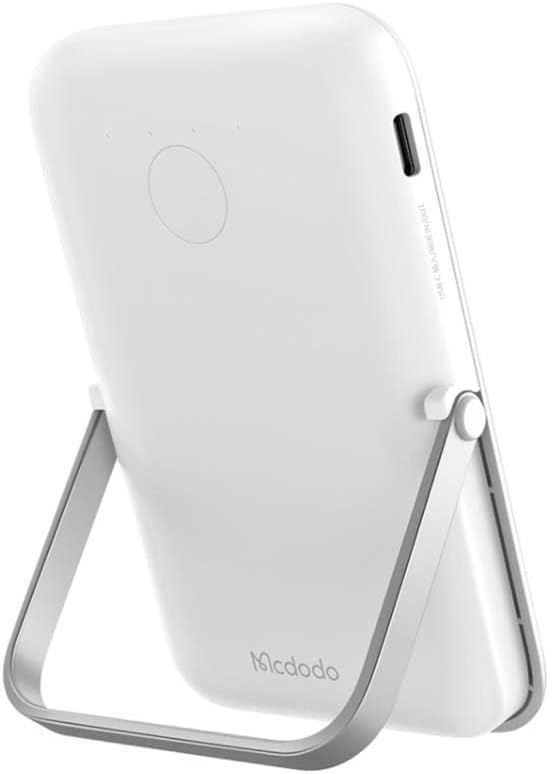
Image: The mcdodo MC-7051 Power Bank, viewed from the side, highlighting the USB Type-C charging port for recharging the device.
Penggunaan Awal
For optimal performance, fully charge the power bank before its first use.
Arahan Operasi
Pengecasan Tanpa Wayar
- Ensure your smartphone is compatible with magnetic wireless charging (e.g., iPhone 12 series or newer, or other phones with magnetic cases).
- Align the back of your compatible smartphone with the magnetic charging area on the power bank. The magnets will automatically snap into place.
- The power bank will automatically begin wireless charging. Check your phone's screen for the charging indicator.
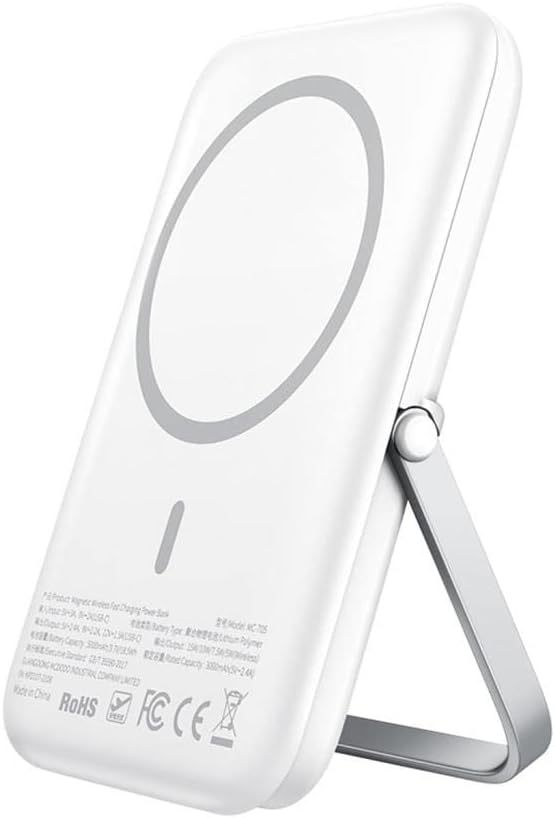
Image: The mcdodo MC-7051 Power Bank shown magnetically attached to the back of a smartphone, with its integrated kickstand extended to support the phone in an upright position.
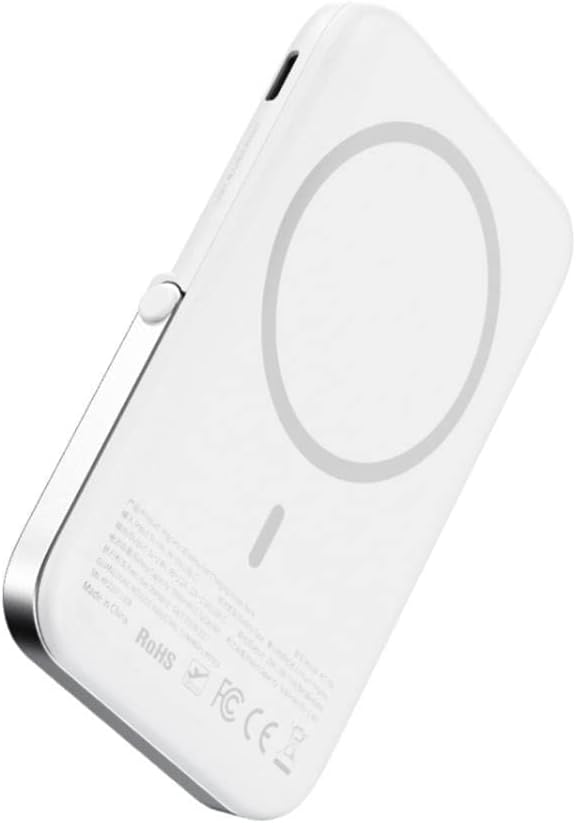
Imej: Dari dekat view of the mcdodo MC-7051 Power Bank's back surface, clearly displaying the circular magnetic charging area and product labels.
Pengecasan Berwayar
To charge a device via cable:
- Connect one end of a compatible USB Type-C cable (or your device's charging cable) to the power bank's USB Type-C port.
- Sambungkan hujung kabel yang lain ke peranti anda.
- Bank kuasa akan mula mengecas peranti anda secara automatik.
Using the Integrated Stand
The power bank features a foldable stand for convenient viewing:
- Gently pull out the stand from the back of the power bank.
- Laraskan pendirian mengikut kehendak anda viewsudut ing.
- Place your magnetically attached smartphone on a flat surface using the stand.
Penyelenggaraan
- Pembersihan: Lap bank kuasa dengan kain lembut dan kering. Jangan gunakan bahan kimia yang keras atau bahan yang melelas.
- Storan: Simpan bank kuasa di tempat yang sejuk dan kering jauh dari cahaya matahari langsung dan suhu yang melampau.
- Penjagaan Bateri: Untuk memanjangkan hayat bateri, cas penuh bank kuasa sekurang-kurangnya sekali setiap tiga bulan jika tidak digunakan secara tetap. Elakkan daripada mengalirkan bateri sepenuhnya dengan kerap.
- Elakkan Titisan: Jangan jatuhkan atau tundukkan bank kuasa kepada kesan yang kuat.
Menyelesaikan masalah
- Bank kuasa tidak dicas: Ensure the charging cable is securely connected to both the power bank and the power adapter. Try a different cable or adapter.
- Peranti tidak mengecas secara wayarles: Ensure your device is compatible with magnetic wireless charging and is properly aligned with the power bank's charging area. Remove any thick phone cases that may interfere with wireless charging.
- Pengecasan perlahan: Ensure you are using a fast-charging compatible adapter for the power bank and that your device supports fast wireless charging.
- Lekatan magnet lemah: Ensure your phone or case has magnetic compatibility. Foreign objects between the power bank and phone can also weaken the magnetic connection.
- Penunjuk LED tidak berfungsi: If the power bank is completely drained, it may take a few minutes for the LEDs to light up after connecting to power. If the issue persists, contact support.
Spesifikasi
| Nombor Model | MC-7051 |
| Jenama | mcdodo |
| Kapasiti Bateri | 5000 mAh |
| Output Pengecasan Tanpa Wayar | Sehingga 15W |
| Jenis Penyambung | USB Jenis-C |
| Bilangan Pelabuhan | 2 (1x USB Type-C for input/output, 1x Wireless Charging) |
| Ciri Khas | Fast Charge, Wireless Charge, Magnetic Attachment, Integrated Stand |
| Model Telefon yang Serasi | Smartphones (with magnetic wireless charging capability for optimal use) |
| Sumber Kuasa | Dikuasakan Bateri |
| Kebolehgunaan semula | Boleh dicas semula |
| Dimensi Produk | 6 x 6 x 2 cm |
Maklumat Keselamatan
- Jangan dedahkan bank kuasa kepada suhu yang melampau (di atas 45°C atau di bawah 0°C).
- Keep away from water, moisture, and flammable liquids.
- Do not disassemble, puncture, or modify the device.
- Jauhkan daripada kanak-kanak.
- Avoid placing metal objects between the power bank and your device during wireless charging, as this may cause overheating.
- Jika bank kuasa membengkak, mengeluarkan bau, atau menjadi terlalu panas semasa penggunaan atau pengecasan, hentikan penggunaan serta-merta dan hubungi sokongan.
- Buang power bank secara bertanggungjawab mengikut peraturan tempatan. Jangan buangnya bersama sisa rumah.
Waranti dan Sokongan
This mcdodo product is covered by a standard manufacturer's warranty. For specific warranty terms and conditions, please refer to the warranty card included with your purchase or visit the official mcdodo website. If you encounter any issues or require technical assistance, please contact mcdodo customer support through their official channels.