
1. Produk Lebihview
The LENRUE TouchGo F4 is a compact, portable Bluetooth speaker designed for clear audio and ease of use. It features touch controls, Bluetooth 5.0 connectivity, and supports TWS (True Wireless Stereo) pairing for an enhanced audio experience. The speaker comes with a hard EVA travel case for protection and portability.

Figure 1: LENRUE TouchGo F4 Bluetooth Speaker.
2. Kandungan Pakej
Sila semak pakej untuk item berikut:
- LENRUE TouchGo F4 Bluetooth Speaker
- Hard EVA Travel Case
- Kabel Pengecas TYPE-C
- Manual Pengguna
3. Persediaan
3.1 Pengecasan Awal
Before first use, fully charge the speaker. Connect the provided TYPE-C charging cable to the speaker's charging port and a compatible USB power adapter (not included). The charging indicator light will show the charging status. A full charge typically takes approximately 4 hours.
3.2 Menghidupkan/Mematikan
- Untuk Menghidupkan: Press and hold the power button (usually the central play/pause button) for a few seconds until you hear an audible prompt and the indicator light illuminates.
- Untuk Mematikan: Press and hold the power button again for a few seconds until you hear an audible prompt and the indicator light turns off.
3.3 Berpasangan Bluetooth
Untuk menyambungkan pembesar suara ke peranti anda:
- Pastikan pembesar suara dihidupkan dan dalam mod berpasangan (lampu penunjuk biasanya akan berkelip biru).
- Pada peranti anda (telefon pintar, tablet, dll.), dayakan Bluetooth dan cari peranti yang tersedia.
- Select "ToughGo" or "LENRUE TouchGo" from the list of devices.
- Setelah disambungkan, anda akan mendengar bunyi pengesahan, dan lampu penunjuk akan bertukar menjadi biru padu.
Pembesar suara akan menyambung semula secara automatik ke peranti pasangan terakhir apabila dihidupkan, jika peranti berada dalam julat dan Bluetooth didayakan.

Figure 2: Speaker with touch controls for sensitive and elegant operation.
3.4 TWS Wireless Pairing (Connect Two Speakers)
To achieve dual-channel stereo sound, you can pair two TouchGo F4 speakers together:
- Power on both TouchGo F4 speakers.
- Ensure both speakers are disconnected from any other Bluetooth devices.
- On satu of the speakers, press and hold the "+" button until you hear a prompt indicating TWS pairing mode.
- The two speakers will automatically pair with each other. You will hear a "beep" sound upon successful TWS pairing.
- Now, connect your device's Bluetooth to the device name "ToughGo". Both speakers will play audio in stereo.
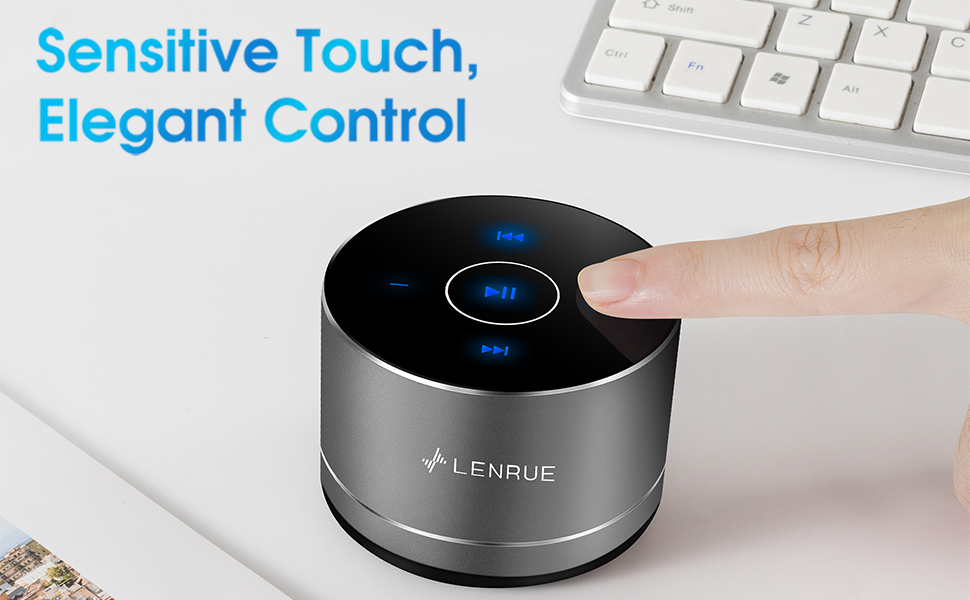
Figure 3: Two speakers connected for TWS wireless stereo pairing.
4. Arahan Operasi
4.1 Kawalan Sentuhan
The speaker features intuitive touch controls located on the top surface:
- Main/Jeda: Tap the central button once to play or pause music.
- Kelantangan: Tap the "+" button to increase volume.
- Perlahankan suara: Tap the "-" button to decrease volume.
- Lagu Seterusnya: Tap the ">>" button to skip to the next song.
- Trek Sebelumnya: Tap the "<<" button to go to the previous song.
4.2 Panggilan Bebas Tangan
The speaker includes a built-in microphone for hands-free calls:
- Jawab Panggilan: When a call comes in, tap the central button once to answer.
- Tamatkan Panggilan: During a call, tap the central button once to end the call.
- Tolak Panggilan: Tekan dan tahan butang tengah selama lebih kurang 2 saat untuk menolak panggilan masuk.
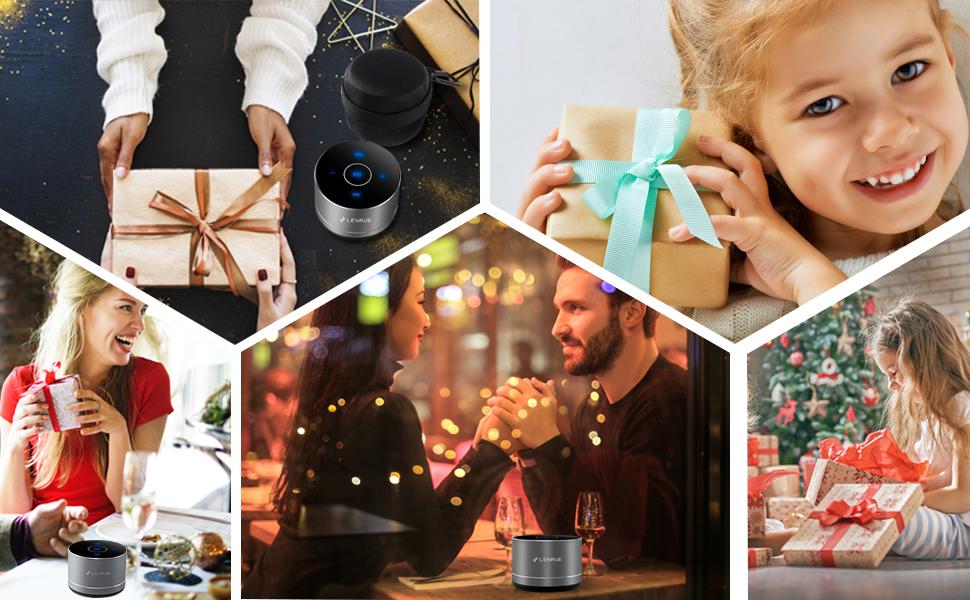
Figure 4: Speaker with hands-free calling capability.
4.3 Battery Life and Power Saving
The speaker is equipped with a 1200mAh lithium-ion battery, providing 6-15 hours of music playback at 2/3 volume. To conserve power, the speaker will automatically shut down if Bluetooth is disconnected for 30 minutes.
5. Penyelenggaraan
5.1 Pembersihan
To clean the speaker, use a soft, dry cloth. Do not use abrasive cleaners, solvents, or immerse the speaker in water.
5.2 Penyimpanan
When not in use for extended periods, store the speaker in its hard EVA travel case in a cool, dry place. Avoid extreme temperatures and direct sunlight.
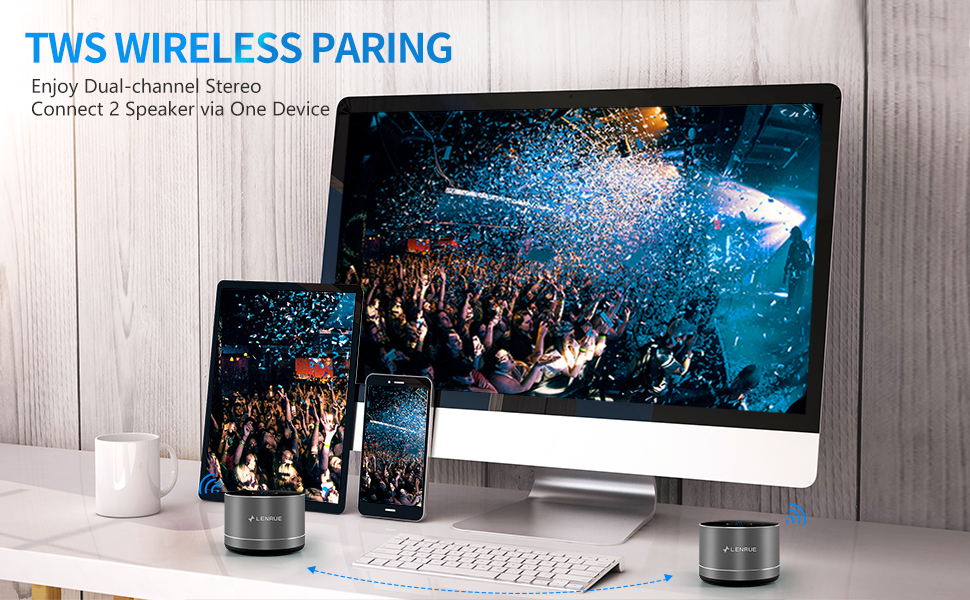
Figure 5: Speaker with its protective hard EVA travel case.
6. Penyelesaian masalah
| Masalah | Kemungkinan Punca | Penyelesaian |
|---|---|---|
| Speaker tidak dihidupkan. | Bateri lemah; Butang kuasa tidak ditekan dengan betul. | Charge the speaker fully; Press and hold the power button for a few seconds. |
| Tidak boleh berpasangan dengan peranti Bluetooth. | Pembesar suara tidak dalam mod berpasangan; Bluetooth peranti dimatikan; Pembesar suara sudah disambungkan ke peranti lain. | Ensure speaker is in pairing mode (flashing blue light); Turn on Bluetooth on your device; Disconnect from other devices and try again. |
| Poor sound quality / Muffled sound. | Speaker placement; Obstructions; Low volume. | Ensure the speaker is placed on a flat, open surface, ideally not directly on its bottom where the speaker grille is located. Try placing it on its side for clearer sound. Remove any obstructions; Adjust volume on both speaker and device. |
| Gandingan TWS gagal. | Speakers already paired to a device; Incorrect pairing procedure. | Ensure both speakers are disconnected from any Bluetooth devices before initiating TWS pairing. Follow the TWS pairing steps precisely. |
| Tiada bunyi. | Volume too low; Paused playback; Device not connected. | Increase volume on both speaker and device; Press play; Verify Bluetooth connection. |
7. Spesifikasi
| Ciri | Perincian |
|---|---|
| Nombor Model | F4 |
| Teknologi Ketersambungan | Bluetooth 5.0 |
| Kuasa Output Maksimum Pembesar Suara | 5 Watt |
| Sumber Kuasa | Dikuasakan Bateri (termasuk 1 bateri Lithium Ion) |
| Kapasiti Bateri | 1200mAh |
| Masa bermain | 6-15 hours (at 2/3 volume) |
| Masa Mengecas | Lebih kurang 4 jam |
| Kaedah Kawalan | Sentuh |
| Dimensi Produk | 3.15 x 3.15 x 1.18 inci |
| Berat Barang | 9 auns |
| Ciri Khas | Portable, Hands-Free Calling, TWS Pairing |
8. Waranti dan Sokongan
For warranty information and customer support, please refer to the documentation included with your purchase or contact LENRUE customer service directly. Contact details can typically be found on the official LENRUE webtapak atau melalui peruncit anda.