
1. Pengenalan
Thank you for choosing the ENGiNDOT 42SA Digital Keypad Home Safe. This manual provides essential information for the safe and efficient operation of your new security safe. Please read it thoroughly before installation and use, and retain it for future reference.

Image: The ENGiNDOT 42SA safe in a typical home setting.
Video: Tamatview of the ENGiNDOT Safe Series, highlighting key features and design.
2. Maklumat Keselamatan
- Always keep the emergency keys in a secure location away from the safe and not inside the safe itself.
- Do not store the user manual or emergency keys inside the safe.
- Pastikan peti besi dipasang dengan selamat untuk mengelakkan pengalihan yang tidak dibenarkan.
- Gantikan bateri dengan segera apabila penunjuk bateri lemah kelihatan untuk mengelak daripada terkunci.
- Elakkan daripada mendedahkan peti keselamatan kepada suhu atau kelembapan yang melampau.
3. Kandungan Pakej
Sahkan bahawa semua item terdapat dalam pakej:
- 1.52 Cubic Feet Large Home Safe (1)
- Emergency Key (2)
- Mounting Accessories (4)
- Protective Pad (1)
- Manual Pengguna (1)

Image: All components included with the ENGiNDOT 42SA safe.
4. Produk Lebihview
The ENGiNDOT 42SA safe is designed to protect your valuables with robust construction and a reliable digital locking system.

Imej: Depan view of the ENGiNDOT 42SA safe.
Ciri-ciri Utama:
- Pembinaan Keluli Teguh: Features 2 round live-locking bolts, seamless forming construction, and pry-resistant concealed hinges for enhanced security.
- 1.52 Kapasiti Kaki Kubik: Spacious interior with a removable shelf for organizing documents, cash, jewelry, and other private items.
- Pad Kekunci Digital: Programmable electronic keypad allows setting two separate codes (master and guest code, up to 8 digits).
- Akses Kecemasan: Includes two backup keys for emergency opening.
- Lampu Penunjuk: Three instruction lights indicate different operational states.
- Warning Alarm System: Activates a loud audio alarm after three continuous incorrect PIN code entries, locking the keypad automatically.
- Mod Bisu: Option to silence keypad sounds for discreet operation.
- Keupayaan Pemasangan: Pre-drilled mounting holes and hardware for floor and wall mounting.
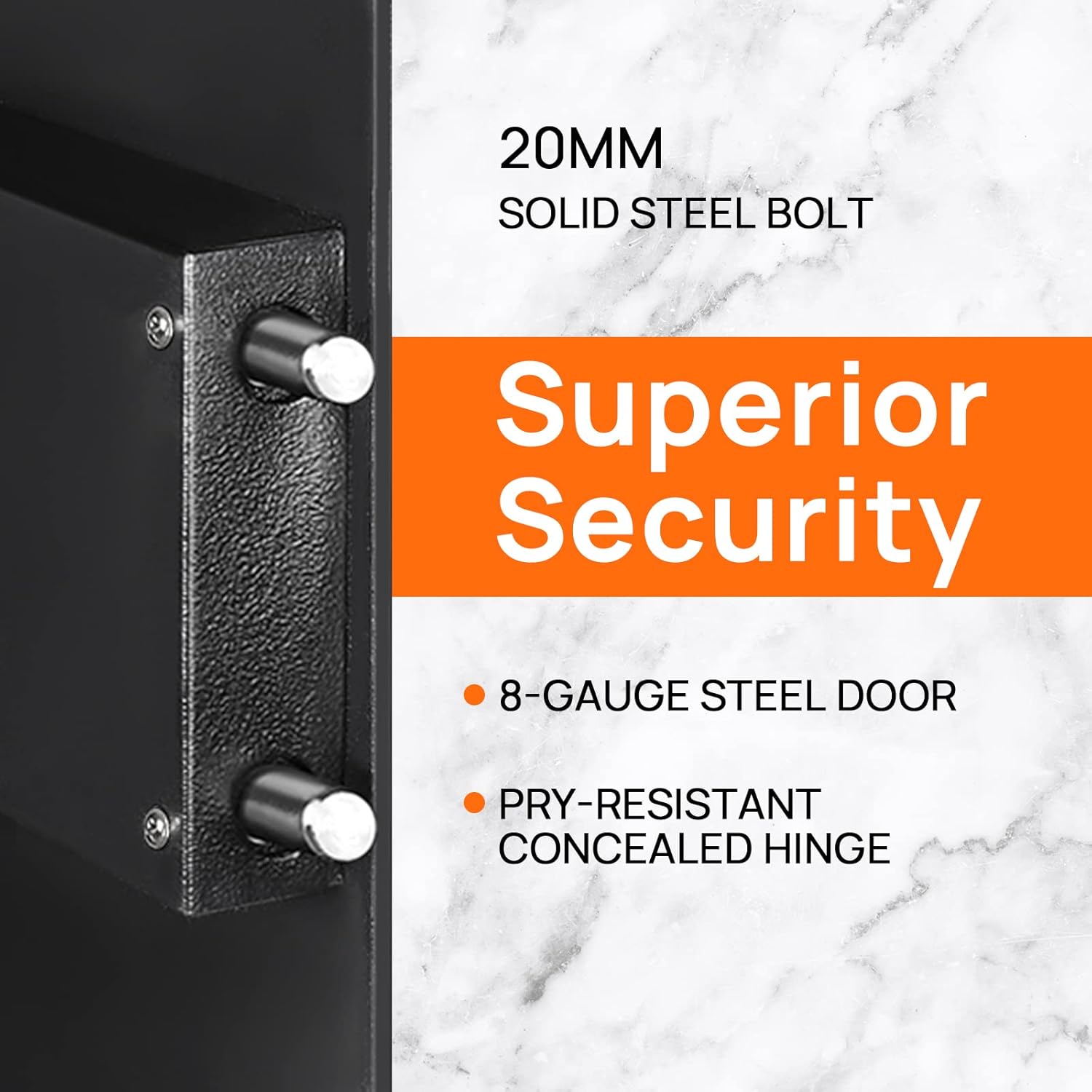
Image: Detail of the safe's solid steel bolts and security features.

Image: Interior of the safe with a removable shelf and example items.
5. Persediaan
5.1 First Opening
Upon receiving your safe, you will need to open it using the emergency key for the first time to install batteries and set your personal codes.
- Locate the emergency keyhole, usually concealed behind the keypad cover or a small panel.
- Masukkan salah satu kunci kecemasan yang disediakan ke dalam lubang kunci.
- Turn the key counter-clockwise 90 degrees.
- While holding the key, turn the knob clockwise to open the safe door.
Video: Demonstrates the initial opening of the ENGiNDOT safe using the emergency key.
5.2 Pemasangan Bateri
The safe requires 4 AA batteries (not included) to power the digital keypad.
- Dengan pintu selamat terbuka, cari petak bateri di bahagian dalam pintu.
- Buka penutup petak bateri.
- Masukkan 4 bateri AA, pastikan kekutuban (+/-) betul.
- Tutup penutup petak bateri.
5.3 Memasang Peti Keselamatan
For added security, it is recommended to mount the safe to a floor or wall.
- Pilih lokasi yang sesuai untuk pemasangan.
- Use the pre-drilled holes on the back or bottom of the safe as a template to mark drilling points on the wall or floor.
- Gerudi lubang pandu menggunakan mata gerudi yang sesuai untuk permukaan pelekap anda.
- Align the safe with the drilled holes and secure it using the provided mounting accessories.

Image: Instructions for wall mounting the safe.
6. Arahan Operasi
6.1 Menetapkan Kod Induk
The master code allows you to open the safe and is used for initial setup. It can be 3-8 digits long.
- Buka pintu selamat.
- Press the reset button located on the inside of the door (often a small green button). The yellow indicator light on the keypad will turn on.
- Enter your desired new master code (3-8 digits).
- Press the '#' button to confirm. The yellow light will turn off, indicating the code is set.
Video: Step-by-step guide on how to set the master code for the safe.
6.2 Setting the Guest Code
A guest code can be set for temporary access. It can also be 3-8 digits long.
- Buka pintu selamat.
- Press the '0' button twice. The yellow indicator light will turn on.
- Enter your desired new guest code (3-8 digits).
- Press the '#' button to confirm. The yellow light will turn off.
6.3 Opening the Safe with a Code
- Enter your master or guest code on the keypad.
- The green indicator light will illuminate.
- Dalam masa 5 saat, putar tombol mengikut arah jam untuk membuka pintu selamat.

Image: Visual guide for opening methods.
6.4 Mute Mode Setting
You can enable or disable the keypad sound for discreet operation.
- To turn off the sound: Enter "*633" on the keypad.
- To turn on the sound: Enter "*66" on the keypad.
Video: Instructions on how to activate and deactivate the mute mode.
6.5 Warning Alarm System
The safe features an audible alarm system to deter unauthorized access.
- If an incorrect PIN code is entered three consecutive times, the security safe will activate a loud audio alarm.
- The digital keypad will automatically lock for a short period.
- To stop the alarm, use the emergency key to open the safe or remove the batteries to power cycle the unit.
7. Penyelenggaraan
- Penggantian Bateri: Replace all four AA batteries when the low battery indicator light illuminates. Always use new, high-quality alkaline batteries.
- Pembersihan: Lap bahagian luar peti besi dengan lembut, damp kain. Elakkan pembersih atau pelarut yang melelas yang boleh merosakkan kemasan.
- Penjagaan papan kekunci: Keep the keypad clean and dry. Do not use excessive force when pressing buttons.
- Pelinciran: The locking mechanism and hinges are factory-lubricated and generally do not require additional lubrication. If operation becomes stiff, consult customer support.
8. Penyelesaian masalah
| Masalah | Kemungkinan Punca | Penyelesaian |
|---|---|---|
| Peti besi tidak boleh dibuka dengan kod. | Incorrect code entered; batteries are low or dead; knob not turned within 5 seconds. | Re-enter code carefully; replace batteries; turn knob immediately after green light. Use emergency key if necessary. |
| Pad kekunci tidak bertindak balas. | Dead batteries; keypad locked due to multiple incorrect entries. | Replace batteries; wait for the lockout period to expire (usually a few minutes) or use the emergency key. |
| Penggera berbunyi tanpa diduga. | Multiple incorrect code entries; safe was moved or tampered with (if motion sensor is active). | Enter correct code or use emergency key to disarm. Check for tampering. |
| Emergency key does not work. | Key not fully inserted or turned correctly; lock mechanism jammed. | Ensure key is fully inserted and turned 90 degrees counter-clockwise. Apply gentle pressure while turning. Contact support if issue persists. |
9. Spesifikasi

Image: External dimensions of the ENGiNDOT 42SA safe.
| Ciri | Perincian |
|---|---|
| Model | 42SA |
| Kapasiti | 1.52 Kaki Kubik |
| Dimensi Produk (D x W x H) | 13" x 13.8" x 16.5" |
| Berat Barang | 29 paun |
| Jenis Kunci | Electronic Digital Keypad |
| bahan | Keluli Karbon |
| Sumber Kuasa | 4 x Bateri AA (tidak termasuk) |
| Jenis Pemasangan | Pemasangan Lantai, Pemasangan Dinding |
| Penggera | Boleh didengari |
| Tahap Ketahanan Air | Bukan Tahan Air |
10. Waranti dan Sokongan
ENGiNDOT products come with Worry-Free customer support. If you encounter any problems or have questions regarding your safe, please do not hesitate to contact us. We are committed to responding to your inquiries within 24 hours.
For assistance, please visit the official ENGiNDOT webtapak atau rujuk maklumat hubungan yang diberikan dengan pembelian anda.