
1. Pengenalan
The 70mai RC09 Rear Camera is designed to enhance driving safety by providing a comprehensive view of the rear of your vehicle. This camera is specifically compatible with the 70mai A400 Dash Cam, enabling dual-channel recording for full vehicle coverage. It features 1080p Full HD resolution, a 140-degree wide-angle field of view, and advanced night vision capabilities to ensure clear recordings in various lighting conditions. The RC09 also boasts an IP67 water resistance rating, making it suitable for outdoor use.

Imej: A jelas view of the 70mai RC09 Rear Camera, showcasing reka bentuk dan lensanya yang padat.
2. Kandungan Pakej
Sebelum pemasangan, sila pastikan semua komponen ada:
- 1 x 70mai RC09 Rear Camera
- 2 x Kabel Sambungan
- 1 x Manual Pengguna
3. Persediaan dan Pemasangan
The 70mai RC09 Rear Camera is intended for installation at the rear of your vehicle and connects directly to your 70mai A400 Dash Cam. Ensure your A400 Dash Cam is properly installed and functioning before proceeding with the rear camera installation.
3.1 Mounting the Rear Camera
- Pilih Lokasi: Select a suitable location on the rear windshield or license plate area that provides an unobstructed view. Ensure the camera is centered for optimal coverage.
- Bersihkan Permukaan: Thoroughly clean and dry the mounting surface to ensure proper adhesion of the camera's adhesive pad.
- Pasang Kamera: Remove the protective film from the adhesive pad on the camera bracket and firmly press the camera onto the chosen location. Hold for a few seconds to secure.

Image: The 70mai RC09 Rear Camera securely mounted on the interior of a car's rear windshield, demonstrating a typical installation position.
3.2 Cable Routing and Connection
- Laluan Kabel: Carefully route the provided connection cable from the rear camera to the location of your 70mai A400 Dash Cam. It is recommended to tuck the cable along the vehicle's headliner, A-pillars, and door sills to keep it neat and out of the way.
- Connect to A400: Plug the rear camera cable into the designated rear camera port on your 70mai A400 Dash Cam. Refer to your A400 Dash Cam manual for the exact port location.
- Sambungan Ujian: Power on your A400 Dash Cam and verify that the rear camera feed is displayed on the dash cam screen or accessible via the 70mai app.

Image: An illustrative diagram demonstrating the recommended method for routing the rear camera's connection cable neatly along the vehicle's interior trim.
4. Arahan Operasi
Once connected to the 70mai A400 Dash Cam, the RC09 Rear Camera operates in conjunction with the dash cam to provide dual-channel recording. The rear camera feed will be integrated into the A400's recording and viewfungsi ing.
4.1 Rakaman
- The RC09 records in 1080p Full HD resolution, capturing clear video footage from the rear of your vehicle.
- Recordings are automatically saved to the memory card inserted in your A400 Dash Cam.
- The 140-degree wide-angle lens minimizes blind spots, providing extensive coverage.
4.2 Penglihatan Malam
The RC09 features enhanced night vision capabilities, allowing it to capture clear and sharp images even in low-light conditions or at night. This ensures continuous monitoring and recording quality regardless of ambient light.
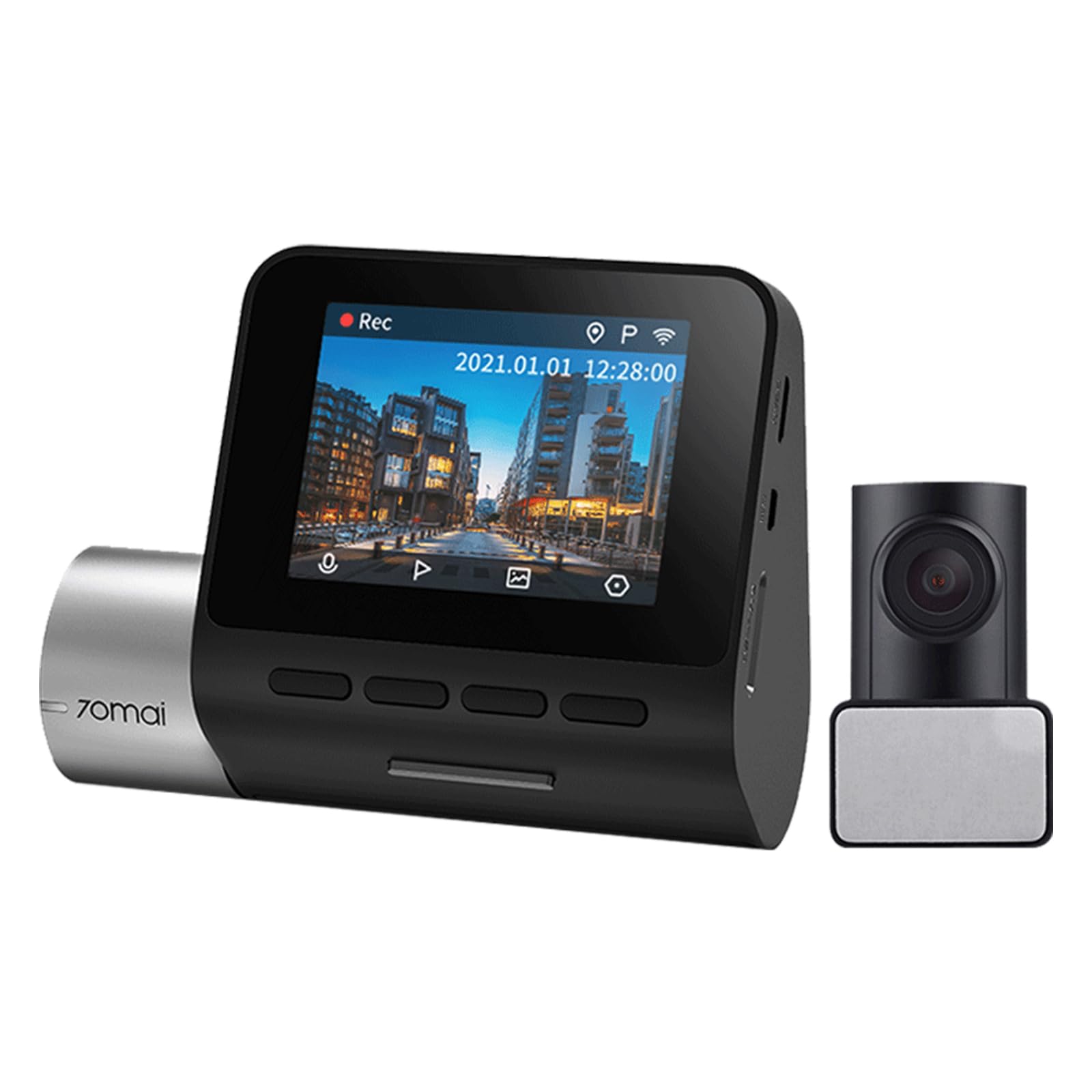
Image: A visual comparison demonstrating the improved clarity and detail achieved with 3D DNR (Digital Noise Reduction) and WDR (Wide Dynamic Range) technologies in low-light conditions, compared to a normal image.
4.3 Parking Surveillance Mode
For continuous monitoring when your vehicle is parked, the RC09 can contribute to the parking surveillance mode of your A400 Dash Cam. This feature requires the 70mai Hardwire Kit, which is sold separately. When enabled, the camera will record events even when the vehicle is off, providing protection against incidents like collisions or vandalism.

Image: A smartphone screen displaying the 70mai mobile application interface, showing a live camera view and options to 'Take Picture' or access the 'Album'. This illustrates how the camera can be managed via the app.
5. Penyelenggaraan
Proper maintenance ensures the longevity and optimal performance of your 70mai RC09 Rear Camera.
- Membersihkan Lensa: Regularly clean the camera lens with a soft, lint-free cloth to remove dust, dirt, or smudges that may affect video clarity. Do not use abrasive cleaners.
- Rintangan Air (IP67): The RC09 is IP67 rated for water and dust resistance. This protects it from splashes and temporary immersion in fresh water. However, avoid exposing the device to salt water, chlorinated water, hot water, or other corrosive liquids. If contact occurs, immediately clean the device with fresh water and dry thoroughly.
- Pemeriksaan Kabel: Periodically check the connection cables for any signs of wear, damage, or loose connections.
6. Penyelesaian masalah
Jika anda menghadapi masalah dengan Kamera Belakang 70mai RC09 anda, rujuk langkah penyelesaian masalah biasa berikut:
- No Image from Rear Camera:
- Ensure the cable is securely connected to both the RC09 and the 70mai A400 Dash Cam.
- Verify that the A400 Dash Cam is powered on and functioning correctly.
- Check the settings on your A400 Dash Cam to ensure the rear camera input is enabled.
- Kualiti Imej Lemah:
- Bersihkan kanta kamera seperti yang diterangkan dalam bahagian Penyelenggaraan.
- Ensure the camera is not obstructed by dirt, condensation, or objects on the rear windshield.
- Check for any damage to the camera lens or cable.
- Sambungan Terputus-putus:
- Inspect the connection cable for any kinks, cuts, or loose connectors.
- Ensure the cable is not being pinched or stressed by vehicle components.
If problems persist after attempting these steps, please contact 70mai customer support for further assistance.
7. Spesifikasi
| Parameter | Perincian |
|---|---|
| Jenama | 70mai |
| produk | Kamera Belakang |
| Model | RC09 |
| Penderia Imej | GC2053 |
| Resolusi | 1080p FHD |
| Bidang View (FOV) | 140° |
| Tahan Air | IP67 |
| Compatible Dash Cam | 70mai A400 |
| Resolusi Rakaman Video | 1080p |
| Kadar Bingkai | 30 FPS |
| Komponen Termasuk | Rear Camera, 2 Cables, User Manual |
8. Waranti dan Sokongan
For detailed warranty information, please refer to the warranty card included with your product or the official 70mai webtapak. Terma dan syarat waranti mungkin berbeza mengikut wilayah dan peruncit.
For technical support, troubleshooting assistance, or any other inquiries, please visit the official 70mai support page or contact their customer service directly. Contact information can typically be found on the 70mai webtapak.