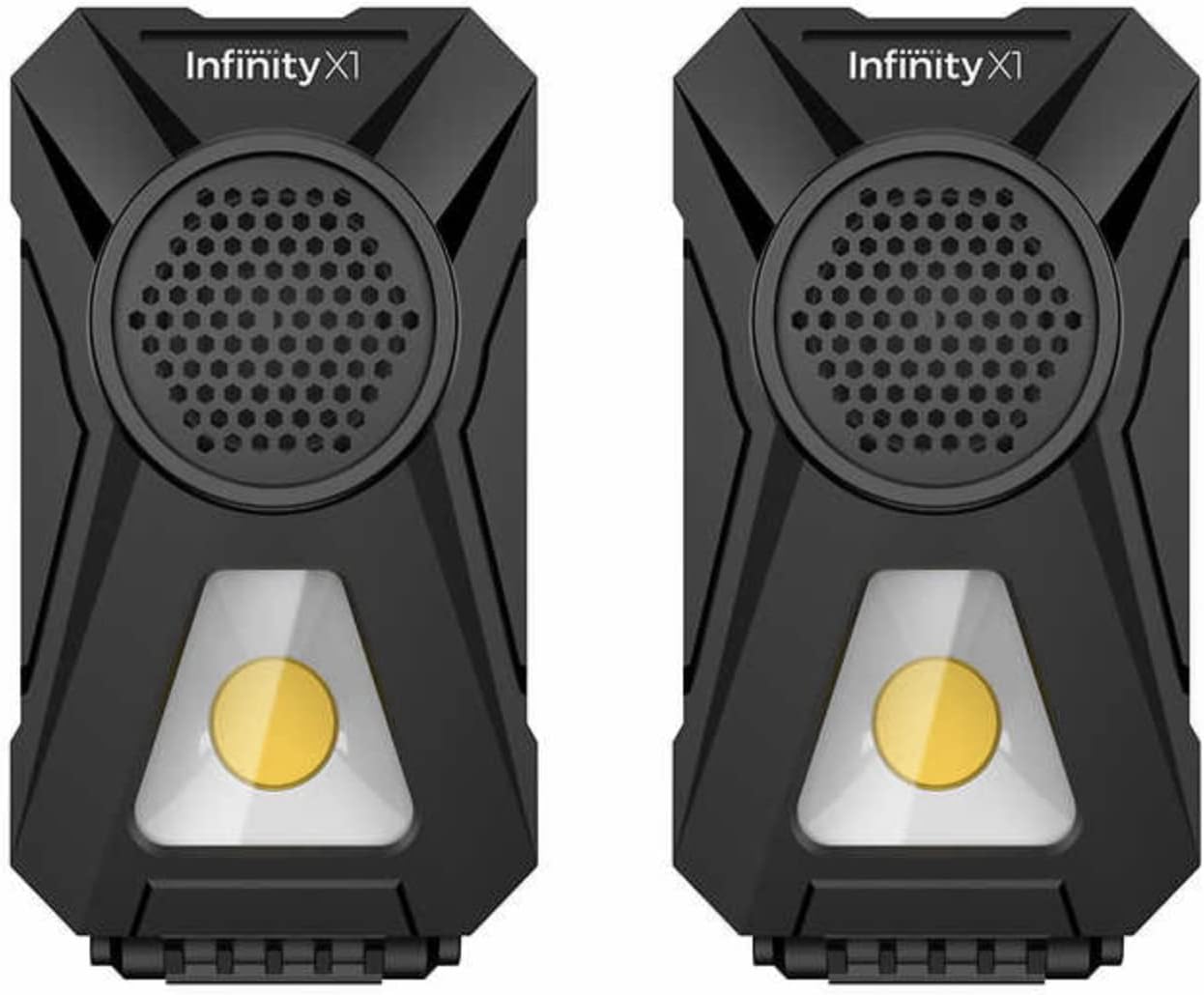
Infinity X1 Stereo, Wireless, Rechargeable 700 Lumens Worklight with Bluetooth Speakers
Model: 1600276
Jenama: Infinity X1
pengenalan
The Infinity X1 Worklight with Bluetooth Speakers is a versatile and portable lighting and audio solution. This device combines a powerful 700-lumen worklight with dual Bluetooth stereo speakers, designed for various applications where both illumination and sound are needed. It features multiple light settings, a USB charging port, and flexible mounting options including adjustable stands, a magnetic base, and a carabiner for hanging.
Apa yang ada dalam Kotak
2 Bluetooth Work Lights
2 Kabel USB
Ciri-ciri Utama
2-Pack Rechargeable Work Light
700 Lumens of powerful light
Pembesar Suara Bluetooth Dwi
High/Med/Low Light Modes
Emergency Flasher Mode
Mod Penglihatan Malam Merah
Pangkalan Magnetik
Carabiner for hanging
Tilt Base for Adjustable Angles
Port Pengecasan USB
Panduan Persediaan
Charging Your Worklight
Before first use, fully charge your Infinity X1 Worklight. Locate the USB charging port on the back of the unit. Connect the provided USB cable to the worklight and plug the other end into a compatible USB power source (e.g., wall adapter, computer USB port). The battery indicator lights on the back will show charging progress.
Imej: Belakang view of the worklight with the USB charging port and battery indicator lights.
Adjusting the Stand and Mounting Options
The worklight features an integrated adjustable stand that allows you to position the light at various angles for optimal illumination. Simply unfold the stand from the back of the unit and adjust it to your desired position. For hands-free use, the worklight also includes a magnetic base for attaching to metal surfaces and a carabiner for hanging.
Imej: Sisi view of the worklight showing the adjustable stand in various positions.
Berpasangan Bluetooth
To connect your device to the worklight's Bluetooth speaker, press and hold the Bluetooth button (often indicated by a Bluetooth symbol or play/pause icon) until the indicator light flashes, signifying pairing mode. On your device, search for "Infinity X1" in the Bluetooth settings and select it to connect. If you have two worklights, you can pair them together for stereo sound. Refer to the specific pairing instructions in your product's quick start guide for detailed steps on stereo pairing.
Image: Two Infinity X1 worklights, ready for individual or stereo Bluetooth pairing.
Arahan Operasi
Mod Cahaya
The worklight offers multiple light settings to suit your needs:
Tinggi (700 Lumen): Provides maximum brightness for extensive illumination.
Sederhana (300 Lumen): Offers balanced brightness for general tasks.
Rendah (100 Lumen): Ideal for extended use or when less light is required.
Emergency Flasher Mode: A flashing light for signaling or emergencies.
Mod Penglihatan Malam Merah: A red light setting for preserving night vision.
Cycle through these modes by pressing the power/mode button. The battery life varies depending on the selected light mode and whether the speakers are also in use.
Image: Detailed table showing lumens, beam distance, and battery life for different light and music modes.
Operasi Pembesar Suara Bluetooth
Once paired, the worklight's integrated Bluetooth speakers will play audio from your connected device. Use the controls on your device to manage playback (play, pause, skip tracks, volume). The worklight itself may have basic playback controls (e.g., play/pause button) as indicated by the Bluetooth button.
Image: Two worklights on a workbench, illustrating their use in a practical setting.
Penyelenggaraan
To ensure the longevity and optimal performance of your Infinity X1 Worklight, follow these maintenance guidelines:
Pembersihan: Lap bahagian luar dengan lembut, damp kain. Elakkan menggunakan bahan kimia yang keras atau pembersih yang kasar.
mengecas: Recharge the battery regularly, especially if the device will not be used for an extended period, to maintain battery health.
Storan: Store the worklight in a cool, dry place away from direct sunlight and extreme temperatures.
Pangkalan Magnetik: Some users have reported that the magnets in the base may occasionally come loose over time. If this occurs, they can typically be re-secured with a strong adhesive like super glue.
Menyelesaikan masalah
Worklight not turning on: Ensure the battery is charged. Connect the worklight to a power source using the USB cable.
Bluetooth tidak bersambung: Make sure the worklight is in pairing mode (flashing indicator light). Check that Bluetooth is enabled on your device and that it is within range. Try forgetting the device on your phone and re-pairing.
Kualiti bunyi yang lemah: Ensure the worklight is within Bluetooth range of your device. Check the volume levels on both the worklight and your connected device.
Hayat bateri kelihatan pendek: Battery life is significantly affected by the light mode (High uses more power) and continuous speaker use. Refer to the specifications table for expected battery life under different conditions. Ensure the unit is fully charged before use.
Magnets falling out: As noted in maintenance, the magnets can be re-glued into place if they become dislodged.
Spesifikasi Produk
Ciri
Spesifikasi
Model Produk
1600276
Spesifikasi Bluetooth
Bluetooth 5.0
Jarak Penghantaran
≤10m (depending on operation environment and devices)
Vol. Boleh Dicas Semula USBtage
DC 5V 1A
Bateri Terbina dalam
2600 mAh
Kuasa Keluaran
5 W
Dimensi Produk
5.5 x 3.0 x 2.5 inci
Jenis Sumber Cahaya
LED
Kecerahan
700 Lumen (Maks)
bahan
aluminium
warna
Hitam
Berat Barang
10.9 auns (309 Gram)
UPC
850009207418
Image: Product information table with key specifications.
Waranti dan Sokongan
Information regarding product warranty and customer support for the Infinity X1 Worklight with Bluetooth Speakers is not available in the provided product data. Please refer to the product packaging or the manufacturer's official website for detailed warranty terms and support contact information.
Ask a question about this manual
Ask about setup, troubleshooting, compatibility, parts, safety, or missing instructions. Manuals+ will review the question and use this page’s manual context to help answer it.