
1. Pengenalan
The CAS DBI Weighing Indicator is designed for precise weight measurement in various applications, including open markets and retail environments. This indicator offers multiple functions such as counting, weight comparison, and percentage calculations, providing versatility for different weighing needs. This manual provides essential information for the proper setup, operation, and maintenance of your DBI Weighing Indicator.
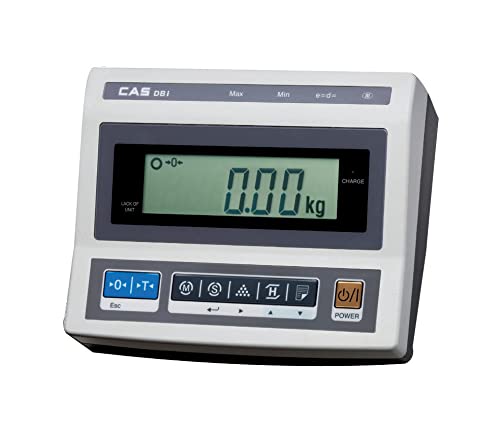
Image: CAS DBI Weighing Indicator in operation with a platform scale.
2. Apa yang ada di dalam Kotak
- 1 x CAS DBI Weighing Indicator
3. Persediaan
- Membongkar: Carefully remove the DBI Weighing Indicator from its packaging.
- penempatan: Place the indicator on a stable, level surface. Ensure it is free from vibrations and direct sunlight.
- Connecting to Platform Scale: Connect the indicator to a compatible weighing platform scale using the appropriate cable (not included, typically supplied with the platform scale). Ensure the connection is secure.
- Sambungan Kuasa: Connect the provided power adapter to the indicator's DC input port and then to a suitable power outlet. The internal rechargeable battery will begin charging.
- Kuasa Awal Hidup: Tekan ke KUASA button to turn on the indicator. Allow a few moments for the display to stabilize.

Image: DBI Weighing Indicator connected to a platform scale, ready for use.
4. Arahan Operasi
4.1 Operasi Asas
- Hidupkan/Mati Kuasa: Tekan ke KUASA butang untuk menghidupkan atau mematikan unit.
- Basic Weighing:
- Ensure the indicator displays "0.00 kg" before placing any item on the connected platform. If not, press the SIFAR butang.
- Place the item to be weighed on the center of the platform.
- Baca berat yang dipaparkan pada LCD.
- Fungsi Tare:
- Letakkan bekas kosong di pelantar.
- Tekan ke SASARAN button. The display will show "0.00 kg" and the tare indicator will illuminate.
- Add items to the container; only the net weight will be displayed.
- To clear tare, remove the container and press SASARAN sekali lagi.
4.2 Advanced Modes
- Mod Mengira: This mode allows for counting a large number of identical items. Follow the on-screen prompts to set a sample quantity, then place the items to get a total count.
- Peratustage Mod: Use this mode to display the weight of an item as a percentage berat rujukan yang telah ditetapkan.
- Accumulation Mode (Σ): This function enables the summing of multiple individual weighments. After each stable weighment, activate the accumulation function to add the weight to a running total.
- Weight Comparison (HI/LOW/OK): Set upper (HI) and lower (LOW) weight limits. The indicator will visually or audibly signal if the current weight is above, below, or within the acceptable range.
4.3 Fungsi Tambahan
- Paparan Lampu Belakang: The large LCD display features a backlight (20mm character height) for improved visibility in various lighting conditions.
- RS-232C Interface: Use the RS-232C port to connect the indicator to a compatible printer (e.g., DEP-50) or a computer for data transfer and ticket print-out.
- Bateri boleh dicas semula: The indicator includes a rechargeable battery providing approximately 100 hours of operation. Charge the battery when the low battery indicator appears.
- Auto Matikan: The auto power off function conserves battery life by automatically shutting down the unit after a period of inactivity.
5. Ciri Berakhirview
The CAS DBI Weighing Indicator is equipped with several features to enhance its functionality and user experience:
- OIML Approval: Certified for 3,000 divisions, ensuring accuracy and reliability in commercial applications.
- Paparan LCD Besar: A 20mm large LCD with backlight provides clear and easy-to-read weight indications.
- Aplikasi Serbaguna: Designed for use with various bench and platform scales, making it suitable for diverse weighing tasks.
- Advanced Weighing Modes: Includes Counting Mode for item quantity, Percentage Mode for comparative weighing, and Accumulation Mode for summing multiple weights.
- Weight Comparison: Features HI/LOW/OK comparison function for efficient check-weighing against predefined limits.
- Ticket Print-out (DEP-50 Compatible): Supports connection to a DEP-50 printer for generating physical records of weighments.
- RS-232C Interface: Enables serial communication with external devices like printers or computers.
- Hayat Bateri yang Panjang: Integrated rechargeable battery offers approximately 100 hours of continuous operation.
- Auto Matikan: An energy-saving feature that automatically turns off the indicator after a period of inactivity.
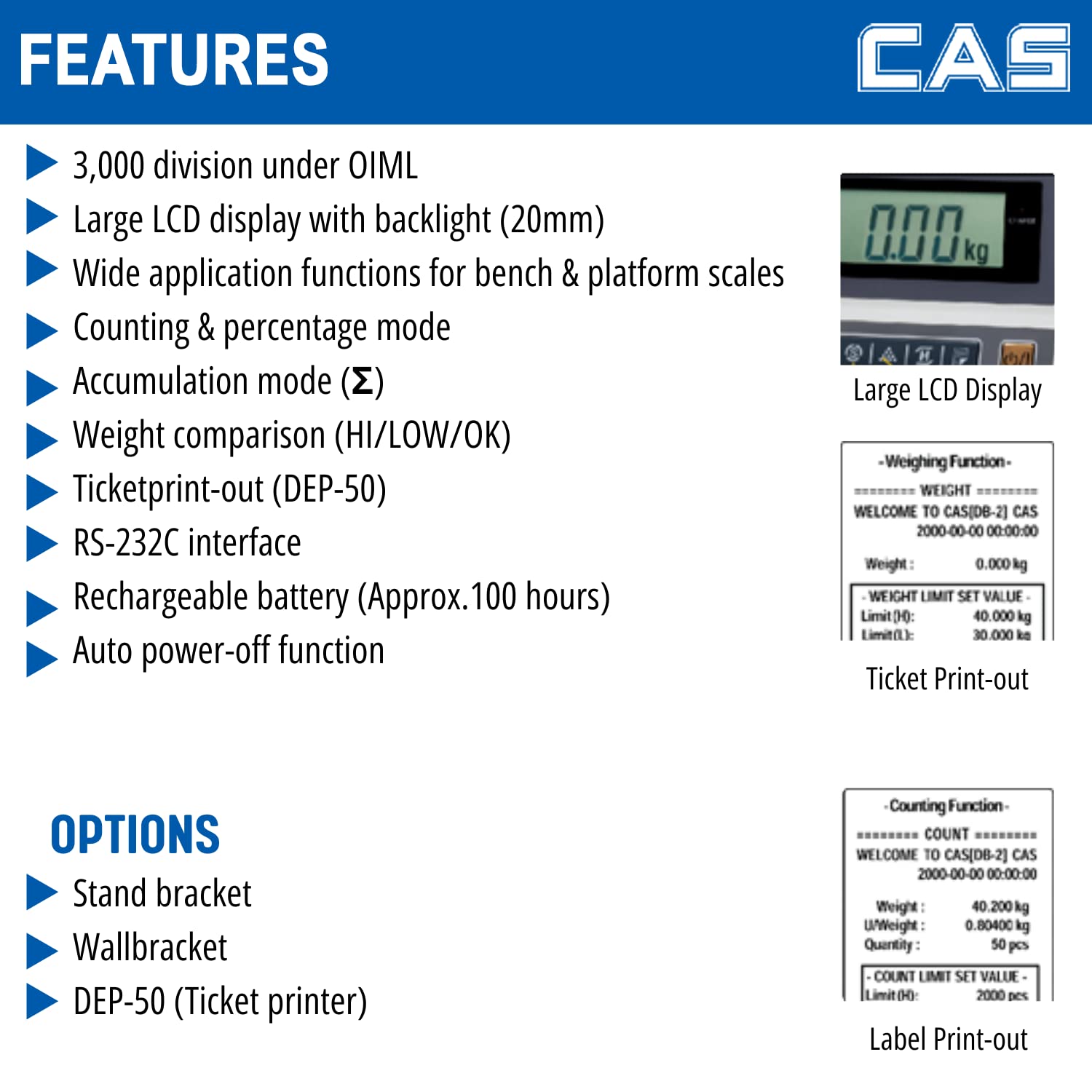
Image: Detailed features of the DBI Weighing Indicator.
6. Penyelenggaraan
- Pembersihan: Wipe the indicator with a soft, damp cloth. Do not use abrasive cleaners or solvents. Ensure no liquid enters the unit.
- Penjagaan Bateri: For optimal battery life, charge the battery regularly and avoid deep discharges. If storing the unit for an extended period, ensure the battery is partially charged.
- Storan: Store the indicator in a dry, dust-free environment away from extreme temperatures.
- Pemeriksaan: Periksa kabel dan sambungan secara berkala untuk sebarang tanda haus atau kerosakan.
7. Penyelesaian masalah
- No Display/Unit Does Not Turn On:
- Check power connection and ensure the adapter is securely plugged in.
- Sahkan alur keluar kuasa berfungsi.
- Ensure the rechargeable battery is not completely depleted; charge the unit for several hours.
- Bacaan Tidak Tepat:
- Ensure the indicator and platform scale are on a stable, level surface.
- Check for any obstructions under the platform.
- Verify the platform scale is properly connected to the indicator.
- Perform a zero calibration if necessary (refer to advanced calibration procedures, usually requiring a service technician or specific key sequence).
- Display Shows "OVERLOAD" or "----":
- Remove any excessive weight from the platform.
- Ensure the platform scale's capacity is not exceeded.
- Butang Tidak Menjawab:
- Pastikan unit dihidupkan.
- Restart the indicator by turning it off and then on again.
- Jika masalah berterusan, hubungi sokongan pelanggan.
8. Spesifikasi
| Spesifikasi | Perincian |
|---|---|
| Jenama | CAS |
| Nombor Model | DBI_Indicator |
| warna | Hitam |
| Ciri Khas | Auto Shut Off, Backlit Display |
| Jenis Paparan | LCD |
| Faktor Bentuk | Mini |
| bahan | Akrilonitril Butadiena Stirena |
| Jenis Penimbang Timbang | Skala Kaunter |
| Berat Barang | 1 kg 500 g |
| Dimensi Produk (LxWxH) | 14.5 x 27.8 x 18.7 cm |
| Sumber Kuasa | DC |
| Komponen yang Disertakan | 1 Penunjuk timbangan |
| Hayat Bateri (Anggaran) | 100 jam |
| OIML Approval | 3,000 bahagian |

Image: Dimensions of the DBI Weighing Indicator.
9. Waranti dan Sokongan
Waranti: For warranty information, please refer to the documentation provided at the time of purchase or contact CAS customer service directly.
Sokongan Pelanggan: For technical assistance, service, or spare parts, please contact CAS Weighing India Pvt Ltd.
- telefon: +91-9212559707
- Alamat: Plot No. 788, Udyog Vihar, Phase -V, Gurugram, Haryana -122016 INDIA

Image: CAS DBI Indicator for retail weighing solutions, showing contact details.