
ARMODD Squarz 9 Pro Gold
Manual Pengguna Jam Tangan Pintar ARMODD Squarz 9 Pro
Model: Squarz 9 Pro Gold
pengenalan
Welcome to the user manual for your new ARMODD Squarz 9 Pro Smart Watch. This guide provides comprehensive instructions on how to set up, operate, and maintain your smartwatch, ensuring you get the most out of its advanced features. The ARMODD Squarz 9 Pro is designed for both men and women, featuring a vibrant 1.72-inch touch screen, IP68 waterproofing, and a wide array of health and fitness tracking capabilities.
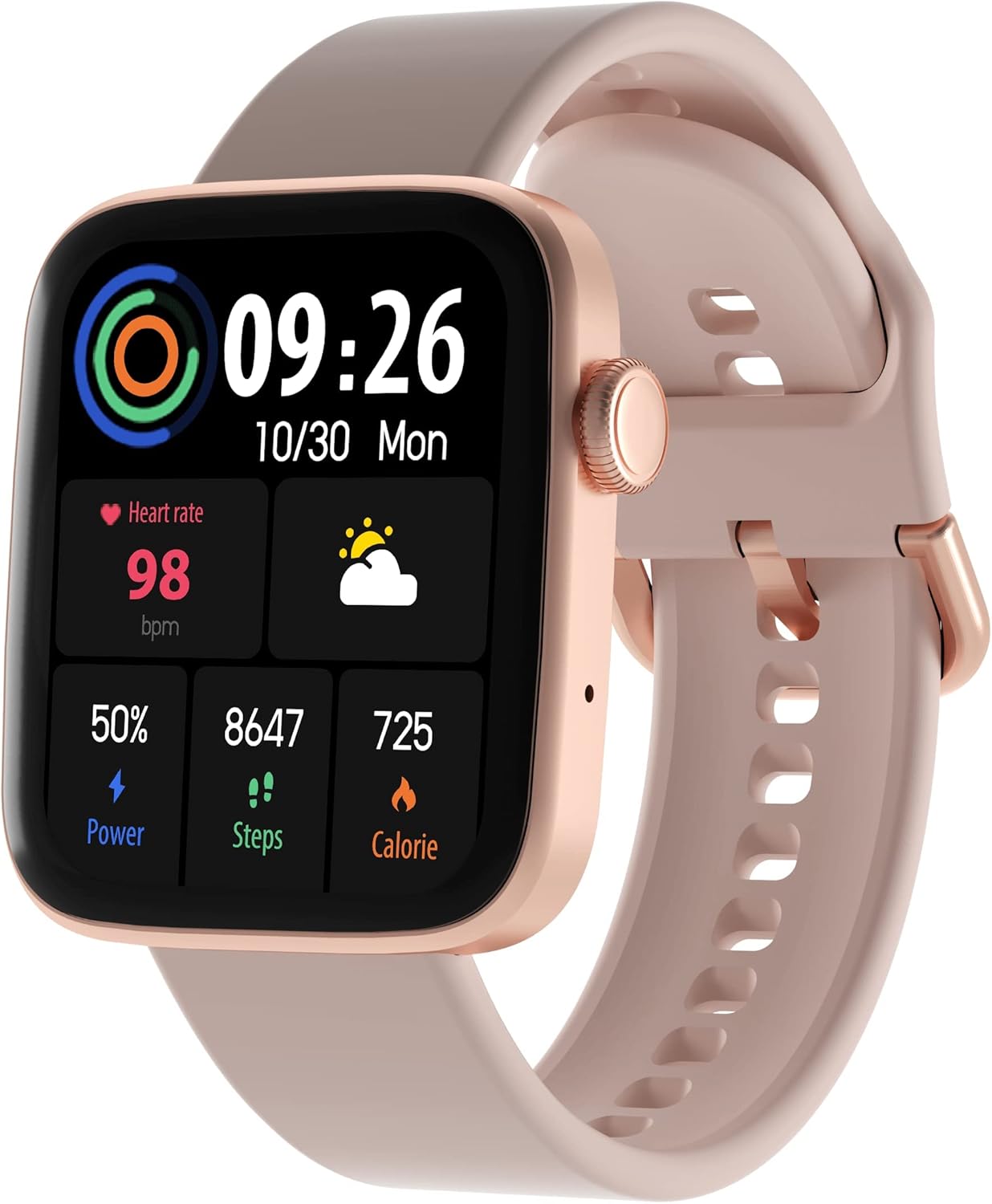
Figure 1: ARMODD Squarz 9 Pro Smart Watch with its main display showing various metrics.
Persediaan
1. Mengecas Jam Tangan Pintar
Before first use, fully charge your ARMODD Squarz 9 Pro Smart Watch.
- Connect the charging cable to the charging port on the back of the watch.
- Palamkan hujung kabel USB ke dalam penyesuai kuasa USB standard (disyorkan 5V/1A) atau port USB komputer.
- Paparan jam tangan akan menunjukkan penunjuk pengecasan. Cas penuh biasanya mengambil masa kira-kira 2 jam.
2. Berpasangan dengan Telefon Pintar Anda
To unlock all features and synchronize data, pair your smartwatch with the dedicated mobile application.
- Muat turun Apl: Cari untuk the "WearPro" app (or the app specified in your watch's quick start guide) on the App Store (iOS) or Google Play Store (Android).
- Dayakan Bluetooth: Pastikan Bluetooth didayakan pada telefon pintar anda.
- Buka Apl: Lancarkan aplikasi yang dimuat turun dan ikuti arahan pada skrin untuk membuat akaun atau log masuk.
- Tambah Peranti: In the app, navigate to the "Device" or "Add Device" section. The app will search for nearby Bluetooth devices.
- Pilih Jam Tangan Anda: Select "ARMODD Squarz 9 Pro" from the list of found devices.
- Sahkan Gandingan: Permintaan pasangan mungkin muncul pada telefon dan jam tangan anda. Sahkan pasangan pada kedua-dua peranti.
- Penyegerakan: Sebaik sahaja dipasangkan, jam tangan akan menyegerakkan masa dan data dengan telefon anda.

Gambar 2: Cthample of the mobile application interface for the ARMODD Squarz 9 Pro.
Arahan Operasi
Navigasi Asas
- Skrin Sentuh: Leret ke kiri/kanan, atas/bawah untuk menavigasi menu dan ciri. Ketik untuk memilih.
- Butang Sisi/Mahkota: Press the side button to wake the screen, return to the home screen, or access the main menu. Rotate the crown to scroll through options or change watch faces.
Menyesuaikan Muka Jam
The ARMODD Squarz 9 Pro offers over 100 watch faces and the ability to upload your own photos.
- Pada Jam Tangan: From the home screen, long-press the display to enter watch face selection mode. Swipe left/right to browse pre-installed faces and tap to select.
- Melalui Apl: Open the mobile app, go to the "Watch Faces" or "Dial Market" section. Browse and download new watch faces, or select an image from your phone's gallery to set as a custom watch face.

Figure 3: The smartwatch displaying a customizable watch face.
Panggilan Bluetooth
Make and receive calls directly from your smartwatch when connected to your smartphone via Bluetooth.
- Ensure your watch is connected to your phone's Bluetooth.
- Access the "Phone" or "Dialer" function on your watch.
- You can dial numbers directly or access your phone's contacts/call history through the watch.
- Incoming calls will display on the watch, allowing you to answer or reject them.

Figure 4: The smartwatch displaying the Bluetooth calling function.
Pemantauan Kesihatan
The watch monitors various health metrics to help you stay informed about your well-being.
- Kadar Jantung: Access the heart rate monitor function on the watch to measure your current heart rate. Continuous monitoring can be enabled via the app.
- Penjejakan Tidur: Wear the watch to bed to automatically track your sleep patterns, including deep sleep, light sleep, and awake times. View laporan terperinci dalam apl.
- Blood Pressure & Blood Oxygen (SpO2): The watch can estimate blood pressure and blood oxygen levels. For medical accuracy, consult professional medical devices.

Figure 5: Heart rate monitoring feature in action.
Mod Sukan dan Penjejakan Aktiviti
Track your workouts and daily activity with multiple sports modes and a built-in pedometer.
- Pedometer: The watch automatically counts your steps, distance, and calories burned throughout the day.
- Mod Sukan: Select from various sports modes (e.g., running, walking, cycling) to get real-time data during your activity.
- Penyegerakan Data: All activity data is synchronized with the mobile app for detailed analysis and historical records.

Figure 6: Tracking sports activity with the smartwatch.
Pemberitahuan
Terima pemberitahuan daripada telefon pintar anda terus pada jam tangan anda.
- Enable app notifications in your phone's settings and within the smartwatch app.
- The watch will vibrate and display incoming calls, messages, and app alerts.
Penyelenggaraan
Membersihkan Jam Tangan Pintar Anda
Pembersihan tetap membantu mengekalkan penampilan dan kefungsian jam tangan.
- Lap skrin jam tangan dan badan dengan kain lembut dan tidak berbulu.
- Untuk bintik-bintik degil, sedikit dampen kain dengan air. Elakkan menggunakan bahan kimia yang keras atau bahan yang melelas.
- Bersihkan sesentuh pengecasan secara berkala untuk memastikan pengecasan yang betul.
Rintangan Air (IP68)
The ARMODD Squarz 9 Pro is IP68 waterproof, meaning it is resistant to dust and can withstand immersion in water up to 1.5 meters for up to 30 minutes.
- Ia sesuai untuk kegunaan harian, seperti mencuci tangan, hujan, dan berenang di kawasan cetek.
- Avoid hot water, steam, or prolonged immersion in deep water.
- Jangan kendalikan butang jam tangan di bawah air.
- After exposure to water, wipe the watch dry before charging.
Menyelesaikan masalah
| Masalah | Kemungkinan Punca / Penyelesaian |
|---|---|
| Jam tangan tidak dihidupkan | Battery might be depleted. Charge the watch for at least 30 minutes. |
| Tidak boleh berpasangan dengan telefon pintar |
|
| Data kesihatan yang tidak tepat |
|
| Pemberitahuan tidak diterima |
|
| Hayat bateri pendek |
|
Spesifikasi
| Ciri | Perincian |
|---|---|
| Nama Model | Squarz 9 Pro Gold |
| Jenama | ARMODD |
| Saiz Paparan | 1.72 Inci |
| Teknologi Ketersambungan | Bluetooth |
| Tahan Air | IP68 |
| Ciri Khas | Time Display, Pedometer, Alarm Clock, Heart Rate Monitor, Sleep Monitor, Bluetooth Calling |
| Peranti Serasi | Smartphone (iOS / Android) |
| Bateri | 1 Litium-ion (termasuk) |
Waranti dan Sokongan
For warranty information and customer support, please refer to the documentation included with your purchase or visit the official ARMODD webtapak.