
arboleaf CK10G
Arboleaf Smart Kitchen Scale User Manual
Model: CK10G
1. Pengenalan
Thank you for choosing the Arboleaf Smart Kitchen Scale, Model CK10G. This advanced kitchen scale is designed to provide precise measurements for your culinary needs and assist with nutritional tracking through its smart connectivity features. With a maximum capacity of 10kg and an accuracy of 0.5g, it is an ideal tool for cooking, baking, pet food portioning, and managing dietary intake.
This manual provides detailed instructions on how to set up, operate, and maintain your Arboleaf Smart Kitchen Scale to ensure optimal performance and longevity.
2. Panduan Persediaan
2.1 Membuka Kotak dan Pemeriksaan Awal
Keluarkan semua komponen dari pembungkusan dengan berhati-hati. Sahkan bahawa semua bahagian ada dan tidak rosak. Pakej itu hendaklah mengandungi:
- Arboleaf Smart Kitchen Scale (Model CK10G)
- Kabel Pengecas USB
- Manual Pengguna (dokumen ini)
2.2 Mengecas Penimbang
The Arboleaf Smart Kitchen Scale features a built-in rechargeable battery. Before first use, fully charge the device.
- Locate the USB charging port on the side or back of the scale.
- Connect the provided USB charging cable to the scale and plug the other end into a standard USB power adapter (not included) or a computer USB port.
- The LED display will indicate charging status. The scale can be used while charging.
- A full charge typically provides up to two months of use, depending on frequency.

Figure 2.1: Arboleaf Smart Kitchen Scale with USB charging cables and app interface.
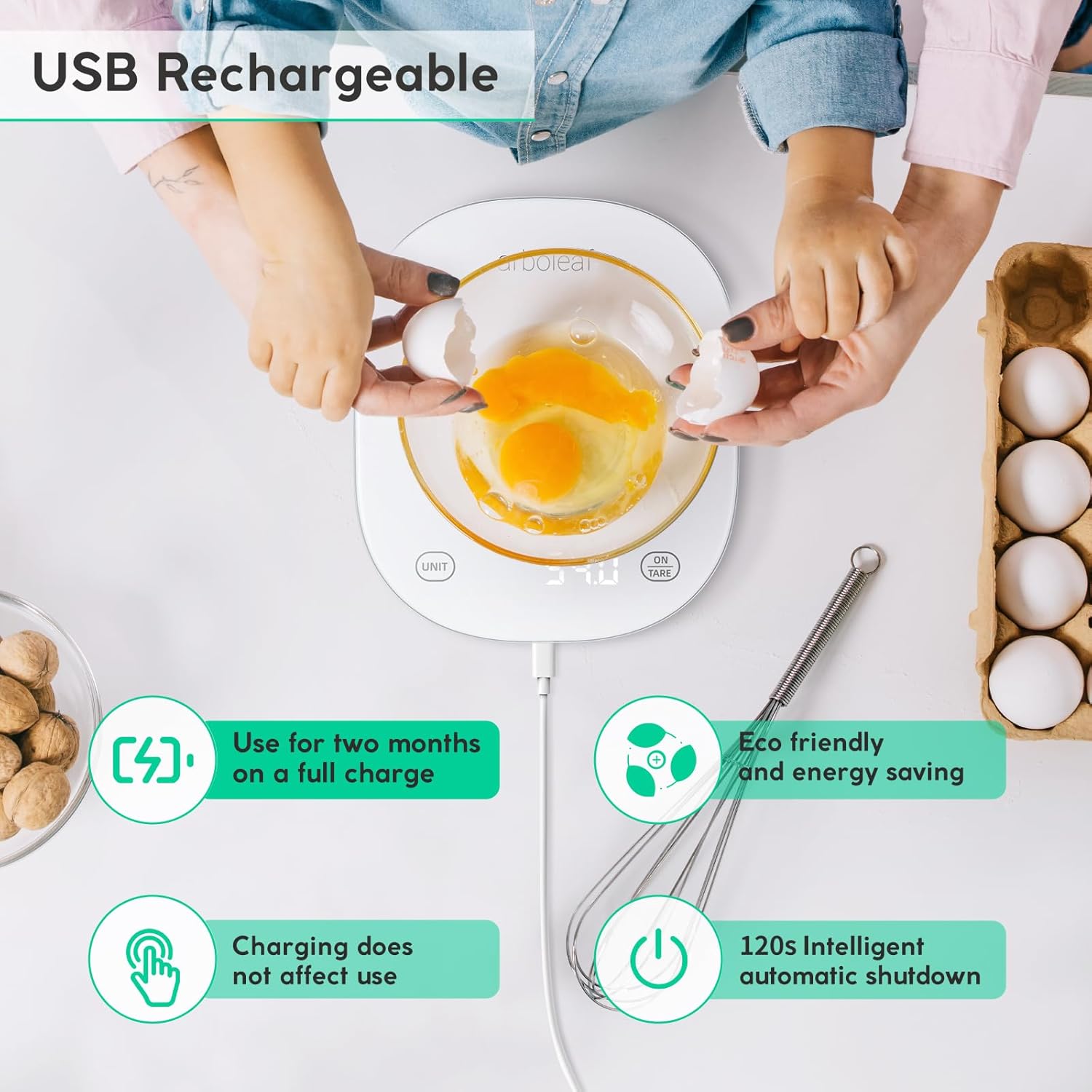
Figure 2.2: USB Rechargeable feature of the scale, highlighting its long battery life and eco-friendliness.
2.3 Installing the Foodiet App
To unlock the full potential of your smart kitchen scale, download and install the "Foodiet" application on your smartphone or tablet.
- Scan the QR code provided in the packaging or search for "Foodiet" in your device's app store (App Store for iOS, Google Play Store for Android).
- Muat turun dan pasang aplikasi.
- Dayakan Bluetooth pada telefon pintar/tablet anda.
- Open the Foodiet app and follow the on-screen instructions to pair your scale. Ensure the scale is turned on.
3. Arahan Operasi
3.1 Penimbangan Asas
- Letakkan kerak di permukaan yang rata dan stabil.
- Press the "ON/TARE" button to turn on the scale. The display will show "0.0g" when ready.
- Place the item you wish to weigh directly onto the center of the scale platform.
- The weight will be displayed on the LED screen.

Figure 3.1: Easy-to-read display and app integration for weighing ingredients.
3.2 Penukaran Unit
The scale supports multiple units of measurement. You can switch between units using the "UNIT" button on the scale or through the Foodiet app.
- Press the "UNIT" button repeatedly to cycle through available units: grams (g), pounds:ounces (lb:oz), fluid ounces (fl:oz), milliliters (ml), and milk milliliters (ml with milk icon).
- Alternatively, open the Foodiet app and select your desired unit from the interface. The app also allows you to view the weight even if a large plate obstructs the scale's display.

Figure 3.2: Multiple unit options and sensor technology.

Figure 3.3: Scale displaying weight in grams with unit options.

Figure 3.4: Using the Foodiet app to select units and view measurements when the scale display is obstructed.
3.3 Fungsi Tara
The tare function allows you to weigh multiple ingredients in the same container or to subtract the weight of a container.
- Letakkan bekas kosong pada skala. Paparan akan menunjukkan beratnya.
- Press the "ON/TARE" button. The display will reset to "0.0g".
- Add your first ingredient to the container. The display will show the weight of the ingredient only.
- To add another ingredient, press "ON/TARE" again to reset the display to "0.0g", then add the next ingredient. Repeat as needed.

Figure 3.5: Step-by-step guide for using the Tare Function.

Figure 3.6: Scale display after applying the tare function.
3.4 Using the Foodiet App for Nutritional Tracking
The Foodiet app is a powerful tool for managing your dietary intake and tracking nutritional information.
- Ingredient Analysis: Weigh your food on the scale, and the app will display detailed nutritional facts (calories, fat, protein, carbs, etc.) for over 19 food elements.
- Daily Intake Tracking: Record and track your daily, weekly, monthly, and annual consumption.
- Penyegerakan Data: Sync your data with popular health management software like Fitbit and Apple Health.
- Customizable Auto-Shutdown: Adjust the auto-shutdown time (120 seconds, 3.5 minutes, 5 minutes) via the app to conserve battery life.

Figure 3.7: Managing ingredients and tracking nutrition with the Foodiet app.

Figure 3.8: Obtaining ingredient and food content details from the Foodiet App.

Figure 3.9: Various options for Auto Shutdown time settings in the Foodiet app.
4. Penyelenggaraan
4.1 Pembersihan
The scale features a waterproof surface for easy cleaning.
- Lap permukaan skala dengan lembut, damp kain.
- Jangan gunakan pembersih yang kasar atau rendam kerak di dalam air.
- Ensure the scale is dry before storage.

Figure 4.1: Easy to Clean Waterproof Surface.
4.2 Penyimpanan
Simpan penimbang di tempat yang sejuk dan kering, jauh daripada cahaya matahari langsung dan suhu yang melampau. Elakkan meletakkan objek berat di atas penimbang apabila tidak digunakan.
5. Penyelesaian masalah
| Masalah | Kemungkinan Punca | Penyelesaian |
|---|---|---|
| Skala tidak dihidupkan. | Bateri lemah atau tiada cas. | Cas penimbang menggunakan kabel USB yang disediakan. |
| Bacaan yang tidak tepat. | Scale not on a flat surface; overloaded; dirty sensors. | Place on a stable, flat surface. Do not exceed 10kg. Clean the scale. Recalibrate if necessary (refer to app instructions). |
| "Err" displayed. | Overload error (weight exceeds 10kg). | Remove items from the scale immediately. Do not exceed maximum capacity. |
| "Lo" displayed. | Bateri lemah. | Recharge the scale. |
| Cannot connect to Foodiet app. | Bluetooth dimatikan; skala tidak dihidupkan; isu aplikasi. | Ensure Bluetooth is enabled on your device. Turn the scale off and on again. Restart the app. Re-pair the device in the app settings. |

Figure 5.1: Scale display showing 'CHAR' during charging.

Figure 5.2: 'Err' display indicating overload.

Figure 5.3: 'Lo' display indicating low battery.
6. Spesifikasi
| Ciri | Perincian |
|---|---|
| Nombor Model | CK10G |
| Jenama | arboleaf |
| Kapasiti Maksimum | 10 kg (22 lbs) |
| Accuracy / Increment | 0.5 g |
| Minimum Recommended Weight | 2 g |
| Unit Pengukuran | g, lb:oz, fl:oz, ml, milk ml |
| Jenis Paparan | Lampu Belakang LED |
| Sumber Kuasa | Rechargeable Lithium-polymer battery (included) |
| Ketersambungan | Bluetooth (Foodiet App) |
| bahan | Acrylonitrile Butadiene Styrene Glass |
| Dimensi (L x W x H) | 21 x 18.2 x 2.07 cm (lebih kurang 8.27 x 7.17 x 0.81 inci) |
| Berat Barang | 530 Gram (lebih kurang 1.17 paun) |
| warna | putih |
| Negara Asal | China |
7. Waranti & Sokongan
7.1 Maklumat Waranti
Arboleaf products are manufactured with high-quality materials and are thoroughly tested before shipment. This product comes with a standard manufacturer's warranty against defects in materials and workmanship from the date of purchase. Please retain your proof of purchase for warranty claims.
The warranty does not cover damage caused by misuse, accident, unauthorized modification, or failure to follow the instructions in this manual. For specific warranty terms and conditions, please refer to the documentation included with your purchase or contact Arboleaf customer support.
7.2 Sokongan Pelanggan
If you encounter any issues or have questions regarding your Arboleaf Smart Kitchen Scale, please contact our customer support team. For the most up-to-date contact information, please visit the official Arboleaf webtapak atau rujuk kepada pembungkusan produk anda.
Sumber Dalam Talian: For FAQs, troubleshooting guides, and app updates, please visit the Arboleaf official webtapak.
Sokongan E-mel: Rujuk kepada webtapak
Sokongan Telefon: Rujuk kepada webtapak
When contacting support, please have your product model number (CK10G) and purchase details ready.
Ask a question about this manual
Ask about setup, troubleshooting, compatibility, parts, safety, or missing instructions. Manuals+ will review the question and use this page’s manual context to help answer it.