
1. Persediaan
1.1 Membuka Kotak dan Kandungan Pakej
Carefully unbox your Redmi Note 10S. Verify that all components are present in the package:
- Telefon Pintar Redmi Note 10S
- Penyesuai kuasa
- Kabel USB (Jenis-C)
- Alat keluarkan SIM
- Kad jaminan
- Panduan pengguna
- Clear soft case
- Screen protector (pre-applied on the phone)

Imej: Depan view of the Redmi Note 10S smartphone.
1.2 Pemasangan Kad SIM dan Kad MicroSD
- Cari dulang kad SIM di sisi peranti anda.
- Insert the SIM eject tool into the small hole next to the tray and press firmly until the tray pops out.
- Place your Nano-SIM cards (up to two) and/or a MicroSD card into the designated slots on the tray. Ensure the gold contacts face downwards.
- Masukkan semula dulang dengan berhati-hati ke dalam telefon sehingga ia berbunyi klik pada tempatnya.

Imej: Atas view of the Redmi Note 10S, showing the SIM card tray location.
1.3 Penghidupan Awal dan Persediaan Asas
- Tekan dan tahan butang Kuasa (terletak di sisi) sehingga logo Redmi muncul.
- Ikut arahan pada skrin untuk memilih bahasa, rantau dan sambungkan ke rangkaian Wi-Fi anda.
- Log masuk dengan akaun Google anda atau buat akaun baharu untuk mengakses perkhidmatan Google dan Gedung Play.
- Set up your preferred screen lock method, such as PIN, pattern, or fingerprint. The fingerprint sensor is integrated into the power button.
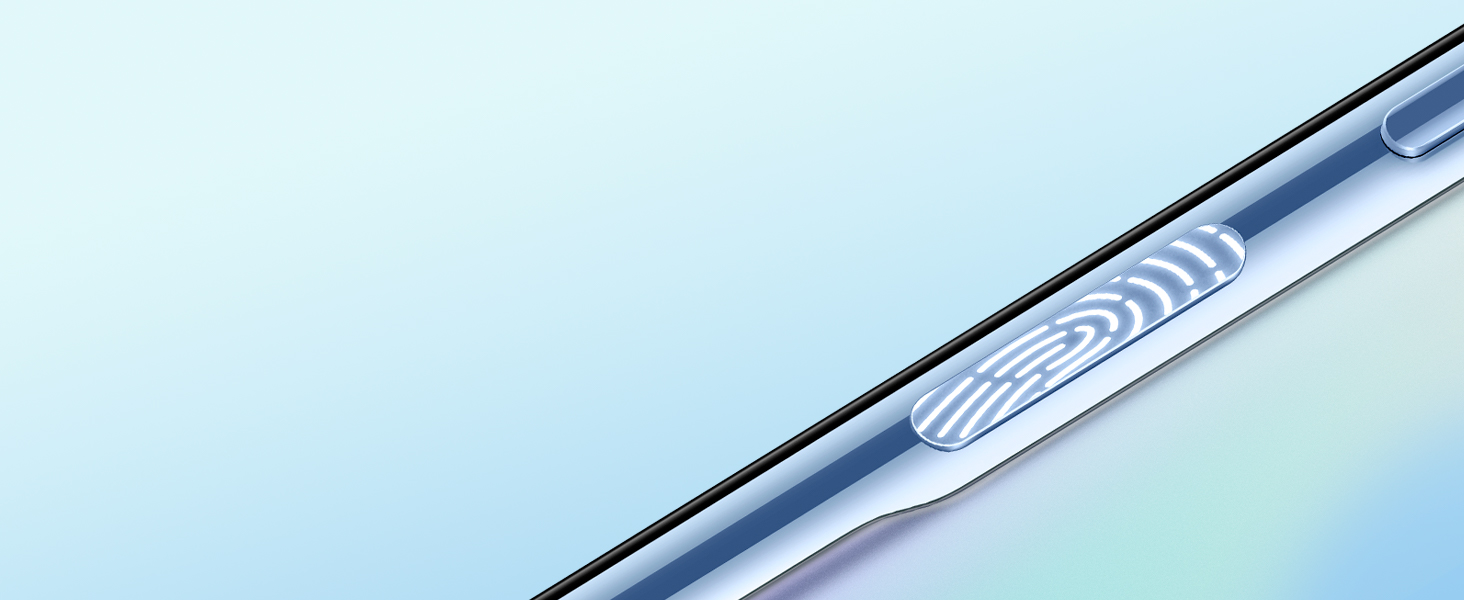
Image: Close-up of the side-mounted fingerprint sensor on the Redmi Note 10S.
2. Arahan Operasi
2.1 Paparan dan Navigasi
The Redmi Note 10S features a 6.43-inch FHD+ AMOLED Dot display. Navigate the interface using touch gestures:
- Ketik: Pilih item atau buka aplikasi.
- Leret: Tatal melalui skrin atau senarai.
- Cubit: Zum masuk atau keluar pada imej dan web muka surat.
- Tekan lama: Akses menu kontekstual atau alihkan ikon.

Image: The Redmi Note 10S AMOLED display, highlighting the punch-hole front camera.
2.2 Fungsi Kamera
The device is equipped with a 64 MP Quad Rear camera system and a 13 MP Front camera. Open the Camera app to access various modes:
- Foto: Standard mode for still images.
- Potret: Creates a depth-of-field effect for subjects.
- Video: Records videos up to 1080p resolution.
- Mod Pro: Allows manual control over settings like ISO, white balance, and shutter speed.
- Mod Malam: Mempertingkatkan foto yang diambil dalam keadaan cahaya malap.
- Makro: For close-up shots of small objects.
- Ultra-wide: Untuk merakam babak yang lebih luas.

Image: Close-up of the 64MP main camera lens on the Redmi Note 10S.

Imej: Cthample of a landscape photograph captured using the Redmi Note 10S camera.
2.3 Bateri dan Pengecasan
The Redmi Note 10S is equipped with a 5000 mAh battery and supports 33W fast charging. Use the included 33W charger and USB Type-C cable for optimal charging performance.
- Connect the USB cable to the phone's Type-C port and the power adapter.
- Palamkan penyesuai kuasa ke salur keluar dinding.
- Penunjuk pengecasan akan muncul pada skrin.

Image: Illustration depicting the 5000mAh battery capacity and 33W fast charging capability of the Redmi Note 10S.
2.4 Audio dan Kesambungan
The device features dual stereo speakers for enhanced audio experience and a 3.5mm headphone jack. Connectivity options include Bluetooth, Wi-Fi, and USB Type-C.

Image: Illustration highlighting the dual stereo speakers of the Redmi Note 10S.
3. Penyelenggaraan
3.1 Penjagaan Am
- Pastikan peranti bersih menggunakan kain yang lembut dan kering. Elakkan bahan yang kasar.
- Protect the screen with the pre-applied screen protector and the device body with the included clear soft case.
- Avoid exposing the phone to extreme temperatures, direct sunlight for prolonged periods, or excessive moisture. While the device is water-resistant, it is not waterproof.

Image: Illustration demonstrating the water-resistant features of the Redmi Note 10S.
3.2 Ketahanan Bateri
- Elakkan menyahcas sepenuhnya bateri dengan kerap.
- Jangan biarkan telefon dicas untuk tempoh yang lama selepas ia mencapai 100%.
- Gunakan hanya pengecas dan kabel asal yang disediakan bersama peranti.
4. Penyelesaian masalah
4.1 Isu dan Penyelesaian Biasa
| Isu | Kemungkinan Punca | Penyelesaian |
|---|---|---|
| Phone heats up during use | Intensive gaming, prolonged video playback, or heavy app usage. | Reduce usage intensity, close background apps, or allow the phone to cool down. Avoid direct sunlight. |
| Kualiti kamera yang teruk | Low light conditions, dirty lens, incorrect camera settings. | Ensure adequate lighting, clean the camera lens, try different camera modes (e.g., Night Mode), or adjust Pro Mode settings. |
| WhatsApp call notifications not appearing | App notification settings, battery optimization settings. | Check WhatsApp notification settings in phone settings. Ensure WhatsApp is not restricted by battery optimization. Clear app cache. |
| No calling display during incoming calls | Software glitch, app permissions. | Restart the phone. Check phone app permissions. Ensure the phone's operating system is updated to the latest version. |
| Phone system faulty (e.g., camera not opening, cannot make calls) | Software corruption, hardware defect. | Perform a factory reset (backup data first). If the issue persists, contact customer support. |
4.2 Kemas Kini Perisian
Regularly check for and install system updates to ensure optimal performance, security, and bug fixes. Go to Tetapan > Perihal telefon > Versi MIUI untuk menyemak kemas kini.
5. Spesifikasi
Detailed technical specifications for the Redmi Note 10S:
| Ciri | Perincian |
|---|---|
| Jenama | Redmi |
| Model | Nota 10S |
| Sistem Operasi | Android 11.0 (MIUI 12.5) |
| Pemproses | MediaTek Helio G95 Octa-core (Up to 2.05 GHz) |
| RAM | 8 GB |
| Storan Dalaman | 128 GB UFS 2.2 |
| Storan Boleh Dikembangkan | Up to 512 GB with dedicated SD card slot |
| Paparan | 6.43-inch FHD+ (2400 x 1080) AMOLED Dot Display, 60 Hz Refresh Rate |
| Kamera Belakang | 64 MP (Main) + 8 MP (Ultra-wide) + 2 MP (Macro) + 2 MP (Depth) Quad Camera |
| Kamera Depan | 13 MP |
| Resolusi Tangkapan Video | 1080p |
| Kapasiti Bateri | 5000 mAh (Lithium-Polymer) |
| Mengecas | Pengecasan Pantas 33W, USB Jenis-C |
| Sokongan Kad SIM | Dual SIM (Nano+Nano) 4G+4G |
| Ketersambungan | Bluetooth, Wi-Fi, USB Type-C, 3.5 mm Headphone Jack |
| Keselamatan Biometrik | Side-mounted Fingerprint Sensor, Voice Recognition, Iris Recognition |
| Tahap Ketahanan Air | Tahan Air |
| Dimensi | 16 x 0.8 x 7.5 Sentimeter |
| bahan | plastik |
6. Maklumat Waranti
Your Redmi Note 10S comes with a limited manufacturer's warranty. Please refer to the warranty card included in your product package for specific terms, conditions, and duration of coverage. Keep your proof of purchase for warranty claims.
The warranty typically covers manufacturing defects and malfunctions under normal use. It does not cover damage caused by misuse, accidents, unauthorized repairs, or normal wear and tear.
7. Sokongan Pelanggan
For further assistance, technical support, or service inquiries regarding your Redmi Note 10S, please contact Redmi customer service through the following channels:
- Sokongan dalam talian: Visit the official Redmi website for FAQs, support forums, and online chat options.
- Pusat Perkhidmatan: Locate authorized Redmi service centers in your region for in-person assistance.
- Nombor Perhubungan: Refer to the warranty card or official Redmi webtapak untuk nombor hubungan perkhidmatan pelanggan serantau.
When contacting support, please have your device's model number (Redmi Note 10S) and serial number (IMEI) ready. This information can be found in Settings > About phone > All specs > Status.


