
pengenalan
This manual provides detailed instructions for the installation, operation, and maintenance of your GNCC W1 Wireless Security Camera System. Please read this manual thoroughly before using the product to ensure proper functionality and safety. The GNCC W1 system is designed to help you monitor your home, offering features like full HD 1080p resolution, color night vision, PIR detection, and two-way audio.
Apa yang ada dalam Kotak
Sahkan bahawa semua komponen terdapat dalam pakej anda:
- 1 x GNCC W1 Battery-Powered Camera
- 1 x Smart Gateway (Hub)
- 1 x Power Adapter for Gateway
- 1 x Kabel Rangkaian
- 1 x Pendakap Pemasangan Kamera
- 1 x Battery Charging Cable
- 1 x Manual Pengguna (Bahasa Inggeris)
- Other accessories (screws, wall plugs)

Image: All components included in the GNCC W1 Security Camera System package.
Arahan Persediaan
Follow these steps to set up your GNCC W1 Security Camera System:
1. Persediaan Gerbang
- Kuasa pada Gerbang: Connect the power adapter to the gateway and plug it into an electrical outlet. The red light on the gateway will flash.
- Sambung ke Penghala: Use the provided network cable to connect the gateway to your internet router.
- Download Osaio App: Download the Osaio app from your smartphone's app store (iOS or Android).
- Imbas Kod QR: Open the Osaio app and scan the QR code located on the bottom of the gateway to add it to your account.
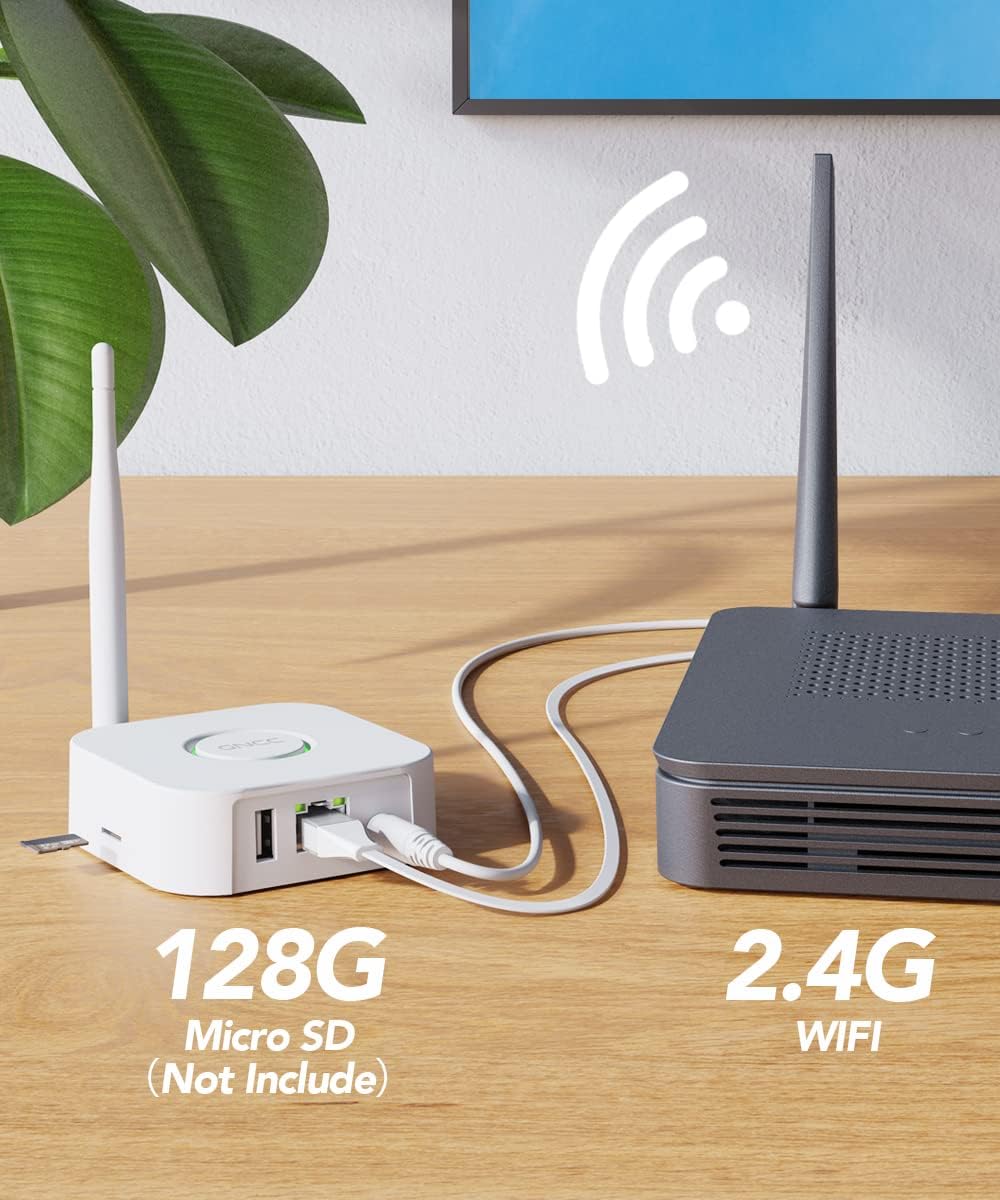
Image: The GNCC Gateway connected to a router, illustrating network setup and local storage option.
2. Persediaan Kamera
- Hidupkan Kamera: Press and hold the button on the camera for 3 seconds to turn it on.
- Reset Camera (if needed): If the camera has been used before or is not responding, press and hold the button again for 6 seconds until you hear "Your camera has been reset." Wait for the red indicator light to flash.
3. Synchronize Camera with Gateway
- Initiate Gateway Sync: Press the button on the gateway until its red light changes to a flashing blue light.
- Complete Sync: The camera will automatically connect to the gateway. Once both the gateway light and the camera light turn green, the synchronization is complete.
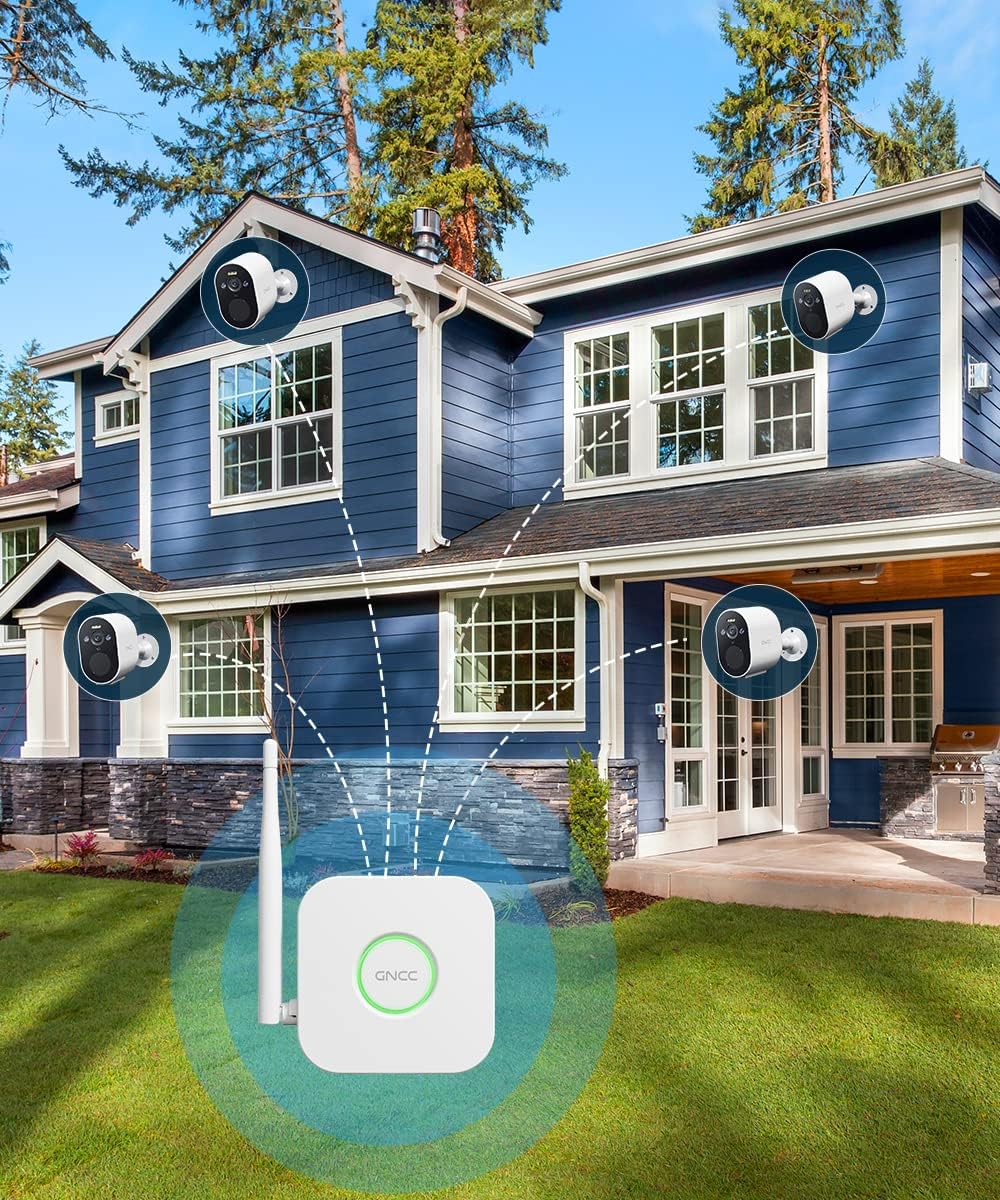
Image: Multiple GNCC W1 cameras connected to the smart gateway, demonstrating the system's wireless capability.
Operating Your GNCC W1 Camera System
Pengesanan PIR
The camera utilizes intelligent human motion detection (PIR) technology to minimize false alarms caused by non-human object movement. When human motion is detected, the camera will trigger an alarm and send instant alerts to your Osaio app.

Image: The camera's PIR detection in action, highlighting its ability to identify human presence and trigger an alert.
Penggera bunyi dan cahaya
Upon detecting human movement, the camera activates both a sound alarm (siren mode) and a spotlight to deter intruders. Simultaneously, instant alerts are sent to your Osaio application.
Full HD 1080p Color Night Vision
The GNCC W1 camera provides Full HD 1080p resolution for clear video. Its color night vision feature, enabled by a spotlight, allows you to see vivid details even in low-light conditions. An infrared filter automatically switches between day and night modes.

Image: Demonstrating the difference between full-color night vision (with spotlight) and standard infrared night vision (without spotlight).
Storan Tempatan
The system supports local storage of surveillance video on an SD card (not included, 8-128GB/C10 recommended) inserted into the gateway. This ensures your recorded video is safe even if the camera itself is tampered with or stolen.
Audio Dua Hala
The camera features two-way audio, allowing you to communicate with visitors or deter unwanted guests directly through the Osaio app.
Osaio App Control
Manage your camera settings, view live feeds, receive alerts, and access recorded footage via the Osaio app on your smartphone. The system is compatible with Amazon Alexa and Google Assistant for voice control.
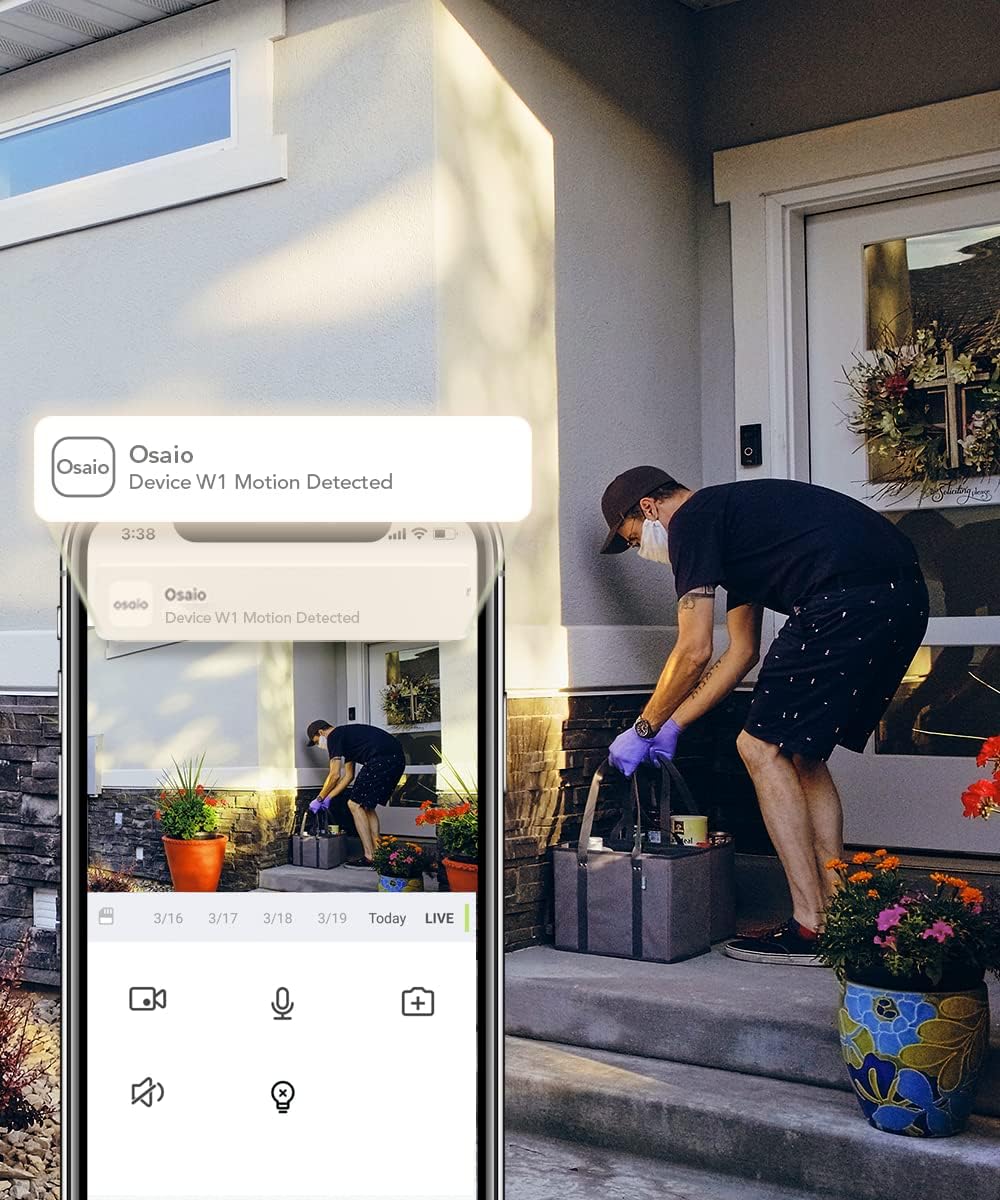
Image: The Osaio app interface displaying a motion detection alert and live view from the GNCC W1 camera.
Penyelenggaraan
Hayat Bateri
The GNCC W1 camera is battery-powered and designed for extended use. A full charge typically lasts 7 to 15 days, depending on usage frequency and environmental conditions. Use the provided charging cable to recharge the camera when the battery level is low.
Rintangan Cuaca
The camera is IP66 rated, making it resistant to dust and water jets. It is suitable for outdoor use and can withstand various weather conditions, with an operating temperature range from -20°C to 60°C.

Image: The GNCC W1 camera demonstrating its IP66 weather resistance and wide operating temperature range.
Pembersihan
To clean the camera lens and body, use a soft, dry cloth. Avoid using harsh chemicals or abrasive materials that could damage the device.
Menyelesaikan masalah
- Camera not connecting to Gateway:
Ensure both the camera and gateway are powered on. Verify the gateway is connected to your router. Try resetting the camera by holding its button for 6 seconds until you hear "Your camera has been reset," then re-sync with the gateway.
- Tiada makluman diterima:
Check your Osaio app notification settings on your smartphone. Ensure the camera's motion detection is enabled in the app. Verify your internet connection is stable.
- Kualiti video yang lemah:
Ensure the camera lens is clean. Check for obstructions in the camera's field of view. A strong Wi-Fi signal between the gateway and camera is essential for optimal performance.
- Hayat bateri pendek:
Peristiwa pengesanan gerakan yang kerap, secara langsung viewing, and two-way audio usage can reduce battery life. Adjust motion sensitivity settings in the app to reduce unnecessary recordings. Ensure the camera is fully charged.
Spesifikasi
| Nama Model | W1 Home Security Camera |
| Dimensi | 7.2 x 5 x 8 cm; 460 gram |
| Resolusi Video | 1080p HD Penuh |
| Bidang View | 120 Darjah |
| Teknologi Ketersambungan | Wireless (2.4G Wi-Fi via Gateway) |
| Sumber Kuasa | Dikuasakan Bateri |
| Rintangan Cuaca | IP66 |
| Penglihatan Malam | Color Night Vision, Infrared Filter |
| Penyimpanan | Local storage on Gateway (Micro SD card up to 128GB, not included) |
| Peranti Serasi | Smartphone (Android / iOS), Amazon Alexa, Google Assistant |
| Ciri Khas | PIR Human Detection, Two-Way Audio, Sound & Light Alarm, Spotlight |
Waranti dan Sokongan
For warranty information and technical support, please refer to the official GNCC webtapak atau hubungi perkhidmatan pelanggan mereka. Simpan resit pembelian anda untuk tuntutan waranti.
Sumber Dalam Talian: Lawati GNCC official webtapak for FAQs, updated manuals, and support contact information.