
POTTER PSN-106B
POTTER PSN-106B 10 AMP 6 NAC Power Supply User Manual
Model: PSN-106B
1. Pengenalan
This manual provides essential information for the safe and efficient installation, operation, and maintenance of the POTTER PSN-106B 10 AMP 6 NAC Power Supply. Please read this manual thoroughly before attempting to install or operate the unit. Retain this manual for future reference.
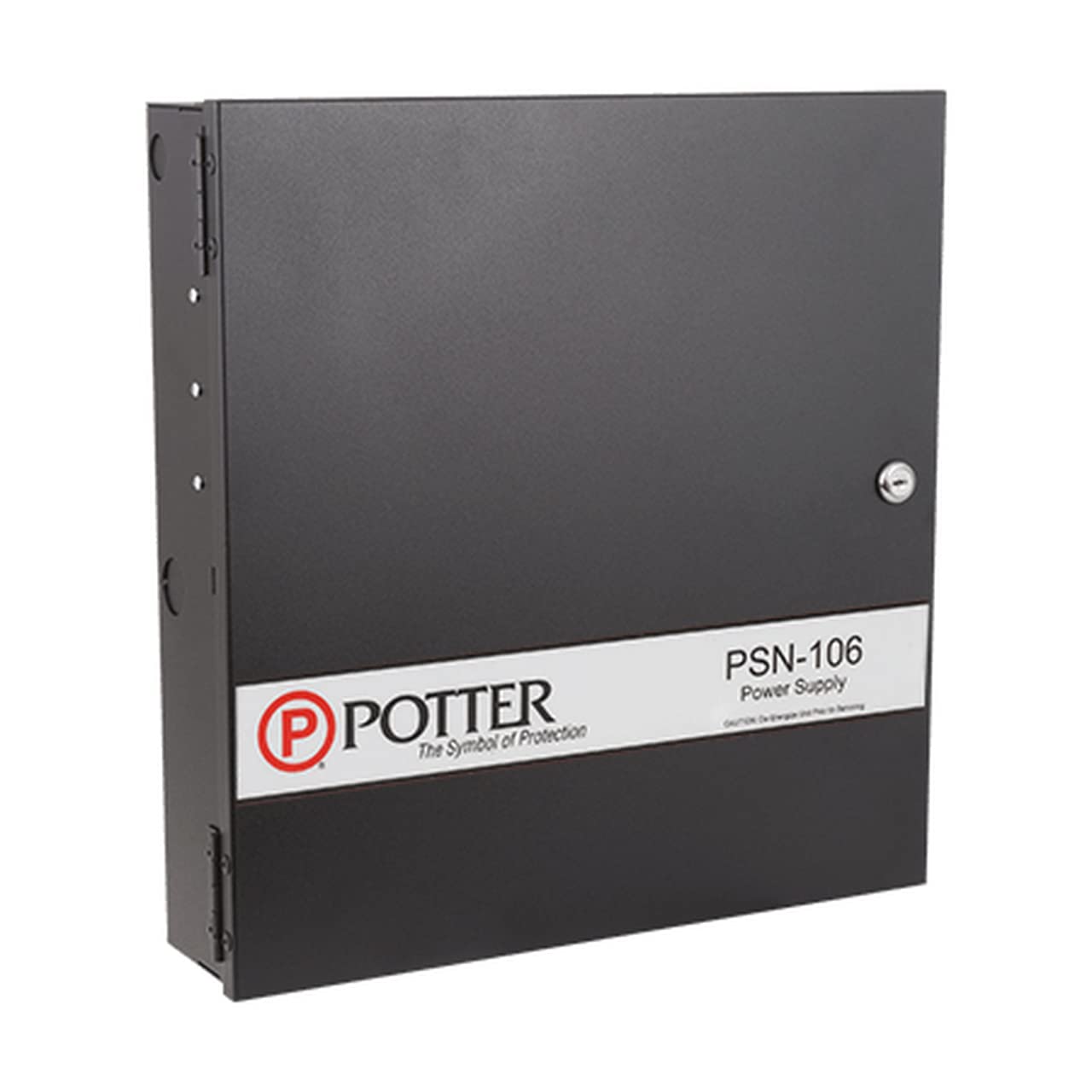
Figure 1: POTTER PSN-106B 10 AMP 6 NAC Power Supply. This image shows the front view of the power supply, highlighting its black casing and the layout of its connection terminals and status indicators.
2. Maklumat Keselamatan
AMARAN: Installation and servicing must be performed by qualified personnel only. Disconnect all power sources before servicing to prevent electric shock or equipment damage.
- Sentiasa ikuti kod elektrik tempatan dan nasional.
- Pastikan pembumian unit yang betul.
- Jangan dedahkan unit kepada kelembapan atau suhu yang melampau.
- Sahkan input voltage and current ratings before connecting to a power source.
3. Produk Lebihview
The POTTER PSN-106B is a 10 AMP, 6 NAC (Notification Appliance Circuit) power supply designed for fire alarm and security applications. It provides regulated and filtered power to connected devices.
Ciri-ciri Utama:
- 10 Amp total output current.
- Six independently supervised Notification Appliance Circuits (NACs).
- Built-in battery charger for standby power.
- Fault monitoring and reporting capabilities.
4. Persediaan dan Pemasangan
4.1 Memasang Unit
- Select a suitable location that is clean, dry, and free from excessive vibration or heat.
- Mount the power supply securely to a wall or other stable surface using appropriate fasteners. Ensure adequate ventilation around the unit.
4.2 Sambungan Pendawaian
Refer to the wiring diagram provided inside the unit's enclosure for specific connection points. All wiring must comply with NFPA 70 (National Electrical Code) and NFPA 72 (National Fire Alarm and Signaling Code).
- Input Kuasa AC: Connect the main AC power source to the designated terminals. Ensure the power source matches the unit's voltage keperluan.
- Sambungan Bateri: Connect standby batteries to the battery terminals, observing correct polarity. Batteries are essential for maintaining power during AC failures.
- NAC Outputs: Connect notification appliances (horns, strobes, etc.) to the NAC terminals. Each NAC is supervised for open and short circuits.
- Output Bantu: Connect auxiliary devices requiring regulated power to the auxiliary power terminals.
- Trouble/Supervisory Relays: Connect these outputs to the main fire alarm control panel (FACP) for remote fault reporting.
5. Arahan Operasi
5.1 Kuasa Permulaan
- After all wiring is complete and verified, apply AC power to the unit.
- Observe the status indicators. The AC POWER LED should illuminate steadily.
- If batteries are connected, the BATTERY CHARGE LED should indicate charging status.
5.2 Petunjuk Status
| Penunjuk | Status | Penerangan |
|---|---|---|
| KUASA AC | Hijau (Tetap) | AC power is present and within normal operating range. |
| BATERI | Hijau (Tetap) | Batteries are connected and fully charged. |
| BATERI | Kuning (Berkelip) | Bateri sedang dicas. |
| MASALAH | Kuning (Tetap) | A fault condition exists (e.g., AC failure, battery fault, ground fault, NAC fault). |
| NAC 1-6 | Hijau (Tetap) | NAC is active and supplying power. |
| NAC 1-6 | Kuning (Tetap) | NAC fault detected (open or short circuit). |
6. Penyelenggaraan
Regular maintenance ensures the reliable operation of your PSN-106B power supply. All maintenance should be performed by qualified personnel.
- Bulanan: Inspect the unit for any visible damage. Verify all status indicators are normal.
- Setiap tahun: Bateri uji voltage and capacity. Replace batteries as recommended by the manufacturer (typically every 3-5 years). Clean any dust accumulation from the enclosure and ventilation openings.
- Penyimpanan Rekod: Maintain a log of all inspections, tests, and maintenance performed.
7. Penyelesaian masalah
If the unit exhibits abnormal behavior, refer to the following table before contacting technical support.
| Masalah | Kemungkinan Punca | Penyelesaian |
|---|---|---|
| AC POWER LED Off | No AC input power. | Check circuit breaker, power cord, and AC input terminals. |
| TROUBLE LED On | General fault condition. | Check other status LEDs for specific fault (e.g., battery, ground, NAC). |
| BATTERY LED Yellow (Steady) | Battery fault or low battery. | Check battery connections, voltage, and age. Replace if necessary. |
| NAC LED Yellow (Steady) | NAC open or short circuit. | Inspect wiring on the affected NAC for breaks or shorts. Verify end-of-line resistor. |
8. Spesifikasi
| Parameter | Nilai |
|---|---|
| Model | PSN-106B |
| Jenama | TEMBIUK |
| Arus Keluaran | 10 Amps (Jumlah) |
| NAC | 6 |
| Wattage | 100 watt |
| UPC | 742779300829 |
| ASIN | B09LFLLWWD |
| Tarikh Mula-mula Tersedia | 9 November 2021 |
9. Waranti dan Sokongan Teknikal
For warranty information, please refer to the documentation included with your purchase or visit the official POTTER website. For technical assistance, contact POTTER customer support. Ensure you have your model number (PSN-106B) and purchase details available when contacting support.
Pengeluar: TEMBIUK
Web: www.pottersignal.com (Cthamppautan le, pautan sebenar mungkin berbeza-beza)
Ask a question about this manual
Ask about setup, troubleshooting, compatibility, parts, safety, or missing instructions. Manuals+ will review the question and use this page’s manual context to help answer it.