
1. Maklumat Keselamatan Penting
Please read all safety and operating instructions carefully before using this television. Keep this manual for future reference. Always follow basic safety precautions to reduce the risk of fire, electric shock, and injury.
- Jangan dedahkan perkakas ini kepada hujan atau lembapan.
- Jangan sekat sebarang bukaan pengudaraan. Pasang mengikut arahan pengilang.
- Jangan pasang berhampiran mana-mana sumber haba seperti radiator, daftar haba, dapur, atau radas lain (termasuk amppenghidup) yang menghasilkan haba.
- Lindungi kabel kuasa dari berjalan atau dicubit, terutama pada palam, wadah kemudahan, dan titik di mana mereka keluar dari perkakas.
- Hanya gunakan lampiran/aksesori yang ditentukan oleh pengilang.
- Rujuk semua perkhidmatan kepada pegawai perkhidmatan yang berkelayakan. Servis diperlukan apabila alat telah rosak dengan cara apa pun.
2. Apa yang ada di dalam Kotak
Carefully unpack your new Sansui TV and ensure all items listed below are present.
- 1 x Sansui 4K Ultra HD Android LED TV (JSW50ASUHD)
- 2 x Tapak Kaki Meja
- 1 x Wall Mounting Set
- 4 x Screws for stand/mount
- 1 x Manual Pengguna
- 1 x Kad Waranti
- 1 x Alat Kawalan Jauh
- 2 x Bateri AAA (untuk alat kawalan jauh)
- 1 x Kuasa Kuasa
- 1 x Kabel AV Mini
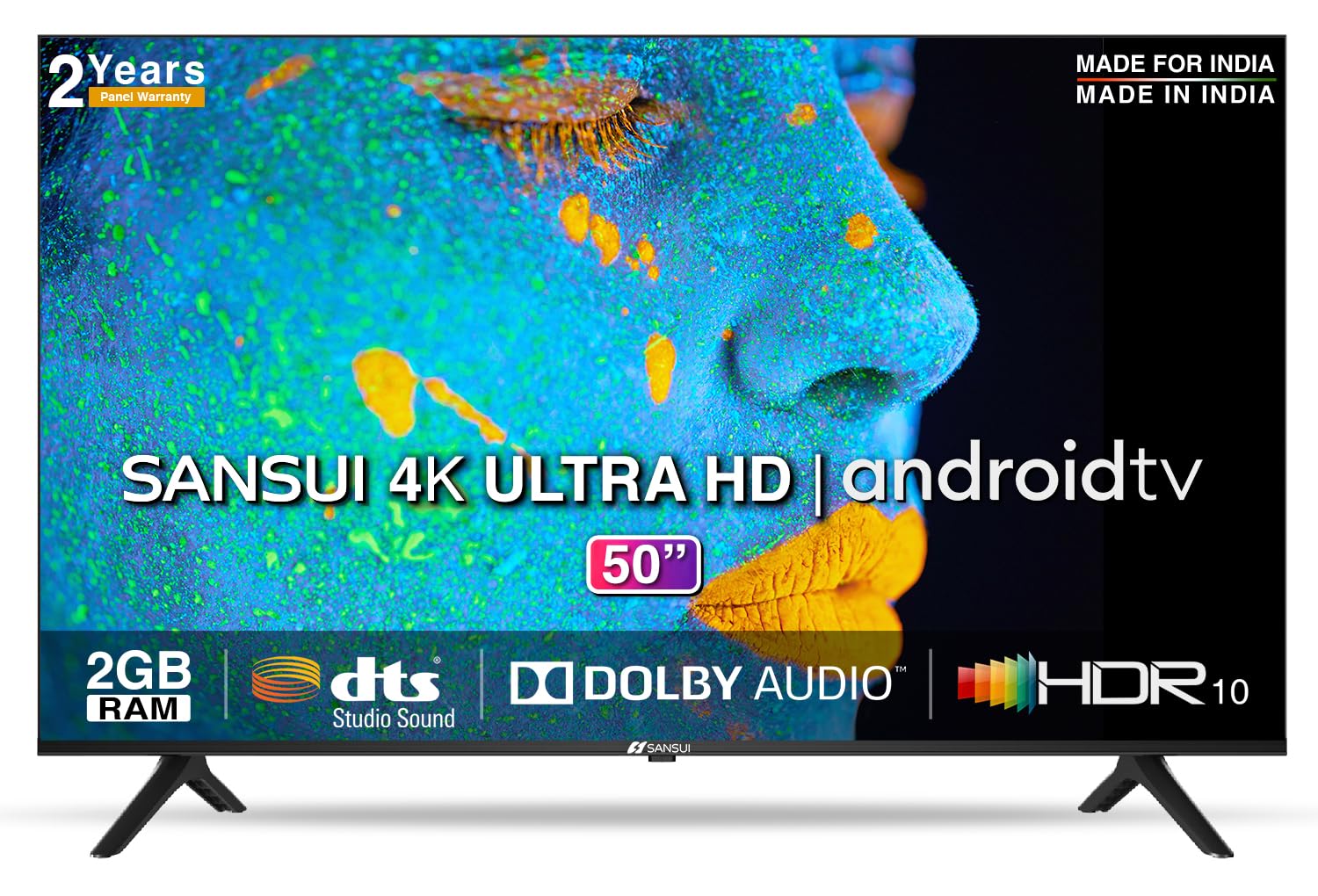
Image: Sansui 50-inch 4K Ultra HD Android LED TV with its table stand.
3. Produk Lebihview
3.1. Ciri-ciri Utama
- paparan: 4K Ultra HD (3840x2160) resolution, 60Hz refresh rate, Wide Viewing Angle, A+ Grade Panel, Wide Colour Gamut, HDR 10, Crystal Clear Display, High Brightness, Bezel-less Design.
- Audio: Dolby Audio, DTS Studio Sound, 20 Watts Audio Output.
- Ciri TV Pintar: Android 10.0 (Certified by Google), Google Assistant, Alexa Enabled Support, Built-in Chromecast, CA53 Quad Core Processor, 2GB RAM, 8GB ROM.
- Apl yang Disokong: Prime Video, Netflix, Disney + Hotstar, YouTube, Google Play.
- Ketersambungan: 3 HDMI ports, 2 USB ports, 3.5mm audio jack, Bluetooth, Wi-Fi, RJ45 (Ethernet), Antenna.

Image: Visual representation of the TV's main features and capabilities.
3.2. Dimensi
The TV features a 50-inch screen (127 cm diagonal) with a bezel-less design for an immersive viewpengalaman dalam.

Image: Detailed dimensions of the Sansui 50-inch TV, including width, height, and depth with and without the stand.
4. Persediaan
4.1. Memasang Stand Meja
- Letakkan skrin TV ke bawah pada permukaan yang lembut dan rata untuk mengelakkan kerosakan.
- Align the table stand bases with the corresponding slots at the bottom of the TV.
- Secure the bases using the provided screws. Ensure they are tightened firmly.
4.2. Pemasangan Dinding (Pilihan)
If you choose to wall mount your TV, please use the provided wall mounting set and screws. The VESA mount standard is 800 x 400 mm. It is recommended to seek professional assistance for wall mounting to ensure proper and safe installation.
4.3. Menghubungkan Peranti
The TV offers various connectivity options for your external devices.
- Kuasa: Sambungkan kord kuasa ke input kuasa TV dan kemudian ke saluran keluar dinding.
- HDMI: Use HDMI cables to connect devices like set-top boxes, gaming consoles, or Blu-ray players to the 3 HDMI ports.
- USB: Connect USB drives or other USB devices to the 2 USB ports for media playback.
- Keluar Audio: Use the 3.5mm jack to connect headphones or external audio systems.
- Ethernet (RJ45): For a stable internet connection, connect an Ethernet cable from your router to the RJ45 port.
- Antena: Connect your antenna cable to the RF input for terrestrial broadcasting.
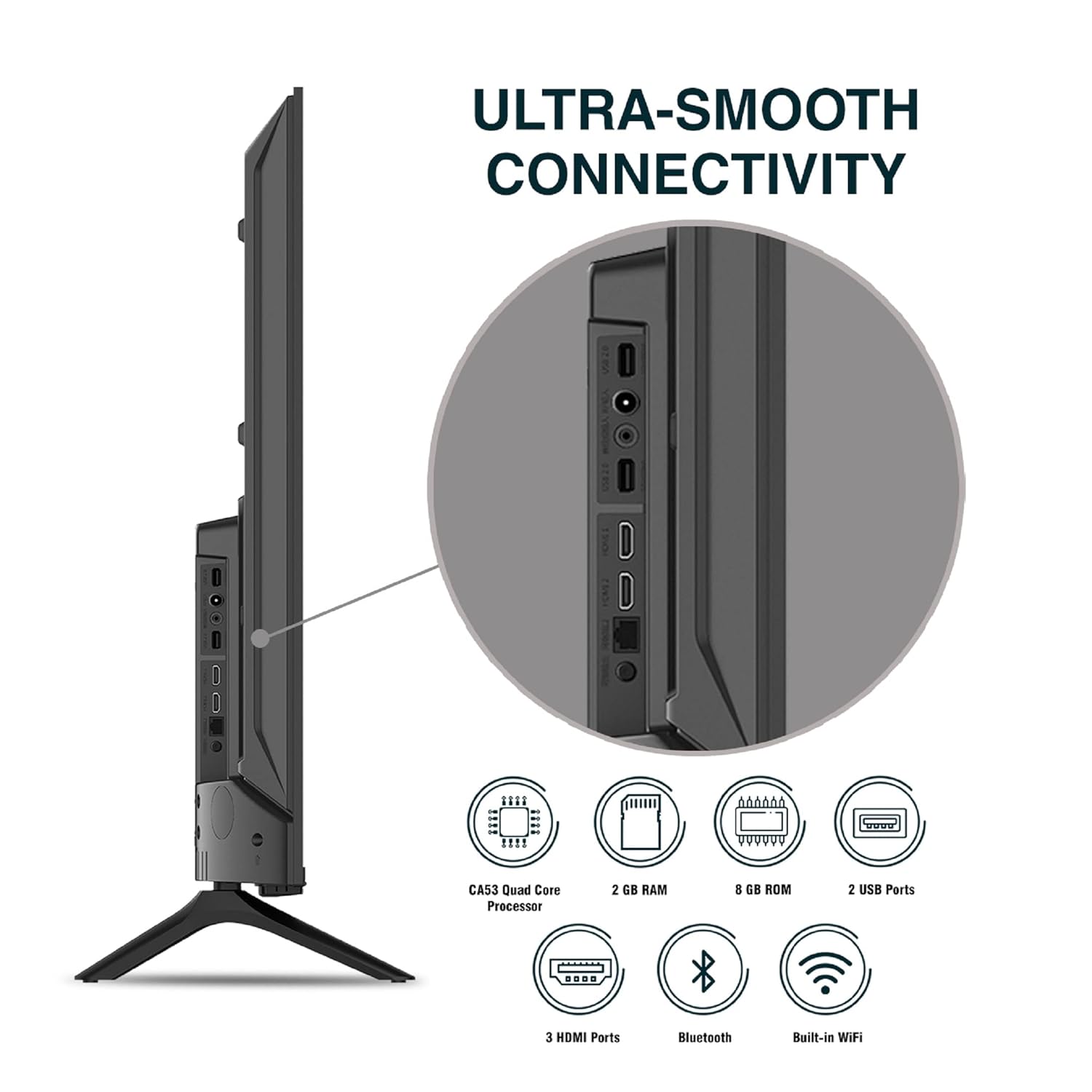
Imej: Terperinci view daripada port sambungan TV.
5. Arahan Operasi
5.1. Operasi Asas
- Hidupkan/Mati Kuasa: Press the power button on the remote control or on the TV to turn it on or off.
- Persediaan Awal: Upon first power-on, follow the on-screen instructions to set up language, network connection, and Google account.
- Sumber Input: Press the 'Input' button on the remote to select between HDMI, AV, TV, or other connected sources.
- Kawalan Kelantangan: Gunakan butang Kelantangan Naik/Turun pada alat kawalan jauh.
5.2. Menggunakan Alat Jauh Pintar
The included remote control features voice control and dedicated hotkeys for quick access to popular streaming services.
- Kawalan Suara: Press the Google Assistant button (microphone icon) and speak your commands to search for content, control smart home devices, or ask questions.
- Kekunci pintas: Directly launch Netflix, Prime Video, YouTube, and Google Play with a single press.
- Navigasi: Use the directional pad and 'OK' button to navigate the Android TV interface.

Image: Sansui Smart Remote Control with voice control and app hotkeys.
5.3. Android TV Interface and Smart Features
Your Sansui TV runs on Android 10.0, providing access to a wide range of apps and smart functionalities.
- Skrin Utama: The home screen displays your favorite apps, recommended content, and input sources.
- Gedung Google Play: Download and install additional apps, games, and content from the Google Play Store.
- Chromecast terbina dalam: Cast content (videos, photos, music) from your smartphone, tablet, or computer directly to the TV.
- Pembantu Google/Alexa: Use voice commands via the remote or a compatible Alexa device to control your TV and other smart home devices.

Image: Android TV home screen showing available applications.
6. Penyelenggaraan
Proper care and maintenance will extend the life of your TV.
- Membersihkan Skrin: Lap skrin perlahan-lahan dengan kain lembut yang tidak berbulu. Untuk kesan degil, gunakan pembersih skrin yang direka khusus untuk TV, digunakan pada kain, bukan terus ke skrin.
- Membersihkan Kabinet: Gunakan kain lembut dan kering untuk mengelap kabinet TV. Jangan gunakan pembersih atau pelarut yang melelas.
- Pengudaraan: Pastikan bukaan pengudaraan bebas daripada habuk dan serpihan untuk mengelakkan pemanasan melampau.
- Kord Kuasa: Regularly check the power cord for any damage. If damaged, replace it with an authorized part.
7. Penyelesaian masalah
Jika anda menghadapi sebarang masalah, rujuk masalah dan penyelesaian biasa berikut.
| Masalah | Kemungkinan Punca | Penyelesaian |
|---|---|---|
| Tiada Kuasa | Kord kuasa diputuskan; Isu salur keluar kuasa | Periksa sambungan kord kuasa; Uji saluran keluar dengan peranti lain. |
| Tiada Gambar, Hanya Bunyi | Sumber input salah; Isu peranti luaran | Select correct input source; Check external device connection and power. |
| No Sound, Only Picture | Volume muted/low; External audio system issue | Unmute or increase volume; Check external audio system connections. |
| Alat Kawalan Jauh Tidak Berfungsi | Bateri berkurangan; Halangan antara alat kawalan jauh dan TV | Gantikan bateri; Keluarkan sebarang halangan. |
| Isu Sambungan Wi-Fi | Incorrect password; Router issues; Signal interference | Re-enter password; Restart router; Move TV closer to router or use Ethernet. |
Jika masalah berterusan selepas mencuba penyelesaian ini, sila hubungi sokongan pelanggan.
8. Spesifikasi
Detailed technical specifications for the Sansui JSW50ASUHD TV.
| Ciri | Penerangan |
|---|---|
| Nama Model | SANSUI LED - JSW50ASUHD |
| Saiz Skrin | 50 Inci (127 cm) |
| Teknologi Paparan | LED |
| Resolusi | 4K Ultra HD (3840x2160) |
| Kadar Segar Semula | 60 Hz |
| Sistem Operasi | Android 10.0 (Certified by Google) |
| Pemproses | CA53 Kuad Teras |
| RAM | 2 GB |
| ROM (Storan) | 8 GB |
| Output Audio | 20 Watt |
| Teknologi Bunyi | Dolby Audio, DTS Studio Sound |
| Port HDMI | 3 |
| Port USB | 2 |
| Kesambungan Wayarles | Wi-Fi, Bluetooth |
| Ketersambungan Lain | Ethernet (RJ45), 3.5mm Audio Jack, Antenna |
| Sokongan HDR | HDR10 |
| Jenis Pemasangan | Lekap di Dinding & Lekap Meja |
| Pemasangan VESA Standard | 800 x 400 mm |
| Penggunaan Kuasa | 120 Watt |
| Berat Barang | 9650 Gram |
| warna | Mystique Black |
9. Waranti dan Sokongan
Your Sansui TV comes with a comprehensive warranty and dedicated customer support.
- Waranti: 1 year comprehensive warranty and 1 year additional on panel from the date of purchase.
- Sokongan Waranti: For warranty-related queries, please contact Sansui Toll Free No.: 1800-419-3777.
- Hubungan Pengimport: Jaina India Pvt Ltd., D170, Okhla Industrial Area, Phase-1, New Delhi-110020 INDIA | Email: sansuicare@jainaindia.com.
Sila simpan resit pembelian anda untuk tuntutan waranti.