
ASA JTV3220DC
Jensen JTV3220DC 32" LED DC Television User Manual
Model: JTV3220DC
pengenalan
Terima kasih kerana membeliasing the Jensen JTV3220DC 32" LED DC Television. This manual provides essential information for the safe and efficient operation of your new television. Please read this manual thoroughly before using the product and retain it for future reference.
Maklumat Keselamatan
Sentiasa patuhi langkah keselamatan berikut untuk mengelakkan kejutan elektrik, kebakaran atau kecederaan:
- Jangan dedahkan televisyen kepada hujan atau lembapan.
- Jangan halang bukaan pengudaraan. Pastikan ruang yang mencukupi di sekeliling televisyen untuk aliran udara yang betul.
- Use only the power supply specified for this unit (12V DC).
- Jangan buka televisyenasing. Rujuk semua servis kepada kakitangan perkhidmatan yang berkelayakan.
- Lindungi kord kuasa daripada berjalan atau tersepit.
- Bersihkan hanya dengan kain kering.
Apa yang ada dalam Kotak
Sahkan bahawa semua item ada:
- Jensen JTV3220DC 32" LED DC Television
- Remote Control (Dual function)
- Kabel Kuasa DC
- Berdiri
Produk Selesaiview

Rajah 1: Depan View. This image shows the front of the Jensen JTV3220DC television, featuring its 32-inch screen. The screen displays a vibrant, high-definition image of a futuristic city with a spacecraft, demonstrating the television's visual capabilities.
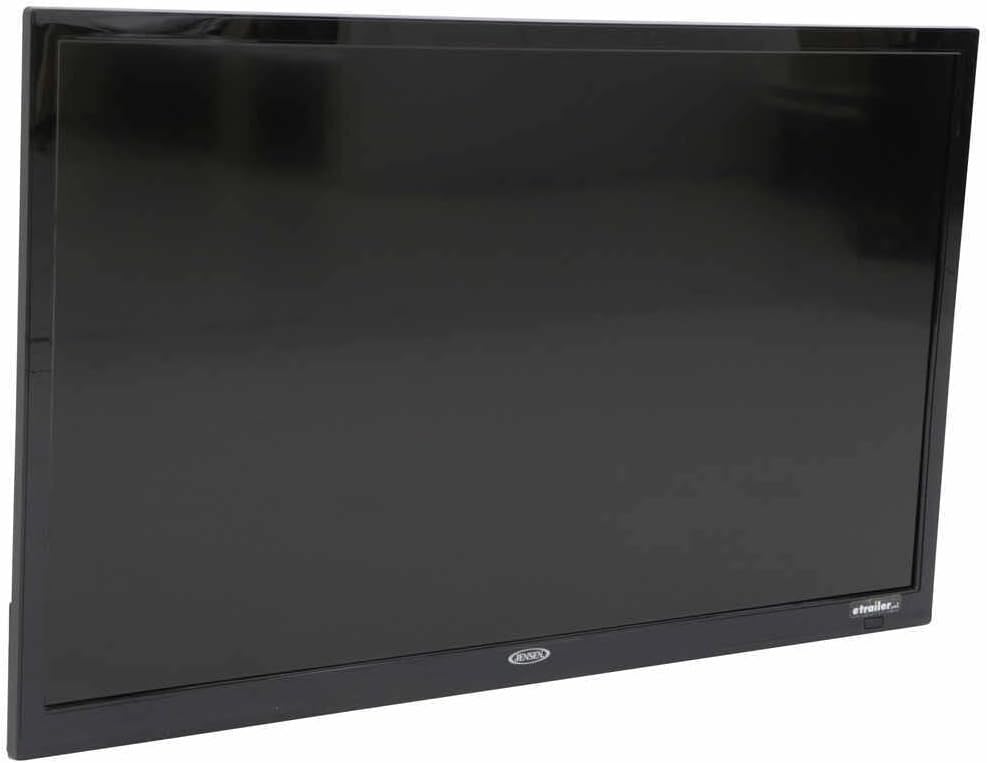
Rajah 2: Side Profile. Imej ini memberikan sisi view of the Jensen JTV3220DC television, highlighting its slim design and black bezel. The angle emphasizes the compact nature of the unit, suitable for various installations.

Rajah 3: Sambungan Panel Belakang. This close-up image displays the rear input and output ports of the Jensen JTV3220DC. Visible connections include HDMI (with ARC support), USB, Composite Video, Component Video, RF, and various audio inputs and outputs, indicating comprehensive connectivity options.
Ciri-ciri Utama:
- Operasi Kuasa DC
- Pencahayaan LED Putih
- High Performance LCD Panel
- Resolusi Full HD 1366 x 768
- 16.7 Million Colors Display
- Integrated HDTV (ATSC) Tuner
- HD Ready (1080p, 720p, 480p)
- jCOM HDMI Function with JENSEN HDMI-equipped DVD players
- Audio Return Channel (ARC) supported with HDMI2
- VESA 100mm x 100mm Mounting Pattern
Persediaan
Memasang Pendirian:
- Letakkan televisyen dengan berhati-hati menghadap ke bawah di atas permukaan yang lembut dan bersih untuk mengelakkan kerosakan skrin.
- Selaraskan pendirian dengan lubang pelekap di bahagian bawah televisyen.
- Selamatkan dirian menggunakan skru yang disediakan. Jangan terlalu ketat.
Kuasa Penyambung:
Connect the supplied DC power cord to the 12V DC input on the television and to a compatible 12V DC power source.
Menyambung Peranti Luaran:
- HDMI: Connect HDMI cables from your devices (e.g., DVD player, game console) to the HDMI 1 or HDMI 2 (ARC) ports.
- USB: Masukkan pemacu USB ke dalam port USB untuk main balik media.
- Antena/Kabel: Connect an antenna or cable TV feed to the RF input.
- Composite/Component Video: Use the corresponding RCA jacks for older video devices.
Arahan Operasi
Hidupkan/Mati Kuasa:
Tekan ke KUASA button on the remote control or on the television to turn the unit on or off.
Pemilihan Sumber Input:
Tekan ke INPUT or SUMBER button on the remote control to cycle through available input sources (TV, HDMI 1, HDMI 2, USB, AV, Component).
Channel Scan (TV Mode):
- Switch the input source to TV.
- Akses ke MENU dan navigasi ke Saluran or Persediaan bahagian.
- Pilih Auto Scan or Program Auto to search for available channels.
Kawalan Kelantangan:
Gunakan VOL+ dan vol- butang pada alat kawalan jauh untuk mengatur kelantangan.
Navigasi Menu:
Gunakan butang anak panah dan OK/MASUK button on the remote to navigate through the on-screen menu for picture, sound, and other settings.
Penyelenggaraan
Membersihkan Skrin:
Lap skrin perlahan-lahan dengan kain lembut yang tidak berbulu. Untuk tanda degil, sedikit dampen kain dengan air atau pembersih skrin khusus. Jangan sembur cecair terus ke skrin.
Membersihkan Kabinet:
Lap kabinet televisyen dengan kain lembut dan kering. Elakkan menggunakan pembersih atau pelarut yang kasar.
Storan:
If storing the television for an extended period, disconnect it from the power source and store it in a cool, dry place, ideally in its original packaging.
Menyelesaikan masalah
| Masalah | Kemungkinan Punca | Penyelesaian |
|---|---|---|
| Tiada Kuasa | Power cord not connected; Power source issue. | Ensure DC power cord is securely connected. Verify 12V DC power source is active. |
| Tiada Gambar/Bunyi | Incorrect input source; Loose cable connection. | Press INPUT/SOURCE button to select correct input. Check all cable connections. |
| Kualiti Gambar Lemah | Weak antenna signal; Incorrect display settings. | Adjust antenna position or check signal strength. Adjust picture settings (brightness, contrast, etc.) in the menu. |
| Alat Kawalan Jauh Tidak Berfungsi | Bateri mati; Halangan antara alat kawalan jauh dan TV. | Replace batteries. Remove any obstructions and ensure direct line of sight to the TV's IR sensor. |
Spesifikasi
| Ciri | Spesifikasi |
|---|---|
| Saiz pepenjuru | 31.5" (82 sm) |
| Resolusi | 1366 x 768 (HD Penuh) |
| Kecerahan | 200 nit |
| Nisbah Kontras | 3000:1 |
| View Sudut | Top 89° / Bottom 89° / Left 89° / Right 89° |
| Format Paparan | 16:9 |
| Masa Tindak Balas | 6.5ms |
| Video / Display System | NTSC/ATSC/PAL |
| Output Audio | 8W x 2 |
| Sistem Kuasa | DC 12V |
| Penggunaan Kuasa | 20mA standby / 3.17A max |
| Suhu Operasi | -4°F hingga 149°F (-20°C hingga 65°C) |
| Suhu Penyimpanan | -22°F hingga 158°F (-30°C hingga 70°C) |
| Kelembapan Relatif Maksimum | 85% |
| Overall Dimensions (without stand) | 28.8"W x 17.2"H x 3.2"D |
| Product Weight (unpackaged) | 9.9 paun |
Waranti dan Sokongan
This Jensen product is covered by a manufacturer's warranty. For specific warranty terms and conditions, please refer to the warranty card included with your product or visit the official ASA (Jensen) website. For technical support, service, or replacement parts, please contact ASA customer service directly. Keep your purchase receipt as proof of purchase for warranty claims.
Sumber Dalam Talian: For the most up-to-date information, FAQs, and additional support, please visit the official ASA webtapak.