
pengenalan
Welcome to the user manual for your FreedConn BM2S Bluetooth Integrated Motorcycle Helmet. This manual provides essential information for the proper setup, operation, maintenance, and troubleshooting of your helmet. Please read it thoroughly before using your helmet to ensure safe and optimal performance.
The FreedConn BM2S helmet combines advanced safety features with integrated Bluetooth 3.0 technology, allowing for seamless communication, music playback, FM radio, and GPS voice prompts during your rides. It is designed to enhance your riding experience while prioritizing your safety.
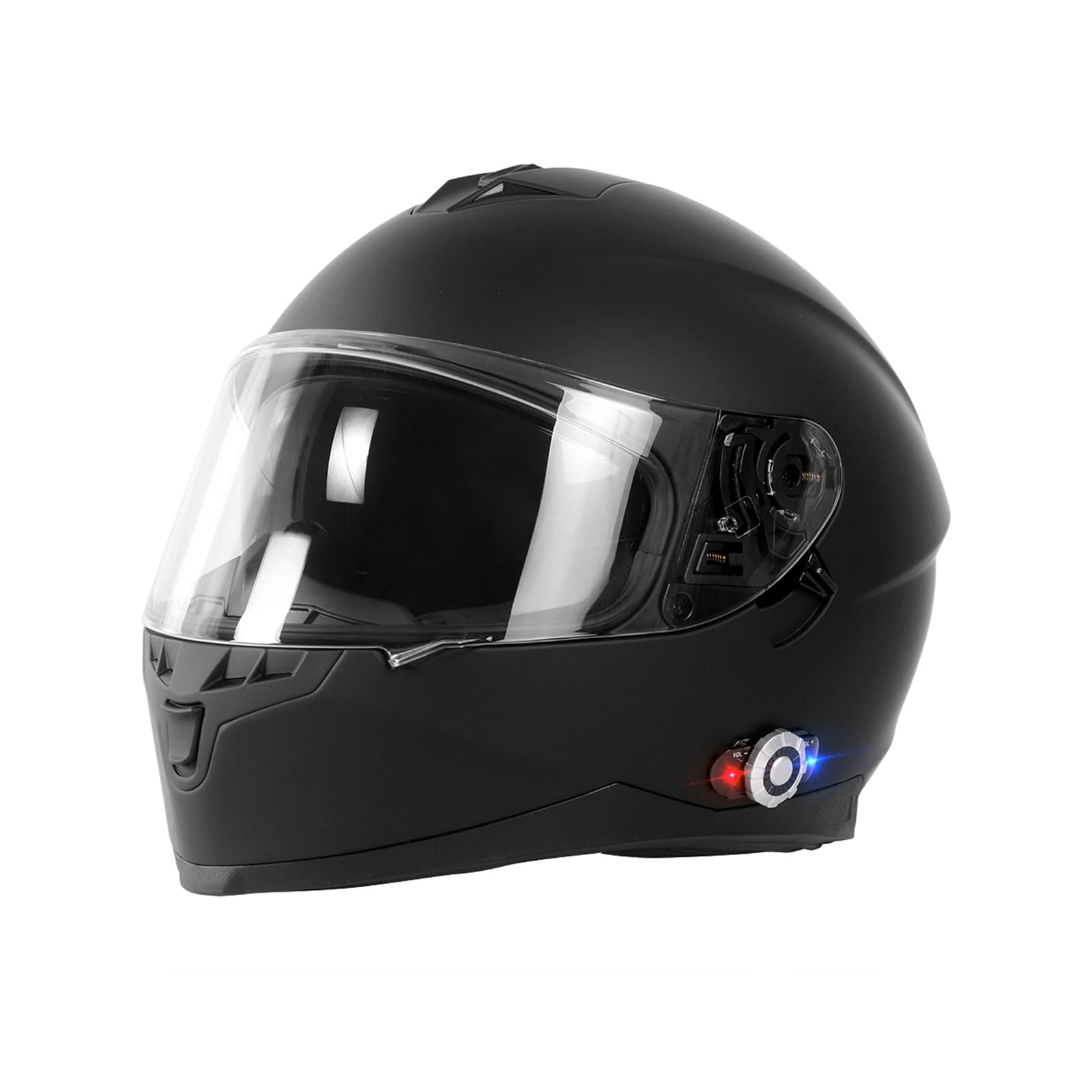
This image displays the FreedConn BM2S Bluetooth Integrated Motorcycle Helmet in a matte black finish, highlighting its sleek design and integrated Bluetooth control unit.
Maklumat Keselamatan
Your FreedConn BM2S helmet meets and exceeds ECE and DOT safety standards, providing robust protection. Always ensure the helmet is properly fitted and secured before riding. Never modify the helmet's structure or components, as this may compromise its protective capabilities.
- Always wear your helmet when operating a motorcycle.
- Ensure the chin strap is securely fastened.
- Regularly inspect the helmet for any signs of damage.
- Do not use the helmet if it has been involved in an impact, even if visible damage is not apparent.
Produk Selesaiview dan Komponen
The FreedConn BM2S helmet features a full-face design with integrated Bluetooth communication. Key components include:
- Strengthened Wearable Lens: Clear outer visor for protection and visibility.
- Built Goggles: Internal tinted sun visor for glare reduction.
- Sistem Pengudaraan: Multiple vents for airflow and comfort.
- Hi-Fi Speaker: Pembesar suara bersepadu untuk audio yang jelas.
- Bluetooth Operation Panel: External control unit for Bluetooth functions.
- Built-in Noise Canceling Microphone: For clear voice transmission during calls and intercom.

Sebuah meletup view diagram of the FreedConn BM2S helmet, highlighting key structural components such as the strengthen wearable lens, ventilation system, built goggles, Hi-Fi speaker, Bluetooth operation panel, and built-in noise-canceling microphone.

A composite image showing the FreedConn BM2S helmet with its clear outer visor and internal tinted sun visor, along with a close-up of the secure plastic buckle chin strap.

Detailed diagram illustrating the functions of the Bluetooth control panel on the FreedConn BM2S helmet, including volume controls, multi-function button, jog-wheel, and LED indication light.
Persediaan
Pengecasan Awal
Before first use, or if the helmet has not been used for a long time, fully charge the battery. Connect the USB charger cable (included in the package) to the helmet's charging port and a power source. A full charge typically takes approximately 3 hours. It is recommended to charge the helmet regularly once a month if not in frequent use.
Berpasangan Bluetooth
- Hidupkan kuasa: Press and hold the Multi-function Button (MFB) on the Bluetooth control panel until the LED indicator flashes.
- Masukkan Mod Berpasangan: Continue holding the MFB until the LED indicator alternates between red and blue, indicating it's in pairing mode.
- Sambungkan Peranti: On your mobile phone or GPS device, enable Bluetooth and search for "FreedConn BM2S" (or similar name). Select it to pair.
- Pengesahan: Once paired, the LED indicator will show a steady blue light or flash slowly.
Intercom Pairing (for multiple riders)
The BM2S supports intercom communication for 2 riders, with pairing capability for up to 3 riders. The maximum intercom range is 500 meters (1,640 feet).
- Ensure both helmets are powered on and in pairing mode (alternating red and blue LED).
- On one helmet, press the MFB briefly to initiate intercom pairing.
- The helmets will automatically search and connect to each other. A voice prompt will confirm the connection.
Arahan Operasi
Fungsi Asas
- Hidupkan/Mati Kuasa: Press and hold the MFB for approximately 3 seconds.
- Kawalan Kelantangan: Use the VOL+ and VOL- buttons on the jog-wheel to adjust audio volume.
- Dual Visor Operation: The clear outer visor can be adjusted to different angles. The internal tinted sun visor can be deployed or retracted using the lever on the side of the helmet.

Satu sisi view of the FreedConn BM2S helmet, emphasizing the integrated Bluetooth control unit on the left side, which manages communication and audio functions.

This image demonstrates the adjustable clear outer visor of the FreedConn BM2S helmet, which can be moved to different angles for rider comfort and visibility.
Fungsi Telefon
- Jawab Panggilan: Press the MFB briefly.
- Tolak Panggilan: Tekan dan tahan MFB selama 2 saat.
- Dail Semula Nombor Terakhir: Tekan dua kali pada MFB.
- Voice Commands (Siri/Google Assistant): Press and hold the MFB for 2 seconds to activate your phone's voice assistant.
- Incoming calls have priority over intercom, MP3 music, FM radio, and GPS navigation audio.
Music and FM Radio
- Main/Jeda Muzik: Press the MFB briefly when music is playing.
- Lagu Seterusnya: Rotate the jog-wheel forward (VOL+).
- Trek Sebelumnya: Rotate the jog-wheel backward (VOL-).
- Radio FM Hidup/Mati: Consult the detailed manual for specific button combinations to activate/deactivate FM radio.
- Change FM Channel: Use the Previous/Next channel function on the jog-wheel (refer to the Bluetooth Control Panel diagram).
Komunikasi Interkom
- Mulakan Interkom: After pairing, a short press of the MFB will initiate intercom communication with the paired rider.
- Tamatkan Interkom: A short press of the MFB will end the intercom session.
Penyelenggaraan
Pembersihan
- Helmet Exterior: Use a soft cloth and mild soap with water. Avoid harsh chemicals or abrasive cleaners.
- Visors: Bersihkan dengan lembut, damp cloth and water. Do not use chemical cleaners that may damage the visor coating.
- Interior Padding: The cheek pads and pads are detachable for easy cleaning. Hand wash with mild soap and water, then air dry completely before reinserting.
Penjagaan Bateri
- Cas bateri sepenuhnya sebelum tempoh penyimpanan yang lama.
- If storing for an extended time, charge the battery at least once a month to maintain battery health.
Menyelesaikan masalah
- Peranti Tidak Berpasangan:
- Ensure the helmet is in pairing mode (alternating red/blue LED).
- Make sure Bluetooth is enabled on your phone/device.
- Try restarting both the helmet and your device.
- Clear previous Bluetooth connections on your phone/device and try pairing again.
- Tiada Bunyi/Kualiti Bunyi Lemah:
- Check the volume levels on both the helmet and your connected device.
- Ensure the helmet speakers are correctly positioned over your ears.
- Verify the Bluetooth connection is stable.
- Interkom Tidak Bersambung:
- Ensure both helmets are within the specified intercom range (500 meters).
- Confirm both helmets are in intercom pairing mode.
- Re-initiate the intercom pairing process.
- Bateri Tidak Dicas:
- Check the USB cable and charging adapter for damage.
- Ensure the charging port on the helmet is clean and free of debris.
- Cuba kabel USB atau sumber kuasa yang lain.
Spesifikasi
| Ciri | Perincian |
|---|---|
| Model | BM2S |
| Jenama | FreedConn |
| Helmet Type | Full Face Bluetooth Integrated Motorcycle Helmet |
| Versi Bluetooth | 3.0 |
| Julat Interkom | Sehingga 500 meter (1,640 kaki) |
| Riders in Group Intercom | 2-3 penunggang |
| Masa Interkom | Sehingga 9 jam |
| Masa Berbual | Sehingga 12 jam |
| Masa Tunggu Sedia | Sehingga 120 jam |
| Masa Mengecas | Lebih kurang 3 jam |
| Piawaian Keselamatan | DOT, ECE Certified |
| Bahan Cangkang | ABS Composites (Hard Shell Type) |
| Bahan Pelindung | PC material (Dual Visors) |
| Fabrik Lapisan | Black Polyester (Deodorant, Water-absorbent, Detachable) |
| Berat badan | 1760g |
| Pengudaraan | 6 vents (Advanced Ventilation System) |
| Ciri Audio | Advanced DSP echo cancellation and noise suppression, Hi-Fi stereo speakers |
| Ketersambungan | FM Radio, MP3, GPS voice prompts, Universal Intercom |
| Kawalan | One-key control for calls, Voice Dial (Siri/Google Assistant) |

An informational graphic detailing the FreedConn BM2S helmet's specifications such as model, brand, helmet type, sizes available (L, XL, XXL), weight (1760g), color options, lining fabric, visor material, shell material, safety standards (ECE & DOT), intercom range, battery life, and various integrated features.
Apa yang ada dalam Kotak
The FreedConn BM2S helmet package includes the following items:
- FreedConn Bluetooth Helmet
- Membawa Beg
- Manual Arahan
- Kabel Pengecas USB
- BT Device (Bluetooth module)
- Hook Clip

This image shows the items included in the FreedConn BM2S helmet package: the Bluetooth helmet, a carrying bag, instruction manuals, a USB charger cable, the BT device, and a hook clip.
Video Produk Rasmi
Official product video demonstrating the features and use of the FreedConn BM2S Bluetooth Integrated Motorcycle Helmet, including wearing the helmet and operating the Bluetooth functions.
Waranti dan Sokongan
For warranty information, technical support, or any inquiries regarding your FreedConn BM2S helmet, please refer to the official FreedConn website or contact their customer service directly. Contact details are typically provided in the included instruction manuals or on the manufacturer's webtapak.