
1. Pengenalan
Thank you for choosing Kinganda Q71 Bluetooth Earbuds. This manual provides detailed instructions for setting up, operating, and maintaining your new wireless earbuds. Please read this manual carefully before use to ensure proper functionality and to maximize your listening experience.
2. Maklumat Keselamatan
- Jangan dedahkan fon telinga atau bekas pengecas kepada suhu, kelembapan atau persekitaran yang menghakis.
- Elakkan mendengar pada tahap kelantangan tinggi untuk tempoh yang lama untuk mengelakkan kerosakan pendengaran.
- Jauhkan peranti daripada kanak-kanak dan haiwan peliharaan.
- Jangan cuba membuka atau mengubah suai produk. Ini akan membatalkan jaminan.
- Clean the earbuds and charging case with a soft, dry cloth only.
3. Kandungan Pakej
Sila pastikan semua item ada dalam pakej anda:
- Kinganda Q71 Bluetooth Earbuds (Left and Right)
- Kes Pengecasan
- Kabel Pengecas USB
- Pelbagai Saiz Petua Telinga
- Manual Pengguna
4. Produk Lebihview
Familiarize yourself with the components of your Kinganda Q71 Bluetooth Earbuds.
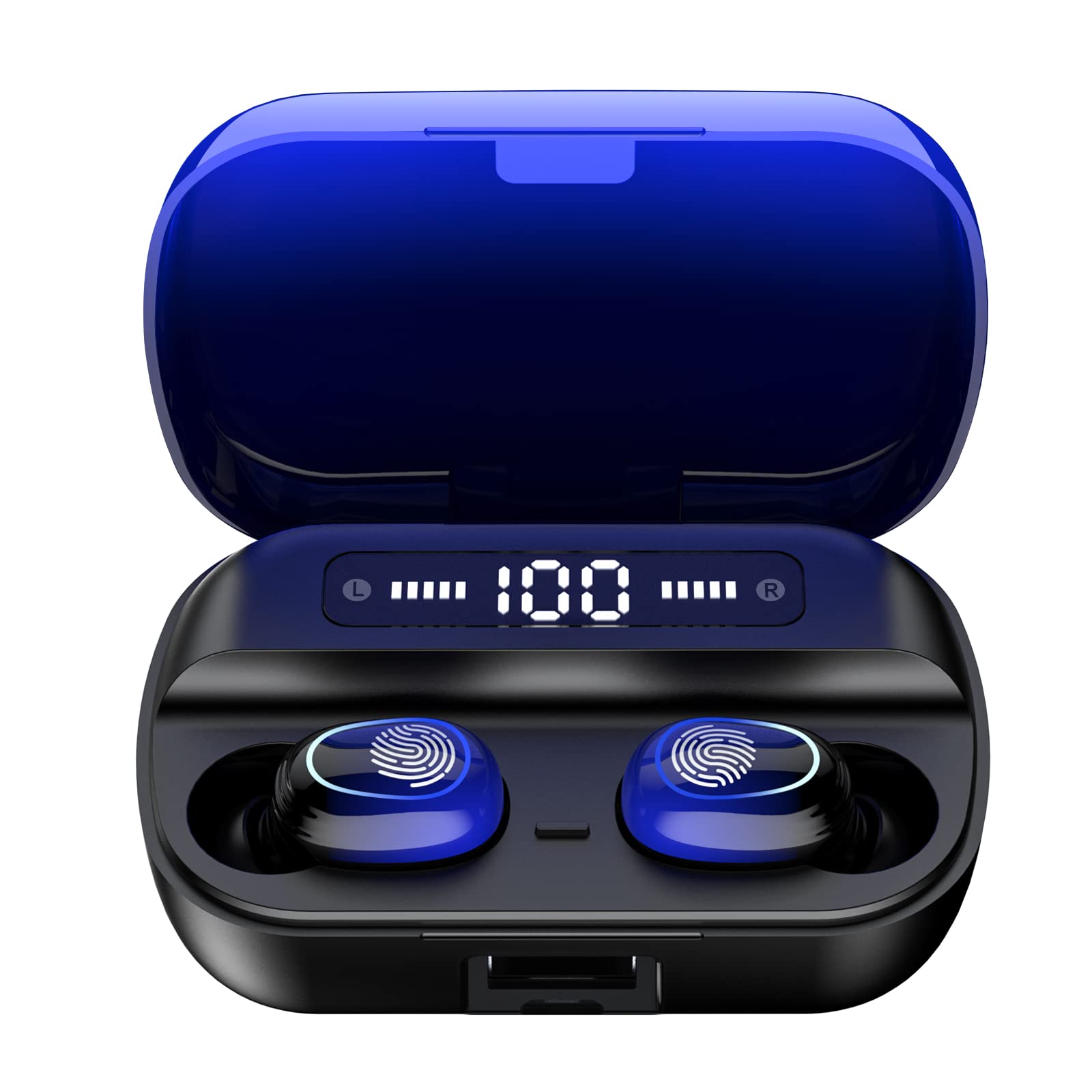
Imej 4.1: Selesaiview of Kinganda Q71 Bluetooth Earbuds and key features including Bluetooth 5.1, low latency, low power consumption, touch control, clear calls, 10mm speakers, compatibility with iOS and Android, and a 33-foot signal range.
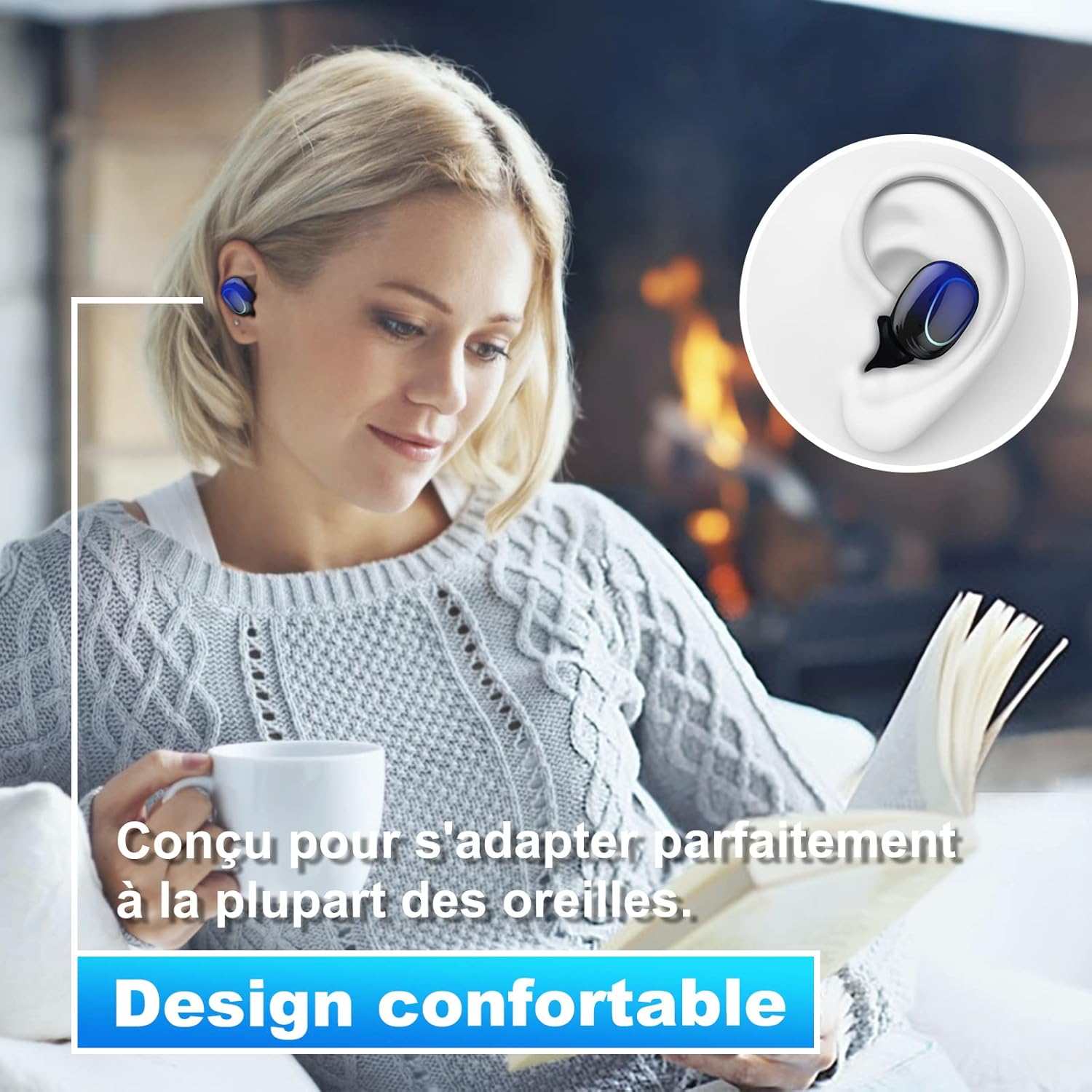
Image 4.2: The Kinganda Q71 earbuds are designed for a comfortable and secure fit in most ears.
5. Persediaan
5.1 Mengecas Fon telinga dan Sarung
Sebelum penggunaan pertama, cas sepenuhnya sarung pengecas dan fon telinga.
- Letakkan fon telinga ke dalam bekas pengecasan. Pastikan mereka duduk dengan betul.
- Sambungkan kabel pengecas USB ke port pengecasan pada bekas dan ke sumber kuasa (cth., penyesuai dinding USB, port USB komputer).
- Lampu penunjuk pada kes akan menunjukkan status pengecasan. Setelah dicas sepenuhnya, lampu akan menandakan selesai atau dimatikan.

Image 5.1: The charging case has a 3500mAh battery. Earbuds provide approximately 5 hours of playback, and the case extends total usage to about 150 hours. A full recharge takes approximately 1.5 hours.
5.2 Berpasangan dengan Peranti Bluetooth
Fon telinga menggunakan Bluetooth 5.1 untuk sambungan yang stabil.
- Buka bekas pengecas. Fon telinga akan dihidupkan secara automatik dan memasuki mod berpasangan.
- Pada peranti anda (telefon pintar, tablet, dll.), dayakan Bluetooth.
- Cari untuk available Bluetooth devices and select "Kinganda Q71" (or similar name) from the list.
- Once connected, you will hear a confirmation tone, and the indicator lights on the earbuds will change.
5.3 Memakai Fon Telinga
For optimal sound quality and comfort, choose the correct ear tip size and ensure a snug fit.
- Select the ear tips that best fit your ear canals.
- Masukkan setiap fon telinga ke dalam telinga anda dengan lembut, pusingkan sedikit sehingga terasa selamat dan selesa.
6. Arahan Operasi
The Kinganda Q71 earbuds feature touch controls for easy operation.

Image 6.1: Touch controls for various functions including power, music playback, call management, and voice assistant activation.
6.1 Fungsi Asas
- Hidupkan/Mati Kuasa: Earbuds power on automatically when removed from the case and power off when placed back in the case. Alternatively, long-press the touch area for manual power on/off.
- Main/Jeda: Ketik sekali pada salah satu fon telinga.
- Lagu Seterusnya: Ketik dua kali pada fon telinga kanan.
- Trek Sebelumnya: Ketik dua kali pada fon telinga kiri.
- Jawab/Tamatkan Panggilan: Ketik sekali pada salah satu fon telinga semasa panggilan masuk.
- Tolak Panggilan: Long-press on either earbud during an incoming call.
- Aktifkan Pembantu Suara (Siri): Ketik tiga kali pada salah satu fon telinga.
6.2 Mod Penggunaan
The Kinganda Q71 earbuds support various listening modes.

Image 6.2: The earbuds can be used in mono mode (single earbud) to stay aware of surroundings, TWS stereo mode for immersive sound, or twin mode to share music with another person.
- Mod Mono: Use a single earbud (left or right) to listen to audio while keeping the other ear open to your surroundings. Simply remove one earbud from the case.
- TWS Stereo Mode: Use both earbuds for a full stereo audio experience. Both earbuds will automatically connect to each other and your device when removed from the case.
- Mod Berkembar: Share your music with a friend by giving them one earbud. Both earbuds will play the same audio.
7. Penyelenggaraan
7.1 Pembersihan
Pembersihan tetap membantu mengekalkan kualiti bunyi dan kebersihan.
- Gunakan kain lembut, kering dan tidak berbulu untuk mengelap fon telinga dan bekas pengecas.
- Remove ear tips and clean them with mild soap and water if necessary, then dry thoroughly before reattaching.
- Jangan gunakan bahan kimia yang keras atau bahan yang melelas.
7.2 Penyimpanan
Apabila tidak digunakan, simpan fon telinga dalam bekas pengecasnya untuk melindunginya dan memastikan ia dicas.
8. Penyelesaian masalah
Jika anda menghadapi masalah, cuba penyelesaian berikut:
- Fon telinga tidak berpasangan: Ensure both earbuds are charged. Place them back in the case, close it, then open it again to re-initiate pairing mode. Check your device's Bluetooth settings and try reconnecting.
- Hanya satu fon telinga berfungsi: Place both earbuds back in the charging case, close the lid, wait a few seconds, then open the lid and remove them simultaneously. This should force them to re-sync.
- Tiada bunyi: Periksa tahap kelantangan pada peranti anda dan pastikan fon telinga disambungkan dengan betul.
- Isu pengecasan: Pastikan kabel pengecas disambungkan dengan selamat pada bekas dan sumber kuasa. Cuba kabel pengecas atau penyesuai kuasa yang lain.
- Kualiti bunyi yang lemah: Ensure the earbuds are clean and properly seated in your ears. Try different ear tip sizes for a better seal.
9. Spesifikasi
| Nama Model | Q71 |
| Jenama | Kiganda |
| Teknologi Ketersambungan | Wayarles (Bluetooth 5.1) |
| Julat Tanpa Wayar | Sehingga 33 kaki (10 meter) |
| Jenis Pemacu Audio | Pemacu Dinamik (10mm) |
| Kaedah Kawalan | Kawalan Sentuh |
| bahan | Plastik, Silikon |
| Tahap Ketahanan Air | Kalis Air (IPX7) |
| Hayat Bateri Earbud | lebih kurang 5 jam |
| Hayat Bateri Kes Mengecas | Approx. 150 hours (with case) |
| Kapasiti Kes Pengecasan | 3500mAh |
| Masa Isi Ulang | lebih kurang 1.5 jam |
| Peranti Serasi | Bluetooth-enabled devices (iOS, Android) |
| Ciri Khas | Ringan |

Image 9.1: The 10mm immersive drivers deliver enhanced sound quality with deeper bass.

Image 9.2: With an IPX7 waterproof rating, the earbuds are protected against sweat and water splashes, making them suitable for sports.
10. Waranti dan Sokongan
Kinganda products are designed for reliability and performance. This product comes with a standard manufacturer's warranty. For specific warranty details, please refer to the warranty card included in your package or contact Kinganda customer support.
If you have any questions, require technical assistance, or need to claim warranty service, please contact our customer support team through the contact information provided on the Kinganda official webtapak atau platform pembelian anda.