
pengenalan
Terima kasih kerana membeliasing the ELECOM LBT-TWS11 True Wireless Earbuds. These earbuds are designed for comfort, portability, and clear audio, featuring a semi-open inner-ear design and advanced Bluetooth 5.0 connectivity. This manual provides essential information for setup, operation, maintenance, and troubleshooting to ensure optimal performance.
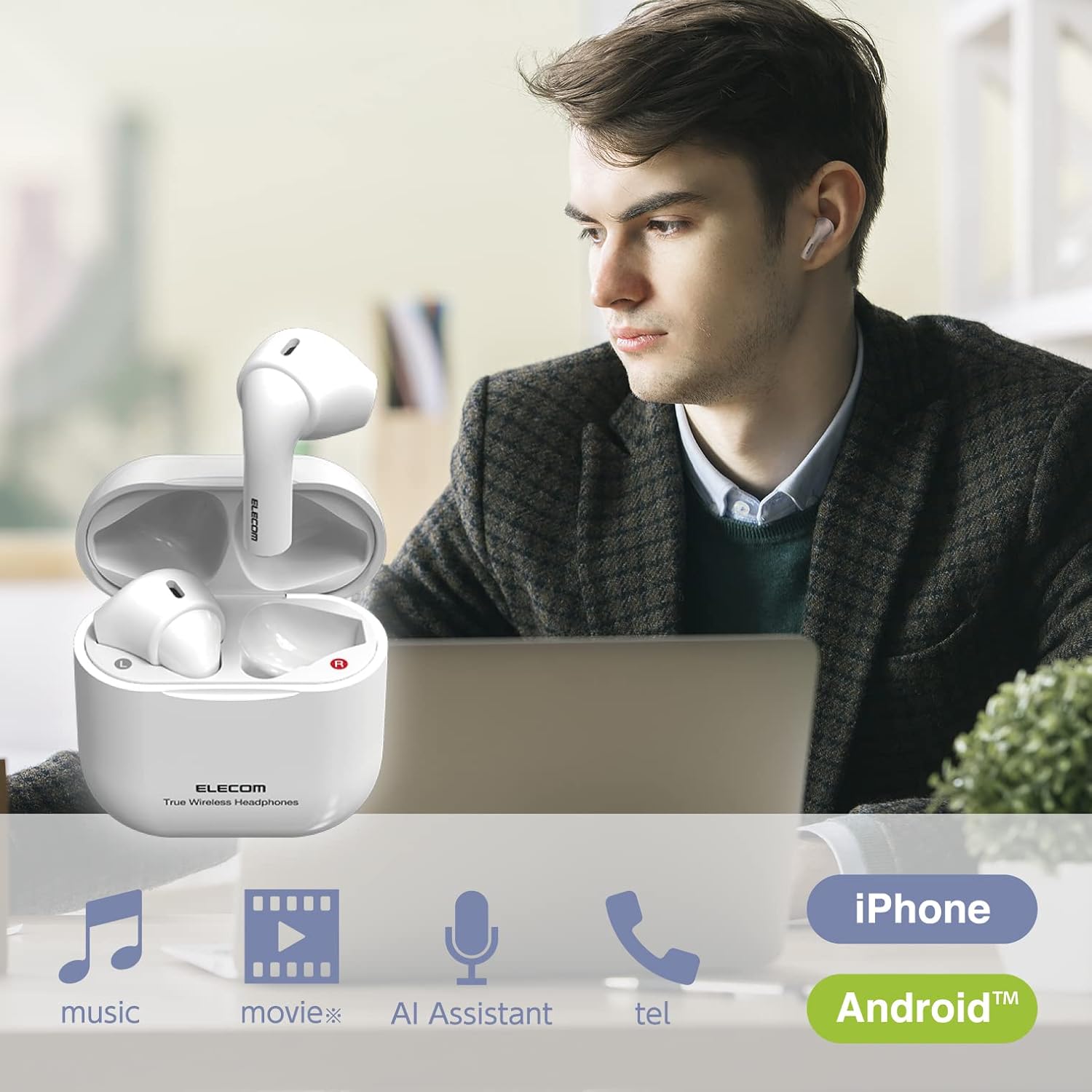
Image: ELECOM LBT-TWS11 earbuds in use, highlighting their versatility for various audio activities.
Ciri-ciri Produk
- Ergonomic & Ultra-Lightweight Design: Each earbud weighs approximately 3.4g, providing a comfortable and secure fit that minimizes ear fatigue. The compact charging case fits easily in your palm.
- Semi-Open Inner-Ear Type: Allows you to hear ambient sounds and conversations, enhancing safety and awareness of your surroundings. This design also prevents the earbuds from getting caught when wearing or removing a mask.
- Kesambungan Bluetooth 5.0: Ensures stable and efficient wireless connection with your devices.
- Berpasangan automatik: After initial registration, simply open the charging case to automatically pair with your smartphone.
- AAC Codec Support: Enjoy high-quality audio playback with AAC-compatible devices like iPhones and iPads.
- Kawalan Sensor Sentuh: Smooth and shockless operation for music playback, call management, and voice assistant activation.
- Mikrofon terbina dalam: Enables hands-free calling and voice assistant interaction (Siri, Google Assistant).
- Jangka Hayat Bateri: Up to 4 hours of continuous music playback on a single charge, and a total of approximately 12 hours with the charging case (which provides 2 additional charges).
- Pengecasan USB Jenis-C: The charging case features a reversible USB-C port for convenient charging.
- Ciri-ciri Keselamatan: Lithium-ion battery with overcharge and overdischarge protection circuits.
- Paparan Tahap Bateri: View the remaining earbud battery level on your smartphone screen (feature availability may vary by device).

Image: The semi-open design allows for awareness of surroundings while enjoying audio.

Image: The compact design ensures comfort even when wearing a face mask.
Kandungan Pakej
Sila pastikan semua item terdapat dalam pakej:
- ELECOM LBT-TWS11 True Wireless Earbuds (Left and Right)
- Kes Pengecasan
- Kabel Pengecas USB (Jenis-C)
Persediaan
1. Pengecasan Awal
Sebelum penggunaan pertama, cas sepenuhnya fon telinga dan bekas pengecas.
- Letakkan kedua earbud ke dalam cas pengecasan.
- Connect the supplied USB charging cable to the USB Type-C port on the charging case and to a USB power adapter (not included) or a computer's USB port.
- The indicator light on the charging case will show charging status. Once fully charged (approximately 1.5 hours), the indicator will change or turn off.
2. Berpasangan dengan Peranti
The earbuds support automatic pairing for convenience.
- Ensure your smartphone or other Bluetooth device has Bluetooth enabled.
- Buka penutup bekas pengecas. Fon telinga akan memasuki mod berpasangan secara automatik.
- On your device, search for Bluetooth devices and select "LBT-TWS11" from the list.
- Sebaik sahaja disambungkan, bunyi pengesahan akan dimainkan dan fon telinga sedia untuk digunakan.

Image: Automatic pairing initiated by opening the charging case.
3. Single Earbud Use
Either earbud can be used independently. If you wish to use only one earbud, simply remove it from the charging case. The other earbud should be powered off or stored in the charging case.
Arahan Operasi
The LBT-TWS11 earbuds feature touch sensors for various functions.
Touch Sensor Functions:
- Main/Jeda: Tap either earbud once during music playback.
- Lagu Seterusnya: Double-tap the right earbud during music playback.
- Trek Sebelumnya: Double-tap the left earbud during music playback.
- Jawab/Tamatkan Panggilan: Tap either earbud once during an incoming call or during a call.
- Tolak Panggilan: Tekan dan tahan mana-mana fon telinga semasa panggilan masuk.
- Aktifkan Pembantu Suara: Press and hold either earbud (Siri, Google Assistant).
Note: Volume adjustment must be performed directly on your connected smartphone or device.

Image: Touch sensor controls for music and calls.
Penyelenggaraan
Untuk memastikan jangka hayat dan prestasi optimum fon telinga anda, ikut garis panduan penyelenggaraan ini:
- Pembersihan: Lap fon telinga dan bekas pengecas dengan kerap menggunakan kain lembut dan kering. Elakkan penggunaan bahan kimia yang keras atau bahan yang melelas.
- Mengecas Kenalan: Periodically clean the charging contacts on both the earbuds and inside the charging case with a dry cotton swab to ensure a good connection.
- Storan: Apabila tidak digunakan, simpan fon telinga di dalam bekas pengecas untuk melindunginya daripada habuk dan kerosakan. Simpan di tempat yang sejuk dan kering, jauh daripada cahaya matahari langsung dan suhu yang melampau.
- Tahan Air: These earbuds are not waterproof. Avoid exposure to water, moisture, or excessive sweat.
Menyelesaikan masalah
If you encounter any issues with your ELECOM LBT-TWS11 earbuds, please refer to the following common solutions:
| Masalah | Kemungkinan Punca | Penyelesaian |
|---|---|---|
| No sound or sound from only one earbud | Low battery; Earbuds not properly paired; Connection issue. | Charge both earbuds and the charging case. Re-pair the earbuds with your device. Ensure both earbuds are removed from the case simultaneously for stereo mode. |
| Earbud tidak dikenakan | Charging cable not connected properly; Dirty charging contacts; Faulty power source. | Ensure the USB cable is securely connected. Clean the charging contacts on earbuds and case. Try a different USB port or power adapter. |
| Tidak boleh berpasangan dengan peranti | Bluetooth is off on device; Earbuds are already paired with another device; Device is out of range. | Ensure Bluetooth is enabled on your device. Turn off Bluetooth on other nearby devices. Move your device closer to the earbuds. Try forgetting the device in your Bluetooth settings and re-pairing. |
| Voice assistant activates unexpectedly or too loudly | Accidental touch sensor activation. | Be careful when adjusting the earbuds in your ear to avoid touching the sensor for too long. There is no setting to disable voice assistant activation via the earbuds; control it from your smartphone if needed. |
| Kualiti bunyi yang lemah | Weak Bluetooth signal; Earbuds not properly seated in ear; Interference. | Move closer to your connected device. Adjust the earbuds for a better fit. Avoid environments with strong wireless interference. |
Spesifikasi
| Ciri | Spesifikasi |
|---|---|
| Kaedah Komunikasi | Bluetooth Standard Versi 5.0 |
| Keluaran | Kelas Kuasa Bluetooth 2 |
| Jarak Komunikasi Maksimum | Garis penglihatan lebih kurang. 10m |
| Used Frequency Band | jalur 2.4GHz |
| Kaedah Modulasi | FHSS (Spektrum Penyebaran Frekuensi Menghentikan) |
| Bluetooth Pro yang disokongfiles | A2DP, AVRCP, HFP |
| Supported A2DP Codecs | SBC, AAC |
| Perlindungan Kandungan A2DP | SCMS-T |
| Maximum Number of Registered Devices | 8 peranti |
| Multipoint (Simultaneous Standby) | Tidak disokong |
| Playback Frequency Band (A2DP) | 20-20,000Hz |
| Masa Main Semula Berterusan Maksimum | Approx. 4 hours (Max approx. 12 hours with charging case) |
| Maximum Continuous Talk Time | Approx. 4 hours (Max approx. 12 hours with charging case) |
| Maximum Continuous Standby Time | Max approx. 70 hours |
| Bekalan Kuasa | Bateri litium-ion boleh dicas semula |
| Dinilai Voltage | DC5V |
| Masa Mengecas | lebih kurang 1.5 jam |
| Jenis Mikrofon | jenis MEMS |
| Headphone Unit Dimensions (W x D x H) | Approx. 17.2 x 18.4 x 29.6mm (per ear) |
| Charging Case Dimensions (W x D x H) | lebih kurang 44 x 21.3 x 45mm |
| Headphone Unit Weight | Approx. 3.4g (per ear) |
| Mengecas Berat Kes | lebih kurang 25.3g |
| Warna Badan | putih |
| Jenis Fon Kepala | Semi-open type, Inner-ear type |
| Unit Pemandu | 14mm julat penuh |
| Bahan | plastik |
| Tahan Air | Bukan kalis air |
Waranti dan Sokongan
Maklumat Waranti
Produk ini disertakan dengan a Waranti 1 tahun dari tarikh pembelian. Sila simpan bukti pembelian anda untuk tuntutan jaminan. Jaminan ini meliputi kecacatan pembuatan tetapi tidak meliputi kerosakan yang disebabkan oleh salah guna, kemalangan atau pengubahsuaian yang tidak dibenarkan.
Sokongan Pelanggan
For technical assistance or inquiries regarding your ELECOM LBT-TWS11 earbuds, please contact the ELECOM General Information Center:
- telefon: 0570-084-465
- FAKS: 0570-050-012
- Waktu Penerimaan: 10:00 AM - 7:00 PM (JST), Open all year round
Produk Selesaiview Video
Video: Selesai ringkasview of the ELECOM LBT-TWS11 True Wireless Earbuds, showcasing their design and key features.