pengenalan
The Ozeri Pro Digital Kitchen Food Scale is engineered for precise measurement in culinary applications. This manual provides essential information for the proper setup, operation, and maintenance of your scale to ensure optimal performance and longevity.
Ciri-ciri Produk
- Pengijazahan yang tepat: Measures with accuracy of 0.05 oz or 1 gram.
- Wide Capacity Range: Supports weights from 0.05 oz up to 12 lbs (1 gram to 5.4 kg).
- Antara Muka Mesra Pengguna: Features oversized buttons for easy operation.
- Skrin LCD Besar: Provides clear weight readings in pounds (lbs), kilograms (kg), grams (g), and ounces (oz).
- Automatic Tare Function: Calculates net weight by subtracting the container's weight.
- Matikan automatik: Conserves battery life with a 3-minute auto turn-off feature.
- Reka bentuk padat: Ringan dan mudah disimpan.
Persediaan
Pemasangan Bateri
The Ozeri Pro Digital Kitchen Food Scale requires two (2) AAA batteries for operation. These batteries are included with your purchase.
- Cari petak bateri di bahagian bawah penimbang.
- Buka penutup petak bateri.
- Masukkan dua bateri AAA, pastikan kekutuban (+/-) betul.
- Tutup penutup petak bateri dengan selamat.

Video: Demonstrating battery installation on the Ozeri Digital Kitchen Scale.
Nota: For optimal performance, use fresh batteries. Remove batteries if the scale will not be used for an extended period.
Arahan Operasi
Menghidupkan/Mematikan
- Tekan ke HIDUP/MATI/TARE button to turn the scale on. The LCD will display '0.00' when ready.
- Untuk mematikan, tekan dan tahan HIDUP/MATI/TARE button for a few seconds, or allow the automatic 3-minute shut-off feature to activate.
Menukar Unit Pengukuran
The scale can display measurements in grams (g), ounces (oz), pounds (lb), and kilograms (kg).
- Dengan penimbang dihidupkan, tekan butang UNIT butang untuk mengitari unit yang tersedia.
- Select your desired unit (g, oz, lb, kg) before weighing.
Menggunakan Fungsi Tare
The Tare function allows you to subtract the weight of a container or previous ingredients, ensuring you measure only the new item.
- Letakkan bekas kosong di atas platform penimbang. Paparan akan menunjukkan beratnya.
- Tekan ke HIDUP/MATI/TARE butang. Paparan akan ditetapkan semula kepada '0.00'.
- Masukkan bahan-bahan anda ke dalam bekas. Paparan kini hanya akan menunjukkan berat bahan-bahan yang ditambah.
- Repeat the Tare function as needed for multiple ingredients.
Video: Demonstrating the unit and tare functions of the Ozeri Digital Kitchen Scale.
Video: Selesaiview of the Ozeri Pro Digital Food Scale, highlighting its features and ease of use.
Item Berat
- Ensure the scale is on and displaying '0.00' in your desired unit.
- Carefully place the item(s) to be weighed onto the center of the weighing platform.
- Baca berat yang dipaparkan pada skrin LCD.
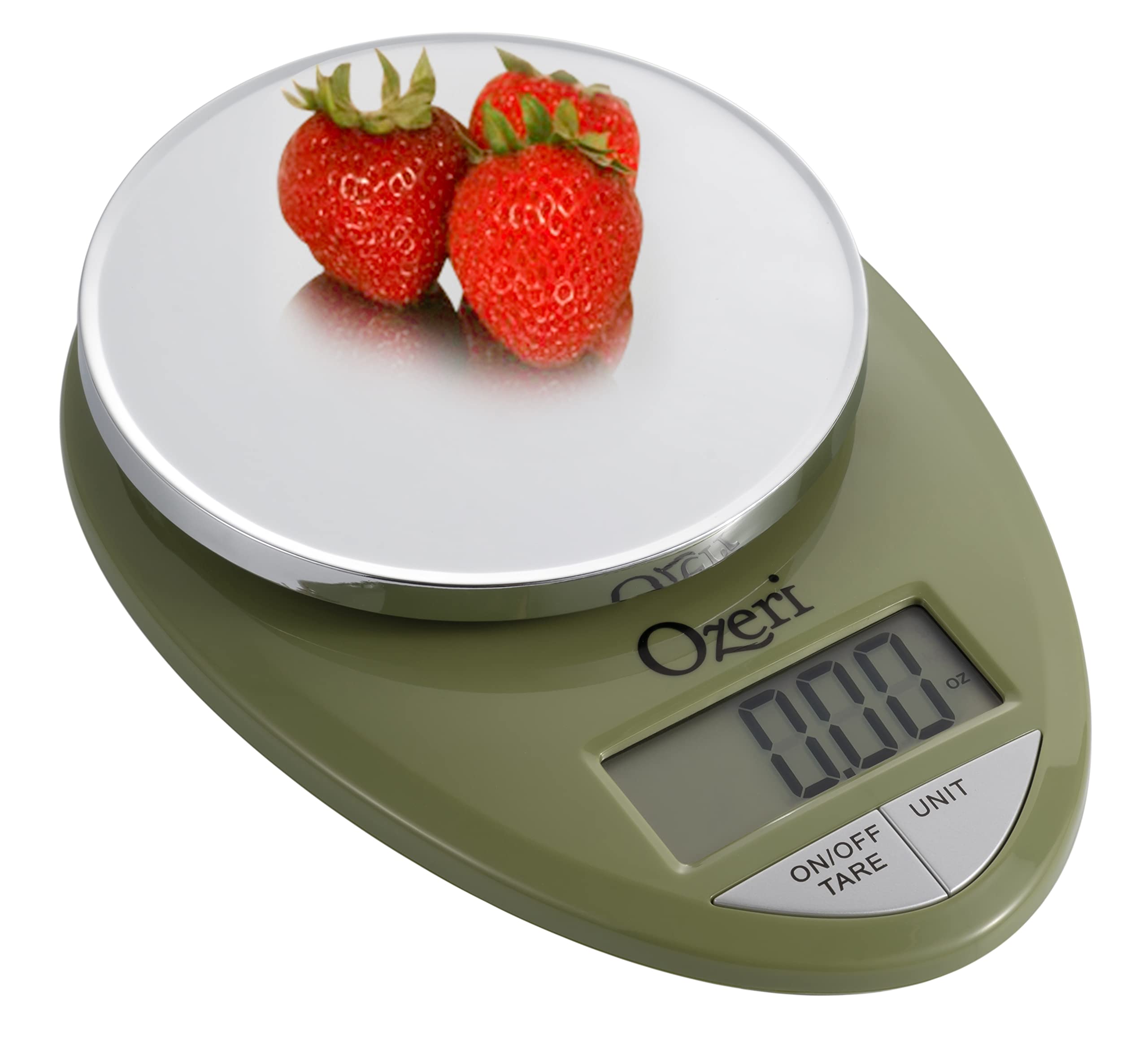
Image: The Ozeri Pro Digital Kitchen Food Scale displaying a weight with a small bowl of herbs on its platform.

Image: The Ozeri Pro Digital Kitchen Food Scale displaying a weight with a small ramekin of blueberries on its platform.
Penyelenggaraan
Pembersihan
- Wipe the scale surface clean with a damp cloth. Avoid abrasive cleaners or submerging the unit in water.
- Pastikan penimbang kering sebelum penyimpanan atau penggunaan seterusnya.
Penyimpanan
The compact design of the Ozeri Pro Digital Kitchen Food Scale allows for easy storage in a drawer or cabinet when not in use.

Imej: Sebelah view of the Ozeri Pro Digital Kitchen Food Scale, demonstrating its slim profile untuk penyimpanan yang mudah.
Menyelesaikan masalah
- Bacaan Tidak Tepat: Ensure the scale is placed on a flat, stable surface. Avoid placing items that exceed the maximum weight capacity.
- Paparan Tidak Dihidupkan: Periksa sama ada bateri dipasang dengan betul dan mempunyai cas yang mencukupi. Gantikan bateri jika perlu.
- Paparan Mesej Ralat: Refer to the full product manual (if available) or contact Ozeri customer support for specific error code interpretations.
Spesifikasi
| Ciri | Perincian |
|---|---|
| Jenama | Ozeri |
| Nombor Model | ZK12-GN |
| Kapasiti | 0.05 oz to 12 lbs (1 gram to 5.4 kg) |
| Pengijazahan | 0.05 oz or 1 gram |
| Jenis Paparan | LCD |
| Unit Pengukuran | grams, ounces, pounds, kilograms |
| Ciri Khas | Automatic Tare, 3-minute Auto Shut-off, Large Display |
| Sumber Kuasa | 2 bateri AAA (termasuk) |
| bahan | Polikarbonat |
| Dimensi Produk | 10 x 7 x 4 inci |
| Berat Barang | 9.6 auns |
Waranti dan Sokongan
For information regarding product warranty, returns, or technical support, please refer to the official Ozeri website or contact their customer service directly. Details are typically provided in the packaging or on the manufacturer's official support pages.