
EYETOO C250
Manual Pengguna Kamera Papan Pemuka 3-Saluran EYETOO C250
Model: C250 | Brand: EYETOO
pengenalan
Thank you for choosing the EYETOO C250 3-Channel Dash Cam. This device is designed to provide comprehensive video surveillance for your vehicle, recording simultaneously from the front, interior, and rear perspectives. Equipped with advanced features such as IR night vision, G-sensor, loop recording, and 24-hour parking monitoring, it ensures your driving moments are captured vividly and securely. Please read this manual carefully before operation to ensure proper use and optimal performance.
Kandungan Pakej
Sila tandai kotak untuk item berikut:
- 1 x EYETOO C250 3-Channel Dash Cam
- 1 x Kamera Belakang
- 1 x Pengecas Kereta
- 1 x Pemasangan Cawan Sedutan Boleh Laras
- 1 x Kabel USB Mini
- 1 x Manual Pengguna

Image: All components included in the EYETOO C250 Dash Cam package.
Produk Selesaiview
The EYETOO C250 features a compact design with a 2.45-inch display and three integrated cameras for comprehensive coverage.

Imej: Depan view of the EYETOO C250 Dash Cam and its components.
Ciri-ciri Utama:
- Rakaman 3 Saluran: Simultaneous recording from front (1080P), interior (720P), and rear (720P) cameras.
- Kanta Sudut Lebar: Front 170°, Inside 150°, Rear 150° for reduced blind spots.
- Penglihatan Malam IR: Ensures clear recording in low-light or dark conditions, especially for the interior camera.
- Rakaman Gelung: Menulis ganti foo tertua secara automatiktage apabila kad SD penuh.
- G-sensor Lock: Automatically locks current footage apabila hentaman atau perlanggaran secara tiba-tiba.
- Pemantau Tempat Letak Kereta 24 Jam: Detects impacts and records while the vehicle is parked.
- WDR (Julat Dinamik Lebar): Improves video clarity in varying light conditions.
- Skrin LCD 2.45 inci: Untuk siaran langsung view dan main balik.
Persediaan
1. Memasukkan Kad Mikro SD
The dash cam requires a Class 10, 16GB-128GB Micro SD card (not included). Ensure the card is inserted correctly before powering on the device.
- Cari slot kad Micro SD di sisi cam dash.
- Insert the Micro SD card with the gold contacts facing the back of the dash cam until it clicks into place.
- Penting: Format the Micro SD card within the dash cam's settings menu before first use to ensure compatibility and optimal performance.
2. Memasang Dash Cam
Use the provided suction cup mount to securely attach the dash cam to your vehicle's windshield.
- Bersihkan kawasan pada cermin depan anda di mana anda ingin memasang kamera papan pemuka.
- Pasang pelekap cawan sedutan pada sesondol pemuka.
- Tekan cawan sedutan dengan kuat pada cermin depan dan putarkan tuil untuk memastikannya kukuh.
- Laraskan sudut cam dash untuk memastikan jelas view of the road ahead, the vehicle interior, and the rear.

Image: Dash cam mounted on a windshield, illustrating the three camera views.
3. Kuasa Penyambung
Connect the dash cam to your vehicle's power source using the provided car charger.
- Plug the mini USB end of the car charger into the dash cam's power port.
- Palamkan hujung pengecas kereta yang satu lagi ke dalam soket pemetik api kenderaan anda.
- Kamera papan pemuka akan dihidupkan secara automatik dan mula merakam apabila kenderaan anda dihidupkan.
- Nota: The built-in battery is for emergency recording and saving settings only. The dash cam must remain plugged into the car's cigarette lighter for continuous operation.
Arahan Operasi
Rakaman Asas
Once powered on, the dash cam will automatically start recording. The 2.45-inch screen will display the live view daripada kamera-kamera.
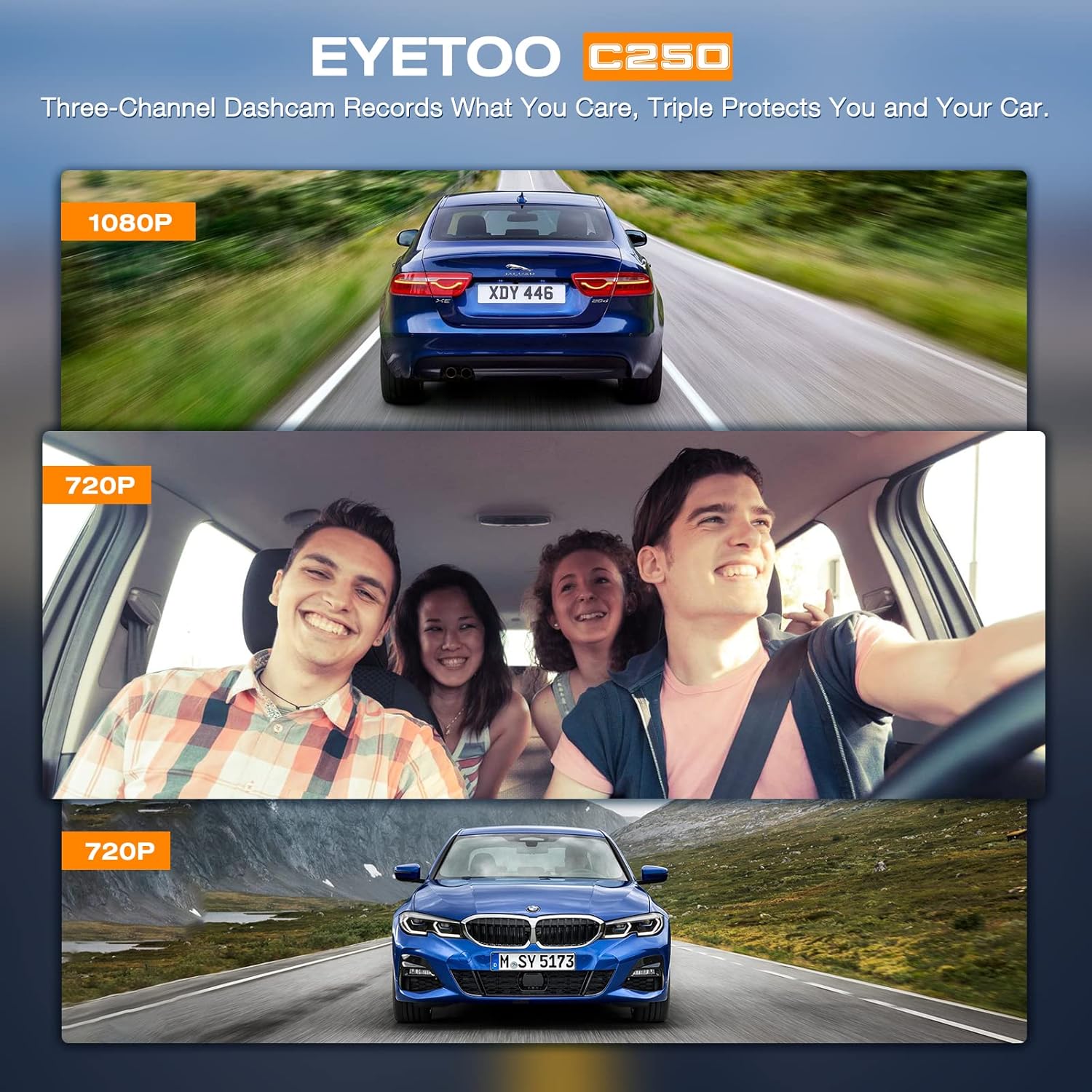
Image: The dash cam screen showing simultaneous recording from three channels.
Rakaman Gelung
The dash cam features seamless loop recording. When the Micro SD card is full, the oldest unlocked footage will be automatically overwritten by new recordings. This ensures continuous recording without manual deletion.
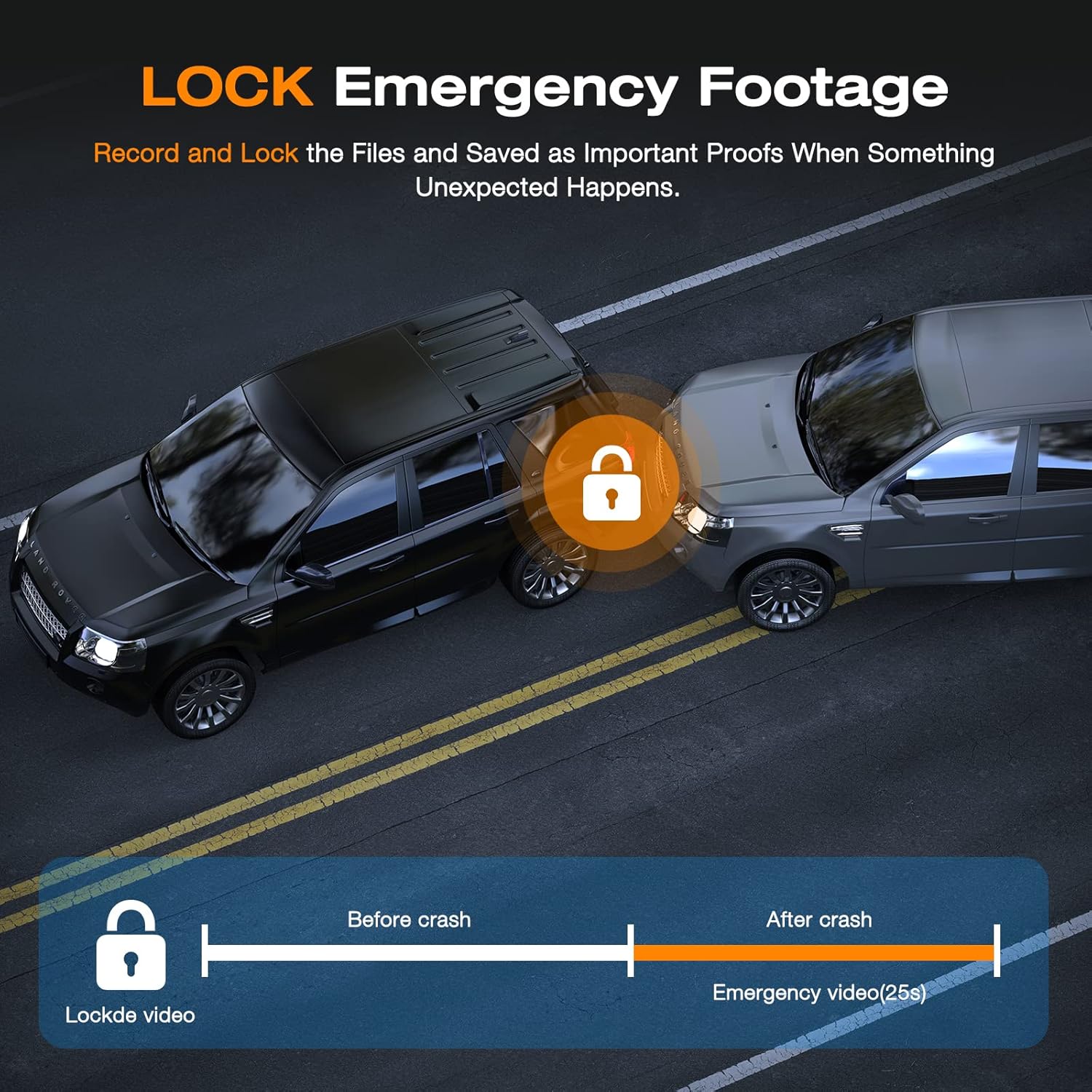
Image: Visual representation of loop recording, showing how older files are replaced by new ones.
G-sensor (Emergency Recording)
The built-in adjustable G-sensor detects sudden shakes or collisions. When triggered, it automatically locks the current footage, preventing it from being overwritten by loop recording. This ensures critical evidence is preserved.
- You can also manually lock the current video by pressing the designated button on the dash cam.

Image: G-sensor activation, showing how footage is locked during an impact.
24-Hour Parking Monitor
With the parking monitor feature enabled, the dash cam will automatically power on and start recording if an impact is detected while your vehicle is parked. This provides continuous surveillance and evidence for incidents occurring when you are away from your car.
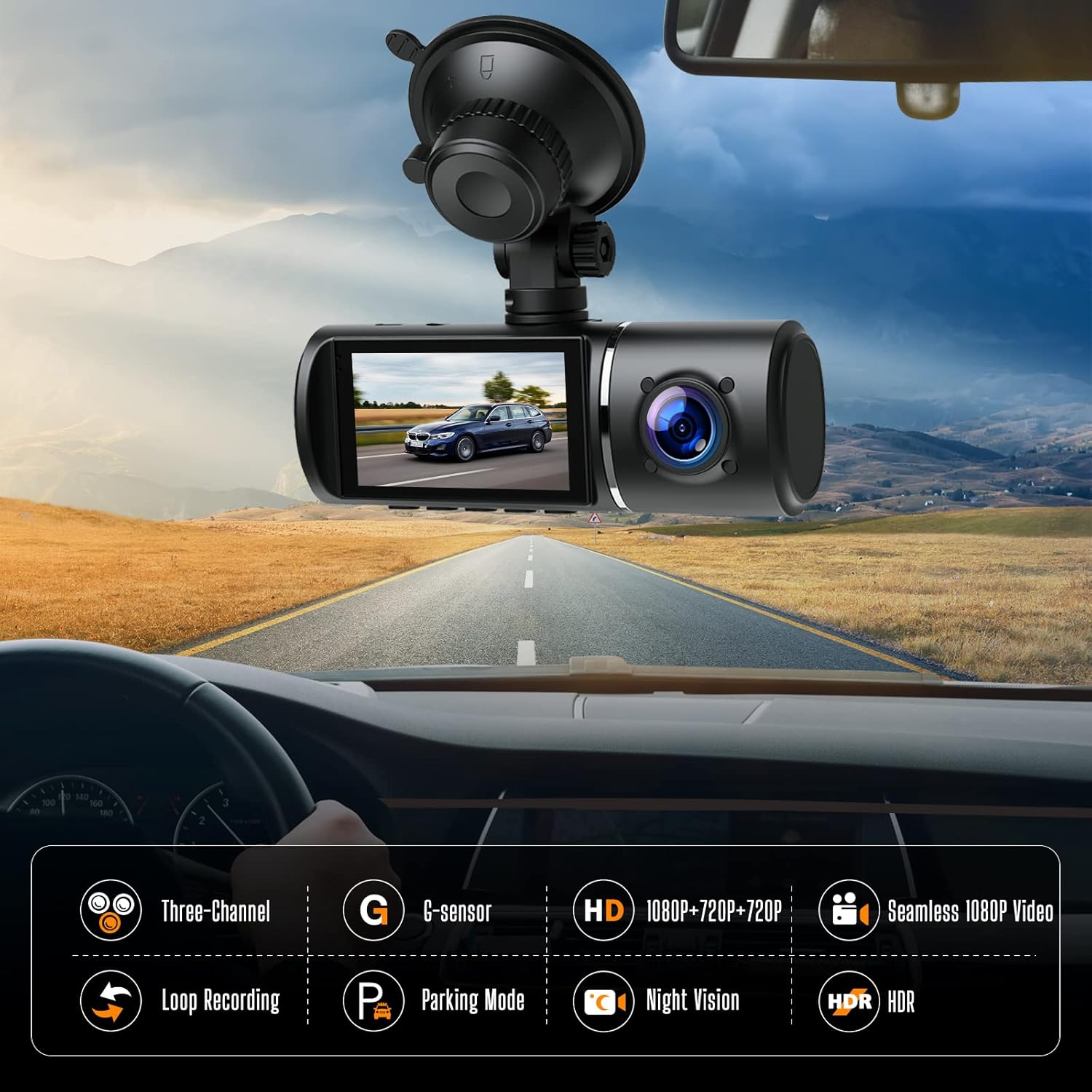
Image: The 24-hour parking monitor feature providing surveillance for a parked car.
Penglihatan Malam IR
The interior camera is equipped with Infrared (IR) LEDs, ensuring clear recording of the driver and passengers even in completely dark conditions. This is crucial for ride-sharing drivers or for capturing events inside the cabin at night.
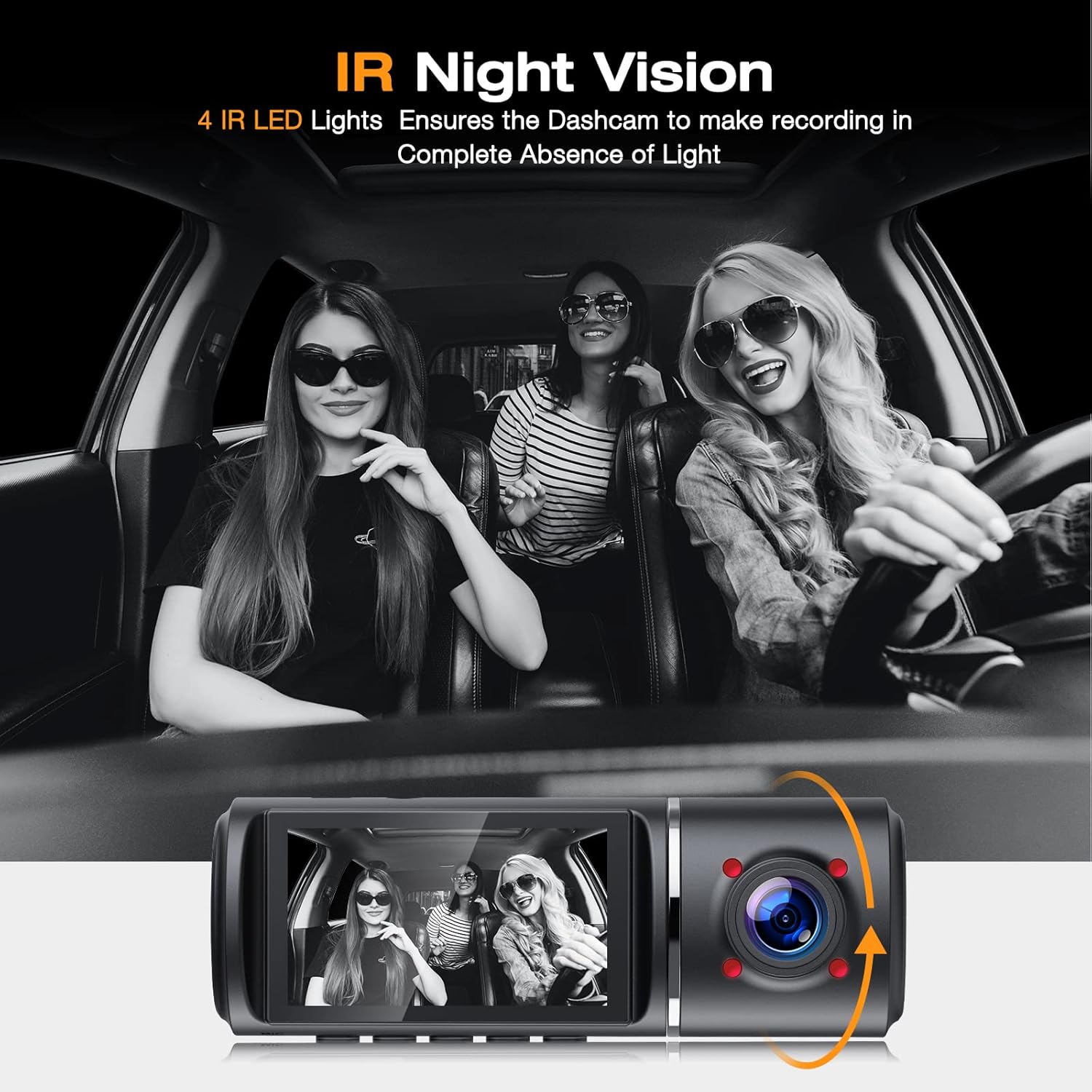
Image: IR Night Vision in action, providing clear interior recording in darkness.
Sudut Lebar View
The dash cam features wide-angle lenses for all three cameras: Front 170°, Inside 150°, and Rear 150°. This extensive field of view minimizes blind spots and captures more details of the surrounding environment, providing a more comprehensive record of events.
Image: Wide-angle coverage of the three cameras.
WDR (Julat Dinamik Lebar)
The WDR function enhances video quality by balancing exposure in areas of high contrast, such as tunnels or bright sunlight. This ensures that both bright and dark areas of the footage are clearly visible, maintaining continuity and clarity of video recording.

Image: Comparison of video quality with WDR ON vs. WDR OFF.
Auto LCD DIMATIKAN
To prevent distraction while driving, the dash cam features an auto LCD off function. The screen will turn off after a set period, but recording will continue uninterrupted. You can adjust this setting in the menu.
Penyelenggaraan
- Pengurusan Kad SD: Regularly format your Micro SD card (e.g., once a month) to maintain optimal performance and prevent data corruption. Back up any important footage sebelum memformat.
- Pembersihan: Use a soft, dry cloth to clean the dash cam's lenses and screen. Avoid using abrasive cleaners or solvents.
- Suhu: Elakkan mendedahkan kamera papan pemuka kepada suhu yang melampau untuk tempoh yang lama, kerana ini boleh menjejaskan hayat bateri dan prestasi keseluruhan.
- Kemas kini Firmware: Semak pengeluar webtapak secara berkala untuk sebarang kemas kini perisian tegar yang tersedia untuk memastikan cam dash anda mempunyai ciri terkini dan pembetulan pepijat.
Menyelesaikan masalah
| Masalah | Kemungkinan Punca / Penyelesaian |
|---|---|
| Dash cam tidak dihidupkan. |
|
| "Please format SD card" error or random freezing. |
|
| Video footage adalah kabur atau tidak jelas. |
|
| Dash cam stops recording randomly. |
|
| Monitor tempat letak kereta tidak berfungsi. |
|
Spesifikasi
| Ciri | Perincian |
|---|---|
| Model | C250 |
| Saiz Paparan | 2.45 Inci |
| Resolusi Tangkapan Video | Front: 1080p, Interior: 720p, Rear: 720p |
| Sudut Kamera Depan | Sudut Lebar 170° |
| Interior Camera Angle | Sudut Lebar 150° |
| Sudut Kamera Belakang | Sudut Lebar 150° |
| Penyimpanan | Supports Micro SD Card (Class 10, 16GB-128GB, not included) |
| Teknologi Ketersambungan | USB |
| Jenis Pemasangan | Gunung sedutan |
| Dimensi Produk | 4.33 x 1.38 x 1.57 inci |
| Berat Barang | 1.08 paun |
| Bateri | 1 Lithium Polymer battery (included, for emergency/settings) |
Waranti dan Sokongan
For any questions, technical support, or warranty claims, please contact EYETOO customer service. While specific warranty details are not provided in this manual, please refer to your purchase documentation or the official EYETOO webtapak untuk maklumat waranti yang paling terkini.
EYETOO is committed to providing reliable road safety solutions and offers customer support to assist with any product-related inquiries.


Images: EYETOO's commitment to customer service and positive feedback.